Maps
Guide 5 of 14
What it's for
Get the acres right from the photo and price clearing the same way every time, from your per-acre rates.
Where
Map: draw & price the work on a visit.
Watch it
Steps
Tap + next to Land clearing / mulching and tap around the edge of the area. The shape closes itself and the acres show on the map.
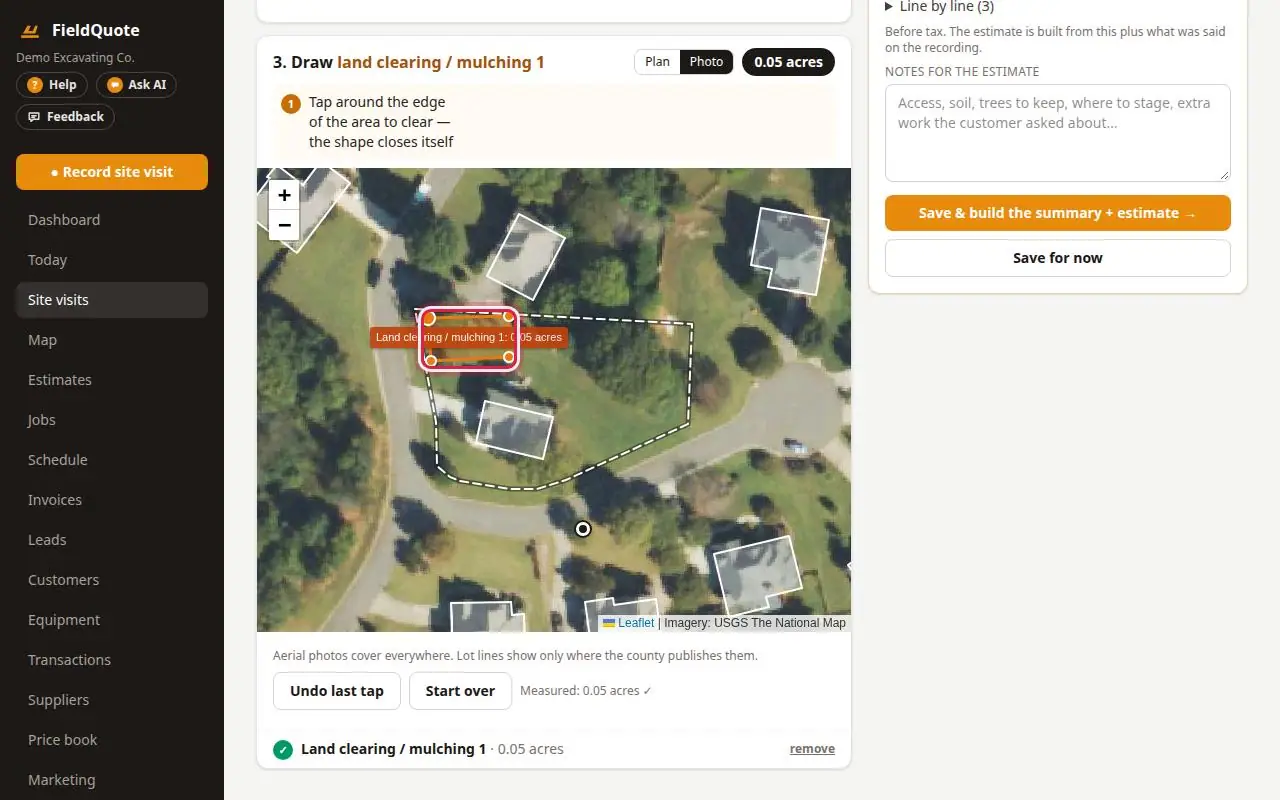
Map shows a sample property. Under What's growing there?, pick Forestry mulching (ground up and left on site) or Land clearing & haul-off (cut, grub the roots and haul it away). Then pick Light, Medium or Heavy.
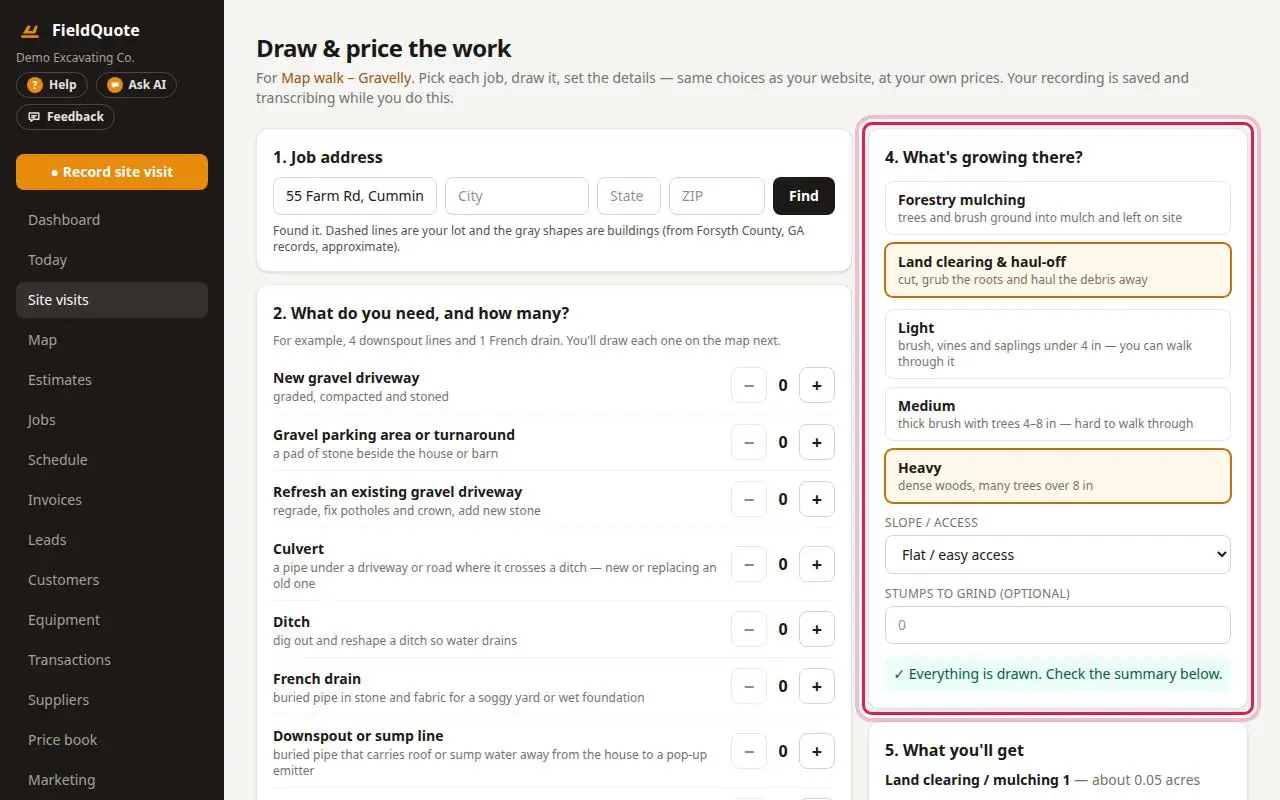
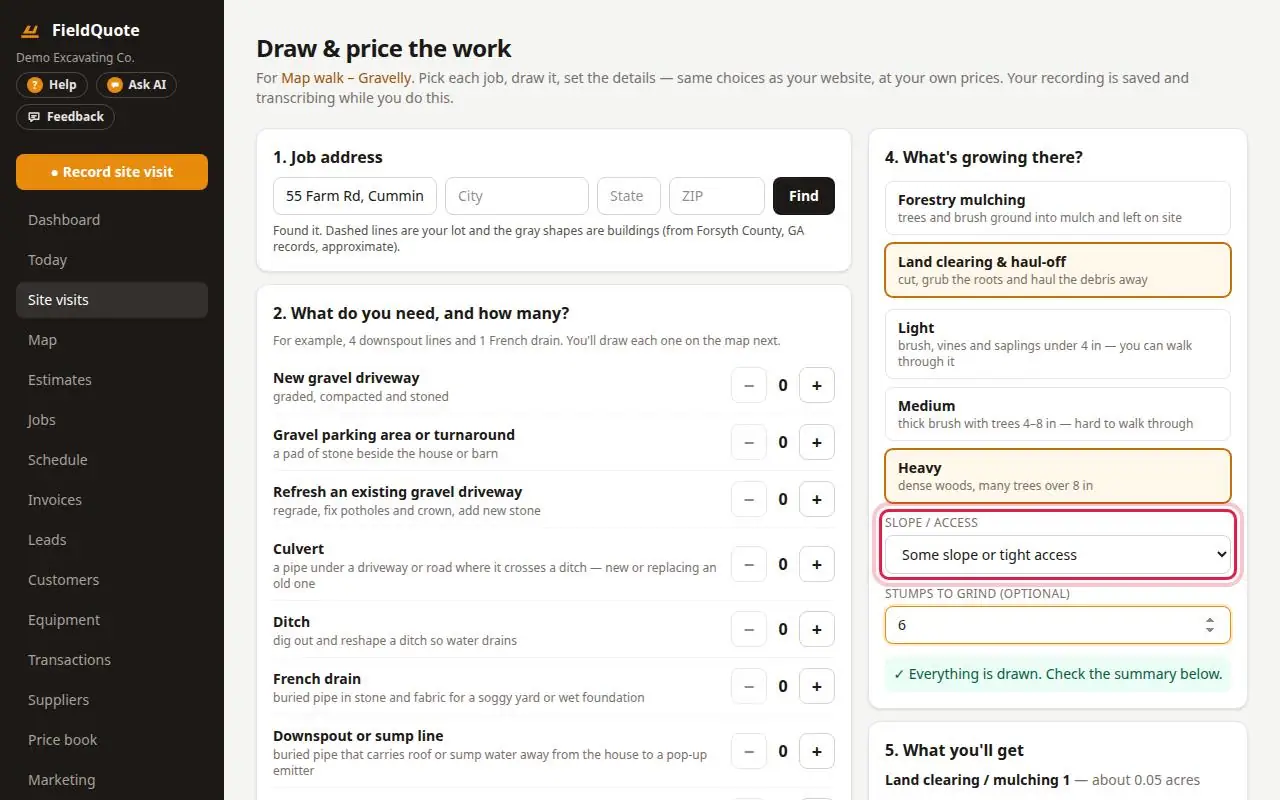
Set Slope / access and the number under Stumps to grind (optional).
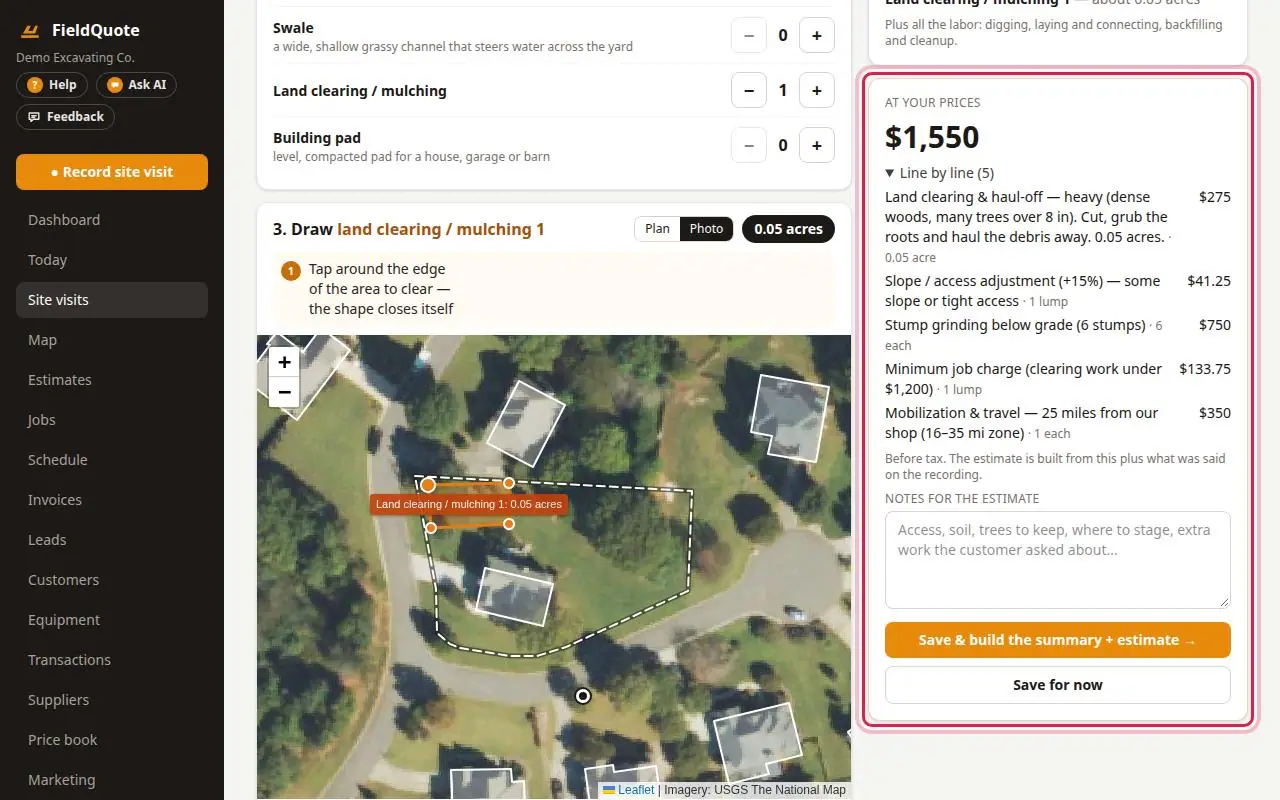
Open Line by line under At your prices to check the acres, the slope add-on, stumps and travel.
Map shows a sample property.
What you'll see
The area in acres on the map.
A line for the slope add-on when you pick some slope or steep ground.
A minimum charge line when the clearing work comes in under your minimum.
Common mistakes
Outlining the whole lot when only part is wooded. Draw just the part to clear.
Picking Light for thick brush. The hints under each choice say what counts as light, medium and heavy.
Limits
Per-acre prices, the slope add-ons, the stump price and the clearing minimum come from Settings › Set clearing rates. Until you save rates there, FieldQuote uses the clearing prices in your price book, and its own starting prices for anything not priced.
Areas over 100 acres can't be priced on the map.
Land clearing is always offered on the team map.
Checked against the app on Nov 8, 2026. Pictures are from Demo Excavating Co., a made-up company.