Maps
Guide 6 of 14
What it's for
Price a level, compacted pad for a house, garage or barn from its real size and the lay of the land.
Where
Map: draw & price the work on a visit.
Watch it
Steps
Tap + next to Building pad and tap each corner of the pad, about 10 ft past the building on each side. The size shows on the map.
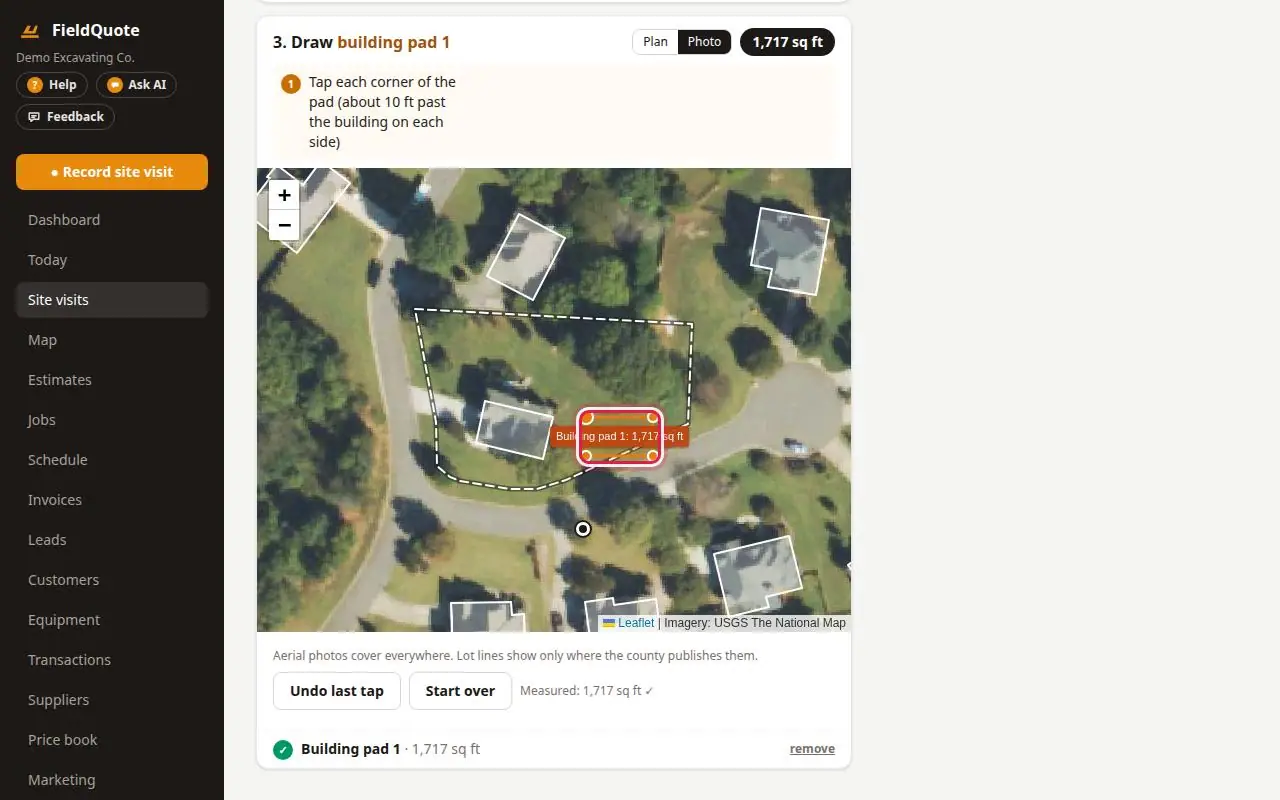
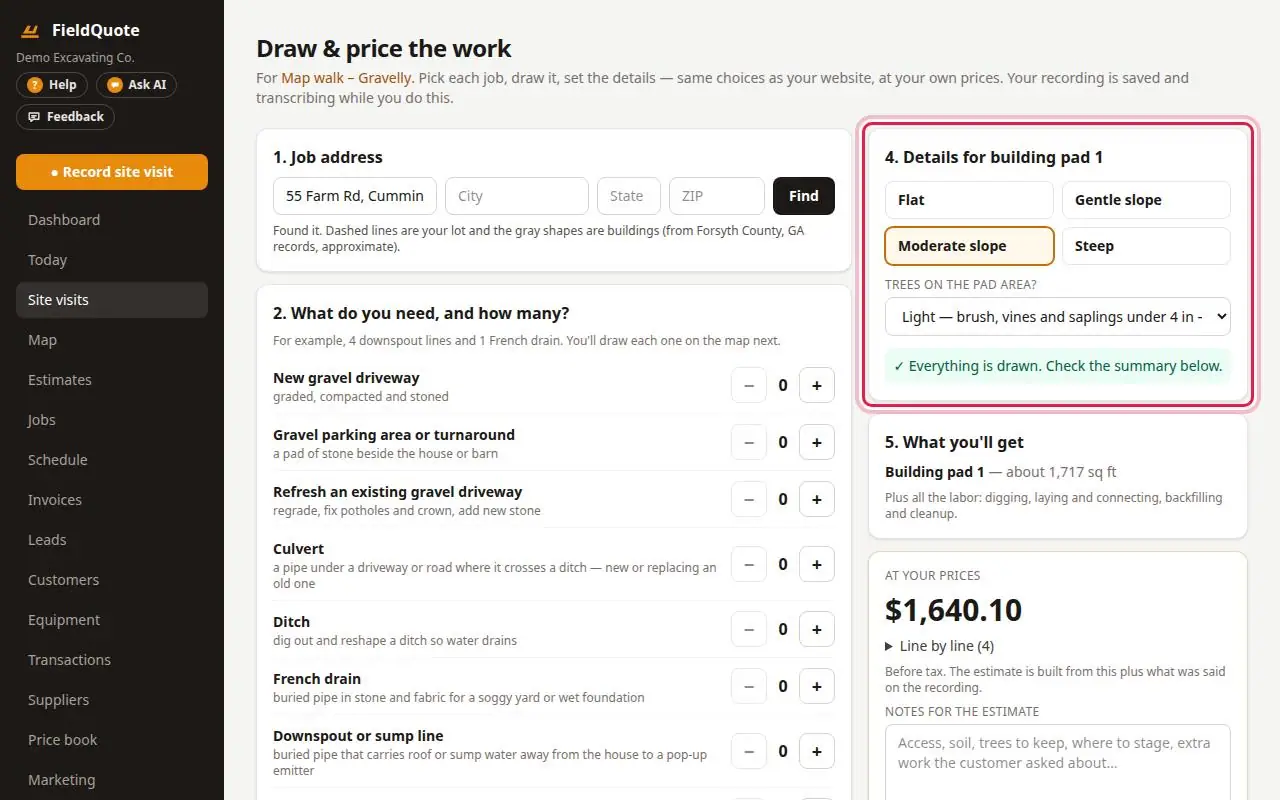
Map shows a sample property. Under Details for building pad 1, pick the slope: Flat, Gentle slope, Moderate slope or Steep. Under Trees on the pad area?, pick No — open ground or how thick the trees are.
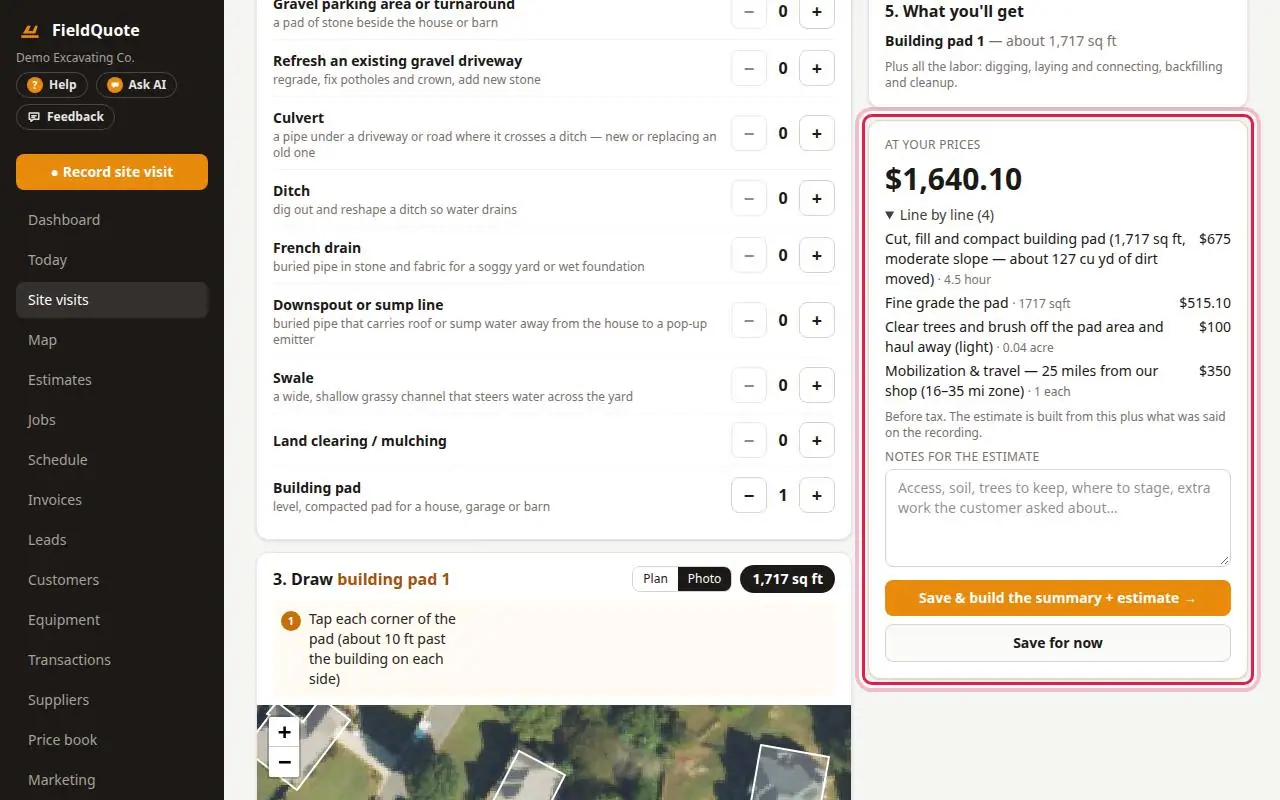
Open Line by line under At your prices to see the cut, fill and compaction hours, the fine grading, any tree clearing, and travel.
Map shows a sample property.
What you'll see
The first line says how many cubic yards of dirt it figures will move, from the size and the slope.
If you offer stone on top (see Limits), a box to add compacted stone on top shows under the trees.
Common mistakes
Drawing the building's outline instead of the pad. Go about 10 ft past the building on each side.
Picking Flat on a lot that falls off. The slope is the biggest part of the price.
Limits
Building pad only shows when your track loader and fine grading items have prices.
The stone-on-top box only shows when Settings › Set up price tools has a stone depth for pads and crusher run has a price.
Pads over 10 acres can't be priced on the map.
Checked against the app on Nov 8, 2026. Pictures are from Demo Excavating Co., a made-up company.