Maps
Guide 7 of 14
What it's for
Most jobs are more than one thing: two downspout lines and a French drain, a driveway and a culvert. Put them all on one map and get one price for the whole job.
Where
Map: draw & price the work on a visit.
Watch it
Steps
Under What do you need, and how many?, use + and − to set how many of each kind there are. For example, 2 downspout lines and 1 French drain.
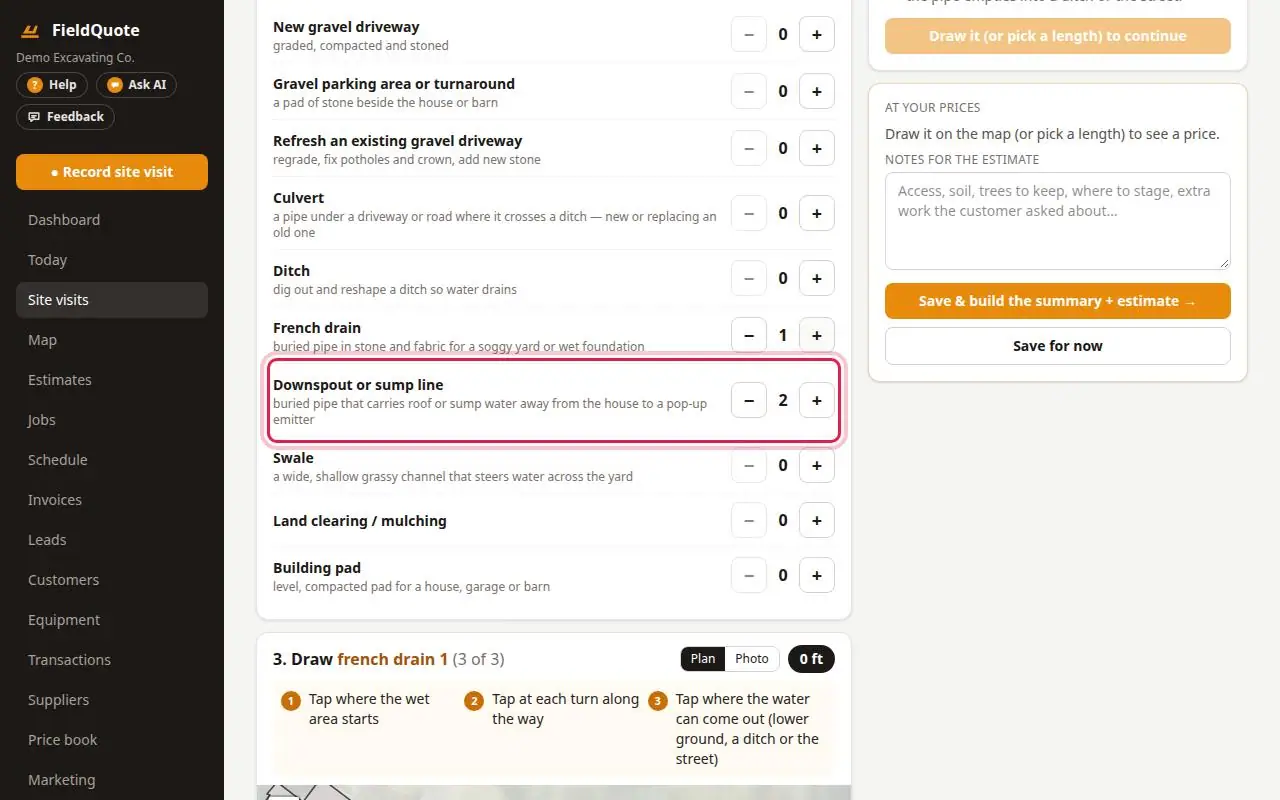
Each piece is listed under the map. The one you're drawing says "drawing now"; tap any piece in the list to draw that one. A drawn piece gets a green check and its size.
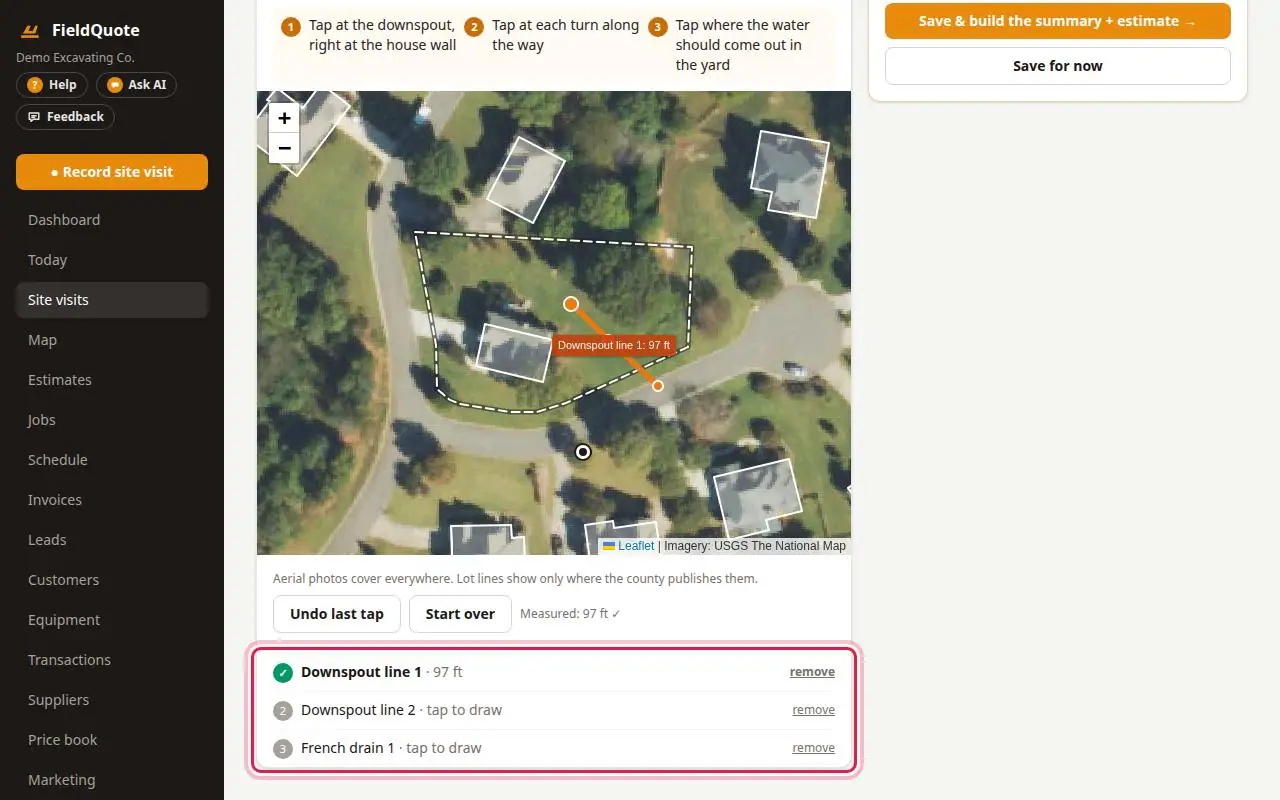
Map shows a sample property. When a piece is drawn, tap Done — next to move to the next one. Set its details first if it has any.
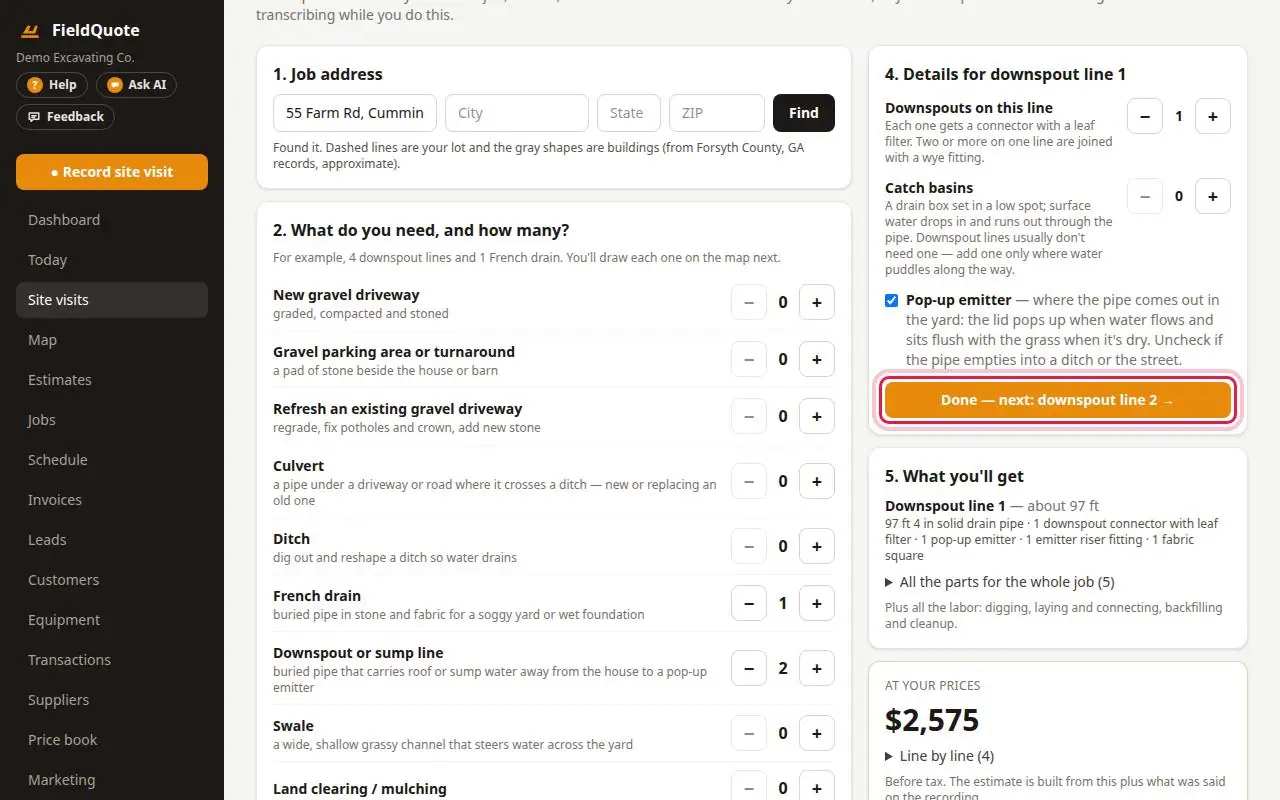
Tap a piece in the list to go back to it, or tap remove next to it to take it out.
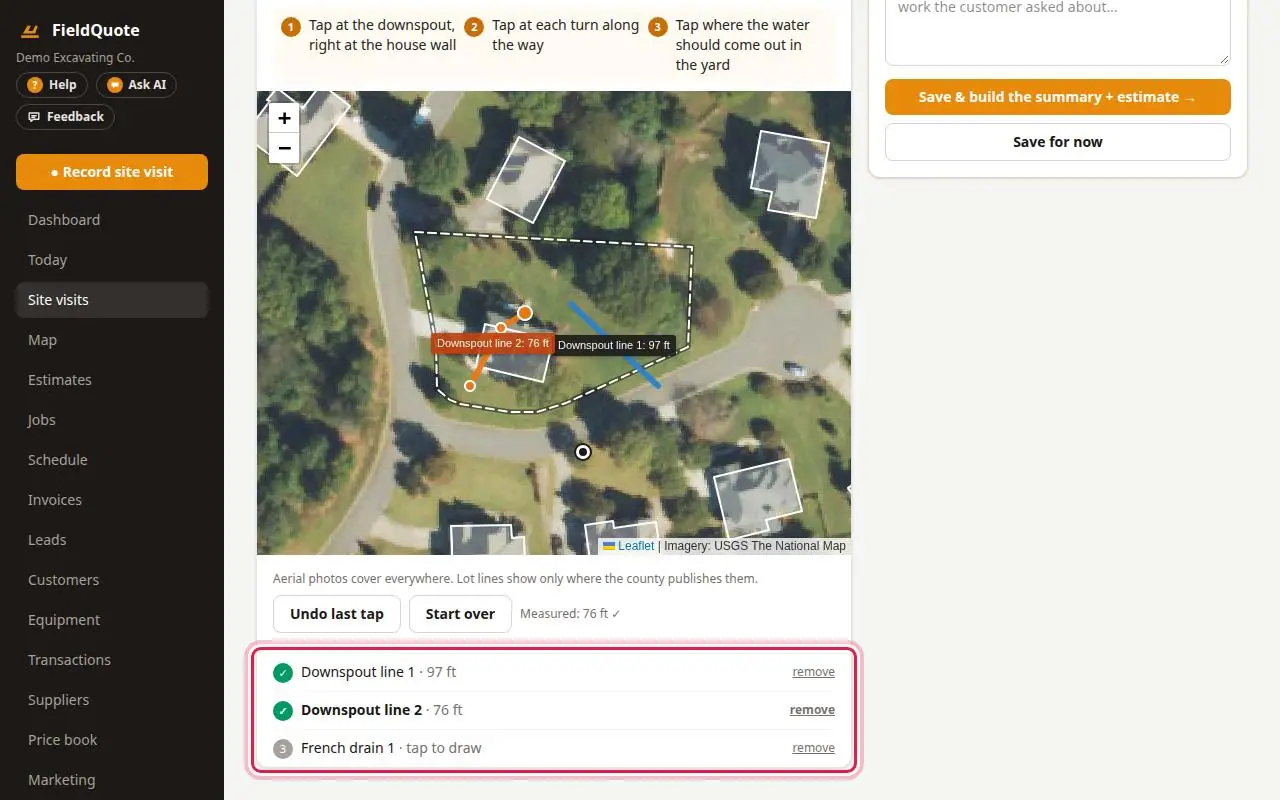
Map shows a sample property. When every piece is drawn, you'll see "✓ Everything is drawn. Check the summary below." The price covers all of it.
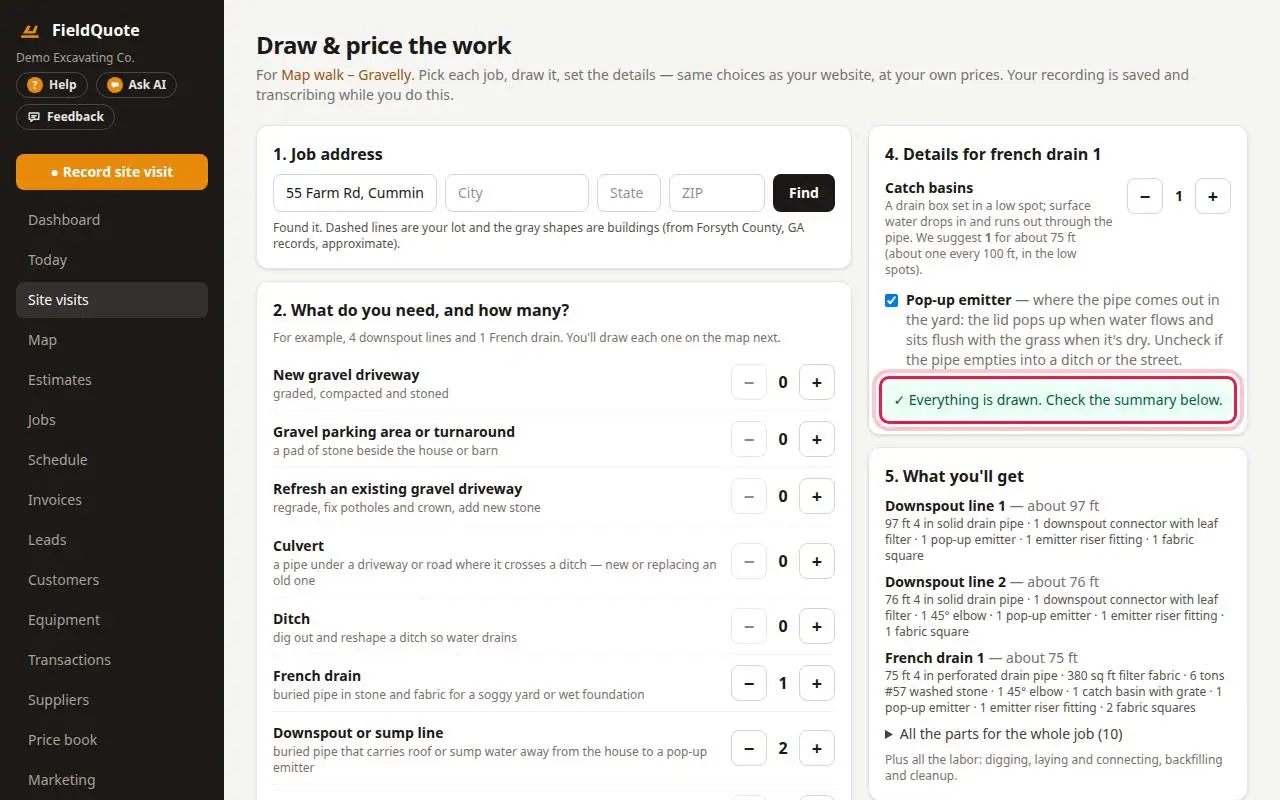
What you'll see
The heading over the map says which piece you're drawing and how many there are, like 1 of 3.
The piece you're on is orange; the others are blue, labeled with their names and sizes.
New pieces copy the options of the last one of the same kind.
Common mistakes
Drawing on the wrong piece. Check the heading over the map, or tap the right piece in the list first.
Tapping − to remove a particular piece. − removes the last one of that kind. Use remove in the list for a particular one.
Limits
Up to 8 of each kind and 16 pieces in all. Past that you'll see "That's a lot for one request — send this one and call us for the rest."
One travel charge for the whole job, not one per piece.
Checked against the app on Nov 8, 2026. Pictures are from Demo Excavating Co., a made-up company.