Maps
Guide 8 of 14
What it's for
The map's measured work and your notes become part of the estimate. What you measured on site counts as measured: the estimate keeps those lines and quantities unless the conversation changes them.
Where
The At your prices box on Draw & price the work.
Watch it
Steps
Draw the work, then type anything the estimate should know under Notes for the estimate: access, soil, trees to keep, where to stage, extra work the customer asked about.
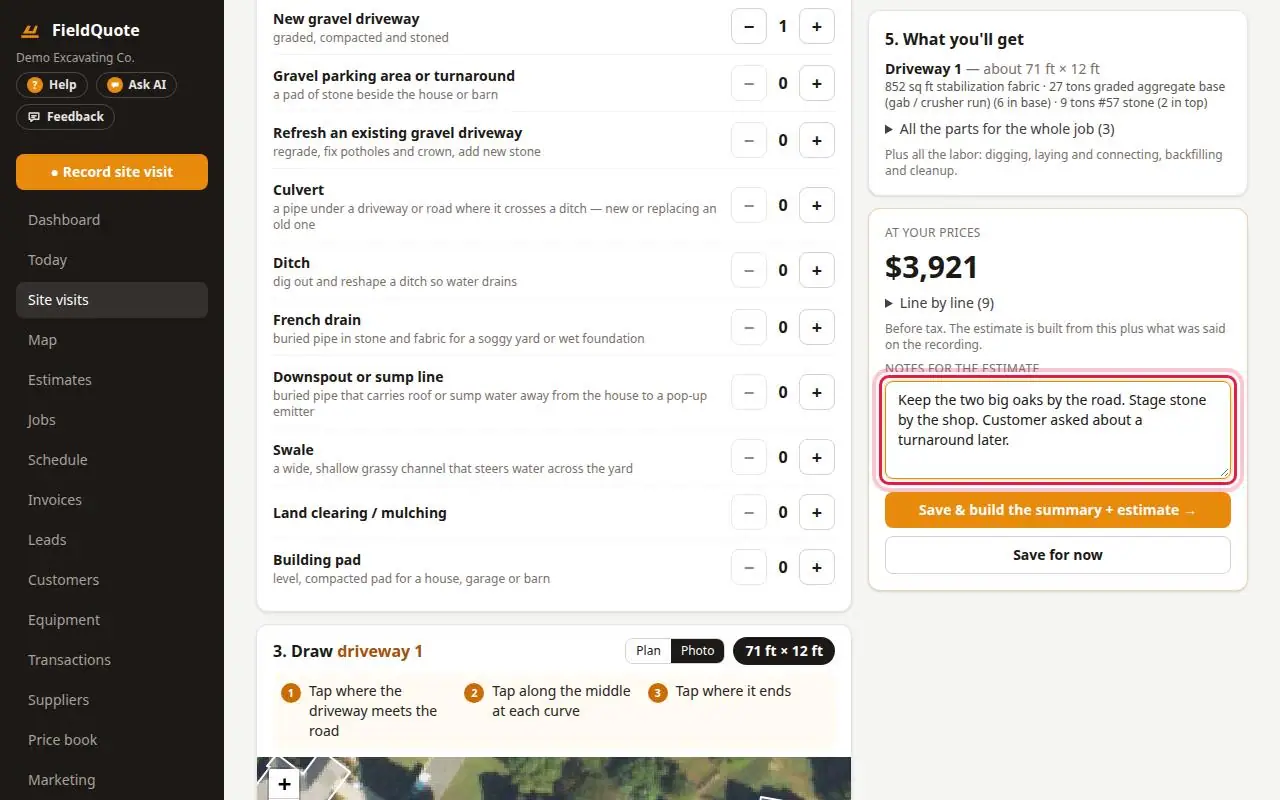
Map shows a sample property. If the visit is waiting for the map, tap Save & build the summary + estimate. (Tap Save for now to keep working on it later.)
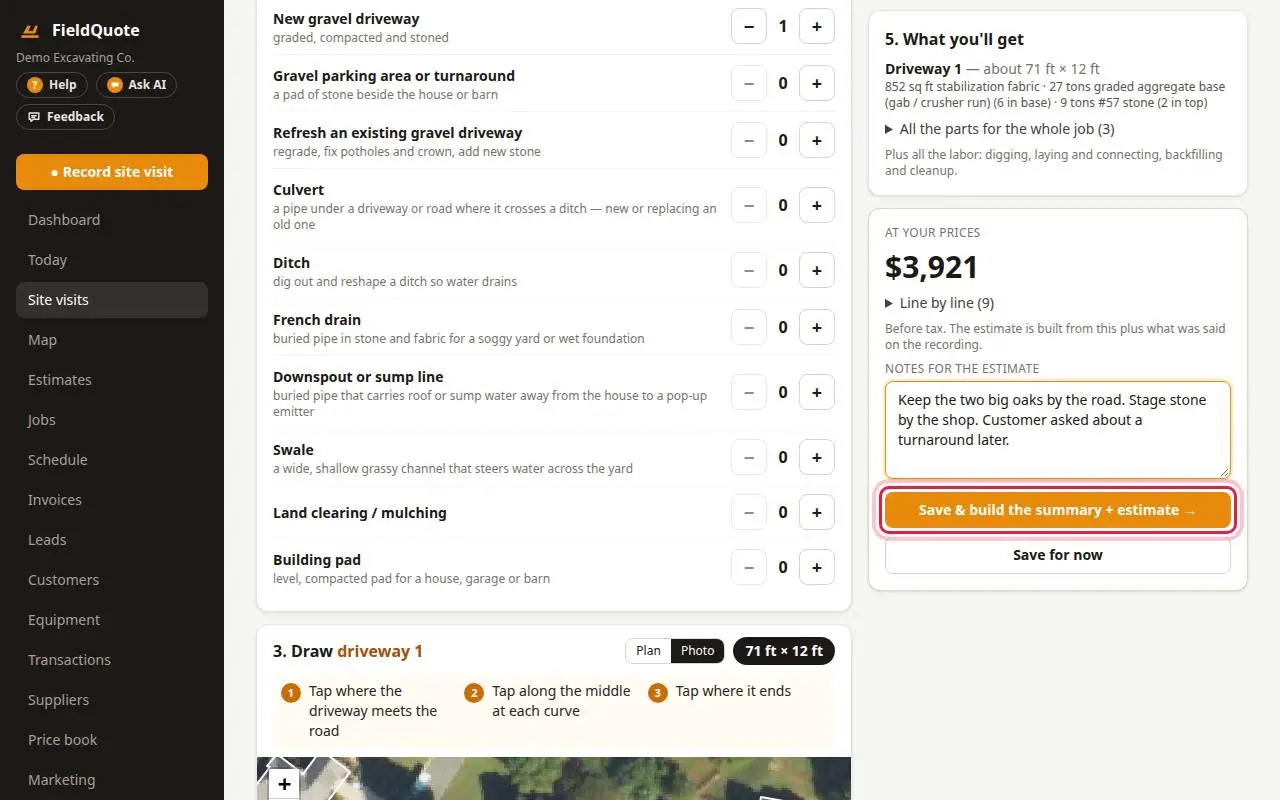
Map shows a sample property. The visit page opens. What you drew shows under "Drawn on the map:" with the price at your numbers and your notes.
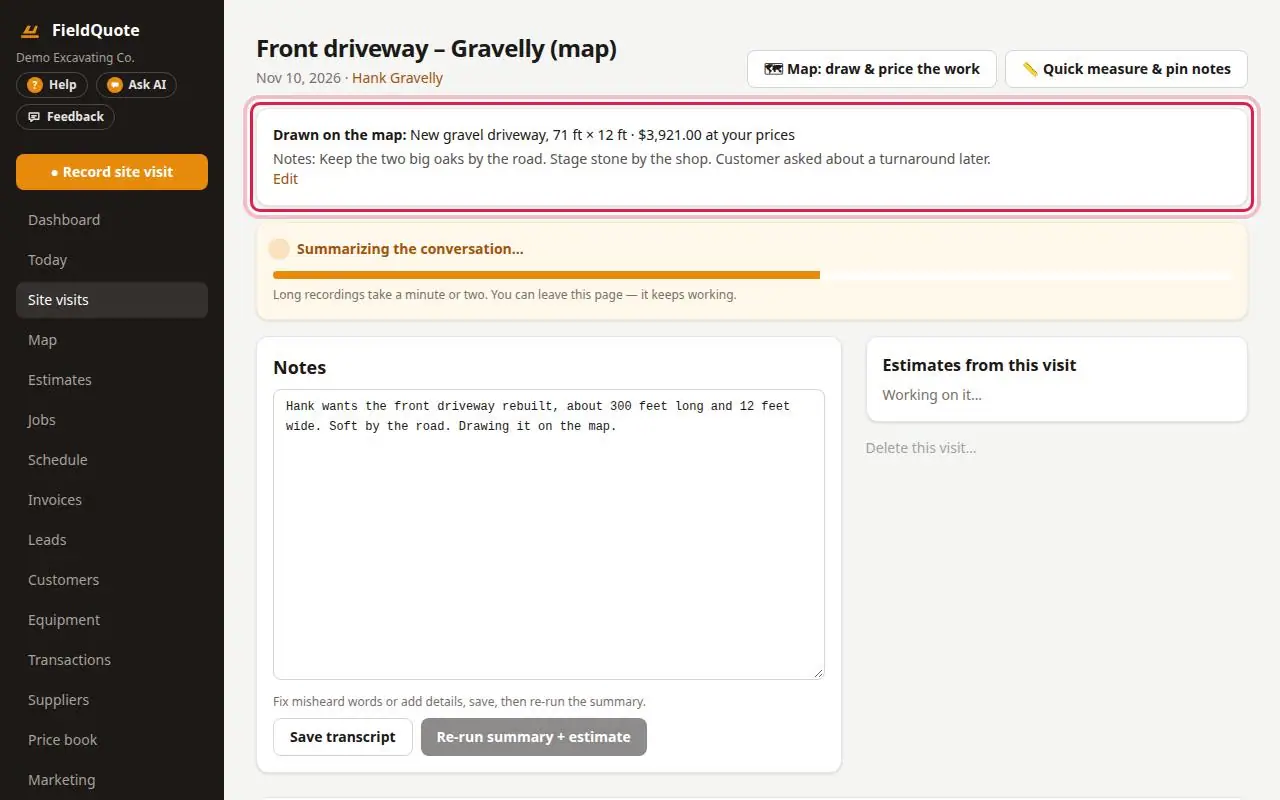
When it's done, the estimate shows under Estimates from this visit.
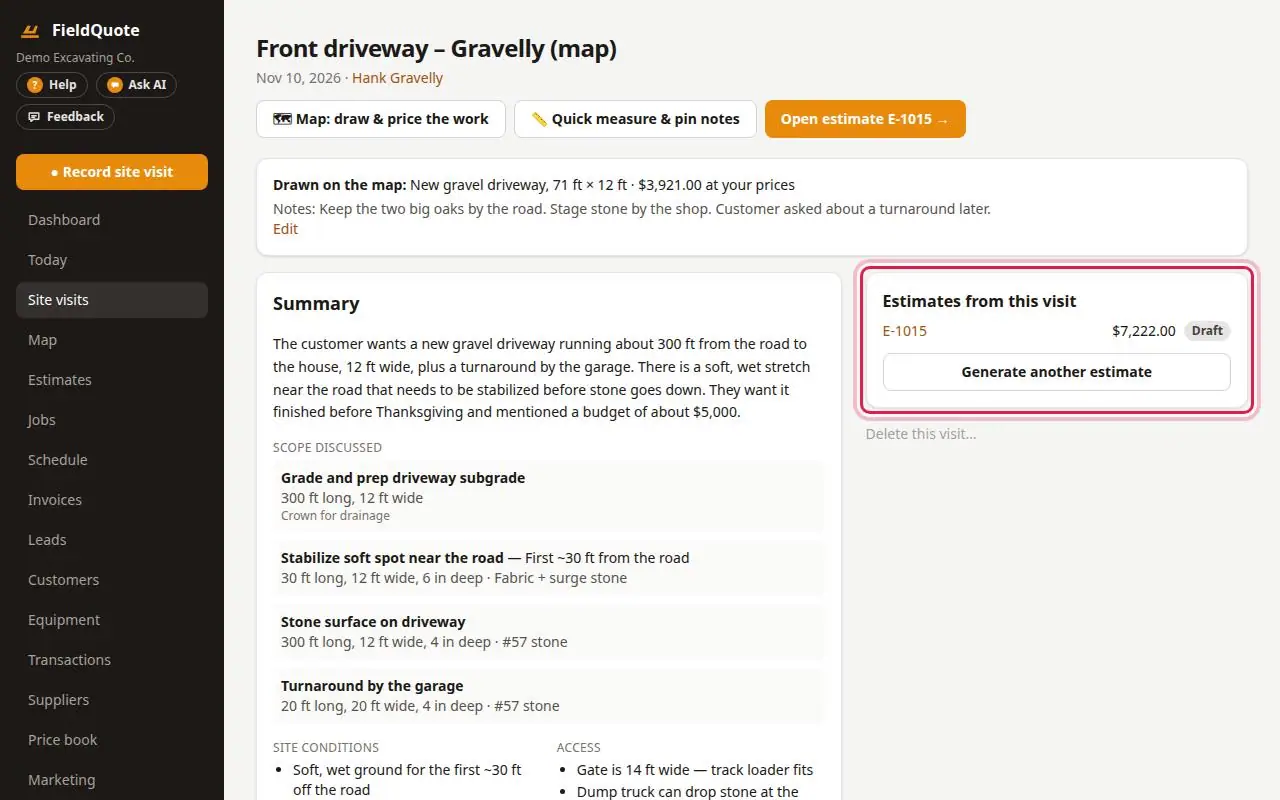
To change it later, tap Edit next to "Drawn on the map:". The map opens with your saved work drawn on it, listed under the map and priced in the box. Change it, then tap Save to this visit. To use the change, go Back to the visit and tap Generate another estimate.
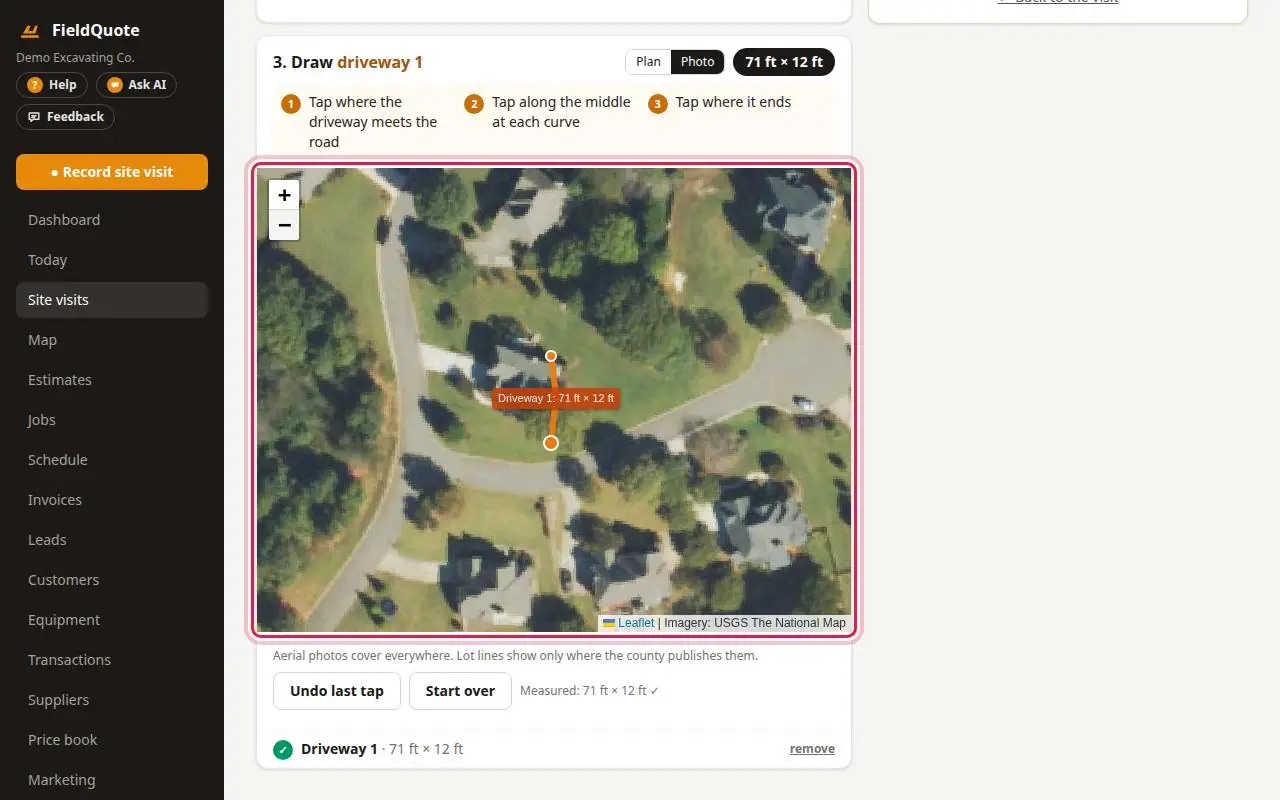
Map shows a sample property.
What you'll see
"Saved ✓" on the button after Save for now or Save to this visit.
The price on the map is before tax: "Before tax. The estimate is built from this plus what was said on the recording."
Common mistakes
Saving with nothing drawn and no notes. There's nothing to save; on a waiting visit it just builds the estimate from the recording.
Changing the map after the estimate is built and expecting the estimate to change. It doesn't change by itself. Tap Generate another estimate on the visit.
Losing signal while saving. You'll see "Couldn't save — check your signal and try again."
Limits
The work you save here also shows in blue on the Site map of the visit, its estimate and invoice, the customer's copy and the customer page. Saving again replaces it there. It isn't added to the estimate's map notes a second time.
The estimate starts from the map's lines, but the conversation can still change or add to them. Check the draft before sending.
When you reopen the map, the lot lines aren't drawn until you tap Find.
Checked against the app on Nov 9, 2026. Pictures are from Demo Excavating Co., a made-up company.