Maps
Guide 2 of 14
What it's for
Get the size of a driveway job right from the photo — length, width and area — and price the grading, fabric, stone, spreading and hauling the same way every time.
Where
Map: draw & price the work on a visit.
Watch it
Steps
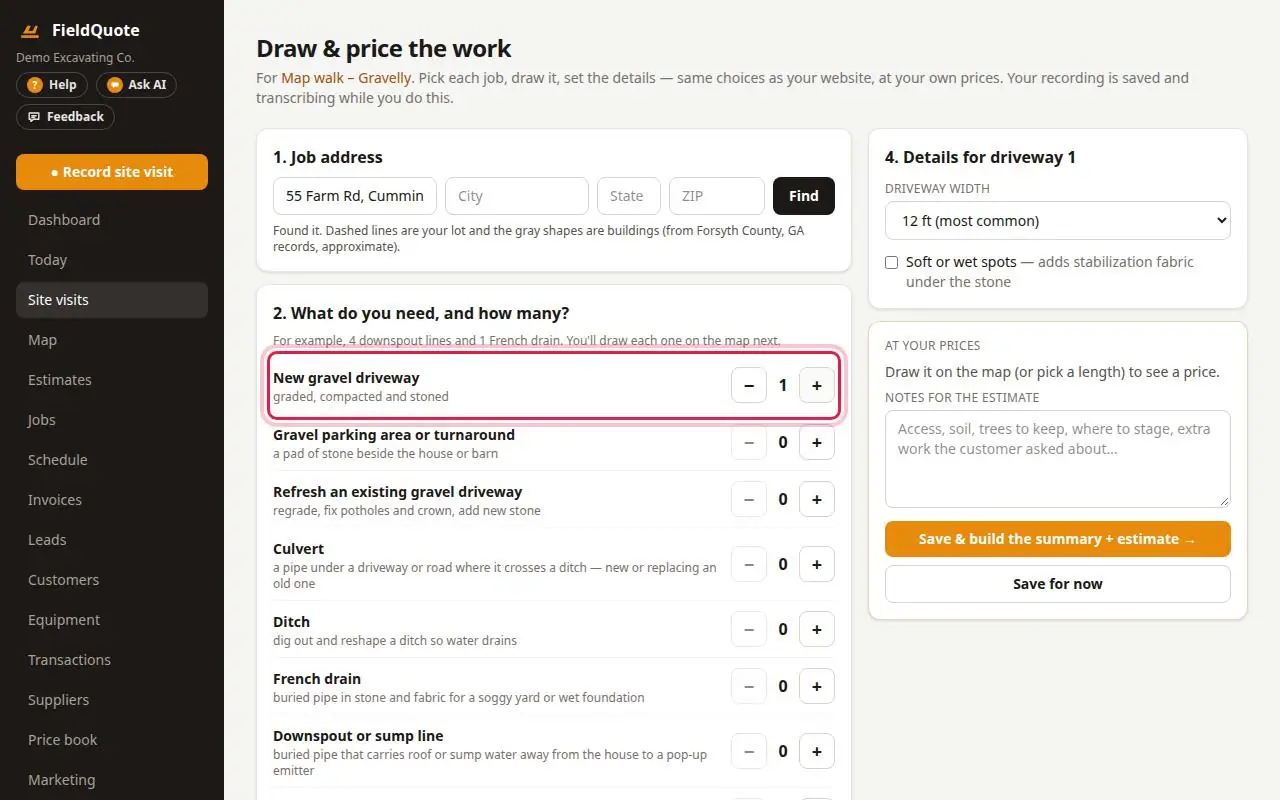
Under What do you need, and how many?, tap + next to New gravel driveway.
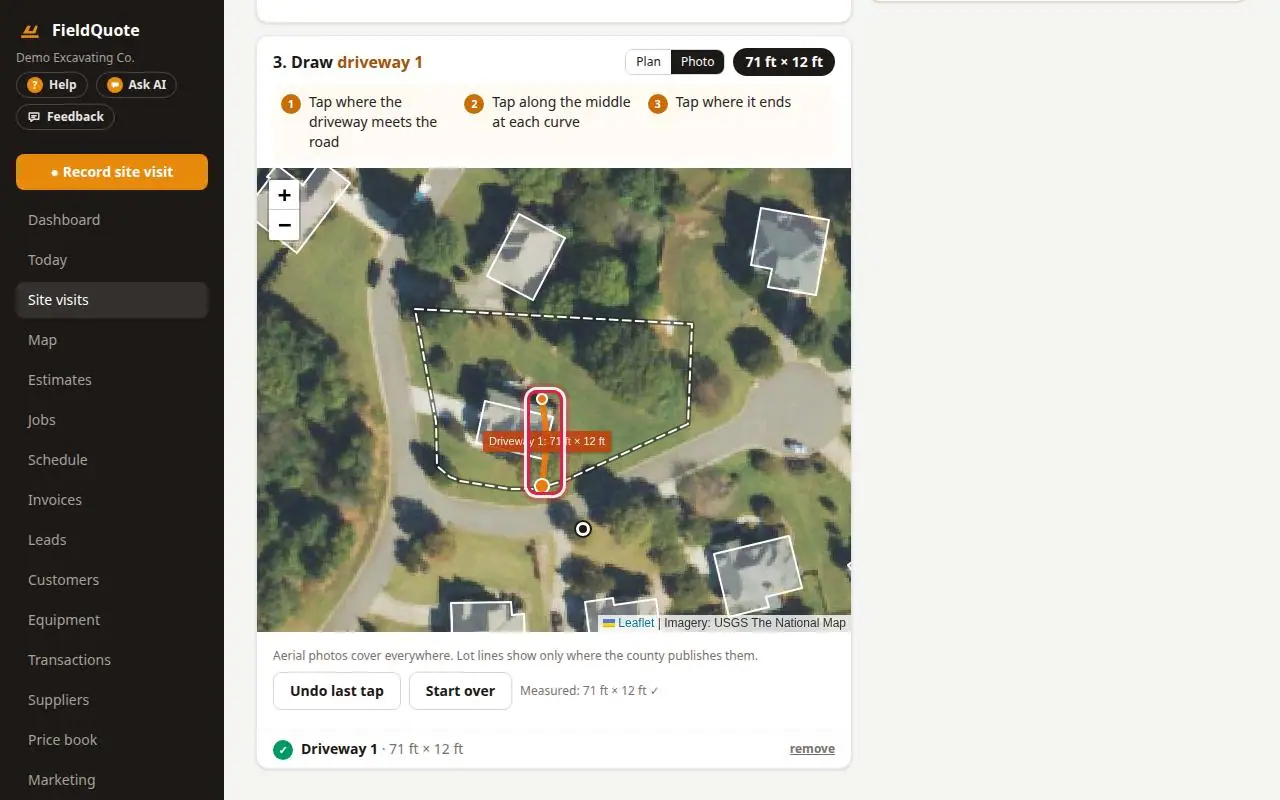
Draw it: tap where the driveway meets the road, tap along the middle at each curve, and tap where it ends. The length shows on the line and at the top of the map.
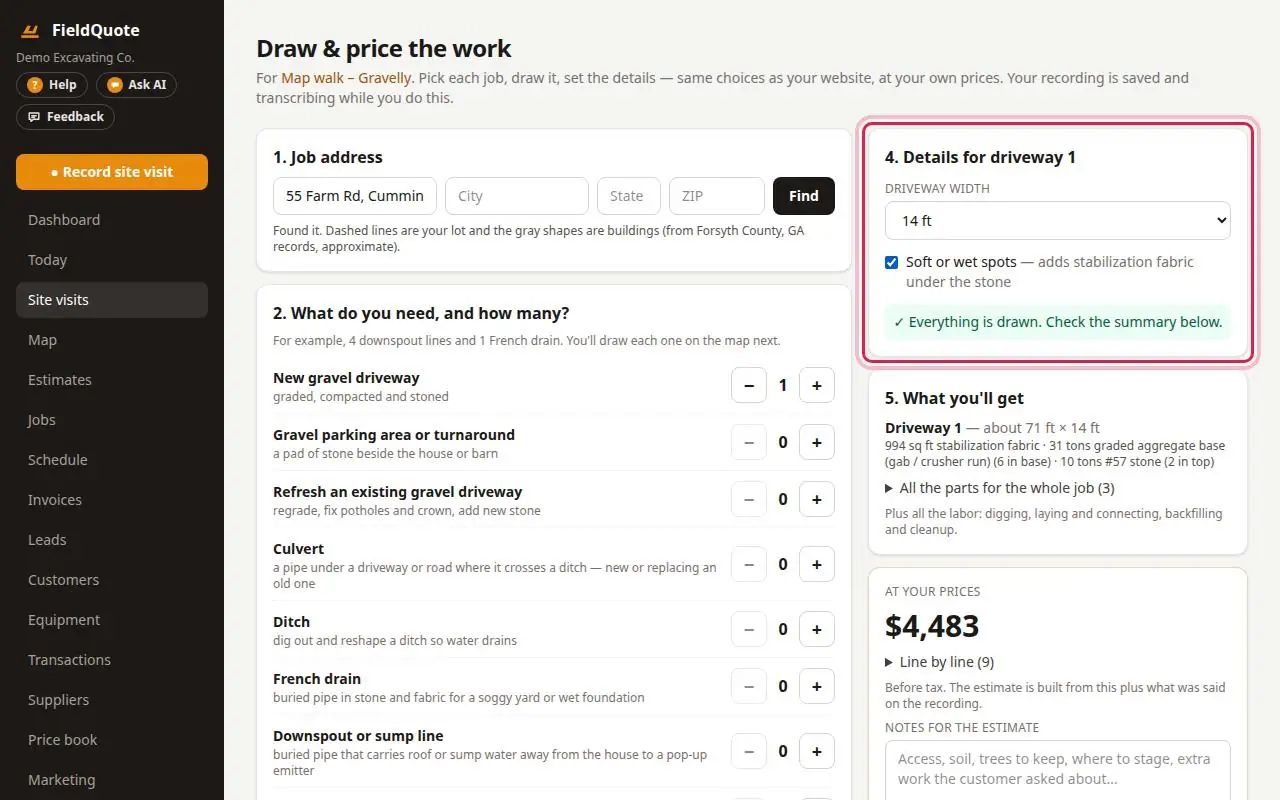
Map shows a sample property. Under Details for driveway 1, pick the Driveway width. Check Soft or wet spots if the ground is soft. That adds stabilization fabric under the stone.
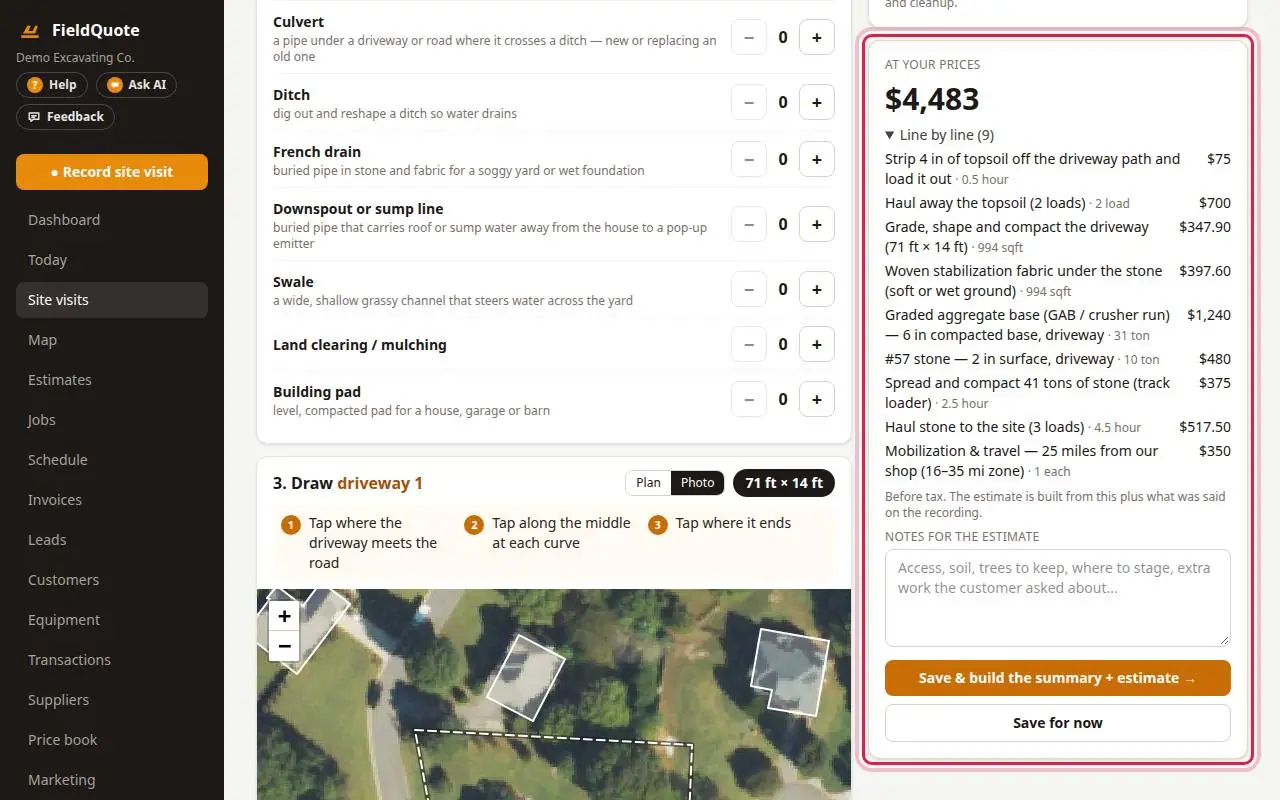
The price shows under At your prices. Open Line by line to see every line: topsoil stripping and hauling, grading, fabric, base and top stone, spreading, hauling the stone, and travel.
Map shows a sample property. For a parking area or turnaround, tap + next to Gravel parking area or turnaround and tap each corner. The shape closes itself.
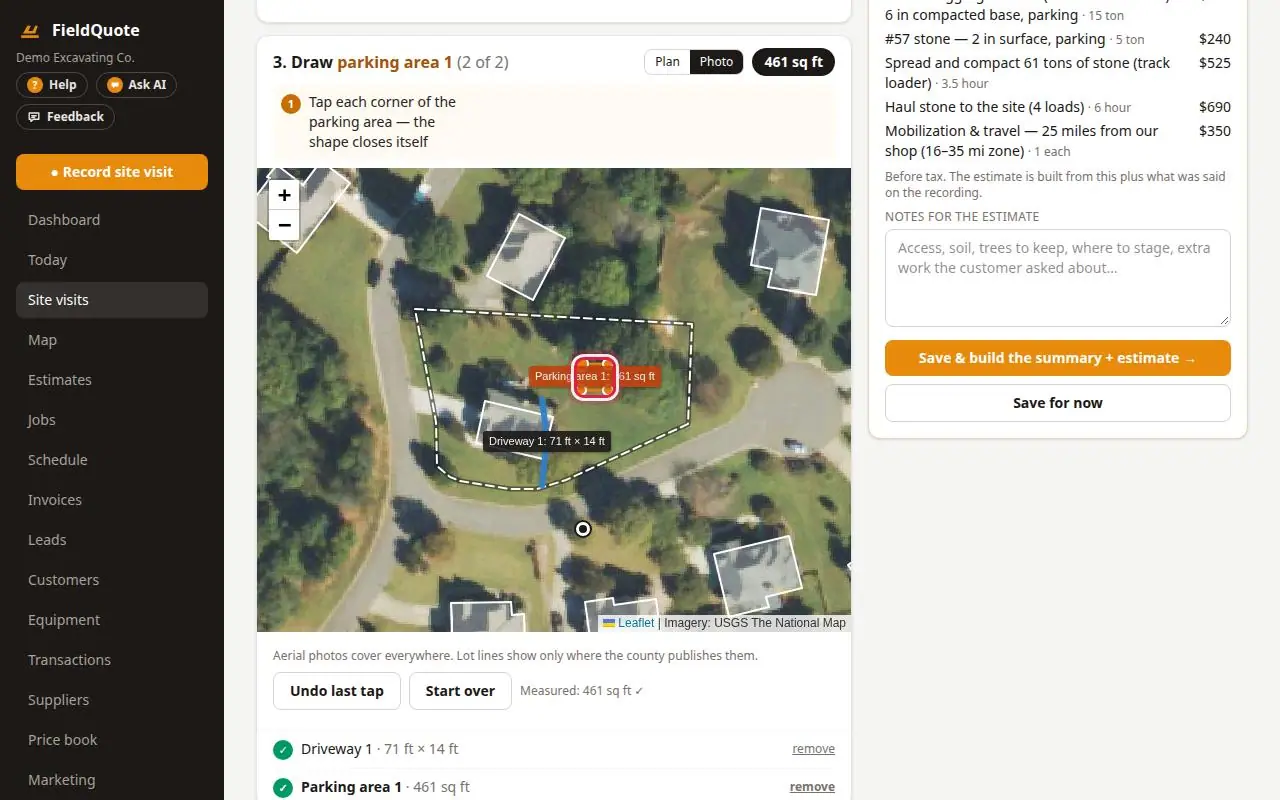
Map shows a sample property. For an old gravel driveway, tap + next to Refresh an existing gravel driveway and draw it the same way. If you can't draw it, pick a length under "Can't draw it? Pick about how long it is instead:", or type one in the other box.
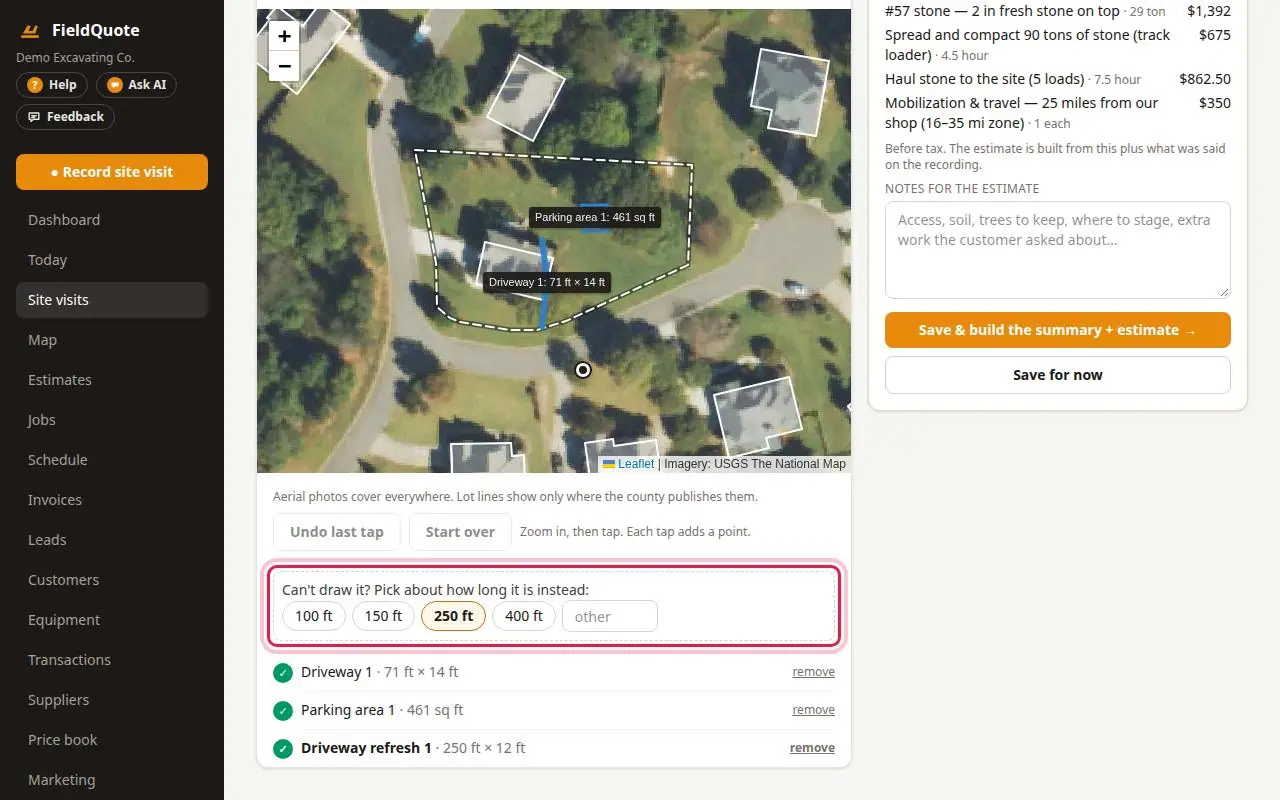
Map shows a sample property.
What you'll see
The piece you're drawing is orange; finished pieces are blue with their size.
"Measured: … ✓" under the map when a piece is drawn.
What you'll get lists the stone and fabric each piece needs.
Common mistakes
Drawing the edges of the driveway. Tap down the middle; the width comes from Driveway width.
Forgetting Soft or wet spots where the truck sinks. Without it, a new driveway only gets fabric if your settings put fabric under every new driveway.
Tapping on the wrong piece. Undo last tap removes the last point; Start over clears the piece.
Limits
Widths are 10, 12, 14, 16 or 20 ft.
Refresh an existing gravel driveway only shows once "Regrade & refresh existing gravel driveway" has a price in your price book.
Lines over 5,000 ft and areas over 10 acres can't be priced. Draw them in parts.
The stone depths, waste, topsoil stripping and hauling come from Settings › Set up price tools. The map uses those settings for the team map too.
Checked against the app on Nov 8, 2026. Pictures are from Demo Excavating Co., a made-up company.