Maps
Guide 3 of 14
What it's for
Price a culvert from its real length and pipe size, with the rip rap at both ends, and price ditch work by the foot.
Where
Map: draw & price the work on a visit.
Watch it
Steps
Tap + next to Culvert. Tap on one side of the driveway or road at the ditch, then on the other side where the pipe comes out. The pipe length shows on the map.
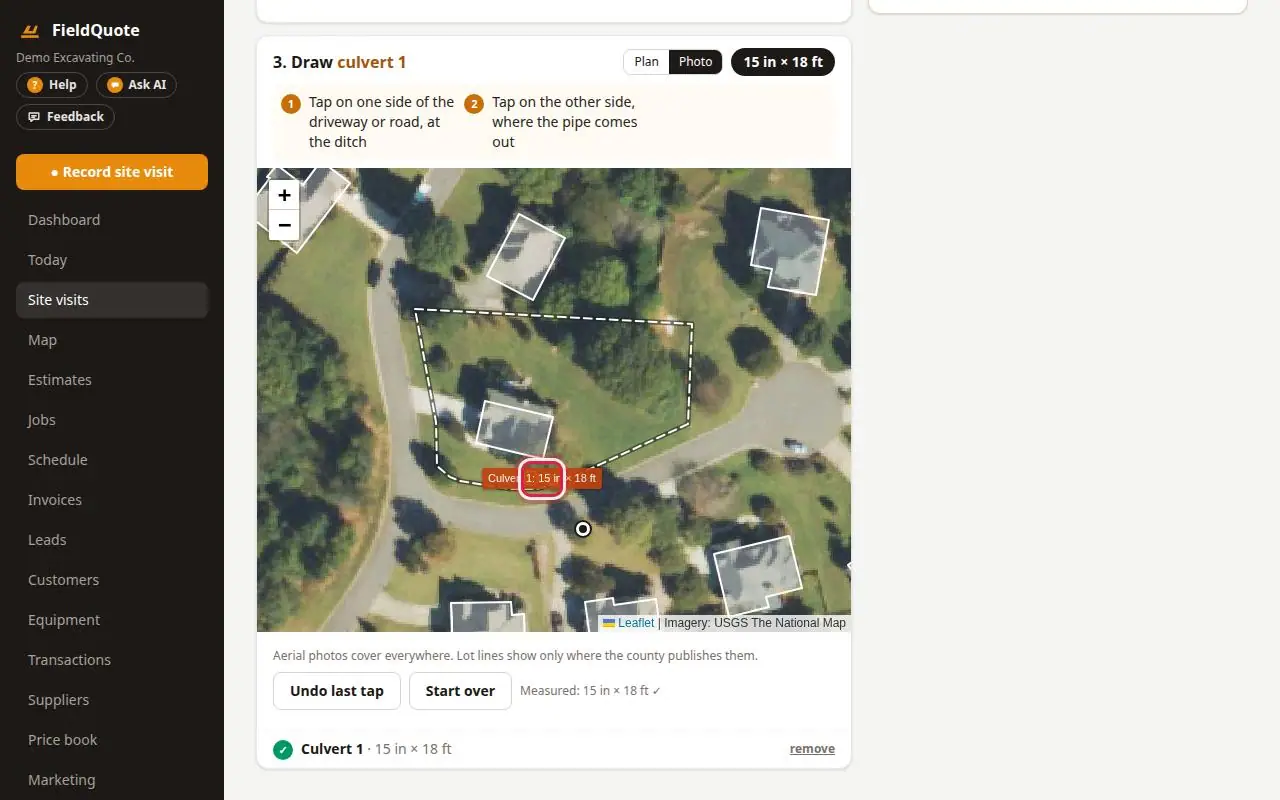
Map shows a sample property. Under Details for culvert 1, pick the Pipe size. If there's an old pipe to dig out, check Replacing an old culvert.
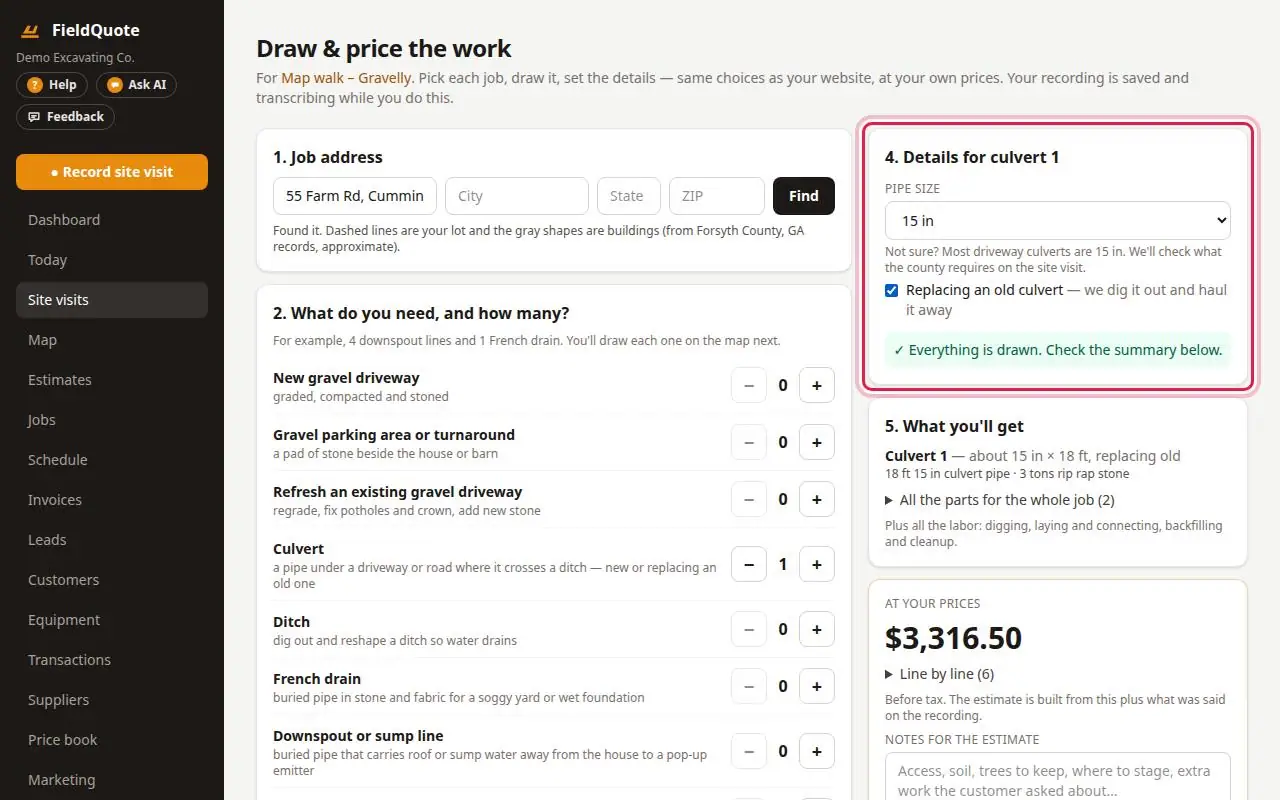
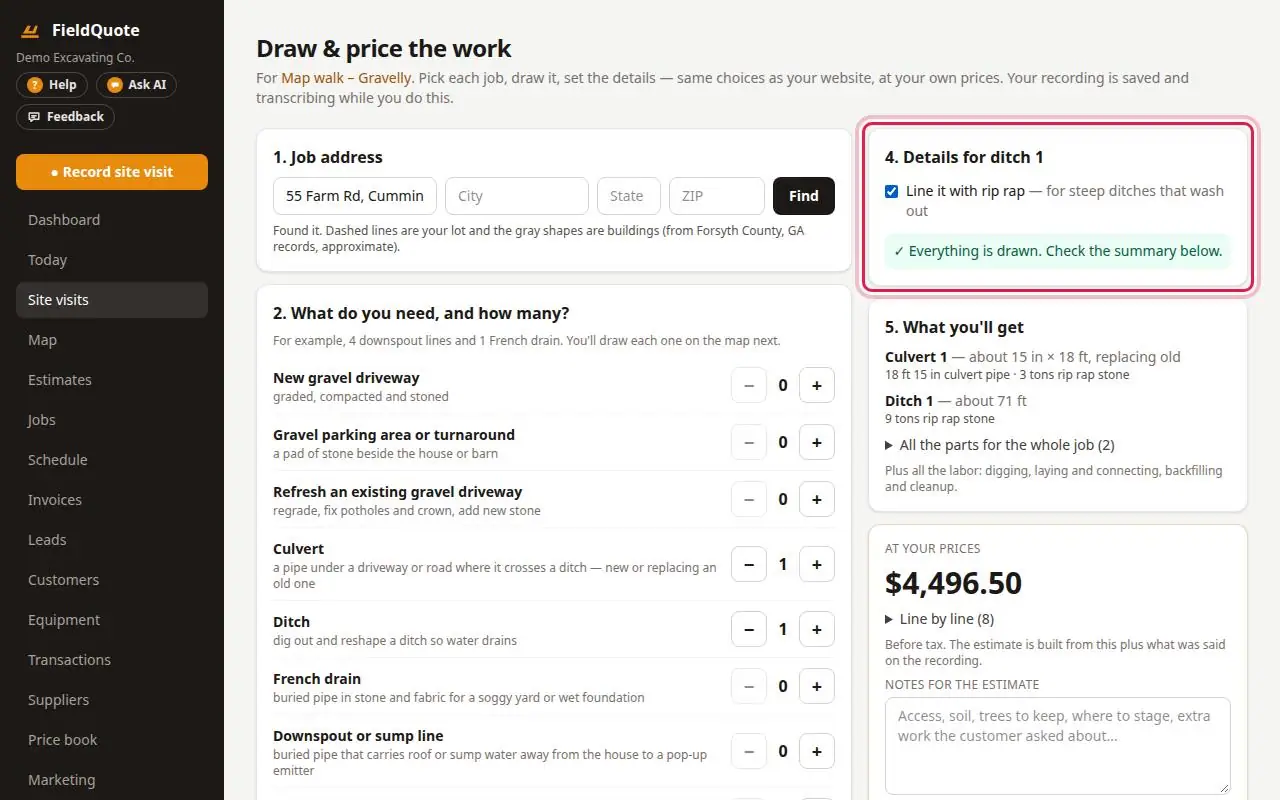
Tap + next to Ditch and tap along it from one end to the other. Check Line it with rip rap for a steep ditch that washes out.
Open Line by line under At your prices to check the culvert install, pipe, rip rap, removal of the old pipe, the ditch work and travel.
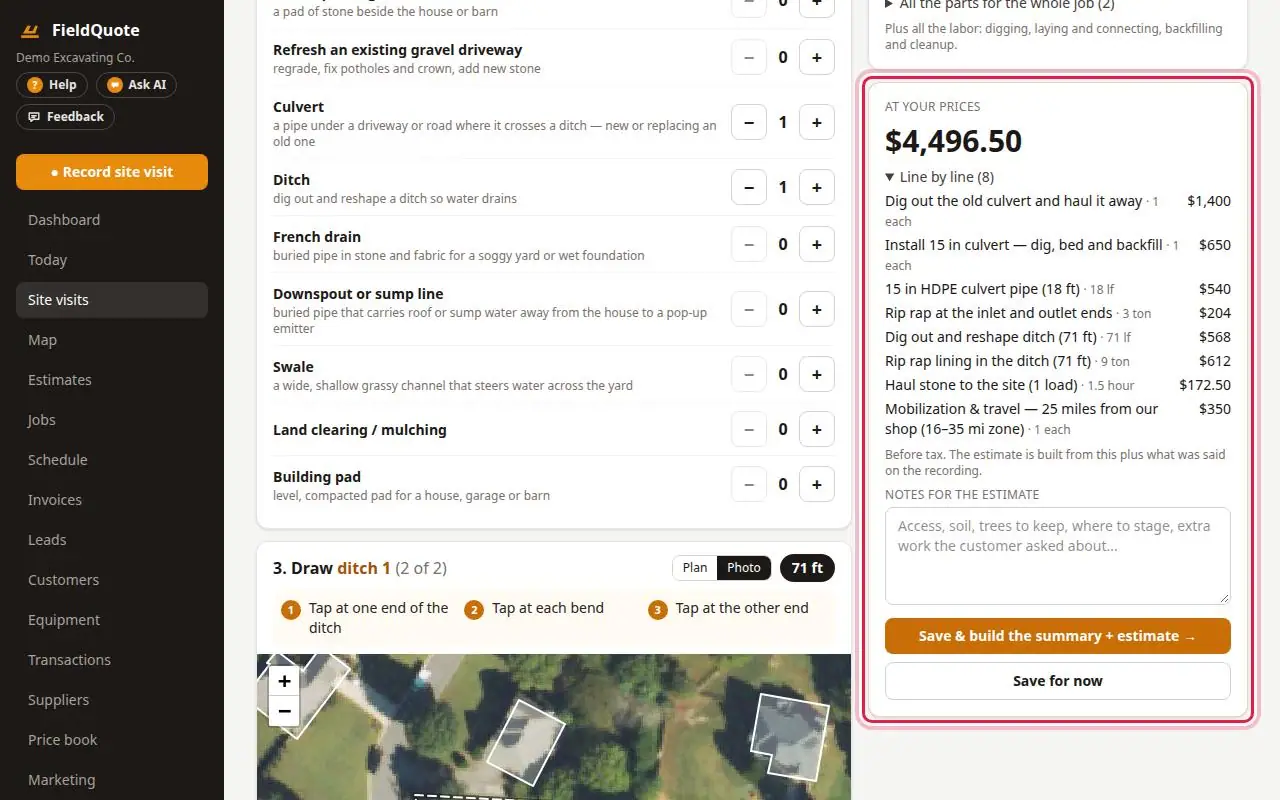
Map shows a sample property.
What you'll see
The culvert is labeled with its pipe size and length, and notes that it replaces an old one when you checked Replacing an old culvert.
Rip rap at both ends of every culvert, using the tons per end from your price tool settings.
Common mistakes
Drawing the culvert along the ditch. Draw it across the driveway or road, the way the pipe runs.
Guessing the pipe size. Most driveway culverts are 15 in, but the county decides. Check on site.
Limits
Culvert pipe is at least 10 ft and at most 200 ft long, whatever you draw.
Only pipe sizes with a price in your price book are offered (12, 15, 18 or 24 in).
Ditch only shows once "Ditch cleaning / shaping" has a price. Replacing an old culvert and Line it with rip rap only show when their items have prices.
One culvert per piece. Add another Culvert for a second crossing.
Checked against the app on Nov 8, 2026. Pictures are from Demo Excavating Co., a made-up company.