Suppliers & material prices
Guide 13 of 14
What it's for
Splitting the parts out shows the customer what goes in the ground, puts sales tax only where it belongs, and gives you a parts list to order from.
Where
On an estimate with installed drainage: from your website drainage tool, or one the AI drafted from a site visit.
Watch it
Steps
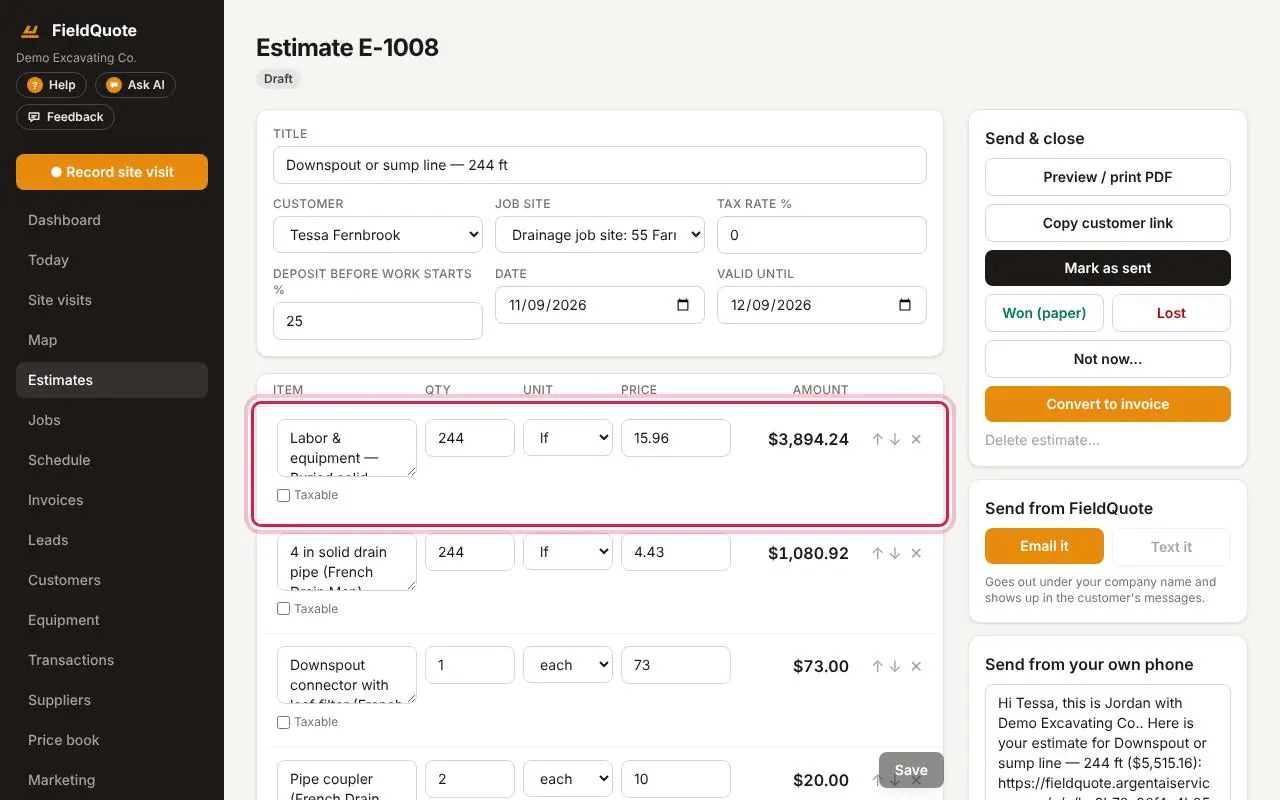
Open the estimate. The first drainage line starts with "Labor & equipment —" and says what's being installed, priced per foot (or each).
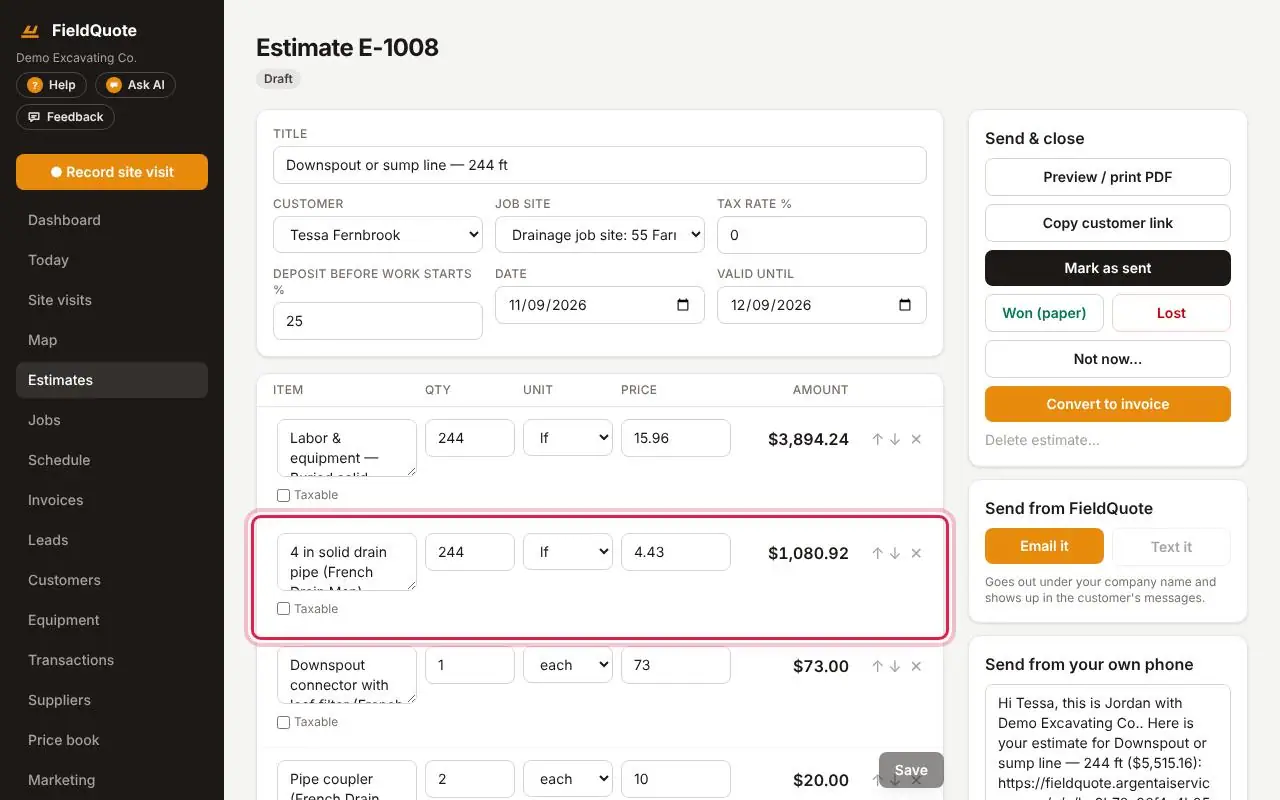
Under it, a line for each part: pipe by the foot, downspout connectors, couplers, the emitter and its fitting, fabric squares, each at your price-book price. Parts from a mail-order supplier name it in brackets.
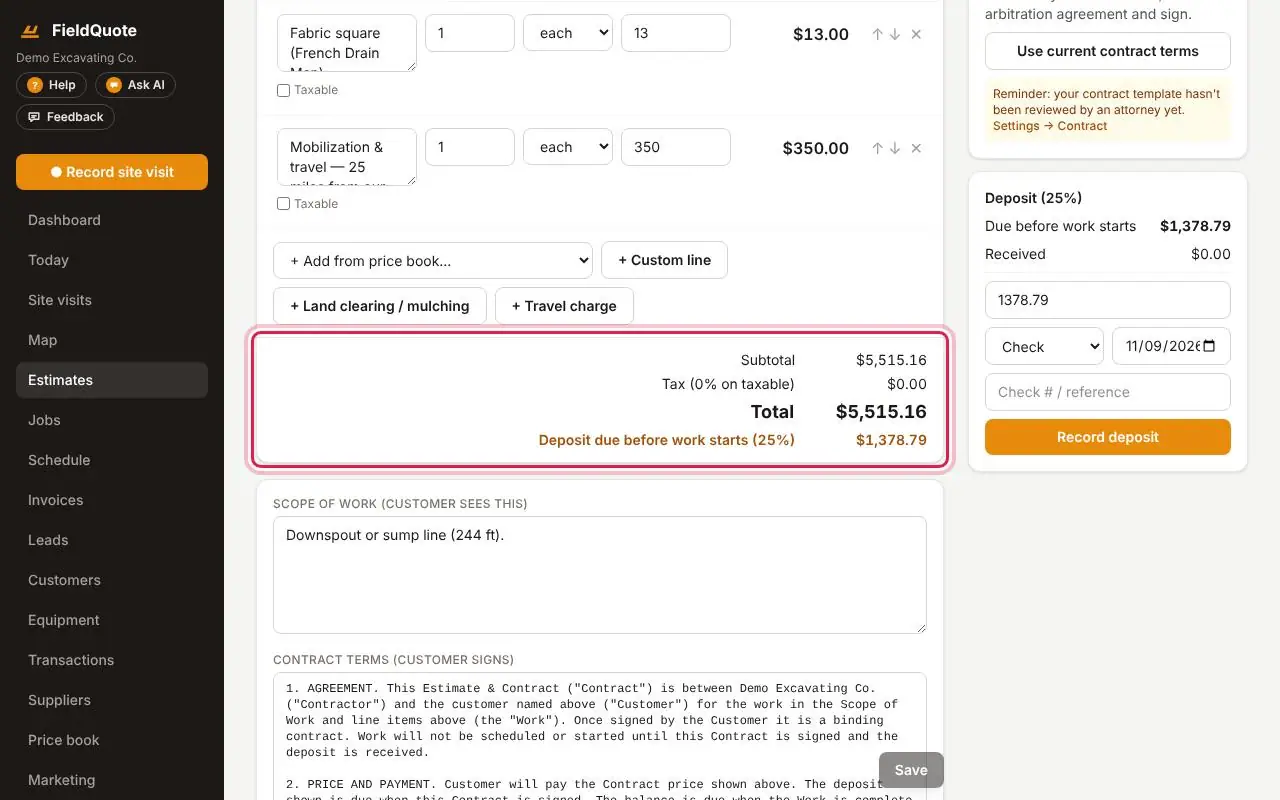
Together they come to the same total as the installed price.
What you'll see
Materials to order near the bottom of the estimate, listing the parts (see Print a materials order form).
Common mistakes
Deleting the labor line to lower the price. That takes off the work, not a markup. Change the labor line's price instead.
Expecting a split when a part has no price. Parts with no price stay inside the labor line. Price them in Price book (the drainage parts are under Drainage — services & parts).
Limits
The split happens when the estimate is made. Editing the lines afterwards doesn't split or join them again.
If the parts would come to more than 70% of the installed price, the line isn't split, so the labor never ends up too small.
Only downspout lines, French drains, catch basins, pop-up emitters and downspout hookups are split.
Checked against the app on Nov 9, 2026. Pictures are from Demo Excavating Co., a made-up company.