Suppliers & material prices
Guide 12 of 14
What it's for
Starting out, you may not have a quarry's price sheet yet. Prices other contractors in your state have shared give you a starting point until you get your own.
Where
Suppliers › Prices near you on the right.
Watch it
Steps
On Suppliers, look at Prices near you. Each supplier shows its town, how many prices, how many companies shared them, and the date.
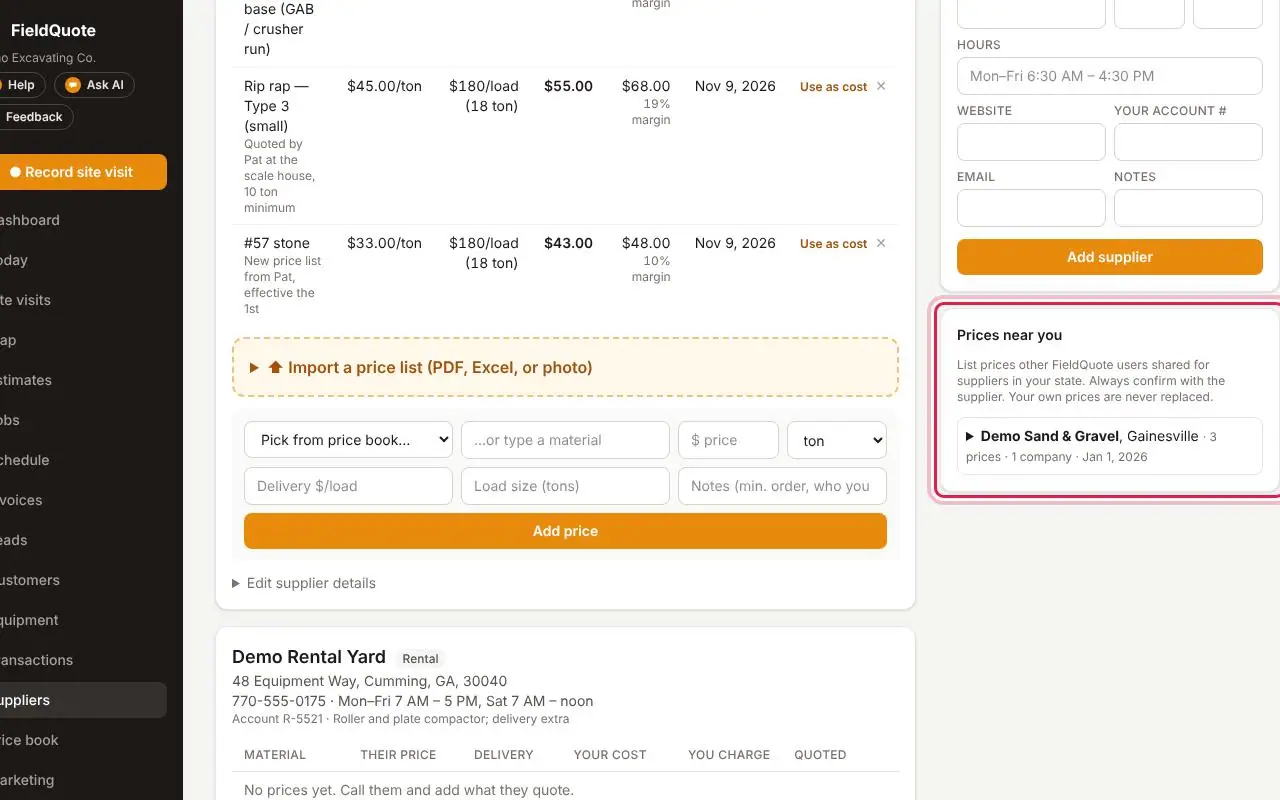
Tap a supplier to see its prices.
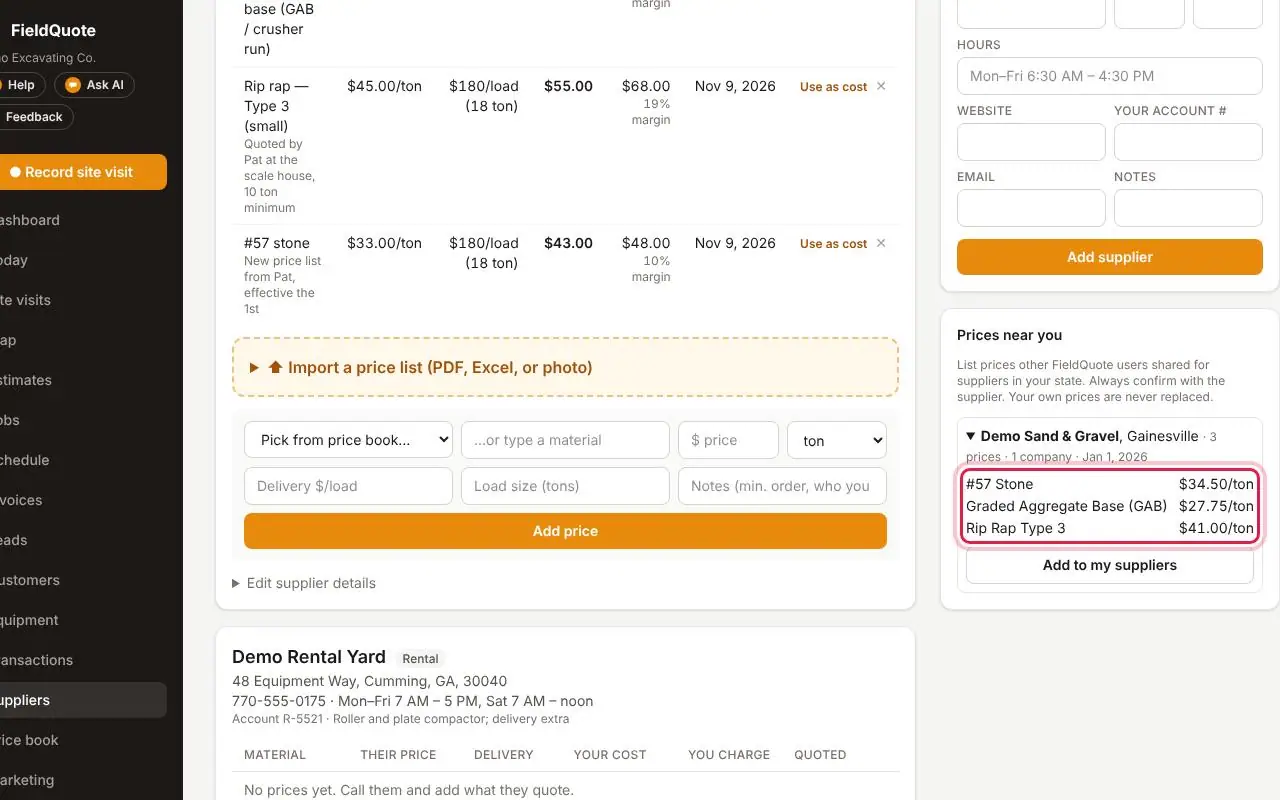
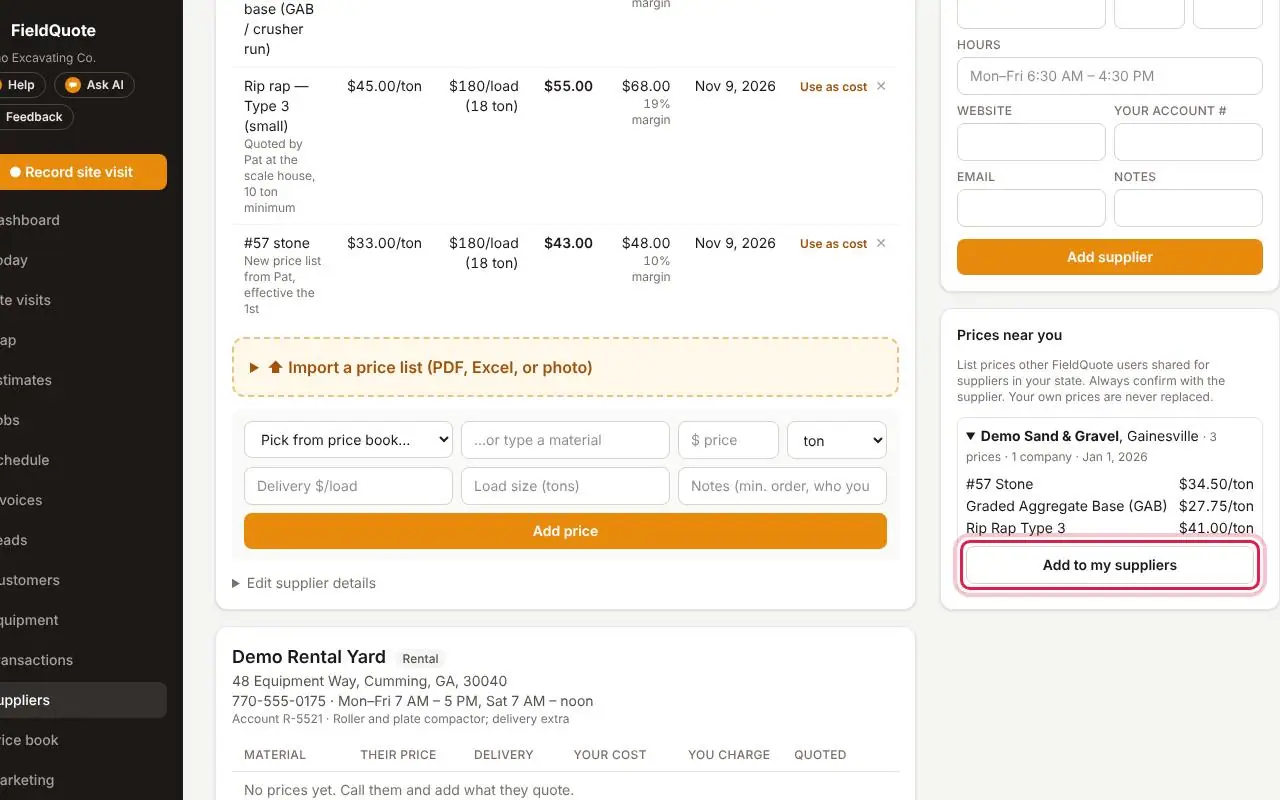
Tap Add to my suppliers.
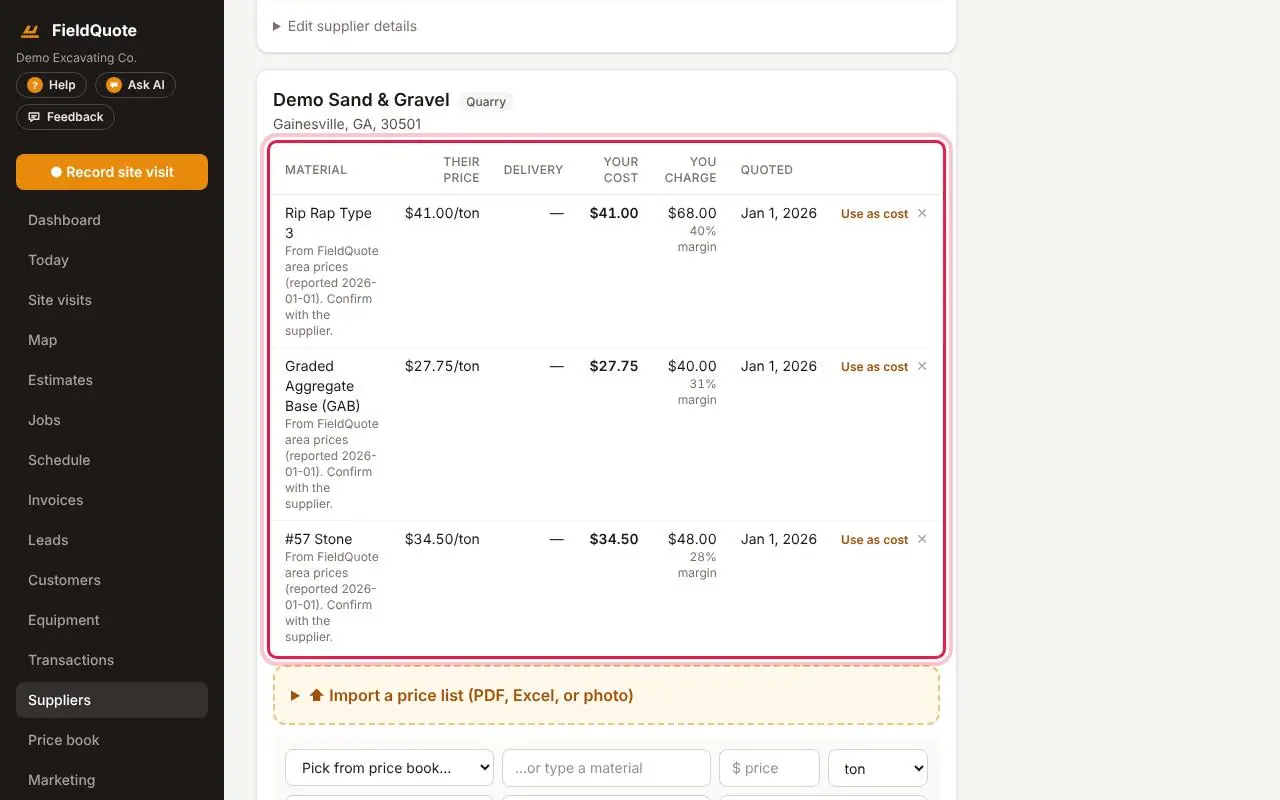
The supplier is added to your list with those prices, each with a note "From FieldQuote area prices (reported …). Confirm with the supplier." Matching items in your price book are linked, so you can tap Use as cost.
What you'll see
"List prices other FieldQuote users shared for suppliers in your state. Always confirm with the supplier. Your own prices are never replaced."
"No shared prices near you yet. …" when nobody in your state has shared any.
Common mistakes
Treating a shared price as a quote. It's a list price someone reported, maybe months ago. Call the supplier.
Limits
Only the owner or an admin can change suppliers and their prices, because they set your price-book costs. Team members see the suppliers and prices with "View only. Only the owner or an admin can change this."
Your own prices and costs are never replaced by shared prices. Nothing changes in your price book until you tap Use as cost.
What's shared: the supplier's name and town, the product, unit, list price and date. Never your company name, never special prices.
You share only when you import a price list with Share these list prices checked. Prices you type in by hand are never shared.
Your state is the state in Settings (or your first supplier's state if Settings has none). You don't see the prices you shared yourself.
Checked against the app on Nov 9, 2026. Pictures are from Demo Excavating Co., a made-up company.