Suppliers & material prices
Guide 8 of 14
What it's for
You might buy #57 from one quarry and GAB from another. Tell FieldQuote who you buy each item from, and your costs (and margins) follow their prices.
Where
Price book › the line under an item › Preferred supplier:.
Or Suppliers › Use as cost next to a quote.
Watch it
Steps
In Price book, on the line under the item, open Preferred supplier: and pick the supplier. Each one shows its latest price the way it would be your cost: delivered (with their delivery charge spread over the load) or before delivery, when they didn't quote delivery.
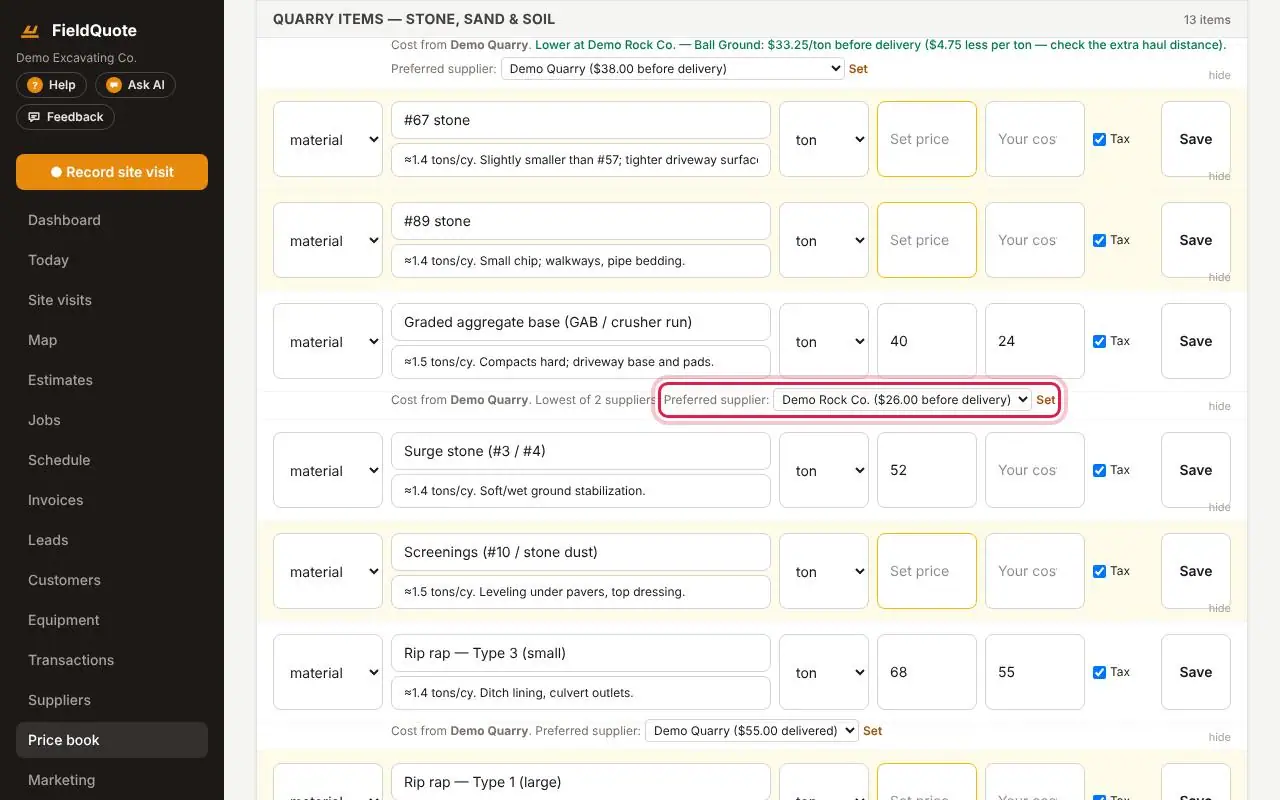
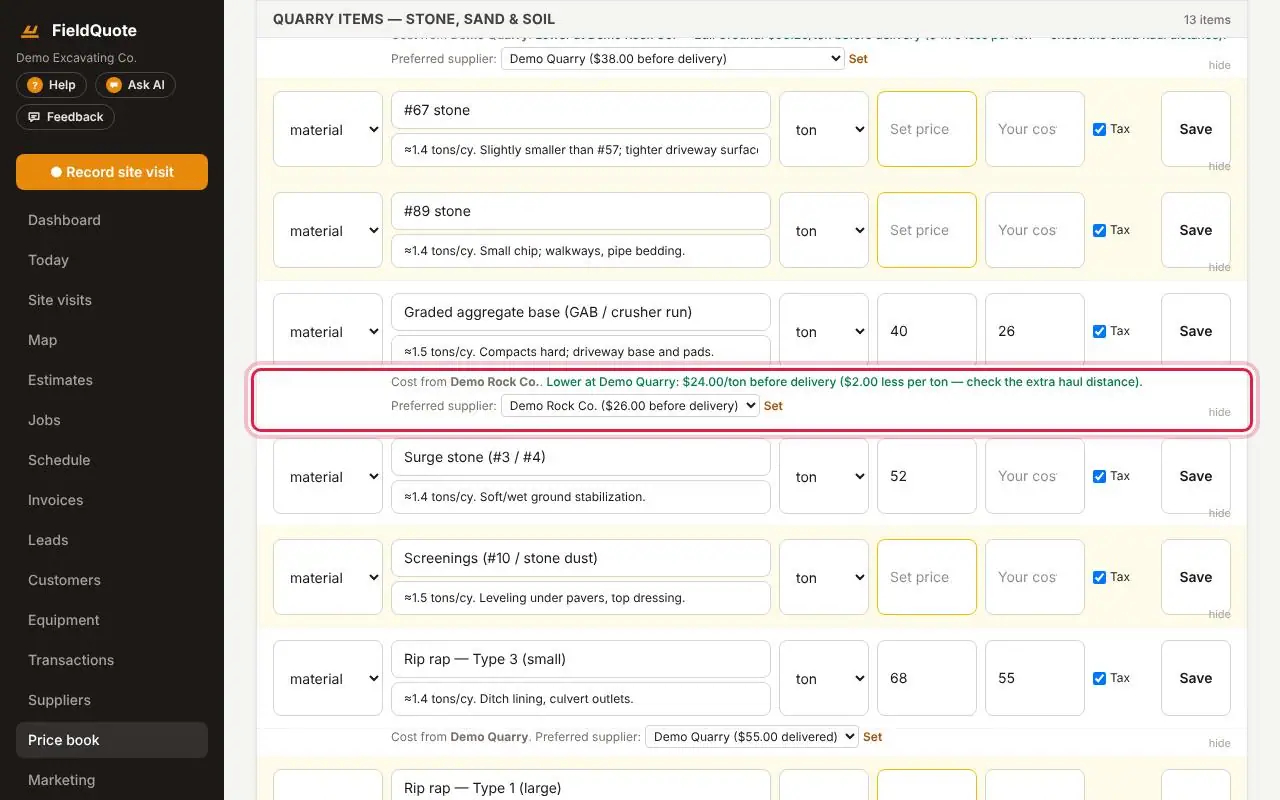
Tap Set. Your cost becomes that supplier's latest price, and the line says "Cost from …" with their name.
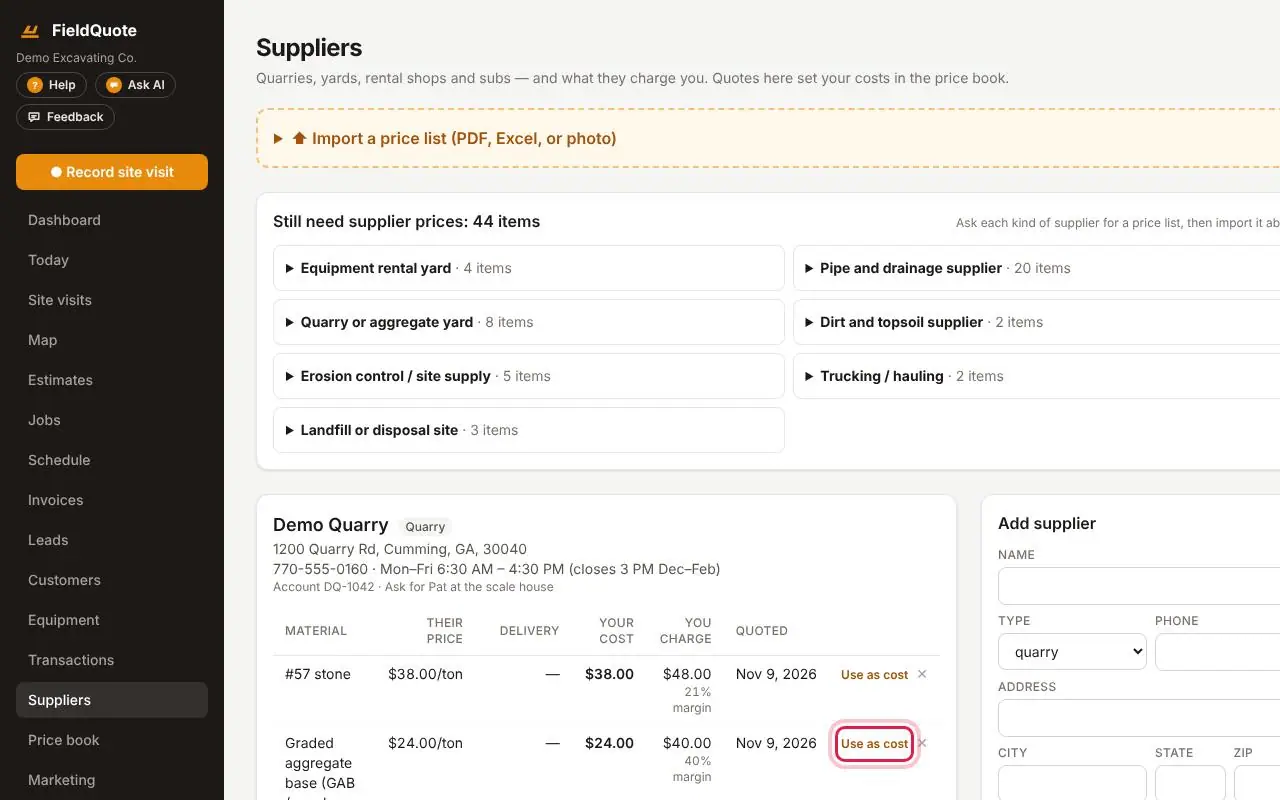
Or, on Suppliers, tap Use as cost next to a quote. That supplier becomes the item's preferred supplier and the quote sets your cost.
What you'll see
From then on, new quotes from that supplier (typed in or imported) update the item's cost. Quotes from other suppliers don't.
When the cost changes, the Dashboard shows it under Supplier price changes.
Common mistakes
Expecting your selling price to change. Only your cost changes. Change your price in Price book if your margin got too thin.
Limits
Only the owner or an admin can change suppliers and their prices, because they set your price-book costs. Team members see the suppliers and prices with "View only. Only the owner or an admin can change this."
Picking none leaves the cost as it is. After that, a price you type in changes it only if the item has no cost, but importing a list with Update my price book checked makes that list's supplier the preferred one.
Only suppliers with a quote for the item are in the list.
Checked against the app on Nov 9, 2026. Pictures are from Demo Excavating Co., a made-up company.