Suppliers & material prices
Guide 3 of 14
What it's for
Quarries quote by the ton plus a delivery charge per load. Put both in and FieldQuote turns them into what a ton really costs you on the job, and shows your margin next to what you charge.
Where
Suppliers › the supplier's box › the grey form under its price table.
Watch it
Steps
In the supplier's box, pick the item from Pick from price book… (or type it in …or type a material if it's not in your price book). Type the $ price and pick the unit.
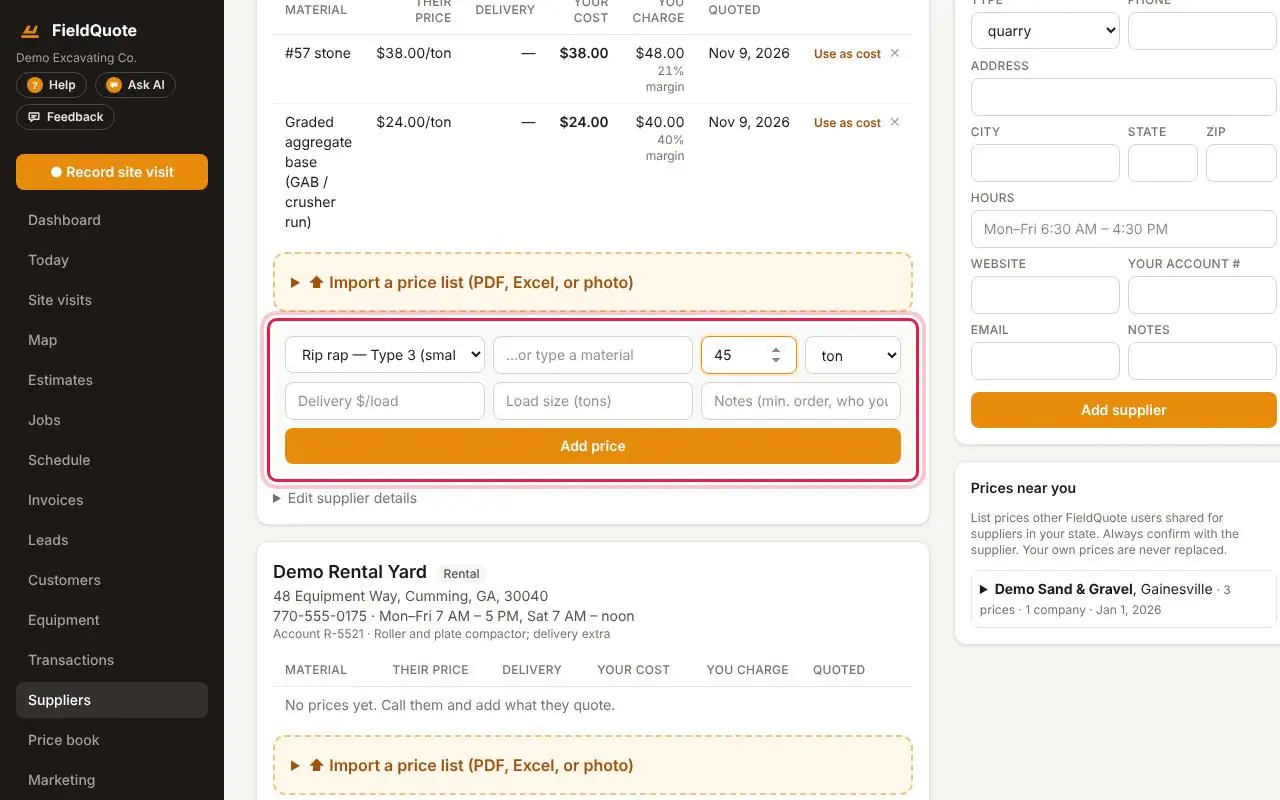
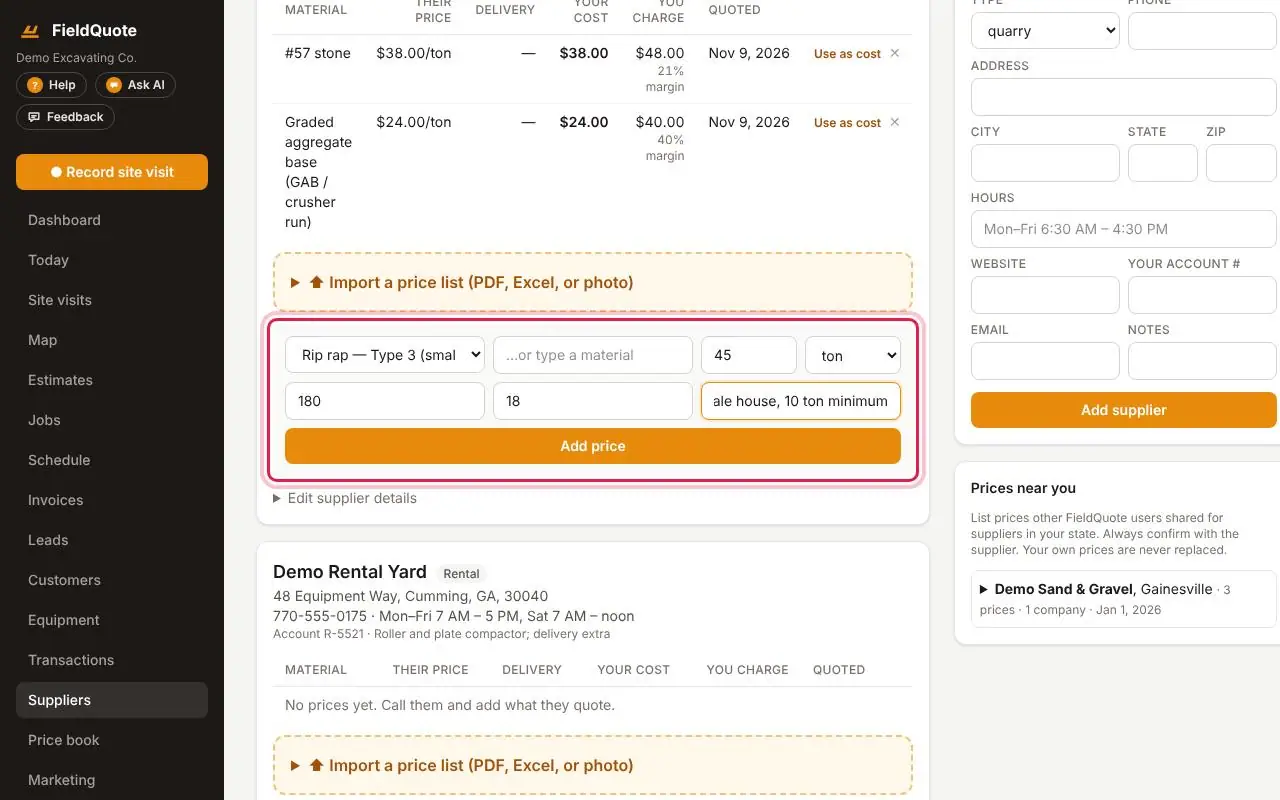
If they deliver, type the Delivery $/load and the Load size (tons). Add Notes (min. order, who you talked to) if you like. Tap Add price.
The price shows in the table: Their price, Delivery, Your cost (the price plus the delivery spread over the load), You charge with your margin, and the date Quoted.
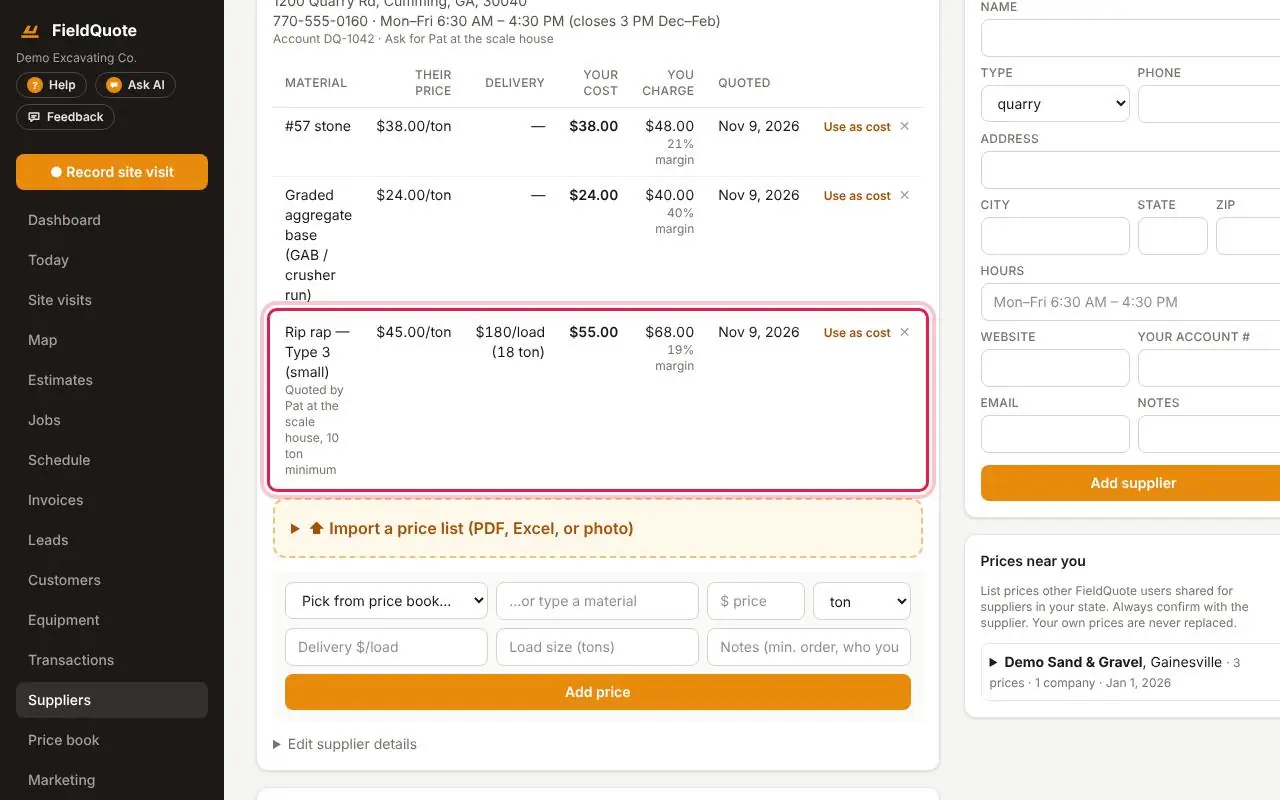
What you'll see
If the item has no cost in the price book yet (and no preferred supplier), this price becomes its cost and this supplier becomes its preferred supplier.
If this supplier is already the item's preferred supplier, the new price becomes its cost, and a change shows on the Dashboard (see When a supplier changes a price).
Use as cost next to a price makes that supplier preferred and sets the cost from that price.
Common mistakes
Picking a different unit than the price book item. A price per load doesn't update an item sold per ton. Match the unit.
Leaving out the load size. Without it, the delivery charge isn't spread into Your cost.
Limits
Only the owner or an admin can change suppliers and their prices, because they set your price-book costs. Team members see the suppliers and prices with "View only. Only the owner or an admin can change this."
Only material, disposal, trucking and equipment items are in Pick from price book….
A price you type for something not in your price book is kept on the supplier only.
✕ (Delete) removes a price from the table. It doesn't change the cost already in your price book.
Checked against the app on Nov 9, 2026. Pictures are from Demo Excavating Co., a made-up company.