Customers, texting & email, automatic follow-ups
Guide 4 of 20
What it's for
When a customer calls, open one page and see the whole story: what you looked at, what you quoted, what they owe and every message back and forth.
Where
Customers › tap the customer's name. Names elsewhere in FieldQuote (Today, leads, estimates) link here too.
Watch it
Steps
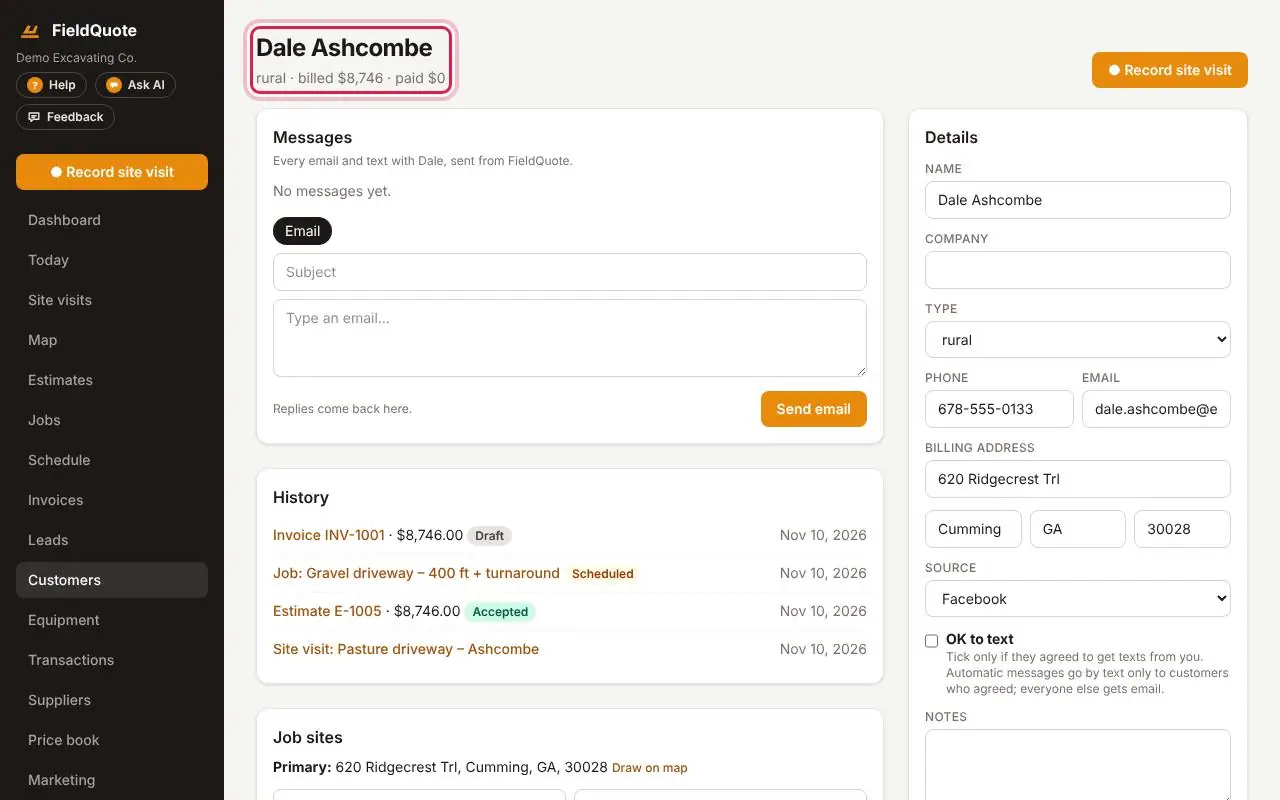
Open the customer. Under their name: their type, what you've billed them and what they've paid.
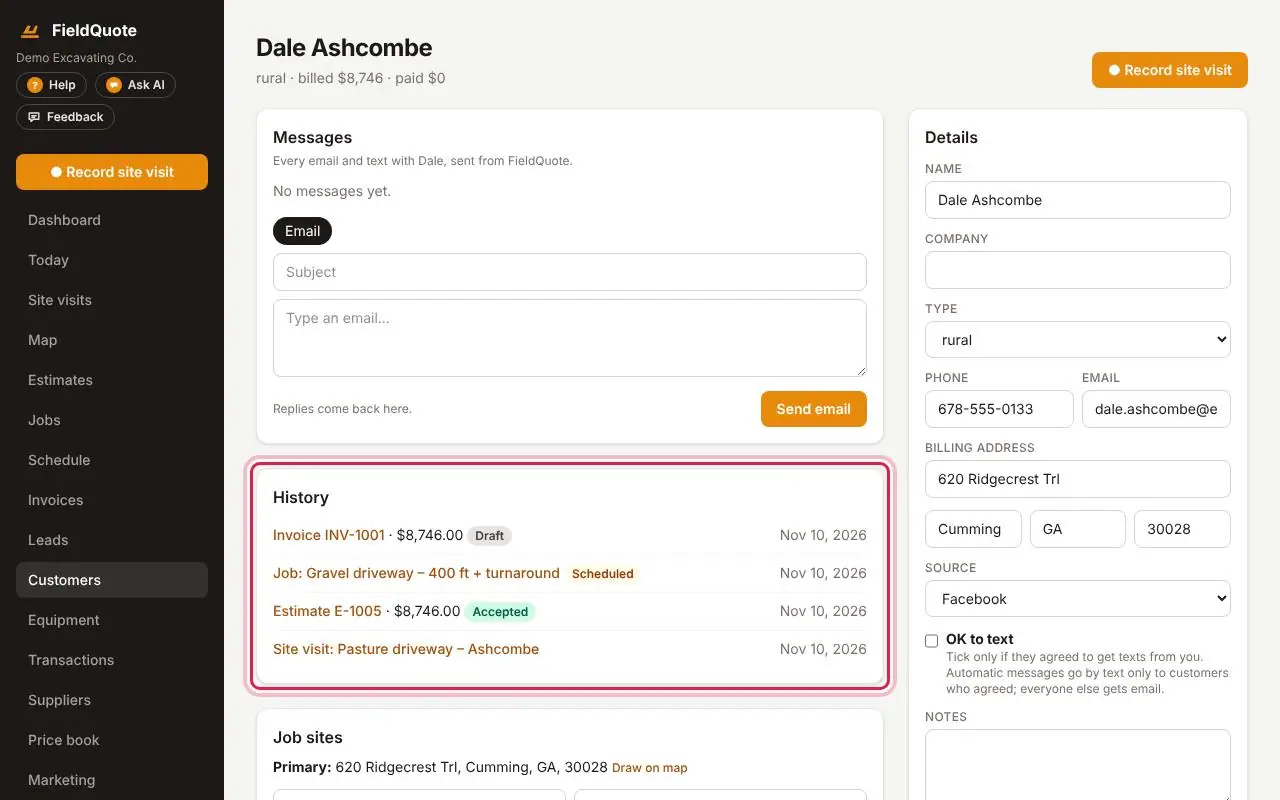
History lists their site visits, estimates, jobs (with the start date once it's scheduled), invoices and leads, newest first, with dates and status. Tap one to open it.
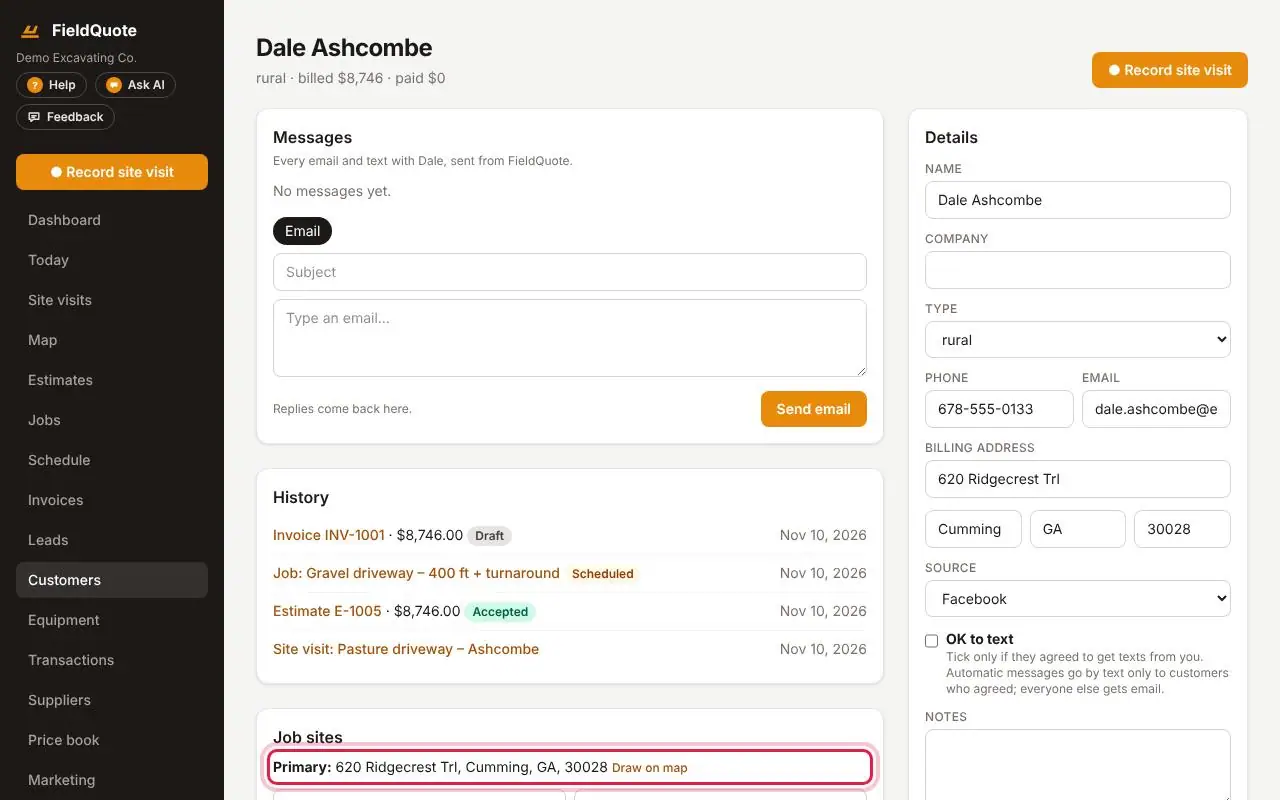
Job sites lists every place you work for them.
What you'll see
Further down: a Site map for each job site that has drawings on the aerial photo (see The site map on visits, estimates, invoices and the customer page).
Messages at the top: every email and text with them (see Email or text a customer from their page).
Details on the right, to change their phone, email and notes.
Common mistakes
Expecting "billed" to include estimates. It adds up their invoices (not voided ones). "Paid" adds up payments on those invoices; a deposit counts once the estimate has been turned into an invoice.
Limits
A site map only shows for job sites that have something drawn on them.
Checked against the app on Nov 9, 2026. Pictures are from Demo Excavating Co., a made-up company.