Customers, texting & email, automatic follow-ups
Guide 3 of 20
What it's for
Many customers have more than one place you work: the house and the back pasture, a lake lot, a rental. Each job site keeps its own address, size, access notes and map drawings, and you pick it on estimates and invoices.
Where
Customers › the customer › Job sites.
Watch it
Steps
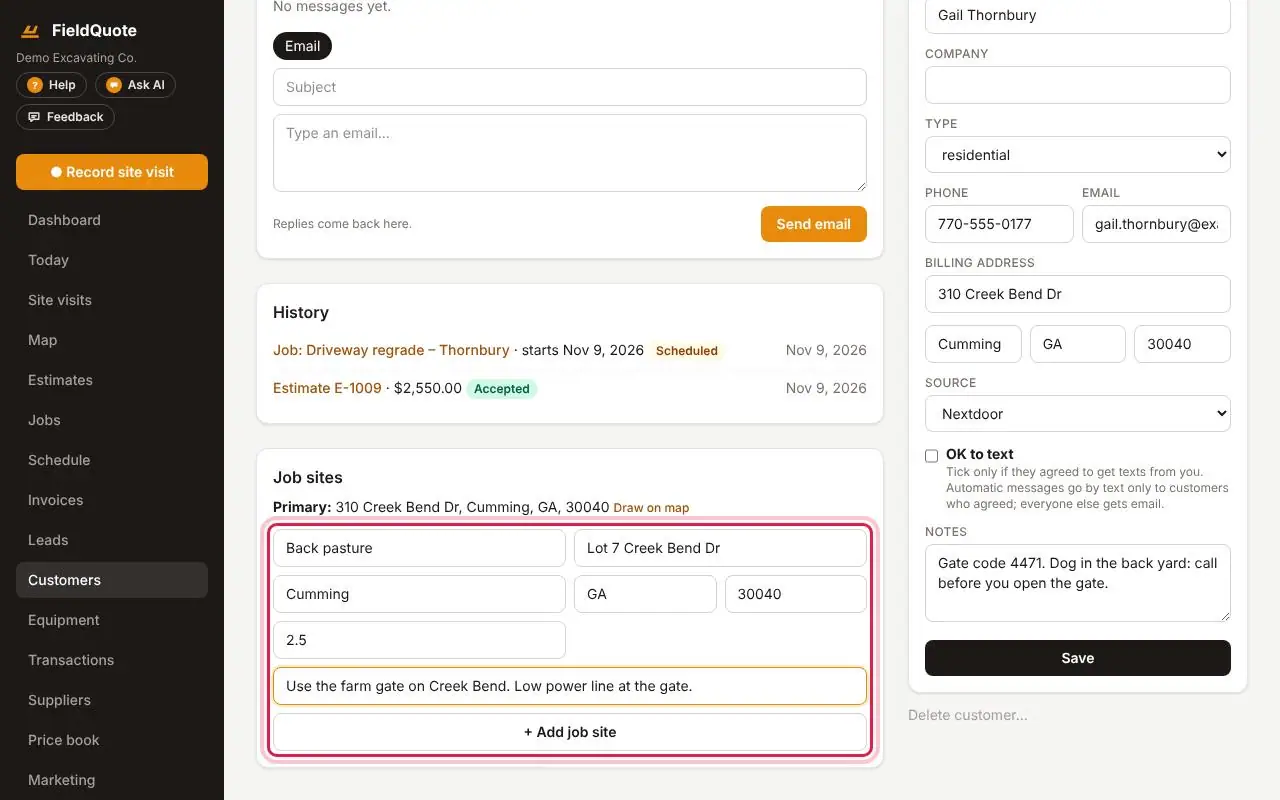
Under Job sites, fill in the empty boxes: a label (for example Back pasture), the address, the city, state and zip, the acres and any access notes (gate codes, low wires, soft ground).
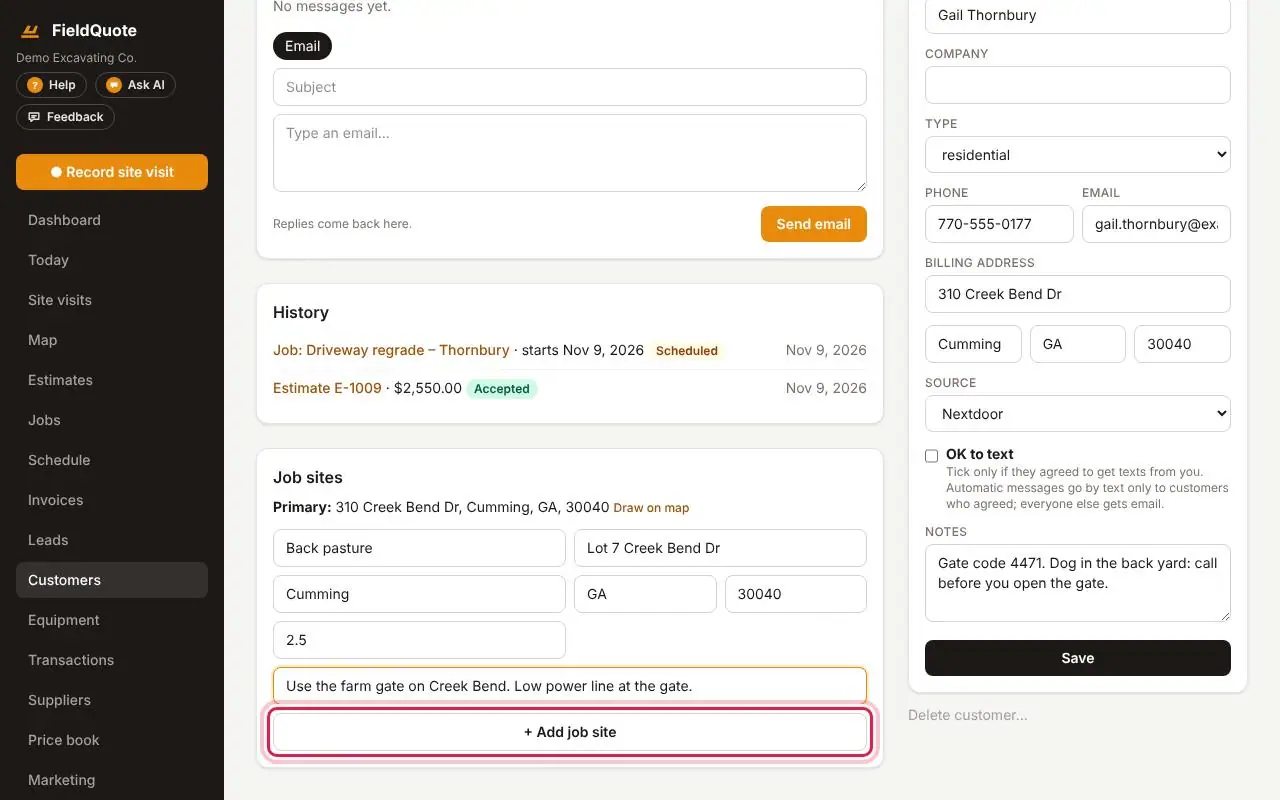
Tap + Add job site.
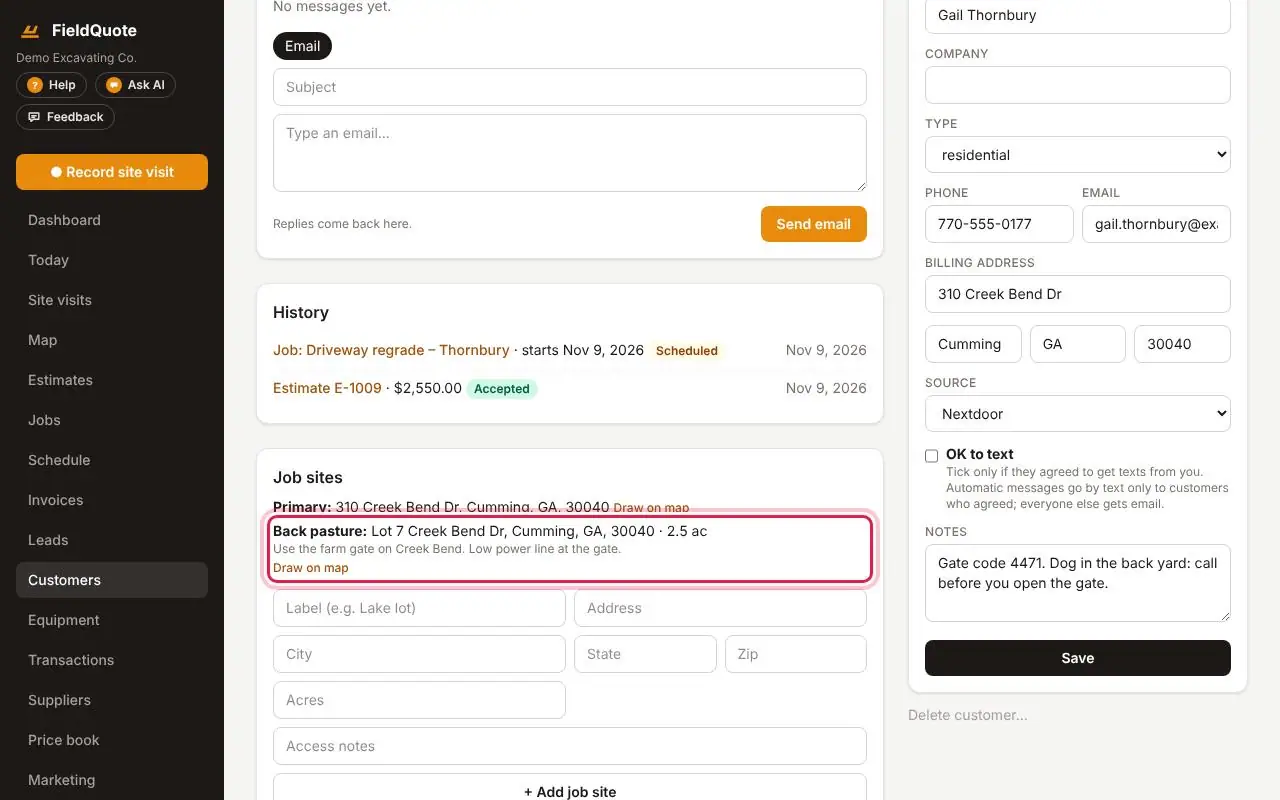
The site is listed with its label, address, acres and access notes. Tap Draw on map to mark work, lot lines or notes on it.
What you'll see
The new site in the Job site list when you write an estimate or invoice for this customer.
Its drawings in a Site map box further down the customer's page.
Common mistakes
Leaving the address empty. It's the one box you must fill in.
Putting gate codes in the label. Use the access notes so they show under the address.
Limits
Job sites can't be edited or removed from this page once added.
A customer added with an address already has a Primary job site.
Checked against the app on Nov 9, 2026. Pictures are from Demo Excavating Co., a made-up company.