Equipment, machine costs & transactions
Guide 10 of 10
What it's for
Taking out an expense entered twice, or with the wrong amount, job or machine.
Where
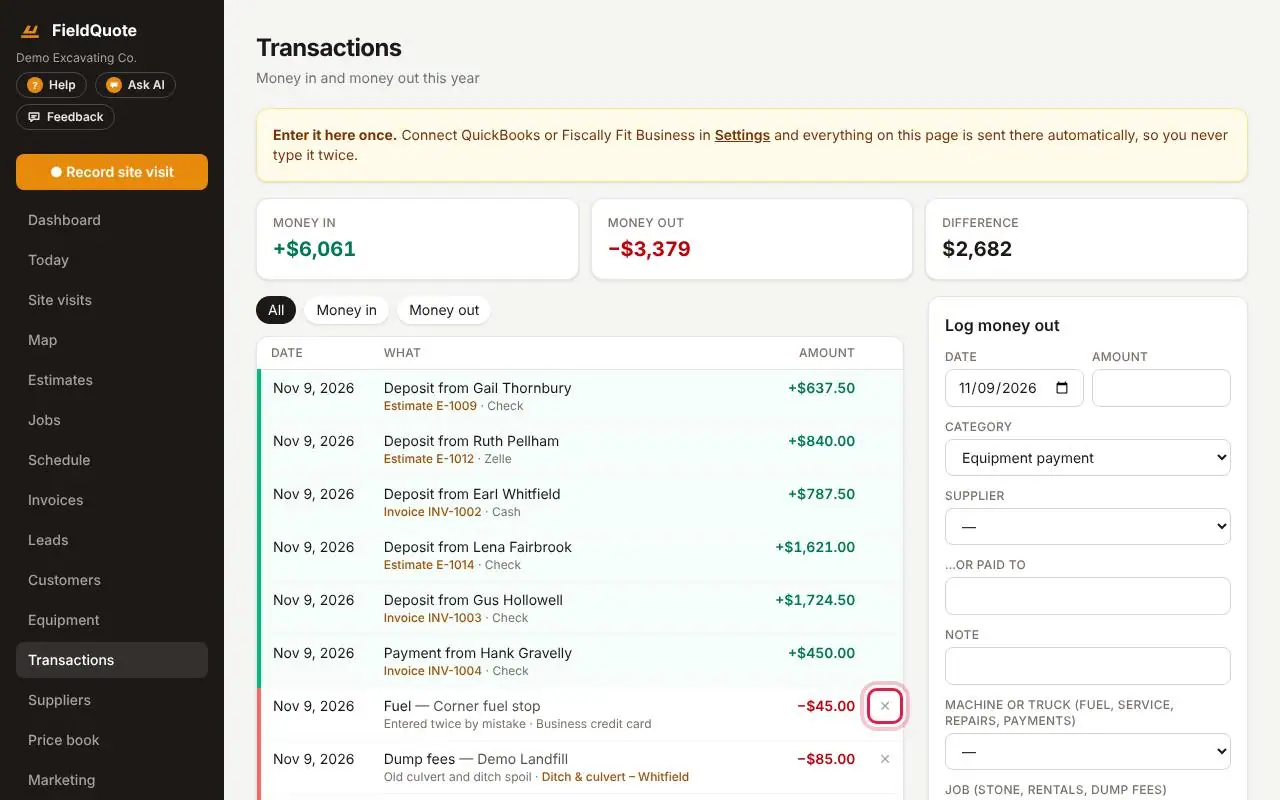
Transactions › the ✕ at the end of the expense's line.
Watch it
Steps
On Transactions, find the expense and tap the ✕ at the end of its line.
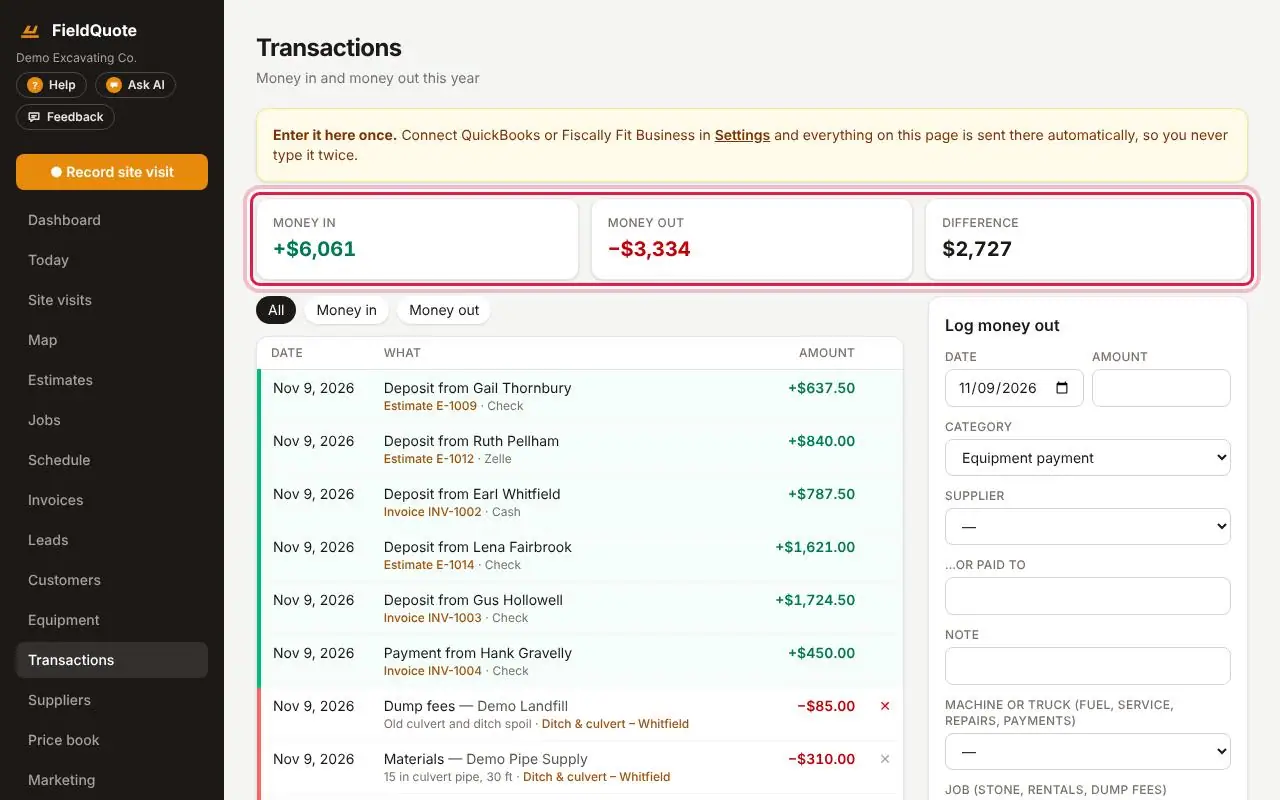
It's deleted right away — there's no second question — and the totals at the top change.
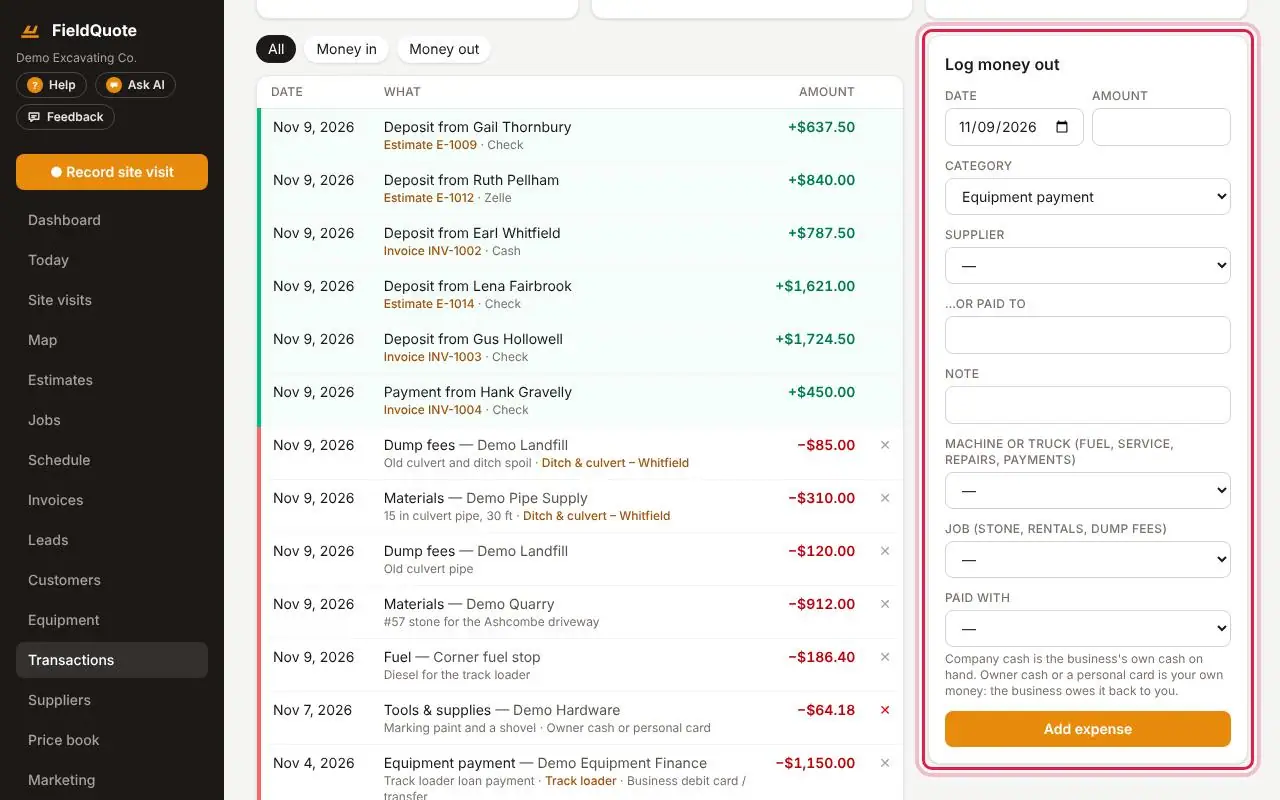
If it was wrong rather than extra, add it again under Log money out with the right details.
What you'll see
The line is gone from Transactions, the job's page and the machine's page.
With Fiscally Fit Business connected (sending automatically), it's taken out there too. With QuickBooks connected, an expense that was already sent is deleted in QuickBooks.
Common mistakes
Tapping ✕ on the wrong line. There's no undo; add it again.
Looking for ✕ on a payment or deposit (money in). Those are removed on their invoice or estimate.
Limits
No editing in place: delete and add again.
Checked against the app on Nov 9, 2026. Pictures are from Demo Excavating Co., a made-up company.