Jobs, scheduling, weather, 811 tickets & lien deadlines
Guide 1 of 14
What it's for
No double entry: the moment you win the work, FieldQuote has a job to schedule, staff and track costs against.
Where
The estimate (Send & close), then Jobs.
Watch it
Steps
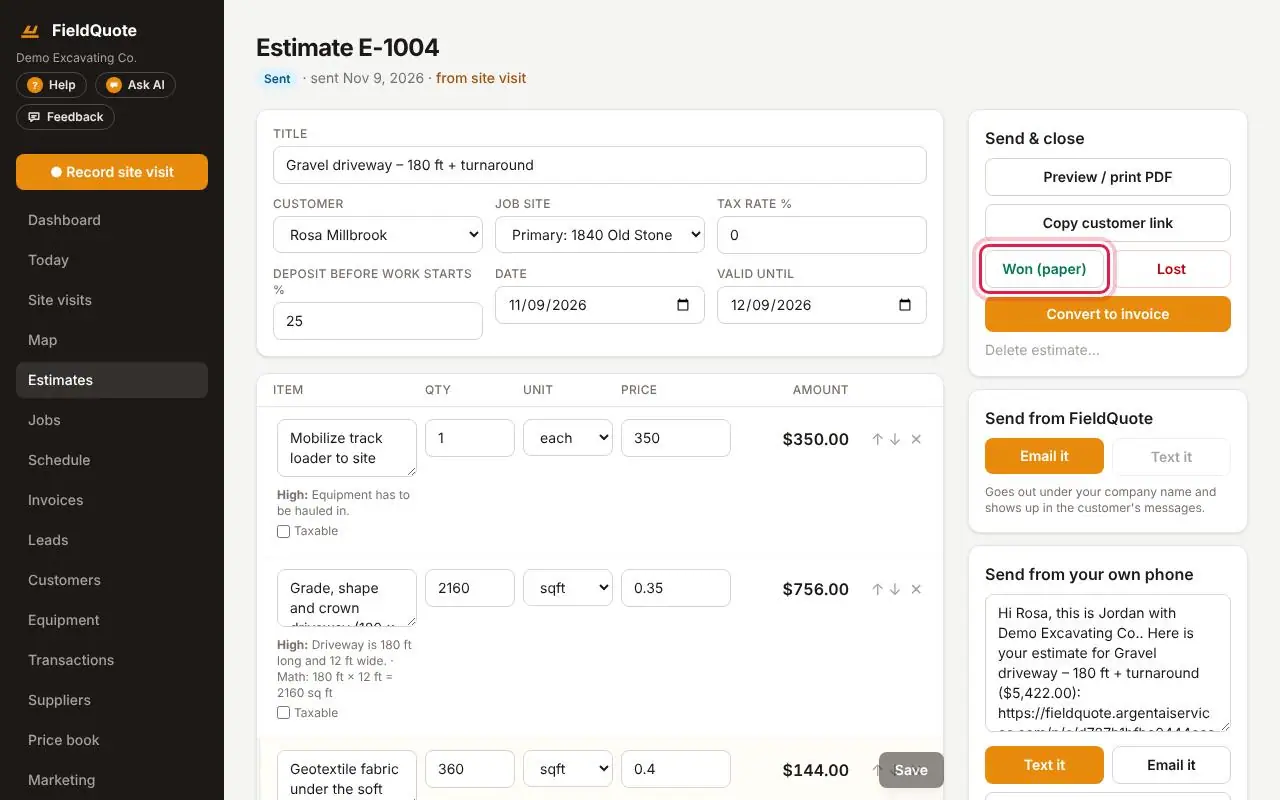
The customer signs the estimate from their link, or, if they signed a paper copy, you tap Won (paper) on the estimate. Either way the estimate is accepted.
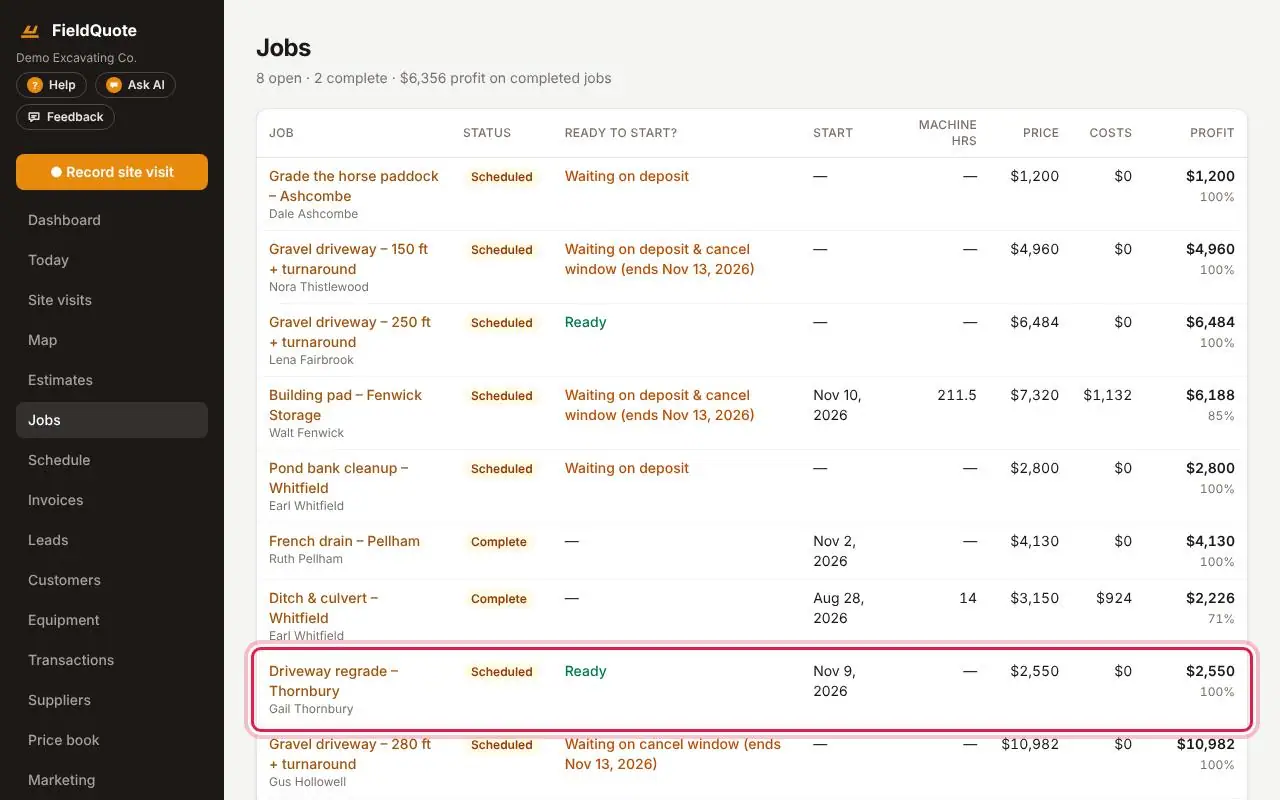
The job shows on Jobs, named like the estimate, with the customer under it. Until it has a date it waits under Needs a start date on the Schedule.
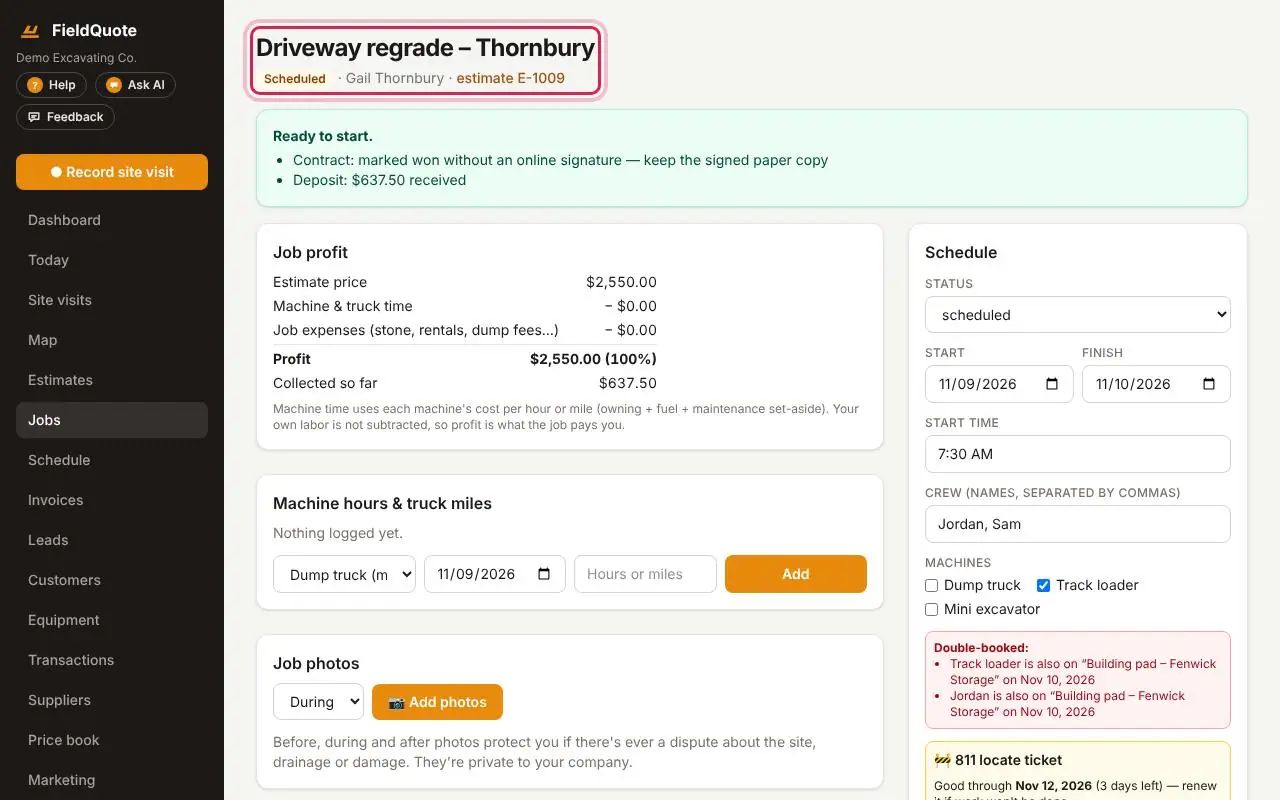
Tap it to open the job. Under the name: its status, the customer, and links back to the estimate (and the invoice, once there is one).
What you'll see
The job's lead (if there was one) is marked won, with the estimate total as its value.
The job page: whether it's Ready to start., Job profit, Machine hours & truck miles, Job photos, Job expenses and its Schedule box.
Common mistakes
Looking for a button to start a job from scratch. There isn't one: write and accept an estimate (it can be a quick one) and the job follows.
Tapping Won (paper) without a signed paper copy. The job then says "marked won without an online signature — keep the signed paper copy".
Limits
One job per estimate. Changes the customer approves later are change orders on the same job.
Convert to invoice on an estimate that isn't accepted yet also accepts it and makes the job.
Checked against the app on Nov 9, 2026. Pictures are from Demo Excavating Co., a made-up company.