Jobs, scheduling, weather, 811 tickets & lien deadlines
Guide 6 of 14
What it's for
Plan around the rain before you haul a machine out to a site you can't work.
Where
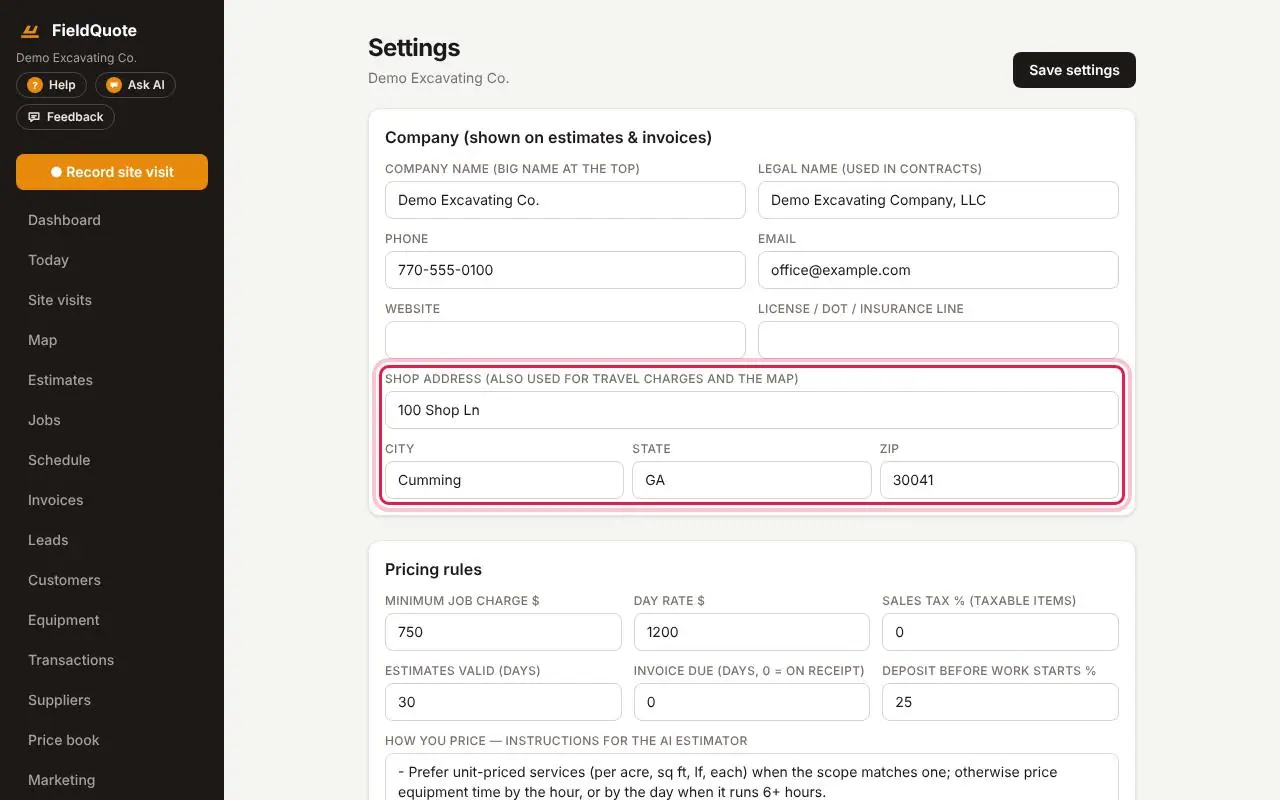
Schedule. The forecast is for your shop address in Settings.
Watch it
Steps
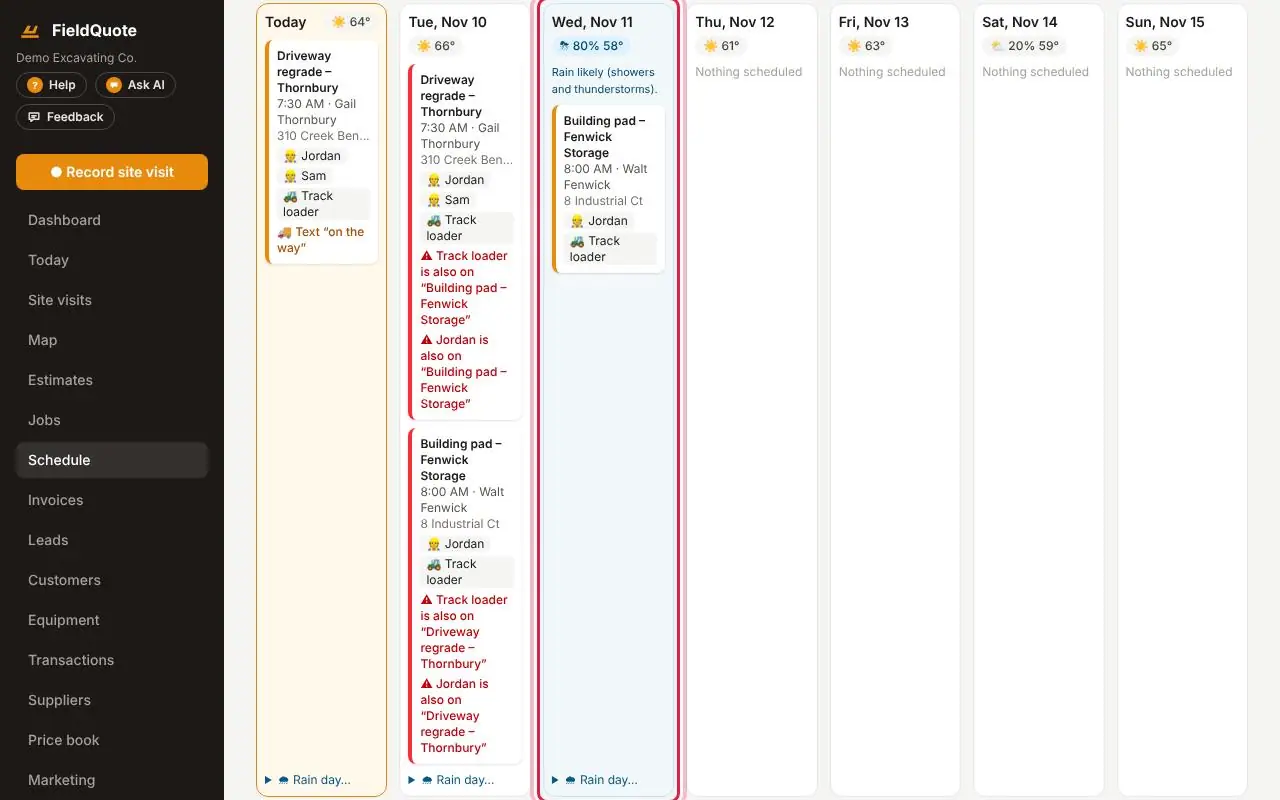
Each day of the week shows a weather icon, the chance of rain and the high temperature. On a computer, point at it to read the forecast.
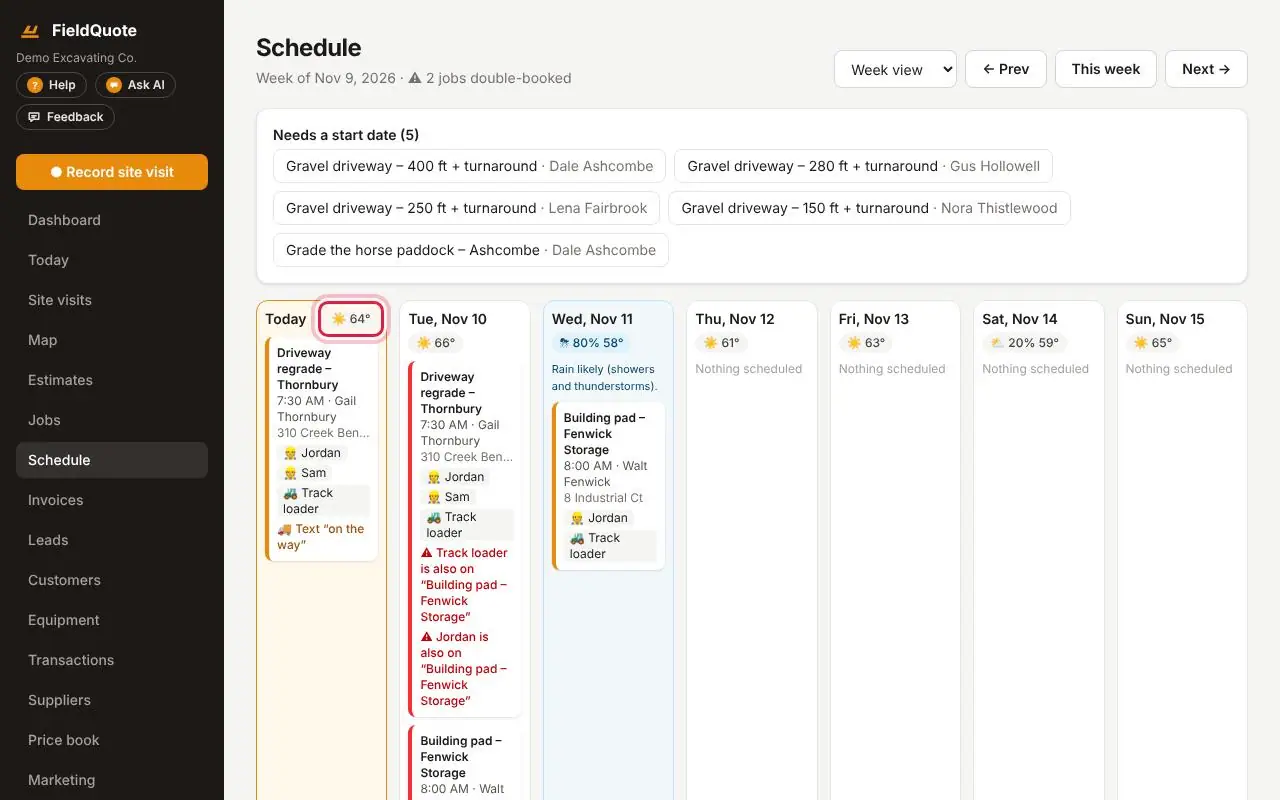
Days with a 50% chance of rain or more are shaded blue with "Rain likely (…)". Use Rain day… to move work back.
The forecast is for your shop. Make sure your Shop address (also used for travel charges and the map) is filled in under Settings.
What you'll see
On a job card, "At the site:" with that job site's own forecast when its rain chance is different from the shop's.
In the month view, an icon on each day, and the rain chance when it's 30% or more.
Common mistakes
Expecting weather three weeks out. The forecast covers the next 7 days.
No weather at all: without your business address the Schedule says "Add your business address in Settings to see the National Weather Service forecast on each day." When the weather service can't be reached for a moment it says "The weather forecast couldn't be loaded right now. Open the schedule again later to see it."
Limits
Only the owner or an admin can change the shop address in Settings.
US addresses only (National Weather Service).
Up to eight places are looked up at once (the shop plus job sites).
The forecast in these pictures is a made-up example. Yours is the National Weather Service forecast for your shop and job sites.
Checked against the app on Nov 9, 2026. Pictures are from Demo Excavating Co., a made-up company.