Jobs, scheduling, weather, 811 tickets & lien deadlines
Guide 7 of 14
What it's for
One wet day can shove a whole week. Move everything in one tap instead of editing job after job, and let every customer know.
Where
Schedule (week view) › the day › Rain day… (at the bottom of the day).
Watch it
Steps
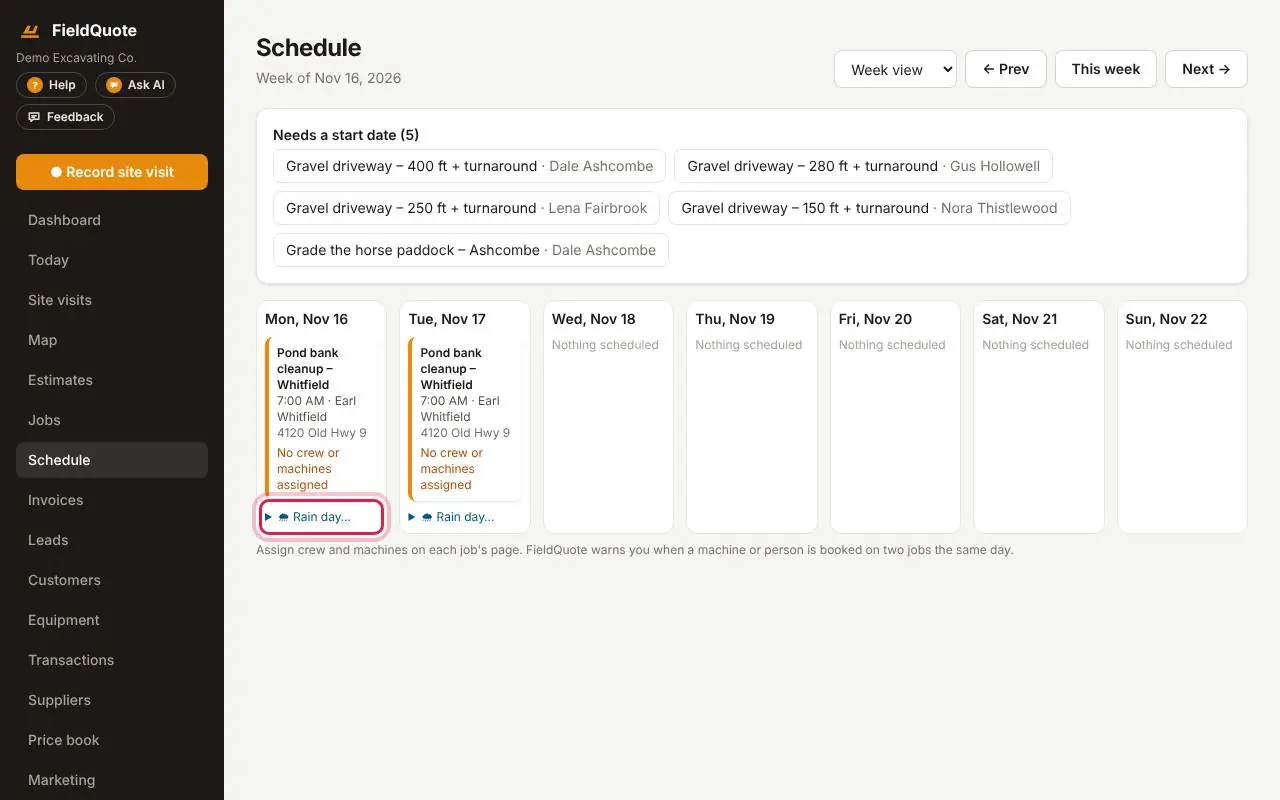
On the rained-out day, tap Rain day…. It shows on today and later days that have an open job.
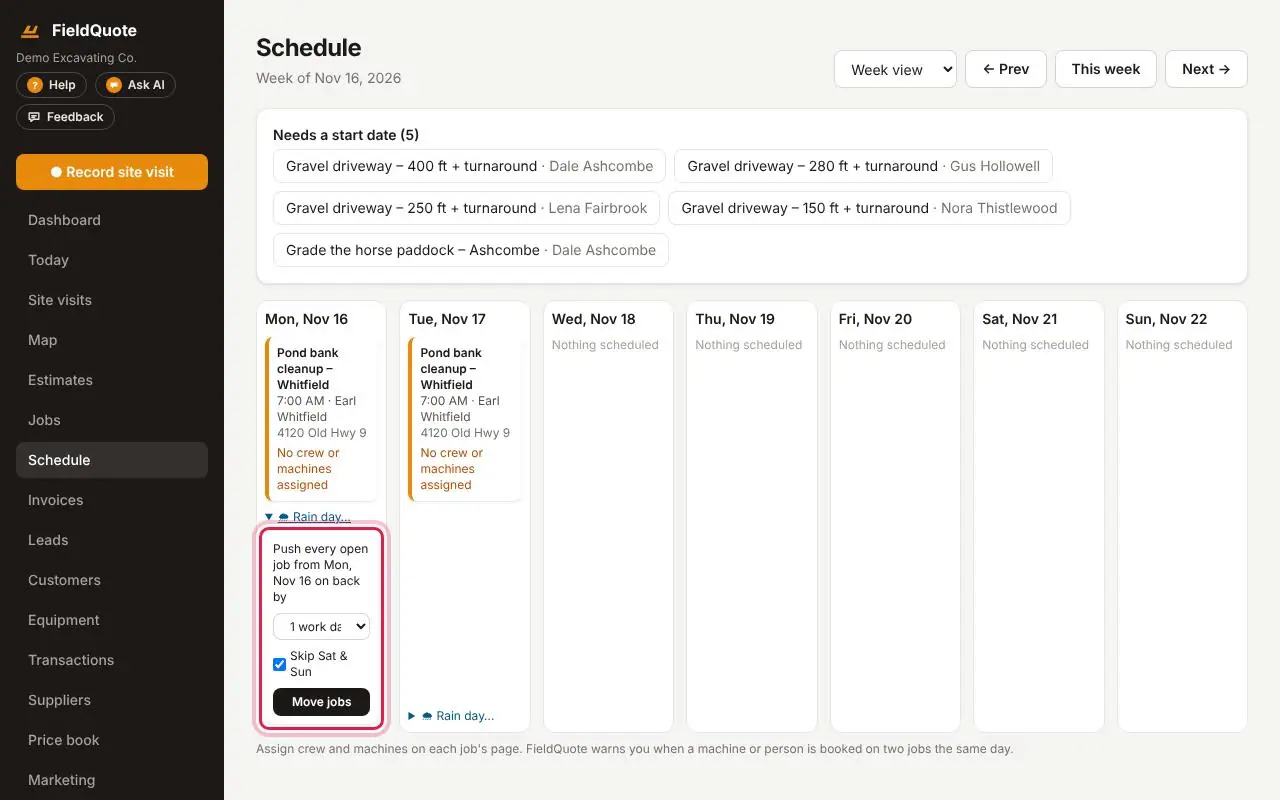
Pick how many work days to push back (1 to 5). Leave Skip Sat & Sun ticked to keep work off weekends.
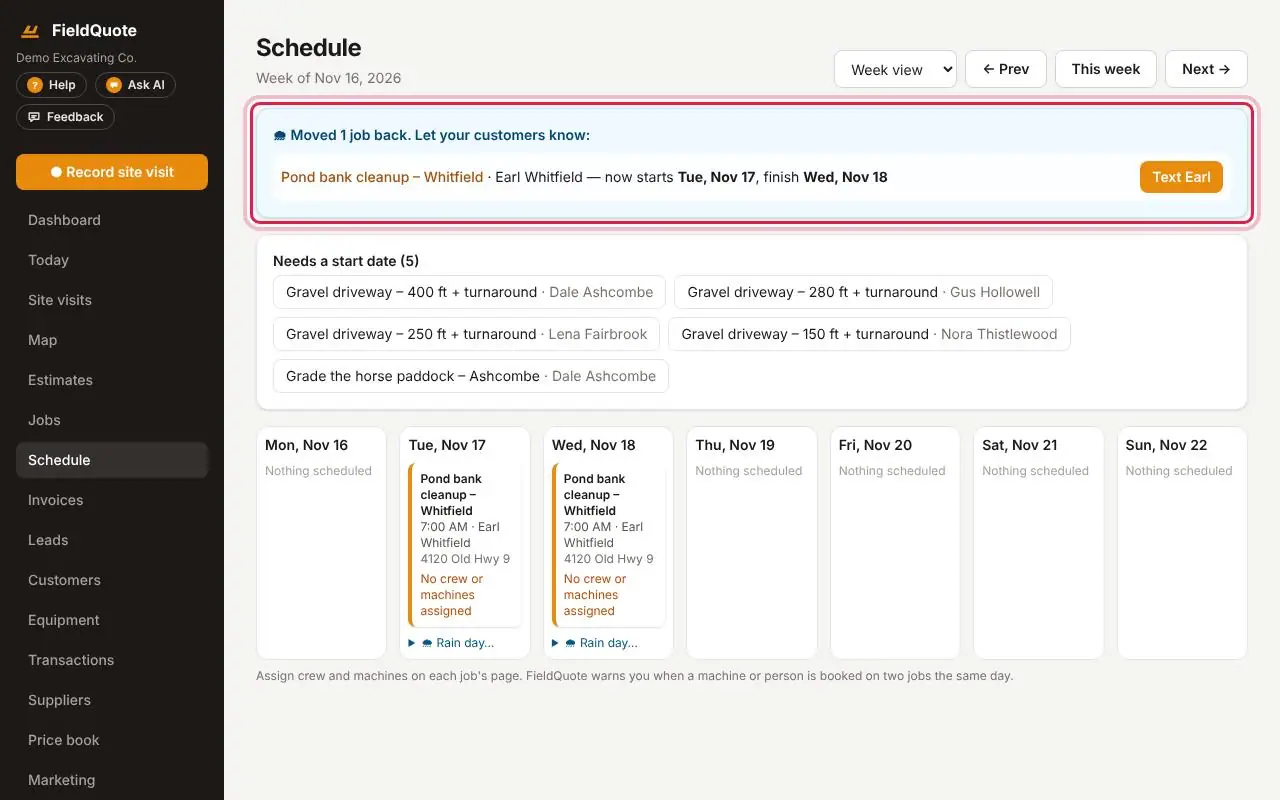
Tap Move jobs. A blue box lists every job that moved with its new start and finish. Tap Text and the customer's name to open your phone's messages with a ready text ("Rain has pushed our schedule back, so we now plan to…"), and send it.
What you'll see
Every open job (scheduled or in progress) that runs on or after that day moves. A job that hasn't started moves its start and finish; a job already underway keeps its start and its finish moves.
"No open jobs were scheduled on or after that day." if nothing needed moving.
"No phone on file" instead of a text button for a customer without a phone.
Common mistakes
Using it on Monday for Tuesday's rain. It moves everything from the day you tap it on, including jobs already later in the week.
Not texting customers. The blue box goes away when you leave the page; it doesn't text anyone by itself.
Limits
Holidays aren't skipped, only Saturdays and Sundays (when ticked).
Finished and canceled jobs never move.
With Job reminder on, customers get a new reminder the day before the new start date.
Checked against the app on Nov 9, 2026. Pictures are from Demo Excavating Co., a made-up company.