Customers, texting & email, automatic follow-ups
Guide 17 of 20
What it's for
Show up to an open gate and an empty driveway. One reminder the day before saves a wasted trip.
Where
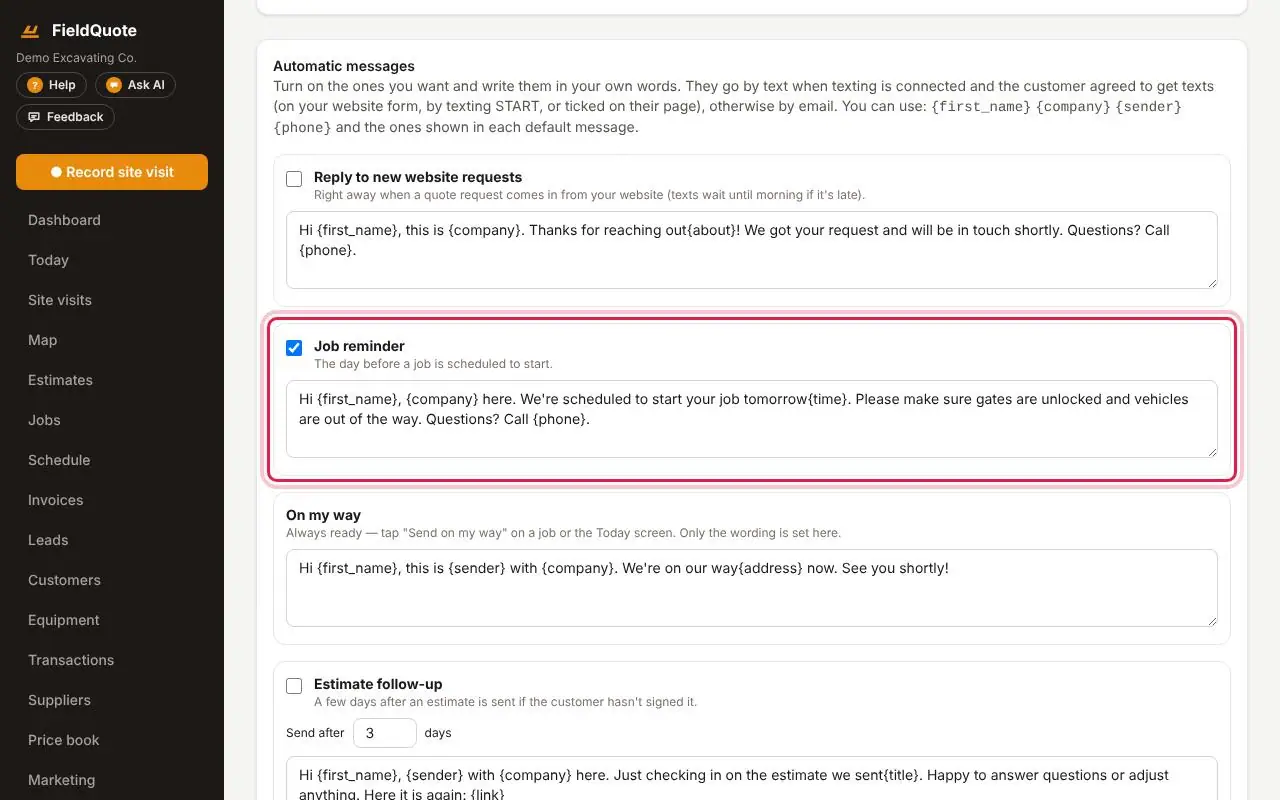
Settings › Open message settings › Job reminder.
Watch it
Steps
Tick Job reminder, change the wording if you like, and tap Save.
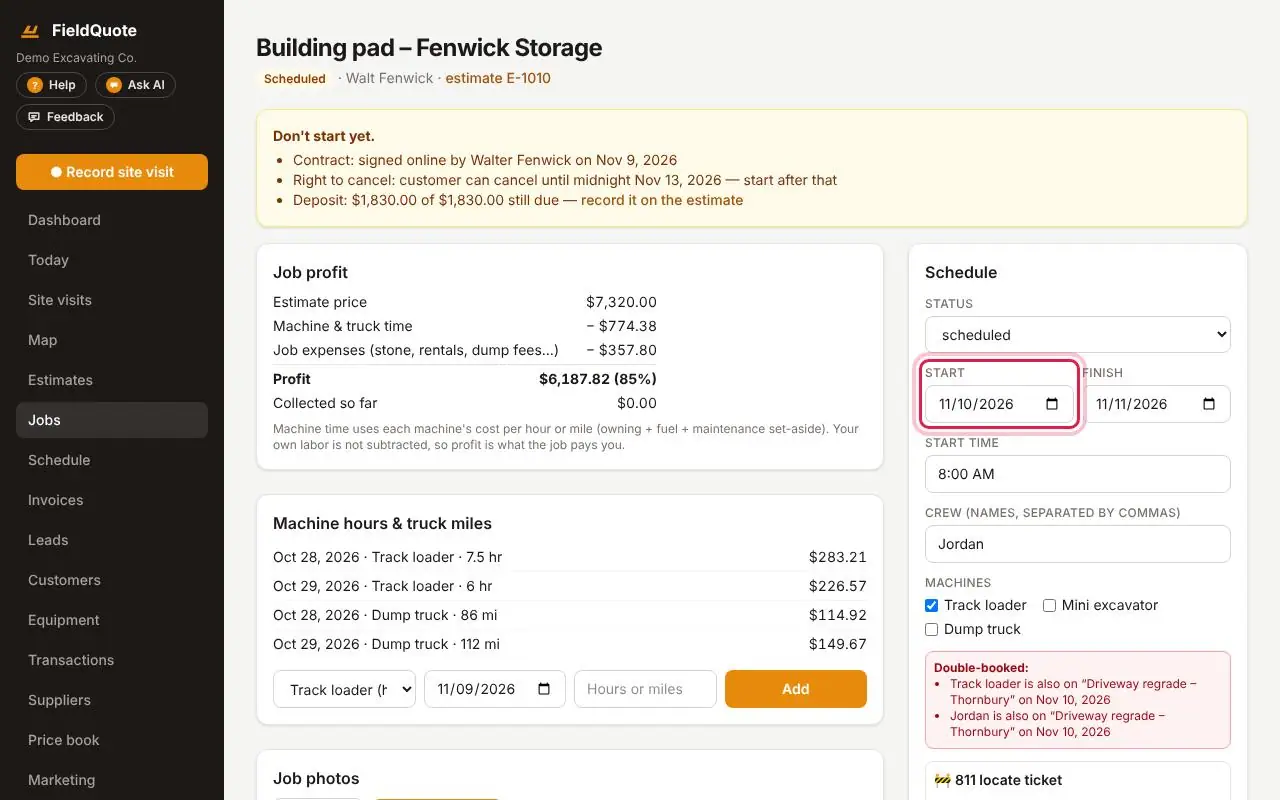
Give the job a Start date (and a Start time if you want it in the message) in its Schedule box.
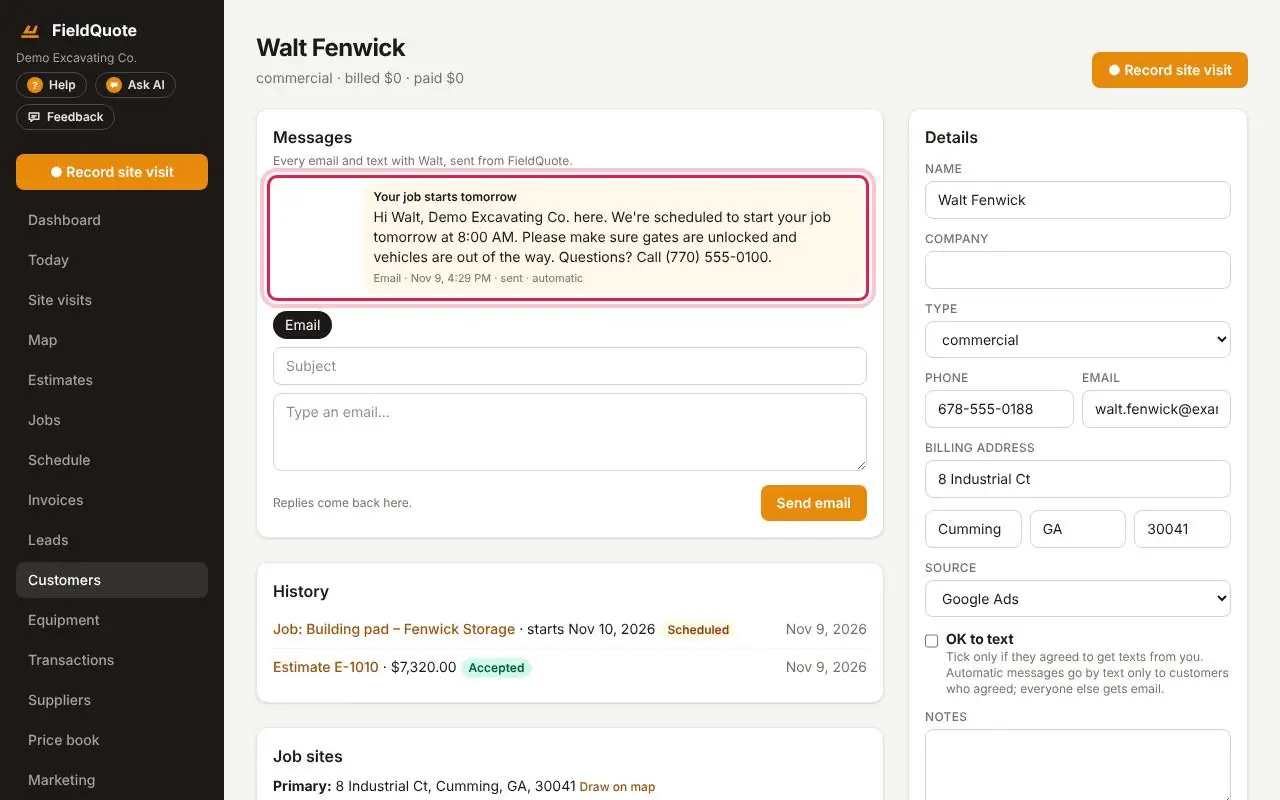
The day before, the reminder goes out and shows in the customer's Messages, marked "automatic".
What you'll see
The default reminder says you're scheduled to start tomorrow (with the start time if there is one) and asks them to make sure gates are unlocked and vehicles are out of the way.
Common mistakes
Moving a job after the reminder went out. A job moved to a new day gets a new reminder the day before the new date, so tell the customer about the change yourself (the rain-day button writes that text for you).
Leaving the start time blank and wondering why it's not in the message. It's only added when filled in.
Limits
Only the owner or an admin can change this. Team members see the message settings grayed out, with "View only. Only the owner or an admin can change this."
Only for jobs with a customer, a start date and the status scheduled (not in progress, complete or canceled).
It goes during the day before; during quiet hours it waits until they end.
Checked against the app on Nov 9, 2026. Pictures are from Demo Excavating Co., a made-up company.