Customers, texting & email, automatic follow-ups
Guide 18 of 20
What it's for
The best time to ask for a review is right after a happy customer pays. This does it every time, without you remembering.
Where
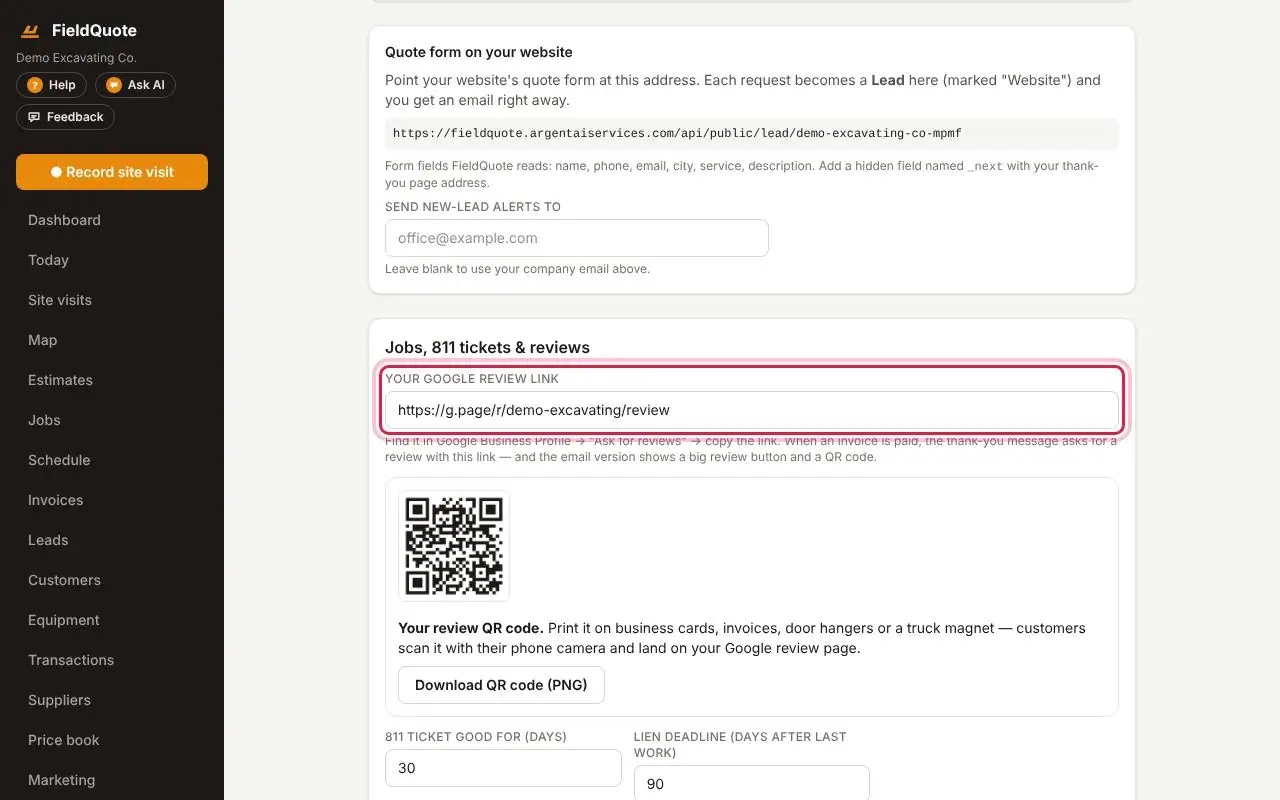
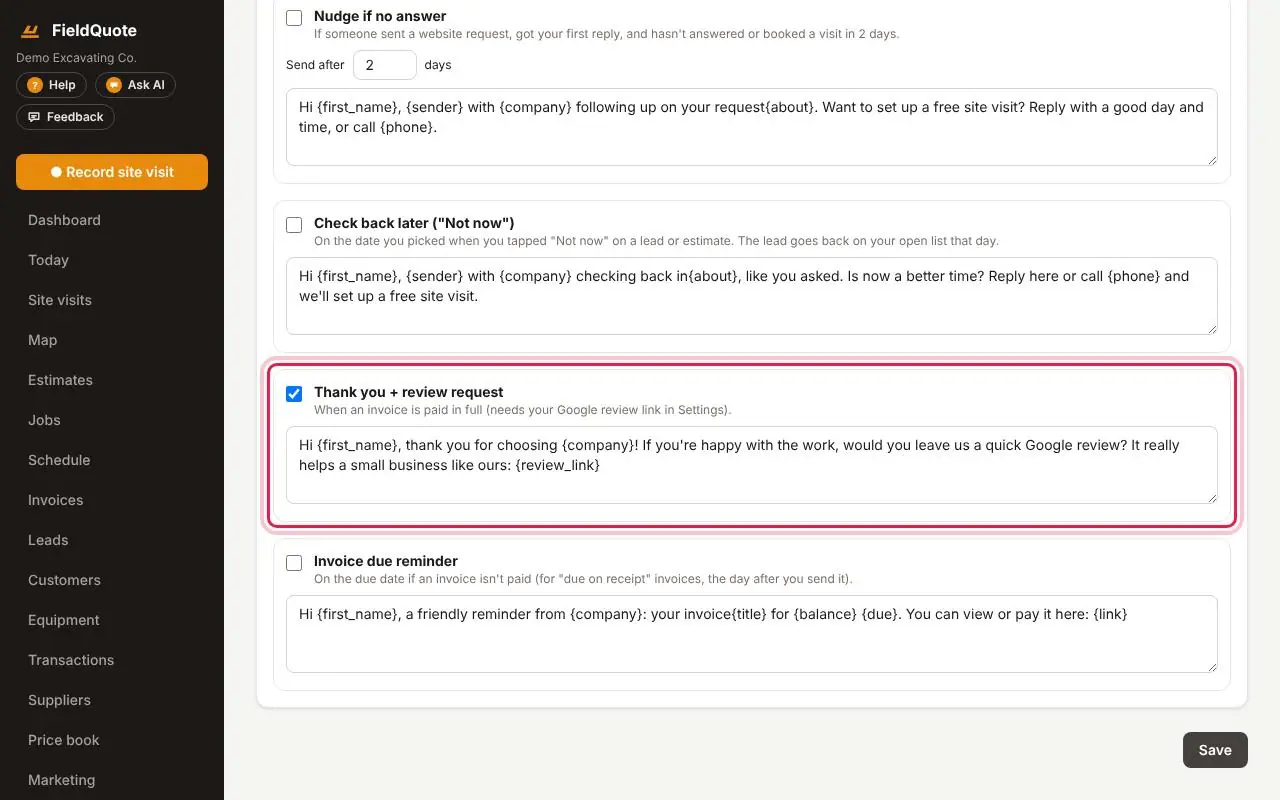
The link: Settings › Jobs, 811 tickets & reviews › Your Google review link. The message: Settings › Open message settings › Thank you + review request.
Watch it
Steps
In Settings, paste Your Google review link (in Google Business Profile, "Ask for reviews", copy the link) and tap Save settings.
In Open message settings, tick Thank you + review request and tap Save.
When an invoice is paid in full (online, or a payment you record), the thank-you goes out and shows in the customer's Messages.
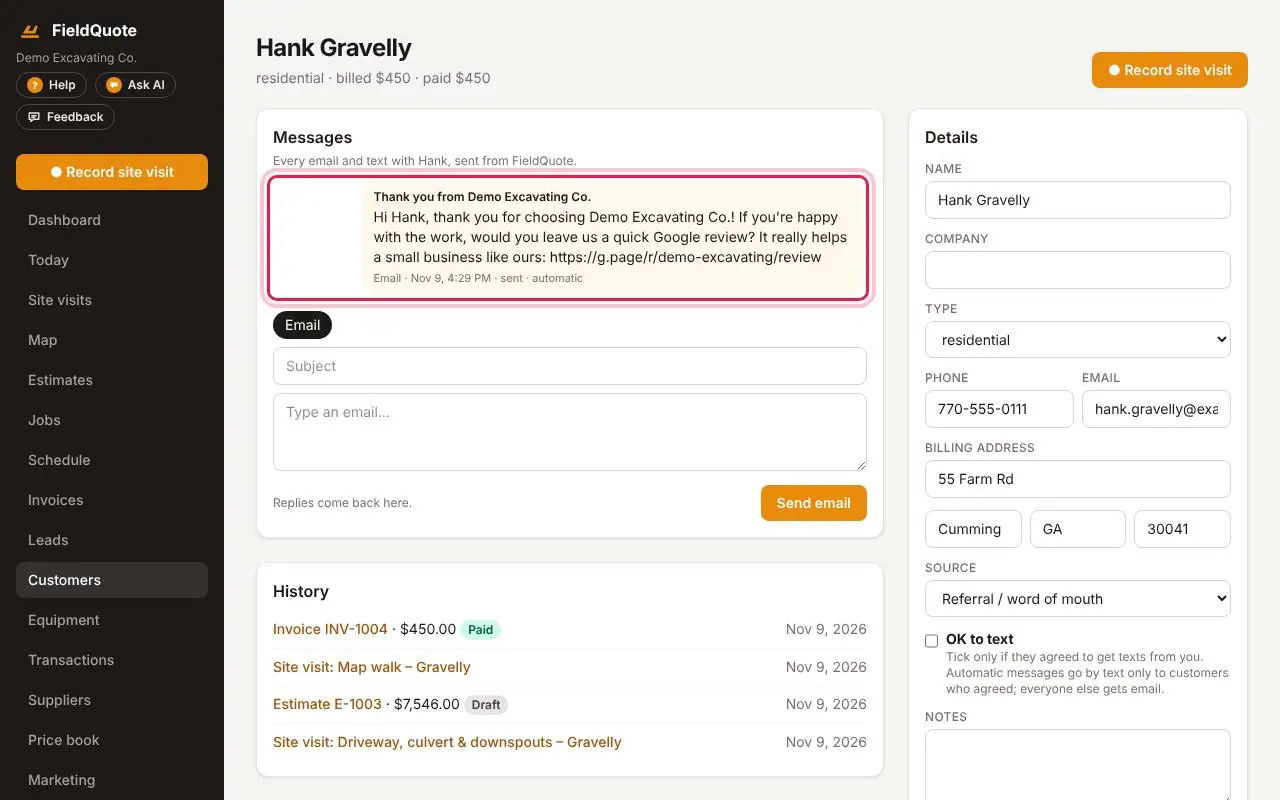
What you'll see
The invoice shows "Review requested …" with the date, so you don't ask twice.
By email, the message has a big Google review button and a QR code they can scan with their phone.
Common mistakes
Turning it on without the review link. Nothing goes out until the link is in Settings.
A link that doesn't start with
https://. The button and QR code need a full web address.
Limits
Only the owner or an admin can change this. Team members see the message settings grayed out, with "View only. Only the owner or an admin can change this."
Once per invoice, and only within 3 days of the last payment, so turning it on doesn't thank everyone who paid months ago.
To ask by hand instead, use Ask for a Google review on the paid invoice (see Ask for a Google review when an invoice is paid).
Checked against the app on Nov 9, 2026. Pictures are from Demo Excavating Co., a made-up company.