Suppliers & material prices
Guide 6 of 14
What it's for
The plant up the road and the one across the county can be a few dollars a ton apart. Import them all once and FieldQuote keeps an eye on it for you.
Where
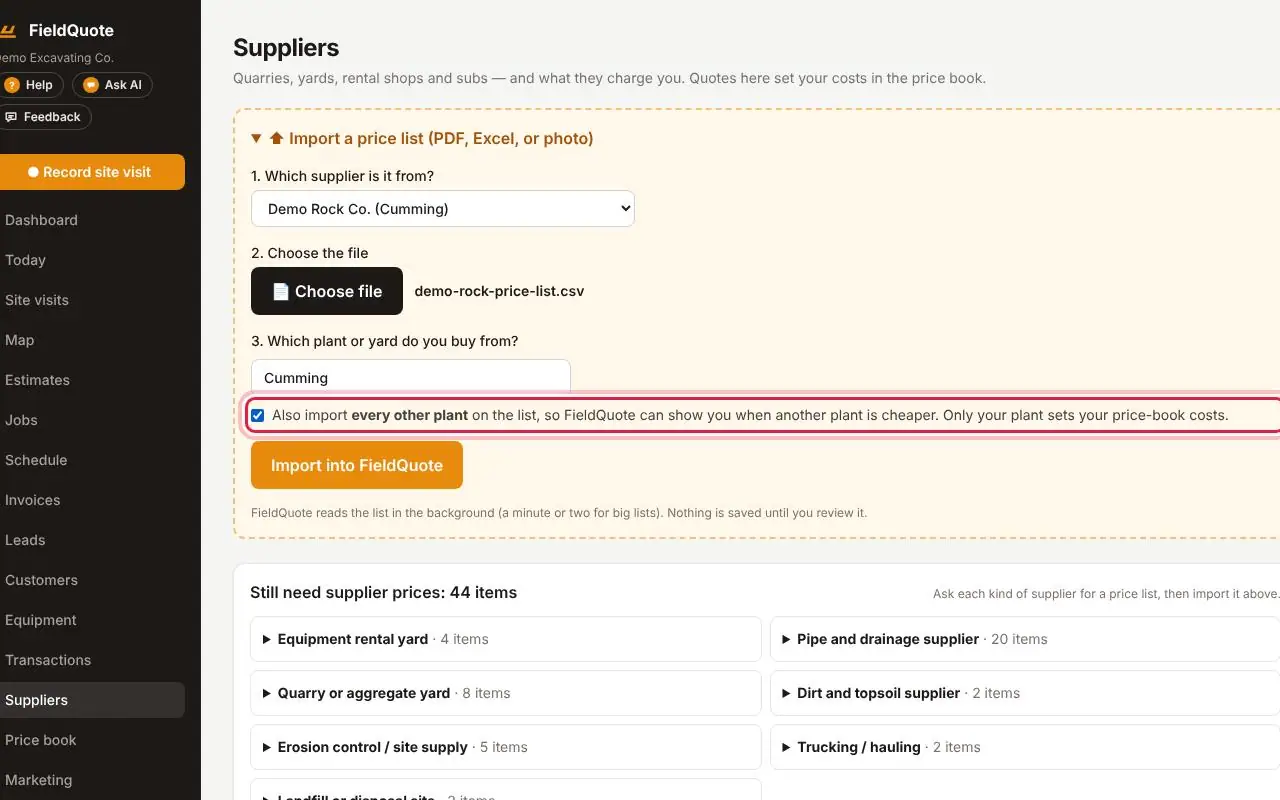
Suppliers › Import a price list (PDF, Excel, or photo) › the box "Also import every other plant on the list", then the review page.
Watch it
Steps
When you import, check the box "Also import every other plant on the list" under Which plant or yard do you buy from?.
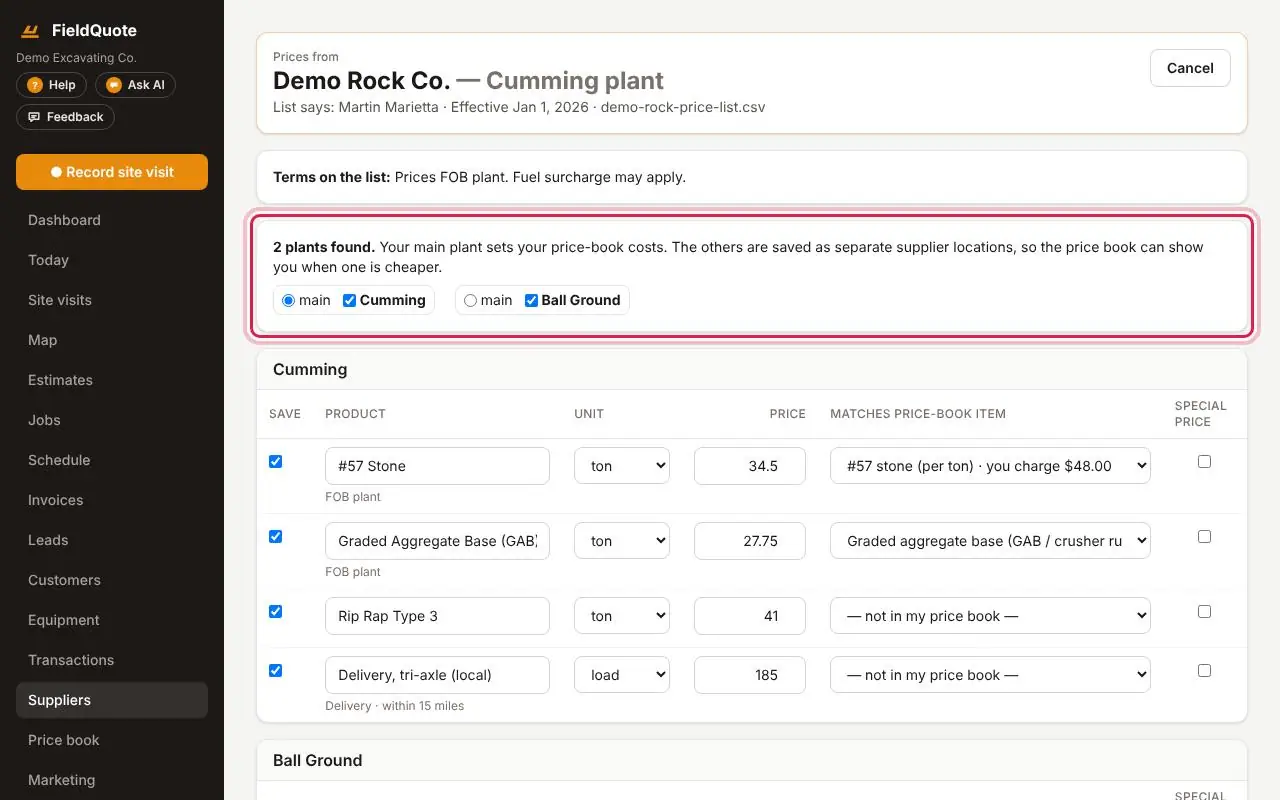
On the review page, the box at the top says how many plants were found. Pick your main plant; it sets your price-book costs. Uncheck any plant you don't want saved.
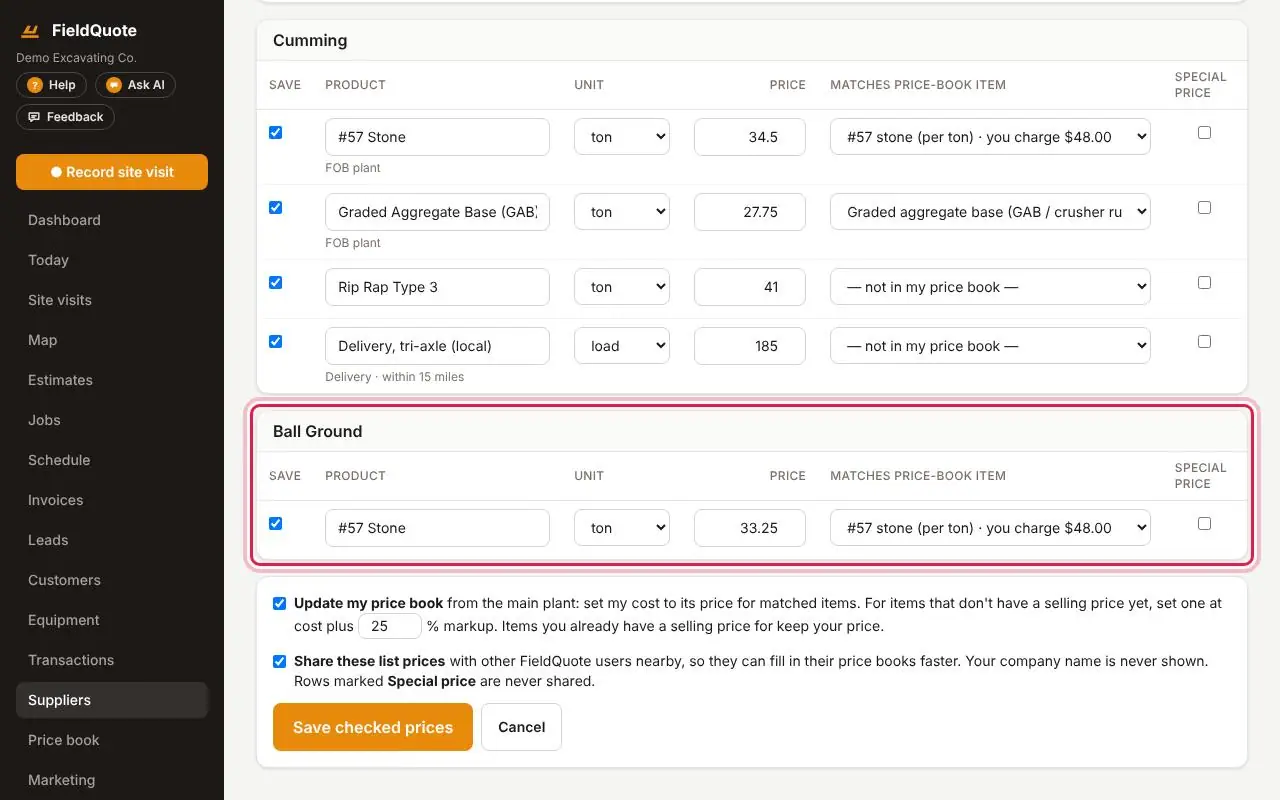
Each plant's prices are in their own table. Check them as usual and tap Save checked prices.
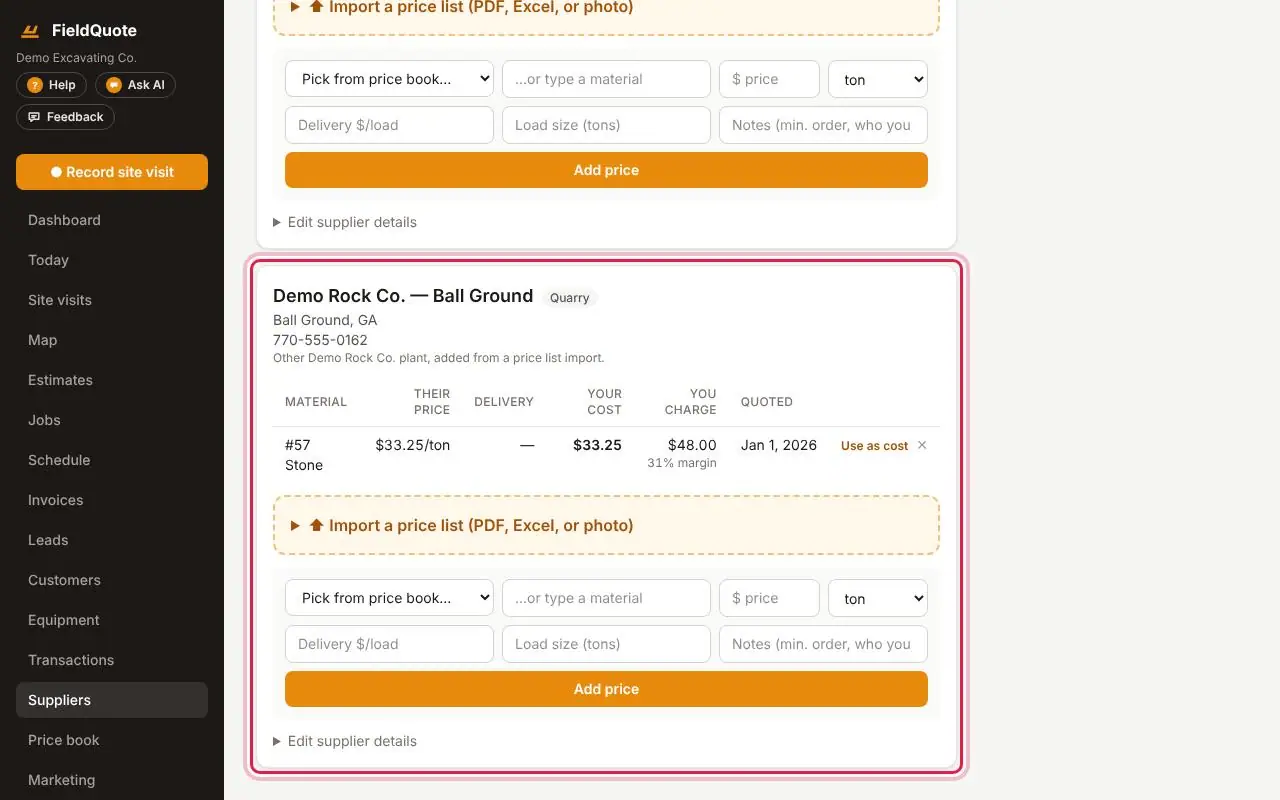
On Suppliers, each other plant is its own supplier, named after the supplier and the plant, with its prices.
What you'll see
Without that box checked, only your plant's column is read. If the list has more plants, the review page says "This list has prices for … plants: …. Showing … only." with Read a different plant instead to read another plant's column.
In Price book, a note under an item when another plant has it for less (see See when another supplier is cheaper).
Common mistakes
Typing the plant name differently from the list. If no prices come out for your plant, check how the list spells it and read it again.
Limits
Only the owner or an admin can change suppliers and their prices, because they set your price-book costs. Team members see the suppliers and prices with "View only. Only the owner or an admin can change this."
The other plants' suppliers copy the main supplier's type, state, phone and website, with the plant's name as the city. Fill in their details yourself.
Other plants never change your costs, even when cheaper. Make one your preferred supplier for an item if you switch.
Checked against the app on Nov 9, 2026. Pictures are from Demo Excavating Co., a made-up company.