Your books: Fiscally Fit Business & QuickBooks
Guide 7 of 7
What it's for
For companies whose accountant keeps the books in QuickBooks Online. Until it's switched on, Fiscally Fit Business is the bookkeeping app FieldQuote can send to.
Where
Settings › QuickBooks Online, just above the Fiscally Fit section.
Watch it
Steps
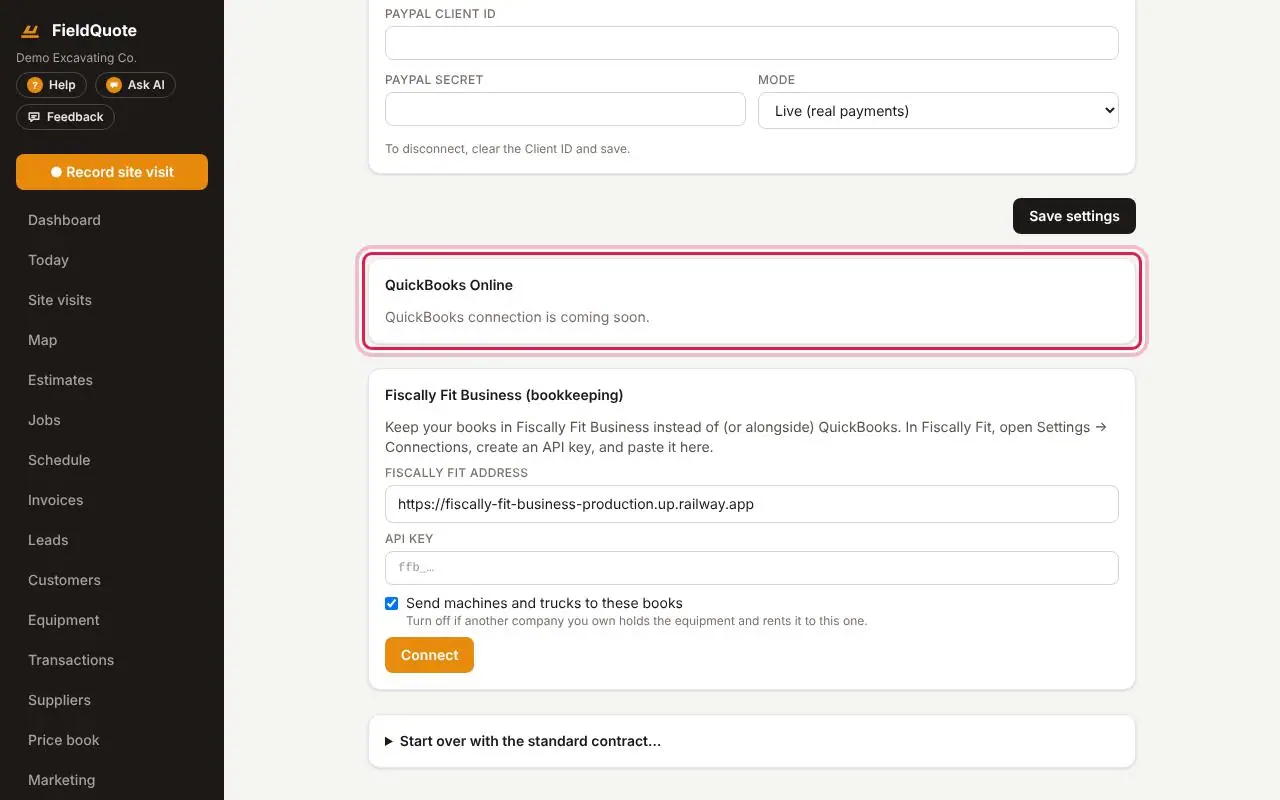
Open Settings and scroll to QuickBooks Online. Today it says "QuickBooks connection is coming soon."
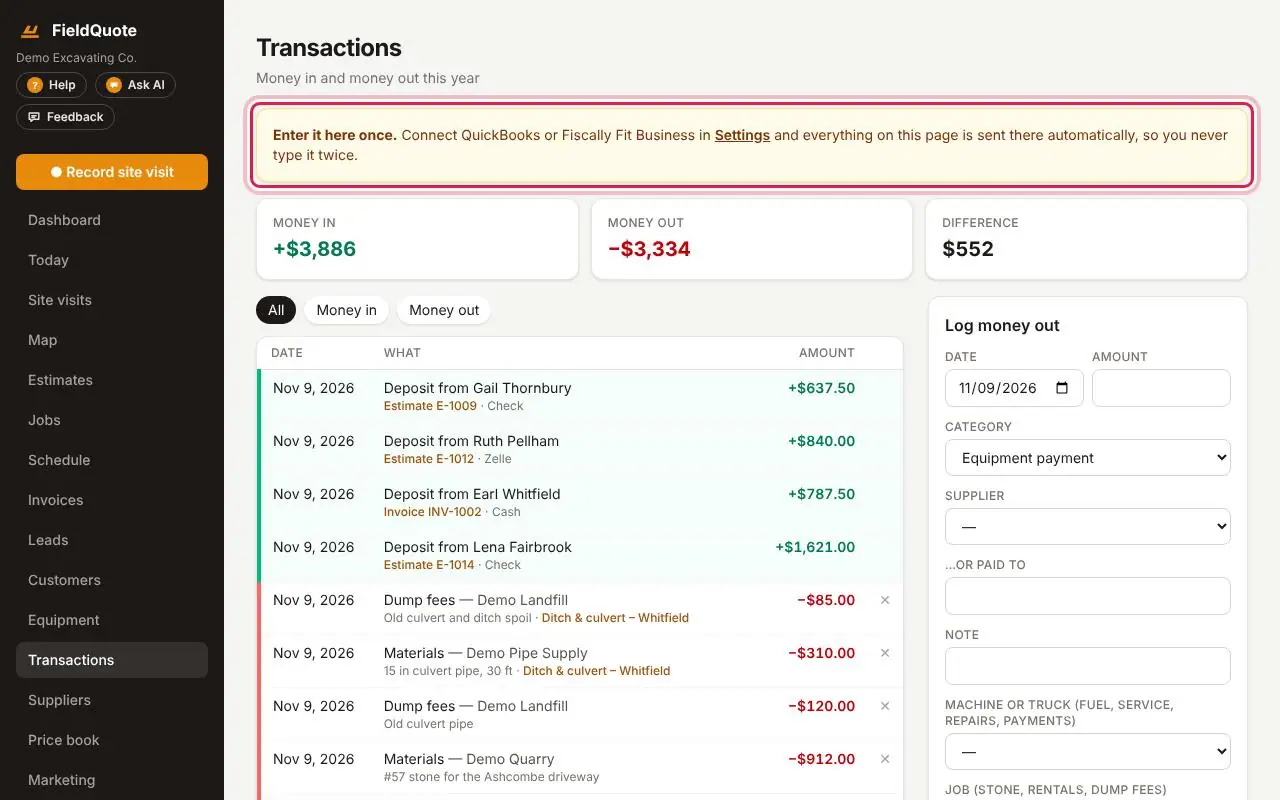
Transactions already says what will happen: connect QuickBooks or Fiscally Fit Business and everything on that page is sent there automatically.
What you'll see
When the connection is switched on, this section will have a Connect to QuickBooks button (owner or admin only). It takes you to QuickBooks to sign in and approve, then back to Settings with "QuickBooks is connected." From then on, the way FieldQuote is built:
Send automatically: invoices and payments once an invoice is sent, and expenses as you enter them — checked to start with.
Invoices go to QuickBooks once they're sent, with their payments and deposits. Each line posts to a simple income item named for its category, like Materials or Equipment time; the customer is matched by name or added. QuickBooks works out the sales tax, so check your first few invoices.
Expenses post to the matching expense account (Fuel, Repairs & Maintenance, Supplies & Materials and so on, or Uncategorized Expense), paid from your bank account — or your credit card account when paid by card. Equipment payments post against your loan account, with a note to split out the interest.
Send expenses not in QuickBooks yet catches up older expenses; Disconnect QuickBooks stops it. Team members see these grayed out, with "Only the owner or an admin can connect QuickBooks, change what's sent, or disconnect it."
If your FieldQuote subscription ends, Disconnect QuickBooks is also under Team, billing & sign-in › Your books, since Settings is closed then.
Transactions gets a QuickBooks column: ✓ when a line is in QuickBooks, "⚠ not sent" when it failed.
Common mistakes
Waiting on QuickBooks to start entering work. Enter everything in FieldQuote now; when QuickBooks is connected, sent invoices and their payments go over as they change, and Send expenses not in QuickBooks yet sends the older expenses.
Limits
Machines and trucks aren't sent to QuickBooks — only their expenses.
Expenses paid with your own money go to QuickBooks as paid from the bank account.
Checked against the app on Nov 9, 2026. Pictures are from Demo Excavating Co., a made-up company.