Your books: Fiscally Fit Business & QuickBooks
Guide 6 of 7
What it's for
Small companies run on the owner's card more often than anyone admits, and some keep a cash box too. The two aren't the same money: cash from the business's own cash box comes out of the business, while cash or a card from your own pocket is money the business owes back to you. Picking the right one keeps the books right.
Where
An expense: Transactions › Log money out › Paid with.
A machine: Equipment › the machine › Machine details › Paid with (price or down payment).
Watch it
Steps
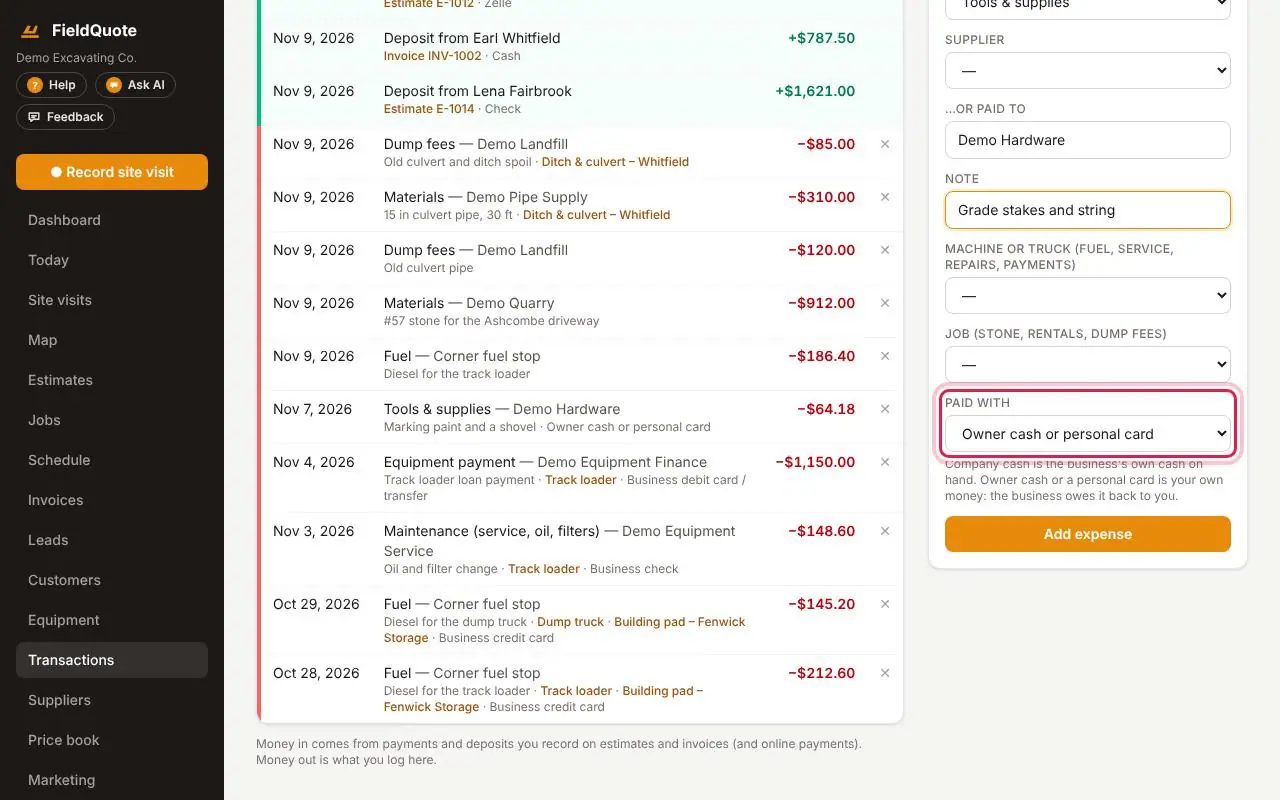
On Transactions, fill in the expense as usual and pick "Owner cash or personal card" under Paid with when you paid with your own money. Tap Add expense.
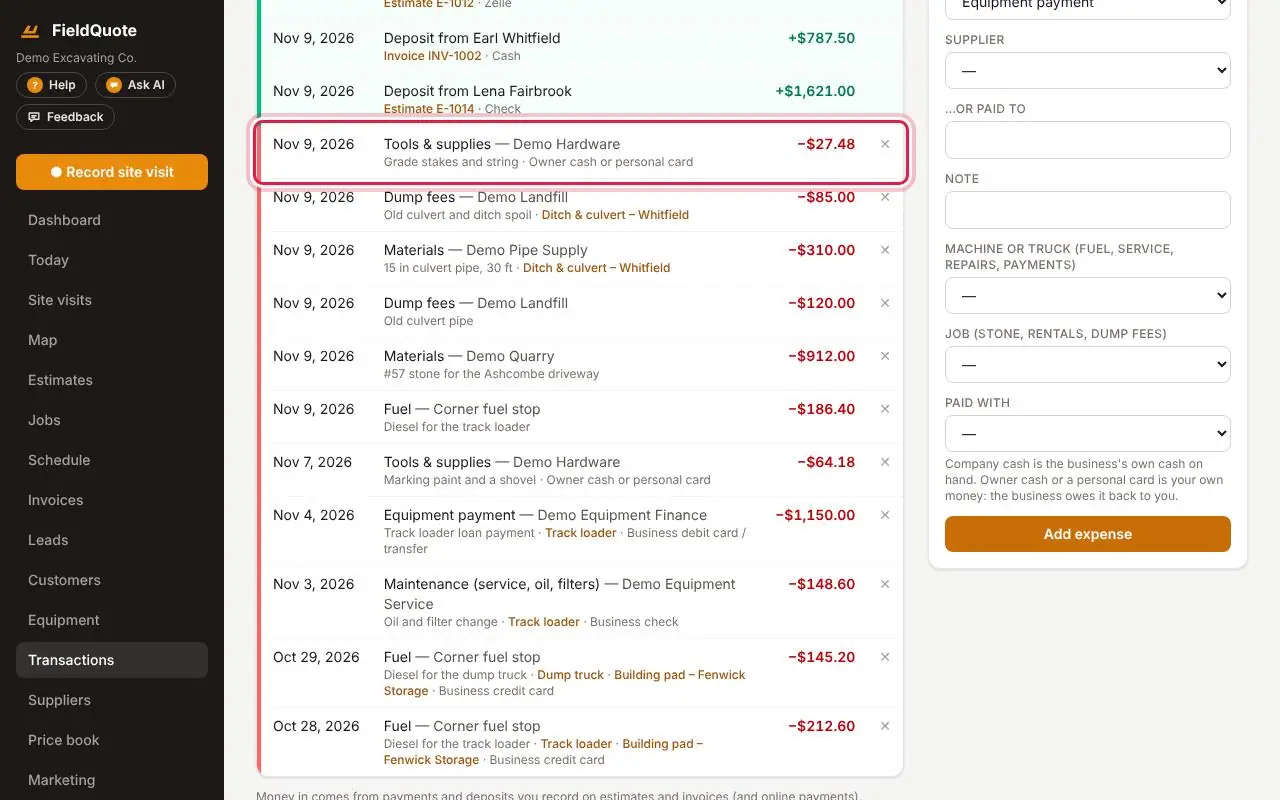
It's on the list like any other expense, with "Owner cash or personal card" after the note.
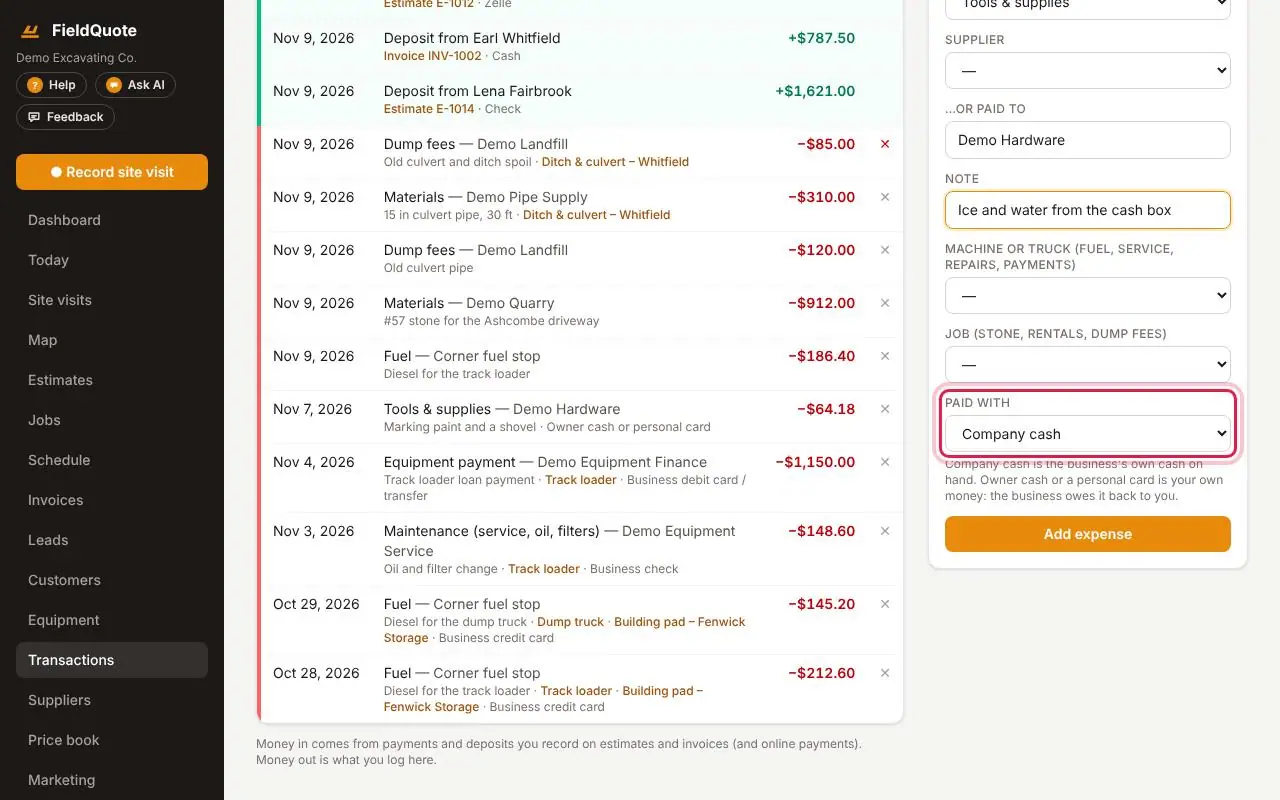
Paid out of the business's own cash on hand instead? Pick "Company cash".
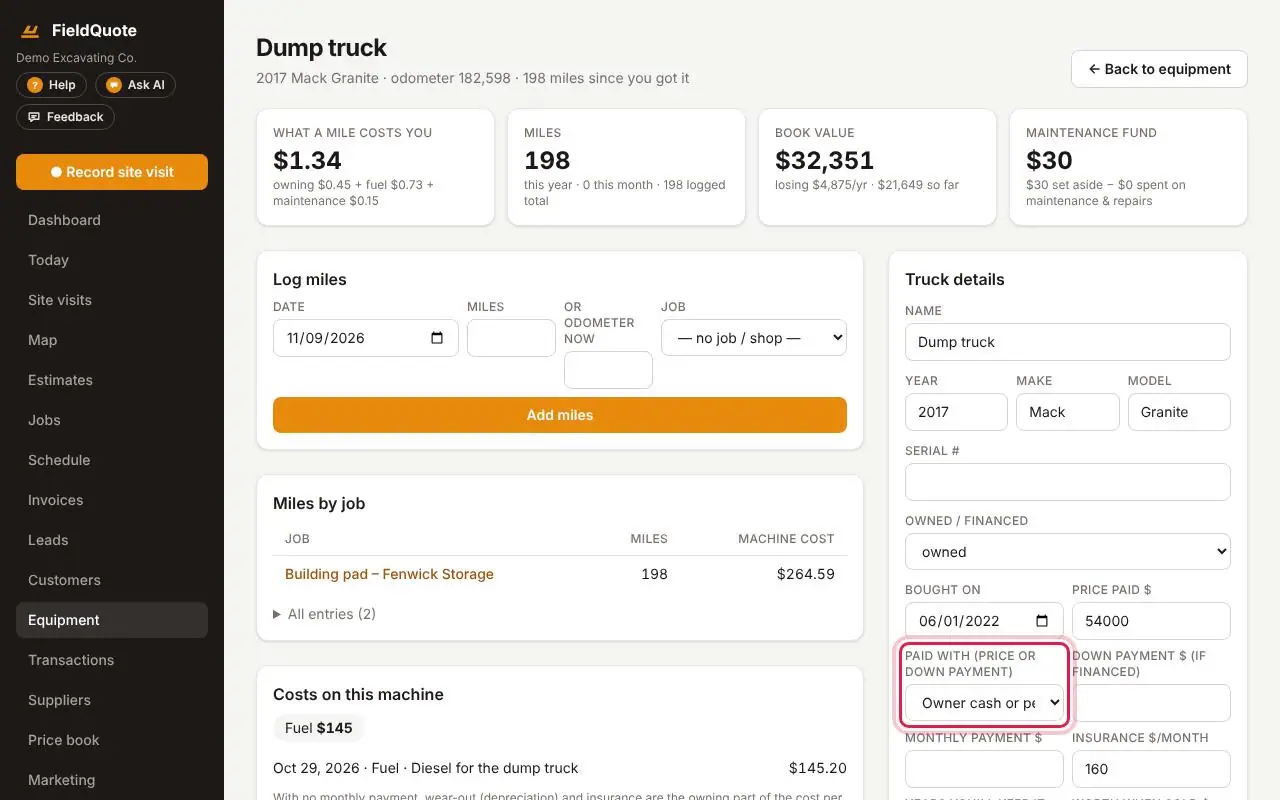
For a machine or truck you bought (or put the down payment on) personally, open it from Equipment, pick "Owner cash or personal card" under Paid with (price or down payment), and tap Save. Bought with the company's cash, pick "Company cash".
What you'll see
With Fiscally Fit Business connected, owner cash or a personal card goes over as paid by you, so the business owes you back (Due to Shareholder). Company cash comes out of the business's Cash on Hand account there (Fiscally Fit adds that account the first time).
Card-paid expenses go over as paid from the business credit card; everything else as paid from checking.
Expenses saved before November 2026 with the old "Cash" choice went over as paid by you personally. They stay that way, and show as "Owner cash or personal card".
Common mistakes
Picking "Owner cash or personal card" for cash from the company's cash box. That makes it look like the business owes you. Pick "Company cash".
Picking "Company cash" for cash out of your own pocket. The business then doesn't owe it back to you. Pick "Owner cash or personal card".
Leaving Paid with empty. It's then recorded as paid from checking.
Limits
An expense can't be edited. If you picked the wrong one, delete it and add it again.
QuickBooks (when it's available) records company cash and owner money as paid from the bank account; it doesn't keep track of what's owed back to you.
Only the owner or an admin can change a machine's Paid with (price or down payment). Anyone can pick Paid with on an expense.
Checked against the app on Nov 9, 2026. Pictures are from Demo Excavating Co., a made-up company.