Your books: Fiscally Fit Business & QuickBooks
Guide 5 of 7
What it's for
Switching bookkeeping apps, connecting a different Fiscally Fit company, or starting over with a new key.
Where
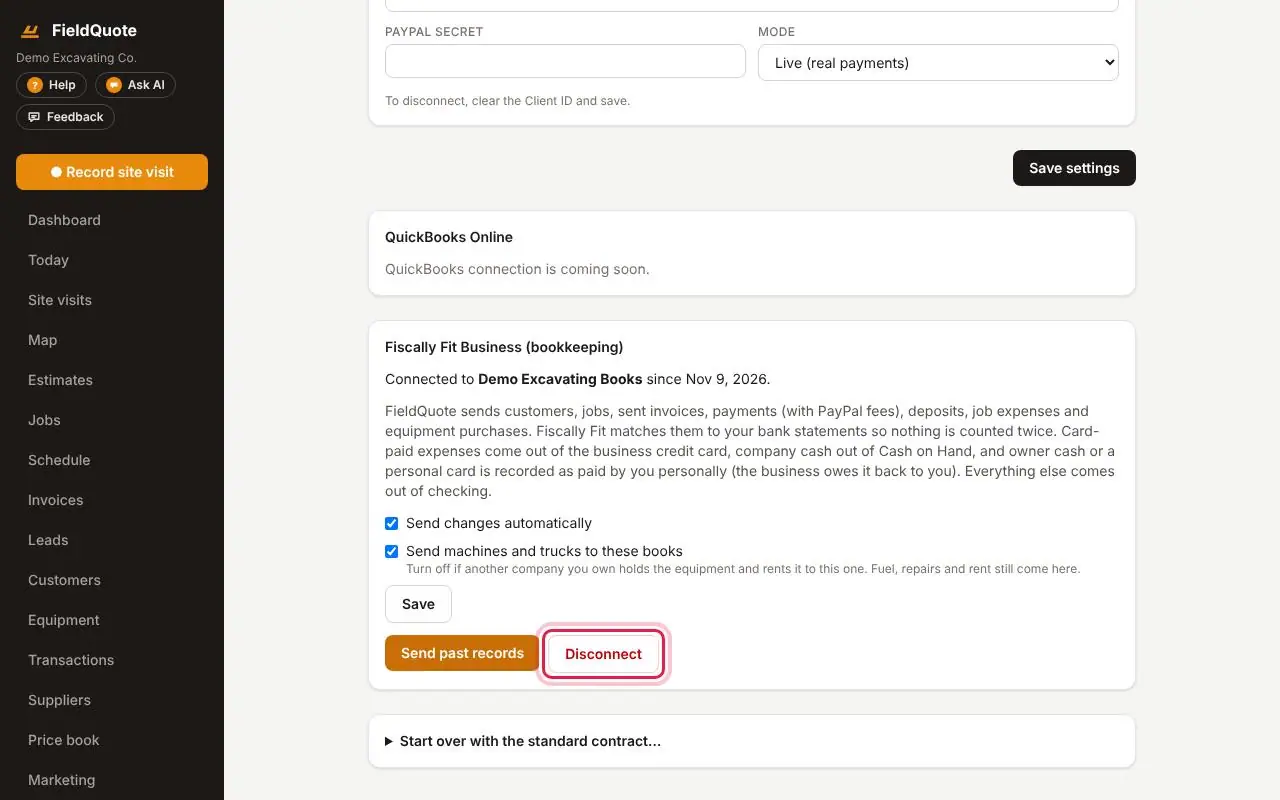
Settings › Fiscally Fit Business (bookkeeping) › Disconnect (the red button next to Send past records).
Watch it
Steps
Tap Disconnect.
The section goes back to the connect form. FieldQuote has forgotten the key.
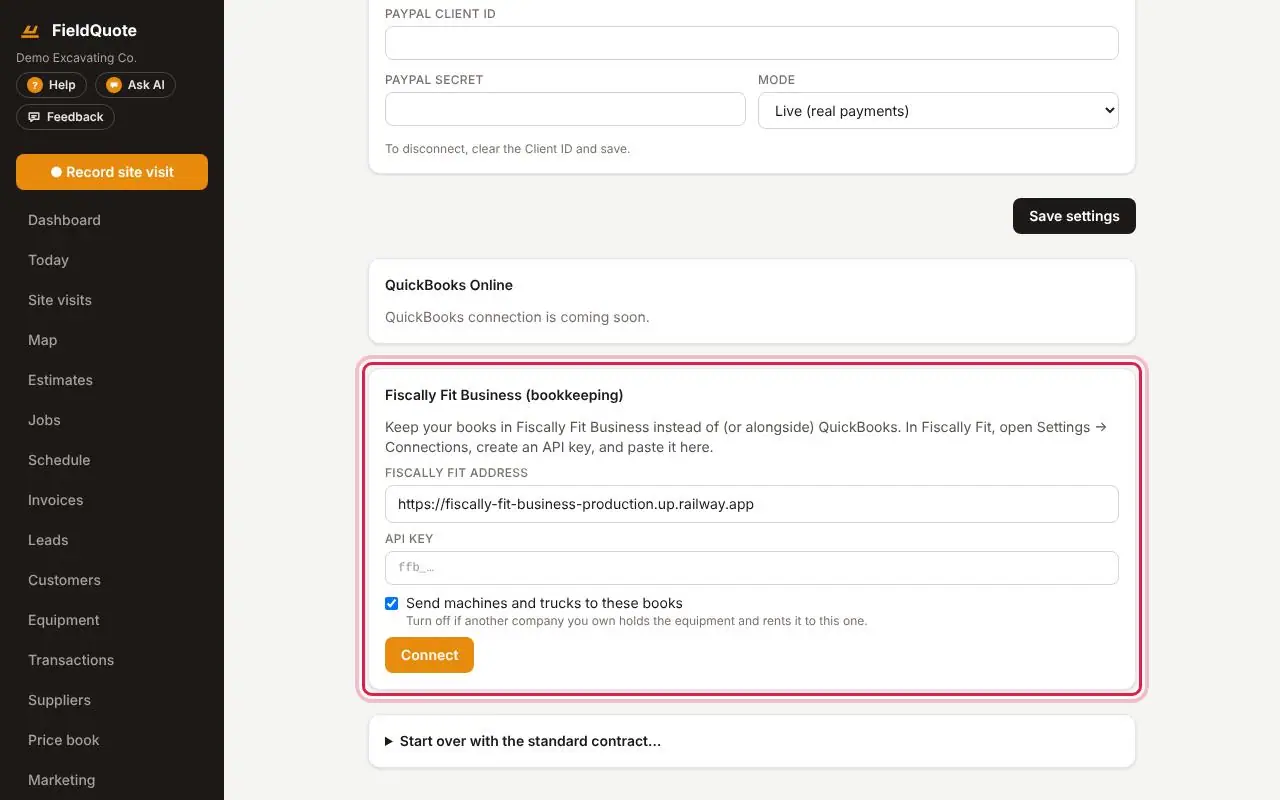
What you'll see
Nothing more goes to Fiscally Fit.
Transactions no longer says it sends to Fiscally Fit Business.
Your records in Fiscally Fit stay as they are.
Common mistakes
Disconnecting to fix a problem. Look at Last problem: first — most problems (an invoice without a customer) are fixed in FieldQuote, then Send past records.
Reconnecting a different Fiscally Fit company and pressing Send past records. Everything is sent to the new company; the old one keeps its copy.
Limits
There's no second question — it disconnects right away. Connect again with a key to undo it.
Only the owner or an admin can disconnect. Team members see the button grayed out.
After your FieldQuote subscription has ended, Settings is closed. Disconnect from Team, billing & sign-in › Your books instead (see When your subscription has ended).
Checked against the app on Nov 9, 2026. Pictures are from Demo Excavating Co., a made-up company.