Your books: Fiscally Fit Business & QuickBooks
Guide 4 of 7
What it's for
Many contractors keep the iron in one company and the work in another. Then the machines belong on the holding company's books, not on this company's — but you still want to track hours and costs in FieldQuote.
Where
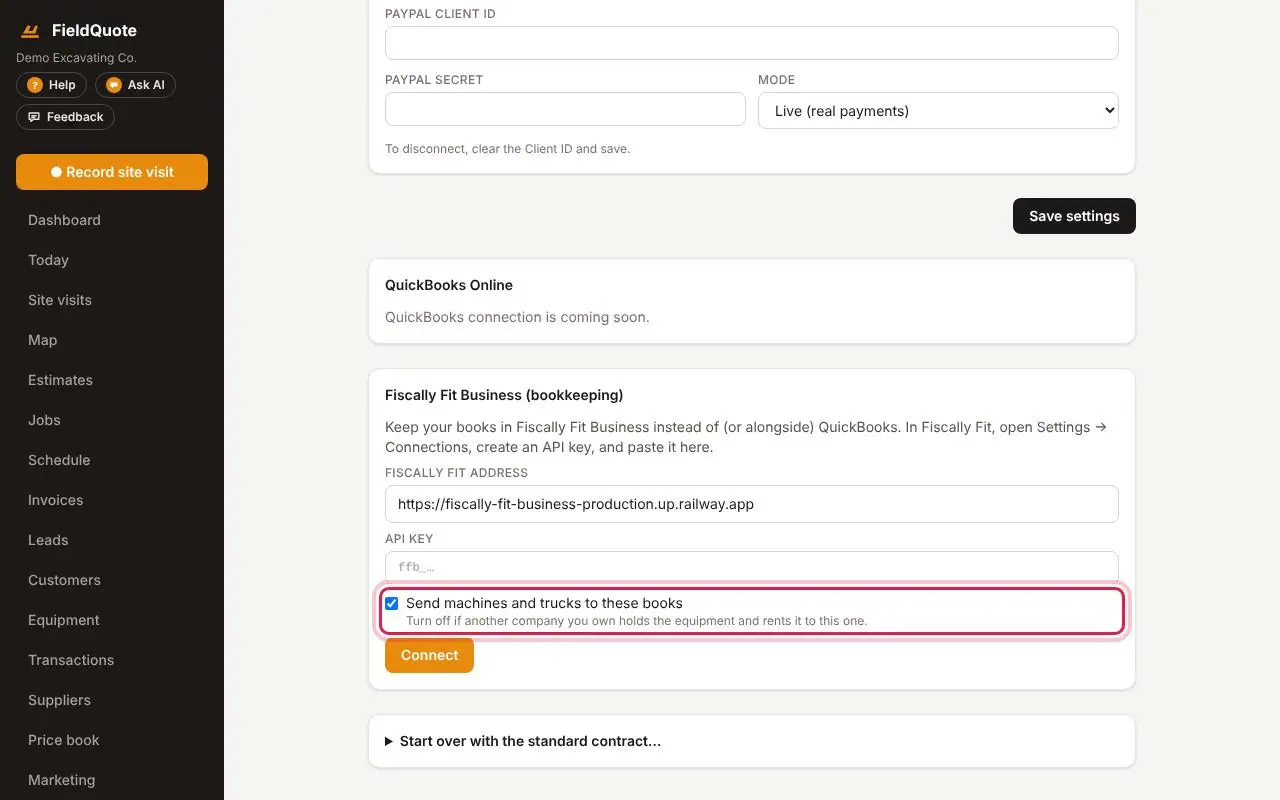
Settings › Fiscally Fit Business (bookkeeping) › Send machines and trucks to these books. It's on the connect form too, so you can set it before connecting.
Watch it
Steps
Once connected, find Send machines and trucks to these books under Send changes automatically.
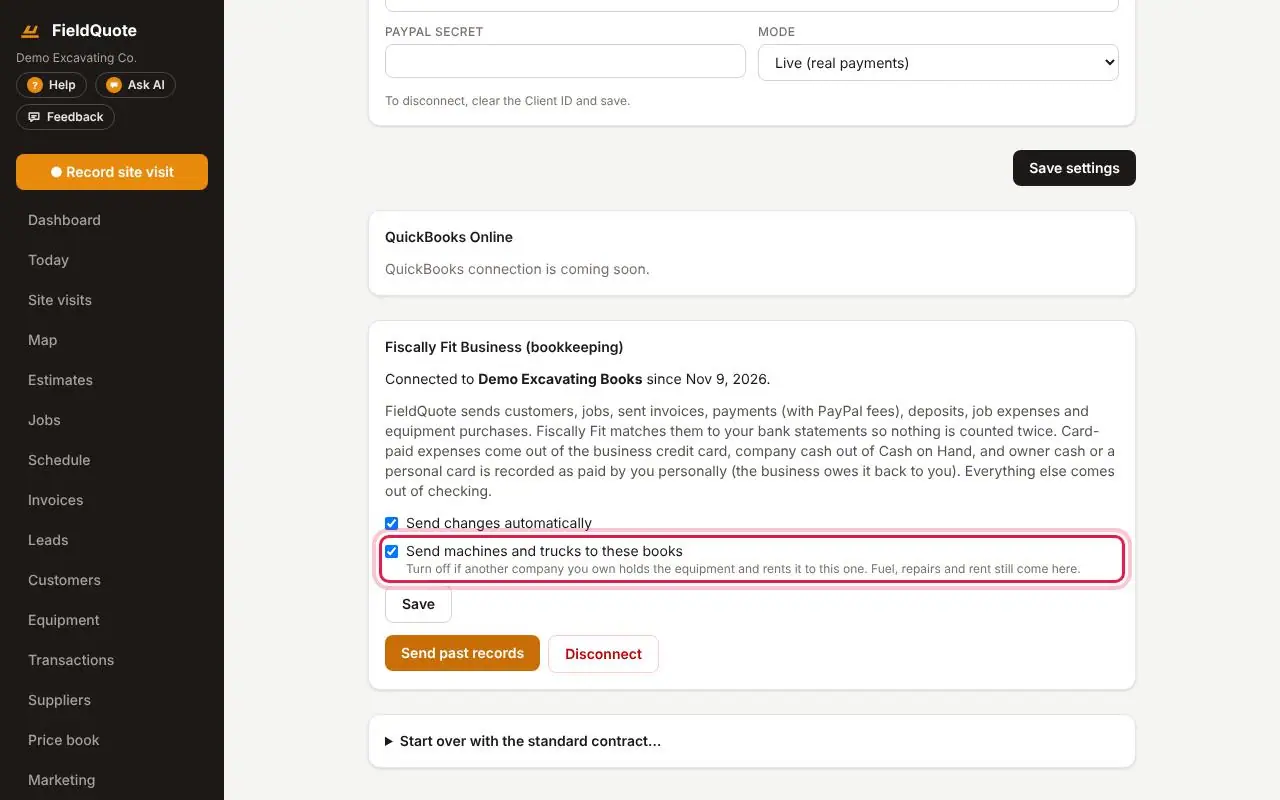
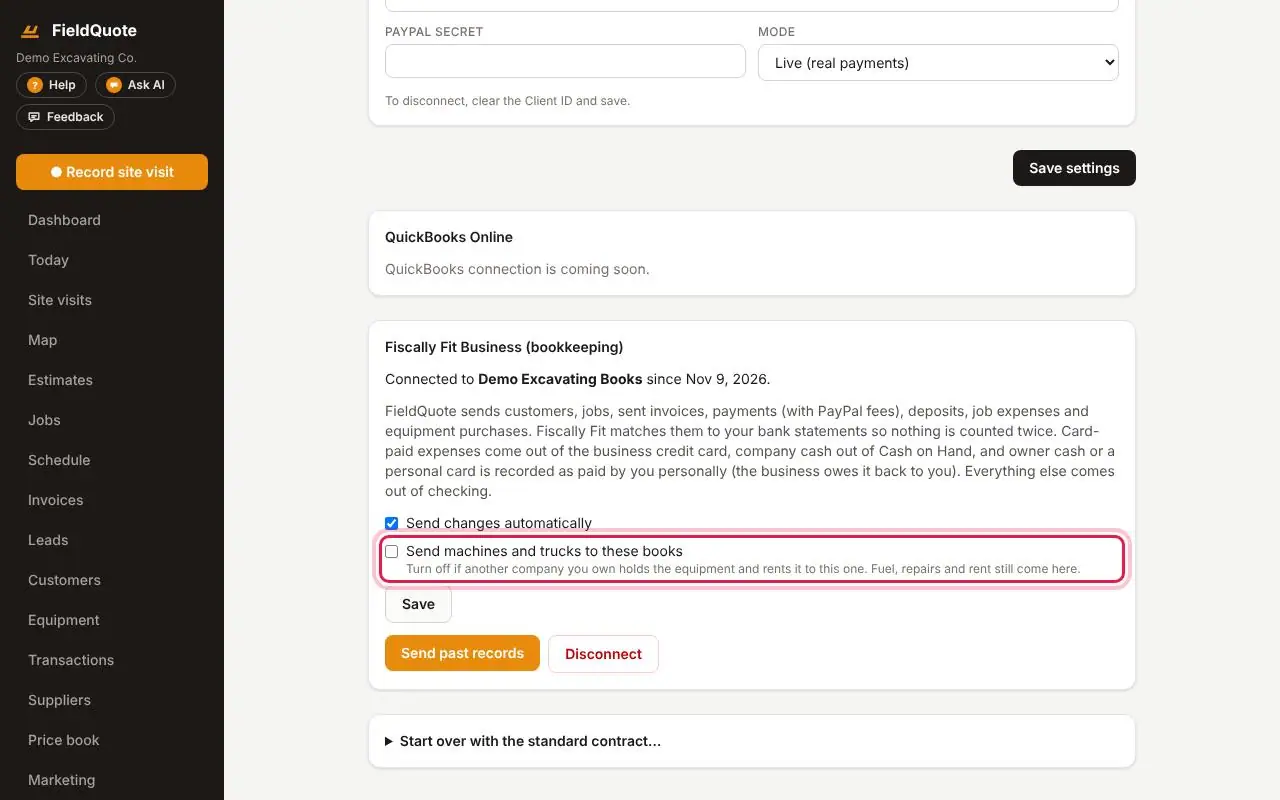
Uncheck it and tap Save.
Not connected yet? The same box is on the connect form, above Connect.
What you'll see
With it unchecked:
machines and trucks aren't sent as equipment you own — no purchase, down payment, loan or sale;
loan payments you log as Equipment payment go over as plain expenses, without being tied to a machine's loan;
fuel, repairs, maintenance and equipment rental still go over like any expense.
You keep tracking the machines in Equipment as before.
Common mistakes
Unchecking it after the machines were already sent. It stops sending them from now on; it doesn't remove the ones already in Fiscally Fit. Take those out there.
Leaving it checked in both companies. Each machine should be on one company's books.
Limits
Only the owner or an admin can change it.
It applies to every machine and truck; you can't pick some.
Checked against the app on Nov 9, 2026. Pictures are from Demo Excavating Co., a made-up company.