Your books: Fiscally Fit Business & QuickBooks
Guide 1 of 7
What it's for
Enter work once. Invoices you send, payments you take and receipts you log in FieldQuote go to Fiscally Fit Business on their own, where they're matched to your bank statements. Nobody types them in twice.
Where
Settings › Fiscally Fit Business (bookkeeping), near the bottom. Only the owner or an admin can connect it.
Watch it
Steps
In Fiscally Fit Business, open Settings › Connections and create an API key. Then in FieldQuote open Settings and scroll to Fiscally Fit Business (bookkeeping).
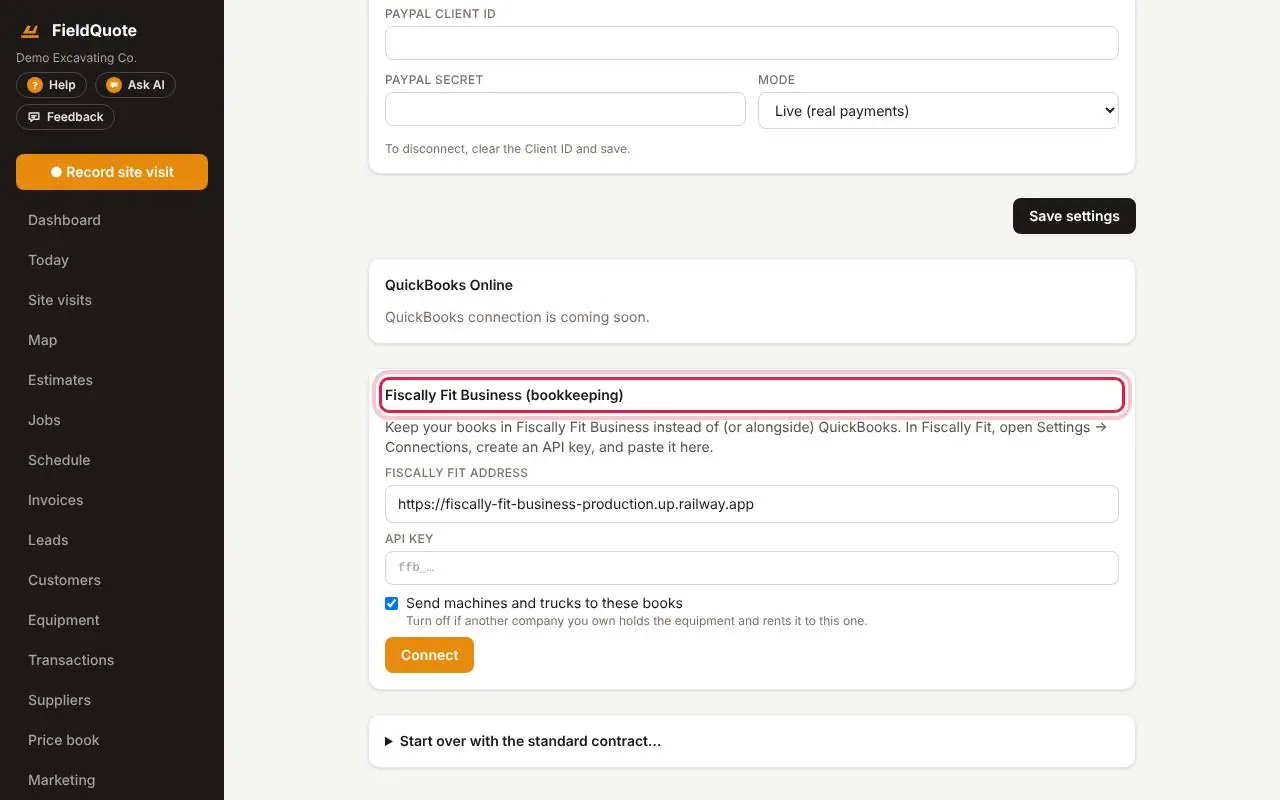
Leave Fiscally Fit address as it is unless Fiscally Fit shows you a different one. Paste the key under API key — it starts with
ffb_.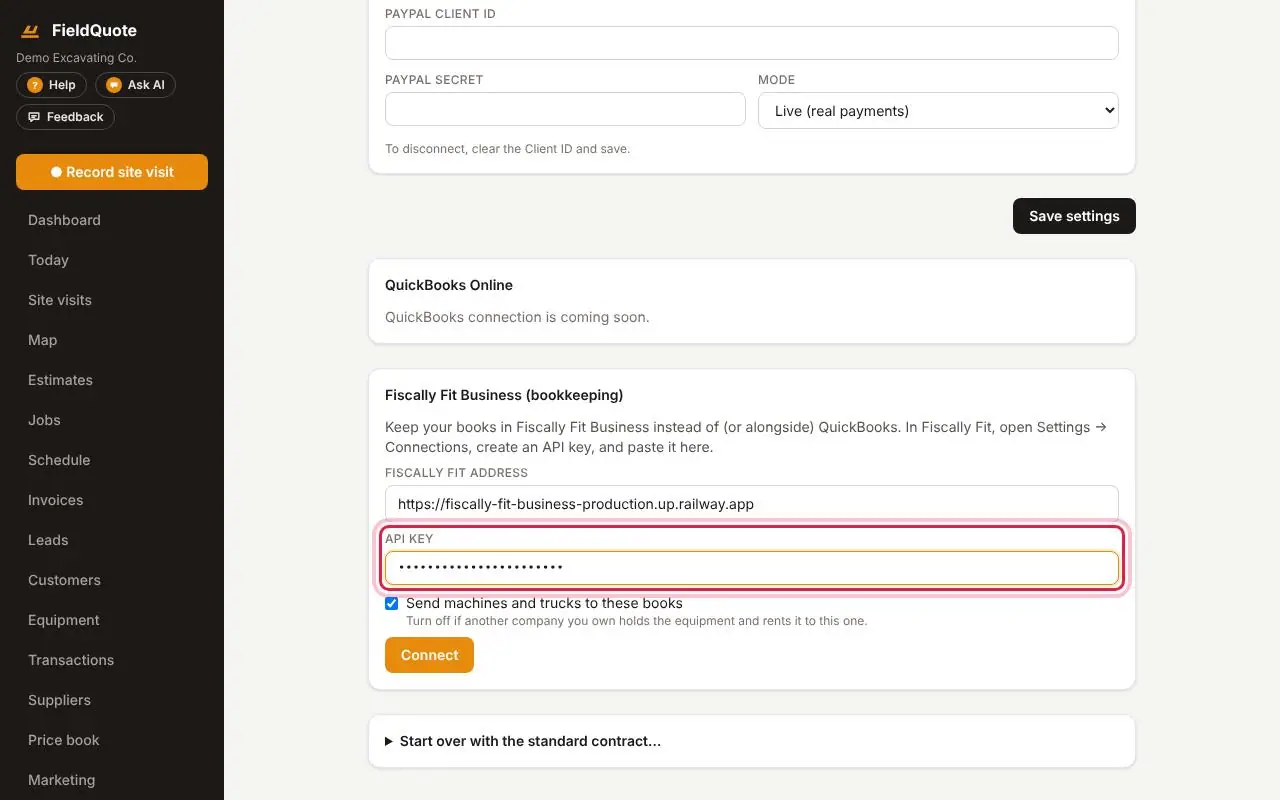
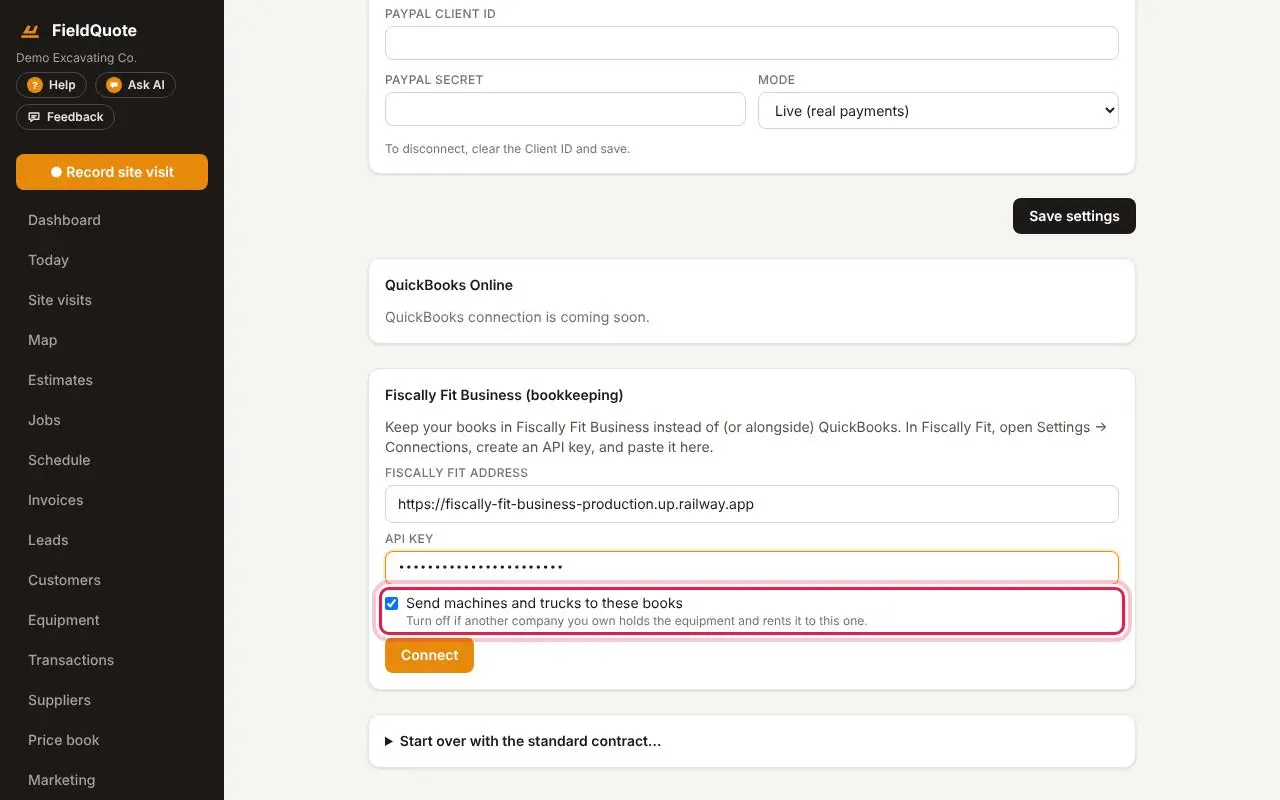
Leave Send machines and trucks to these books checked, unless another company you own holds the equipment and rents it to this one.
Tap Connect. A green line says it's connected and tells you to click "Send past records".
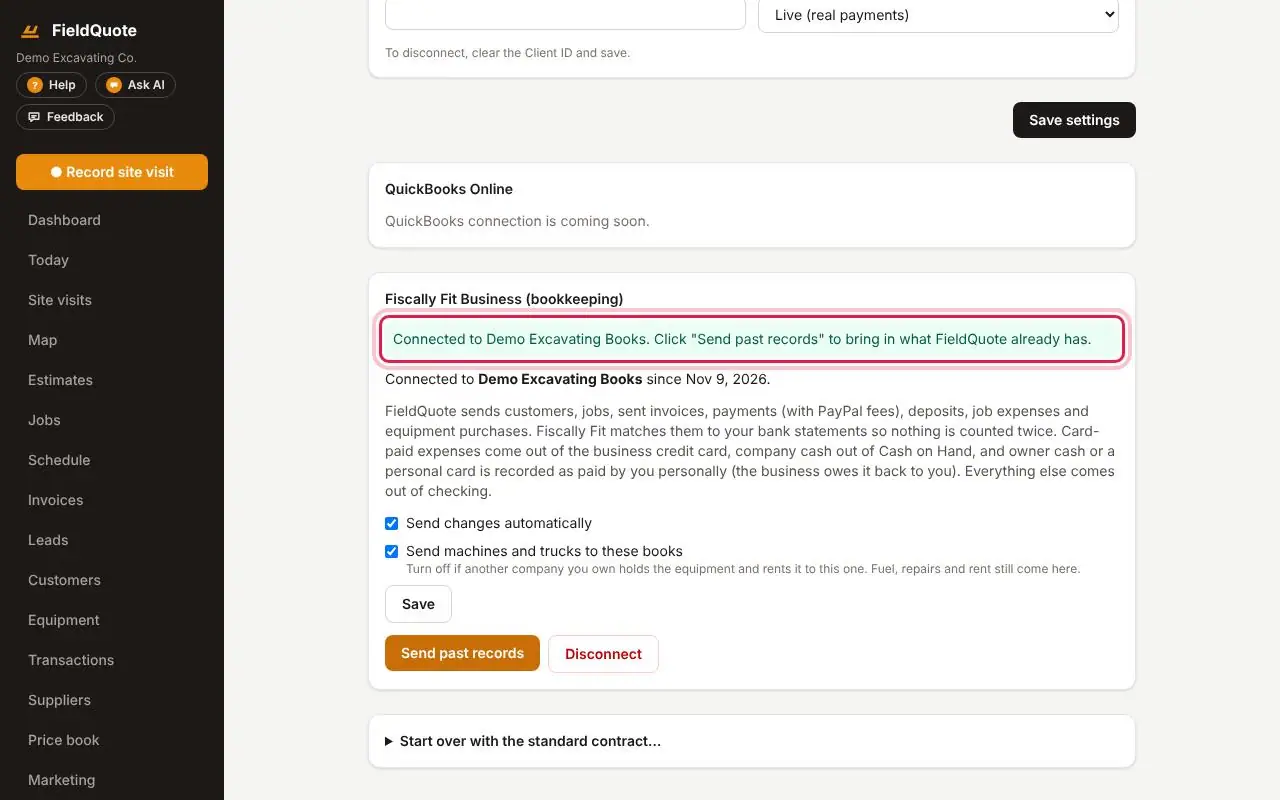
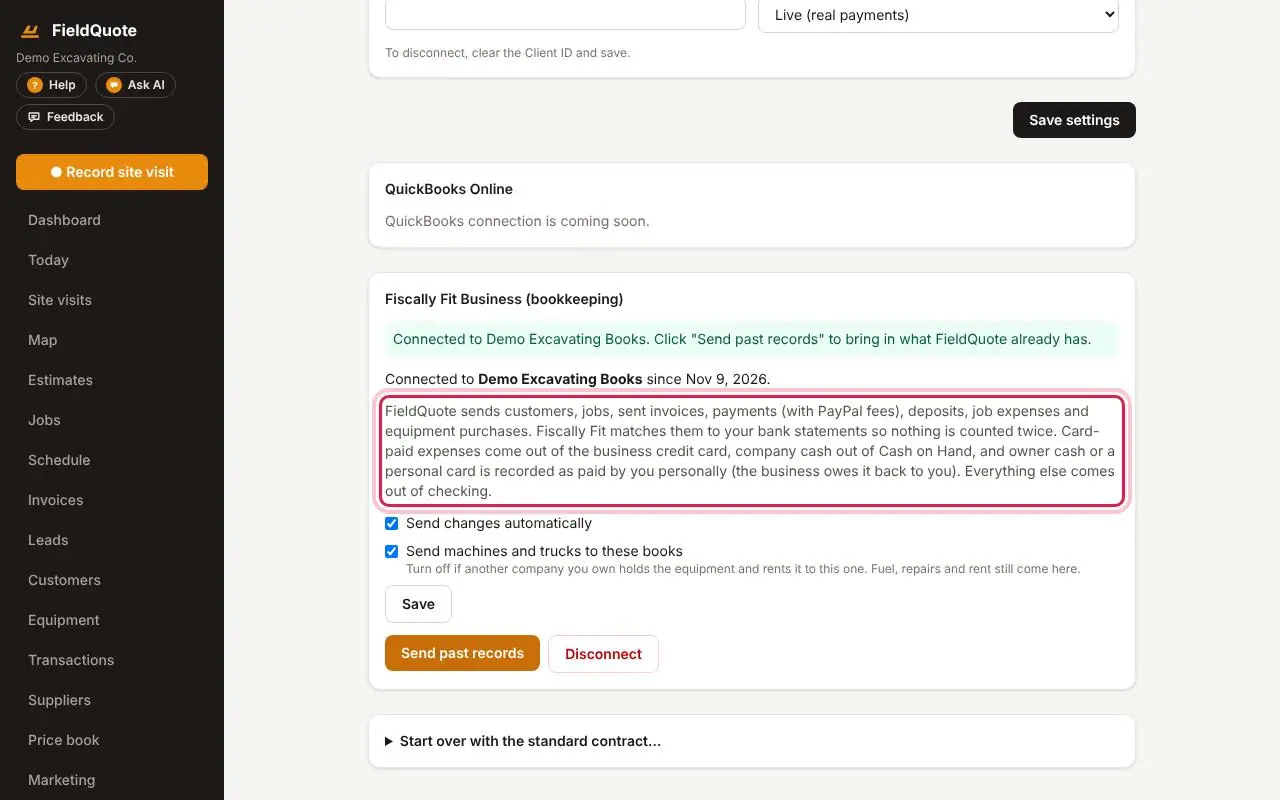
The section now shows which Fiscally Fit company you're connected to and since when, and what FieldQuote sends.
What you'll see
What goes over: customers, jobs, invoices once they're sent (with the taxed lines and the tax rate when there's sales tax), payments with their PayPal fees, deposits, job expenses, and owned or financed machines and trucks.
How expenses are paid out: card-paid ones from the business credit card, company cash from Cash on Hand, owner cash or a personal card as paid by you personally (the business owes it back to you), everything else from checking.
Next, send what FieldQuote already has (see the next article). After that, changes go over automatically.
The section names the Fiscally Fit company you're connected to. In these pictures that's a made-up one, Demo Excavating Books.
Common mistakes
Pasting the wrong thing. A key that doesn't start right shows "That doesn't look like a Fiscally Fit API key (it starts with ffb_)."
Changing the address. It has to start with https://; otherwise you'll see "The address should start with https://".
A team member trying to connect. Only the owner or an admin can; team members see the section grayed out with "Only the owner or an admin can connect Fiscally Fit, send records to it, change what's sent, or disconnect it."
Limits
FieldQuote sends to Fiscally Fit; it doesn't read anything back.
Recordings, photos, estimates and leads aren't sent — only what belongs in the books.
Matching to your bank statements happens in Fiscally Fit Business.
Checked against the app on Nov 9, 2026. Pictures are from Demo Excavating Co., a made-up company.