Customers, texting & email, automatic follow-ups
Guide 8 of 20
What it's for
People text the number on your truck or yard sign. FieldQuote catches every one of those texts as a lead, even when you're on a machine and can't answer.
Where
Texting must be connected (Settings › Open message settings › Texting). Then: Today › Waiting on you, and Leads.
Watch it
Steps
The text shows on Today under Waiting on you, with the word Texter and their number as the name, and you get an email alert.
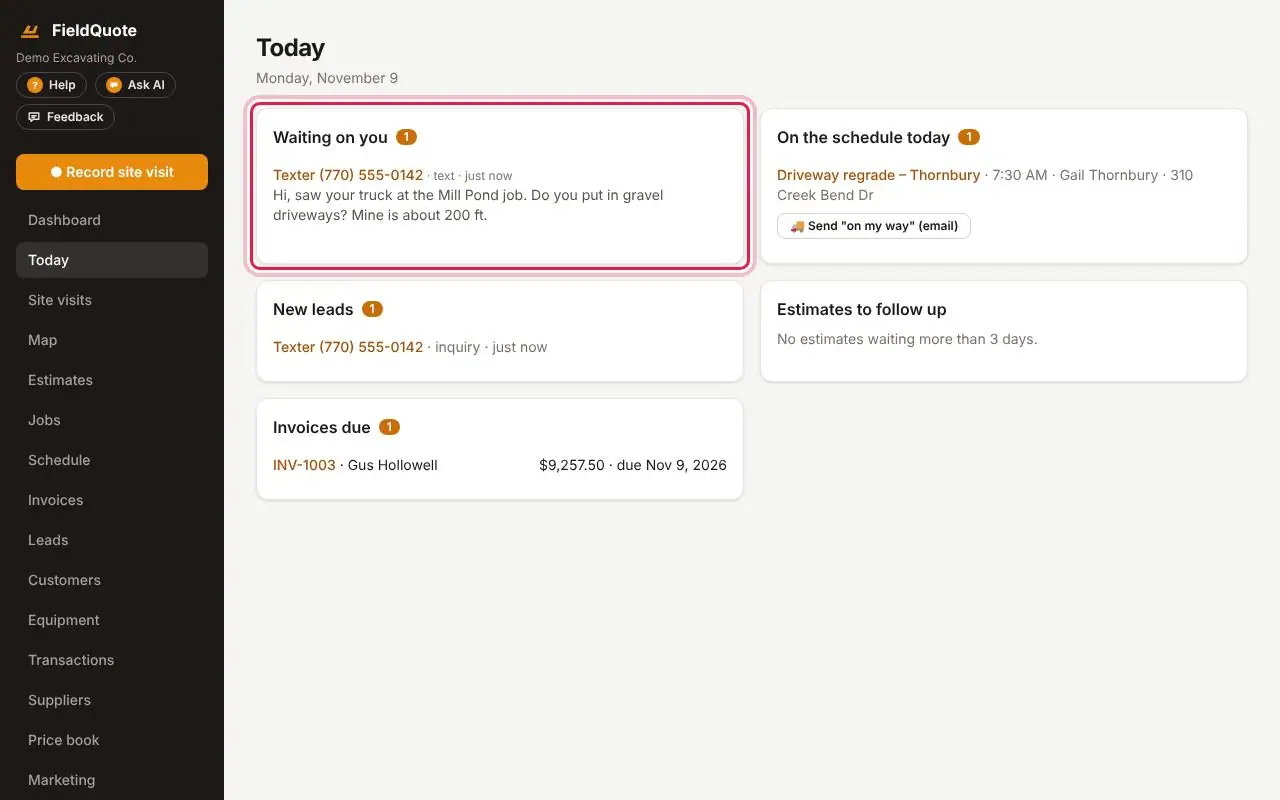
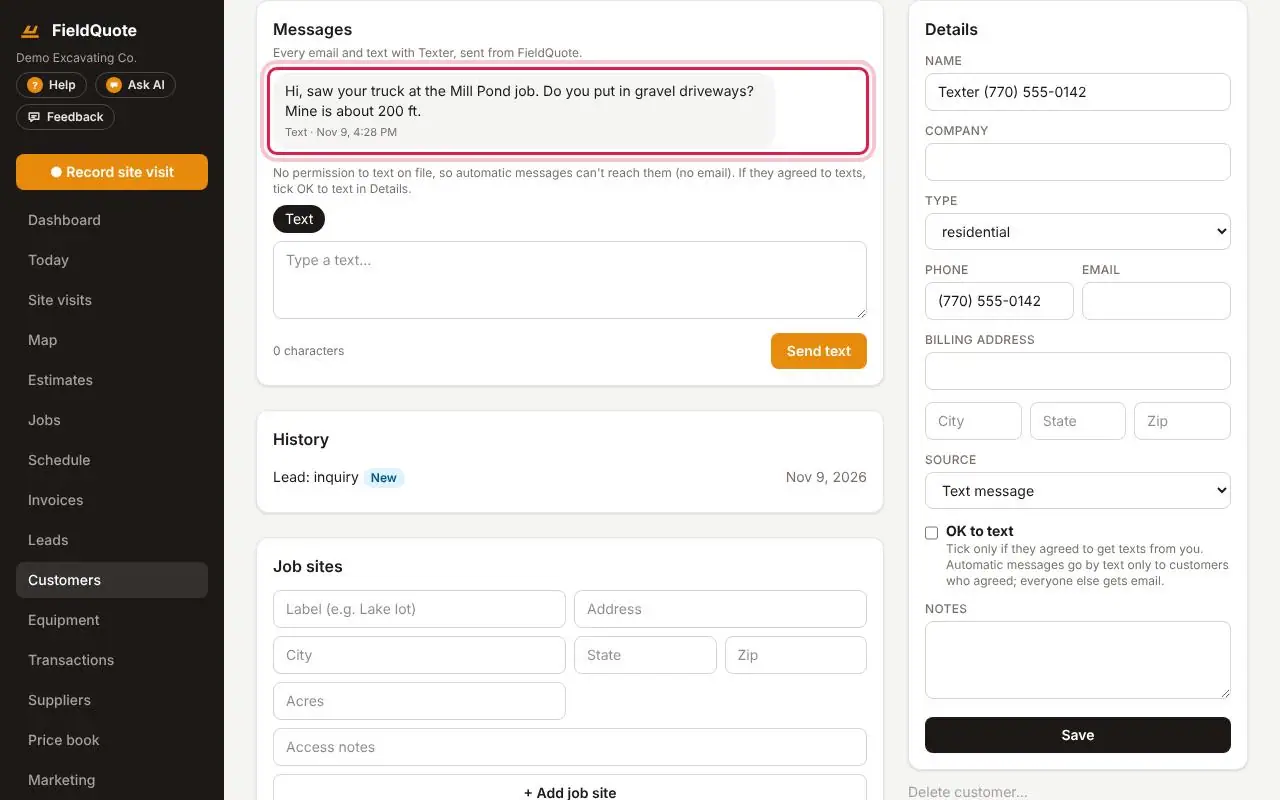
Tap the name. Their page opens with the text in Messages. Reply from there.
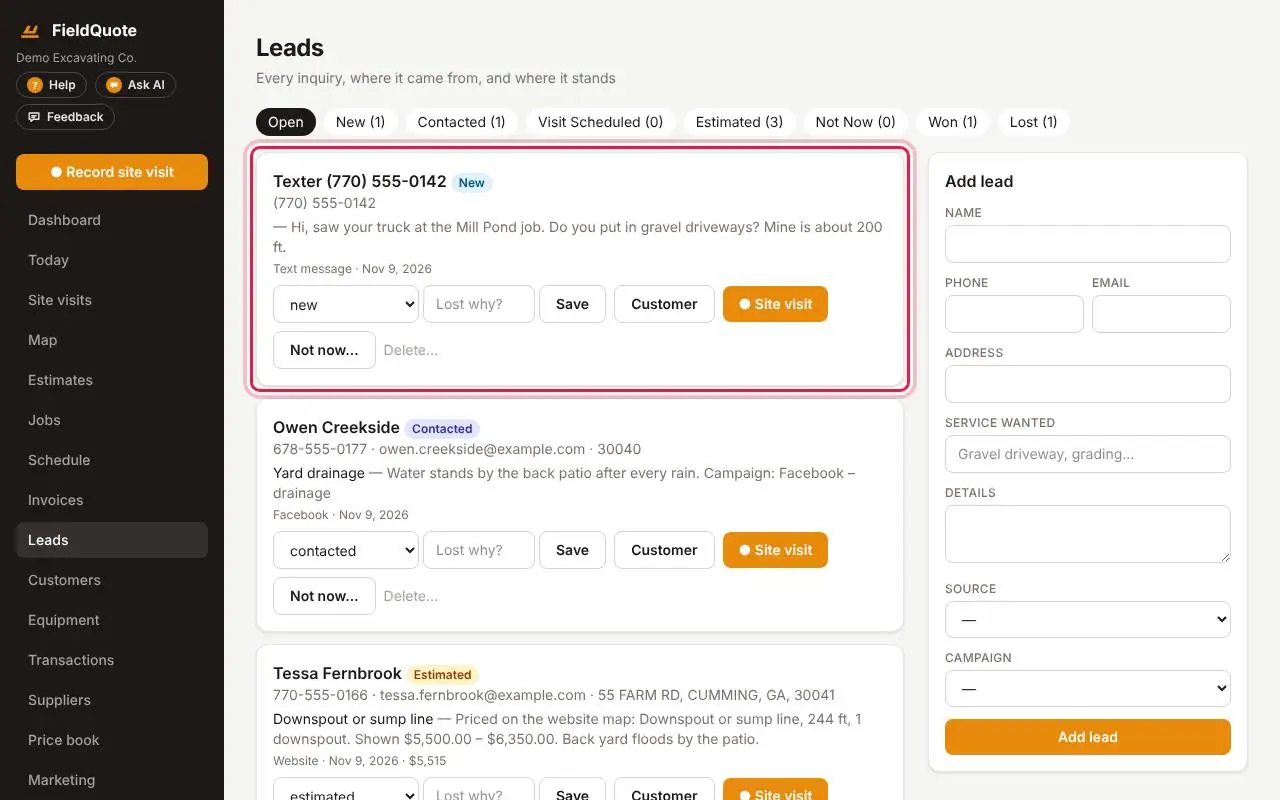
A new lead is on Leads, marked New, with the text as its details and "Text message" as the source.
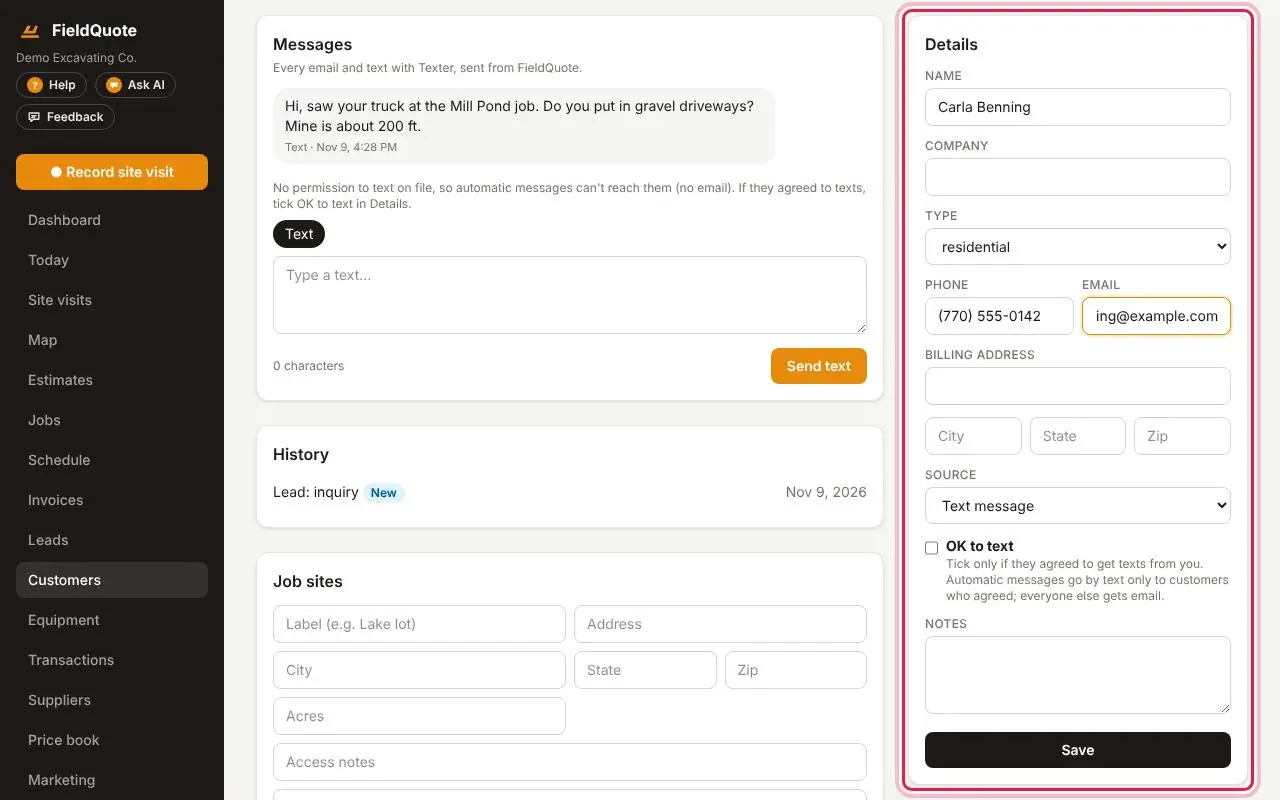
When you learn their name, put it in Details on their page (an email too, if they give you one) and tap Save.
What you'll see
A text from a number you already have goes into that customer's thread instead; no new customer or lead is made.
The alert email's subject is "Text from" and the customer's name.
Texting you isn't permission for automatic texts. Reminders and follow-ups go to them by email (once you add one) unless they text START or you tick OK to text in their Details after they agree.
Common mistakes
Making a second customer by hand for the same person. Rename the Texter one instead.
Waiting for the lead's name to change. The lead keeps the name it came in with; the customer is the one you rename.
Limits
Needs Twilio's "A message comes in" webhook set to FieldQuote (see Connect your Twilio texting number).
Pictures sent by text aren't shown; the thread notes that a picture or an empty text came in.
The pictures show a made-up demo company, and the incoming text in them is an example.
Checked against the app on Nov 9, 2026. Pictures are from Demo Excavating Co., a made-up company.