Customers, texting & email, automatic follow-ups
Guide 7 of 20
What it's for
Text customers from your business number instead of your personal cell, keep every text in their thread, and let automatic messages go by text. Texting goes through your own Twilio account and number, so Twilio's usual fees apply.
Where
Settings › Open message settings › Texting.
New to texting? Set up texting, step by step (the link in the Texting section, or the setup guide's texting step) explains what it costs, how long the phone companies take to approve it, gives you ready answers for Twilio's forms, and checks each step with Twilio once you're connected.
Watch it
Steps
Open the Texting section. Until it's set up it says "Not connected yet."
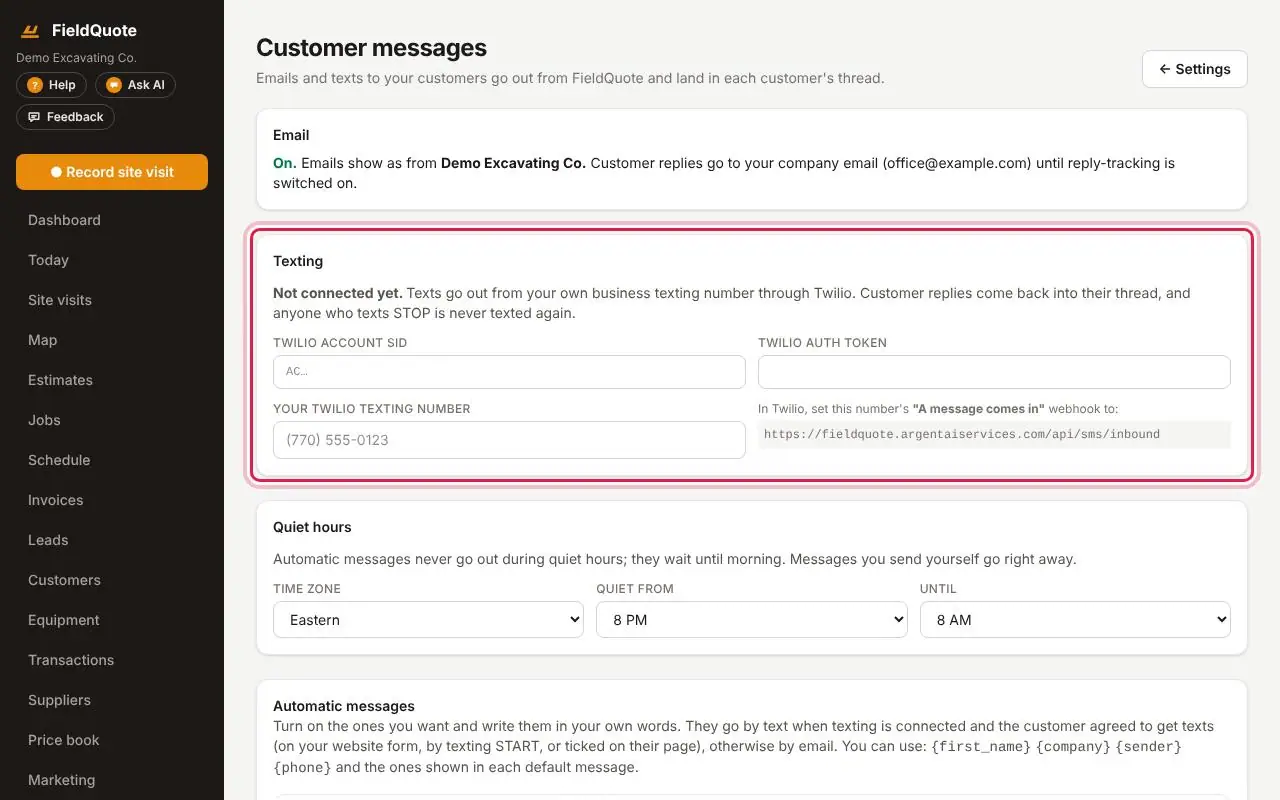
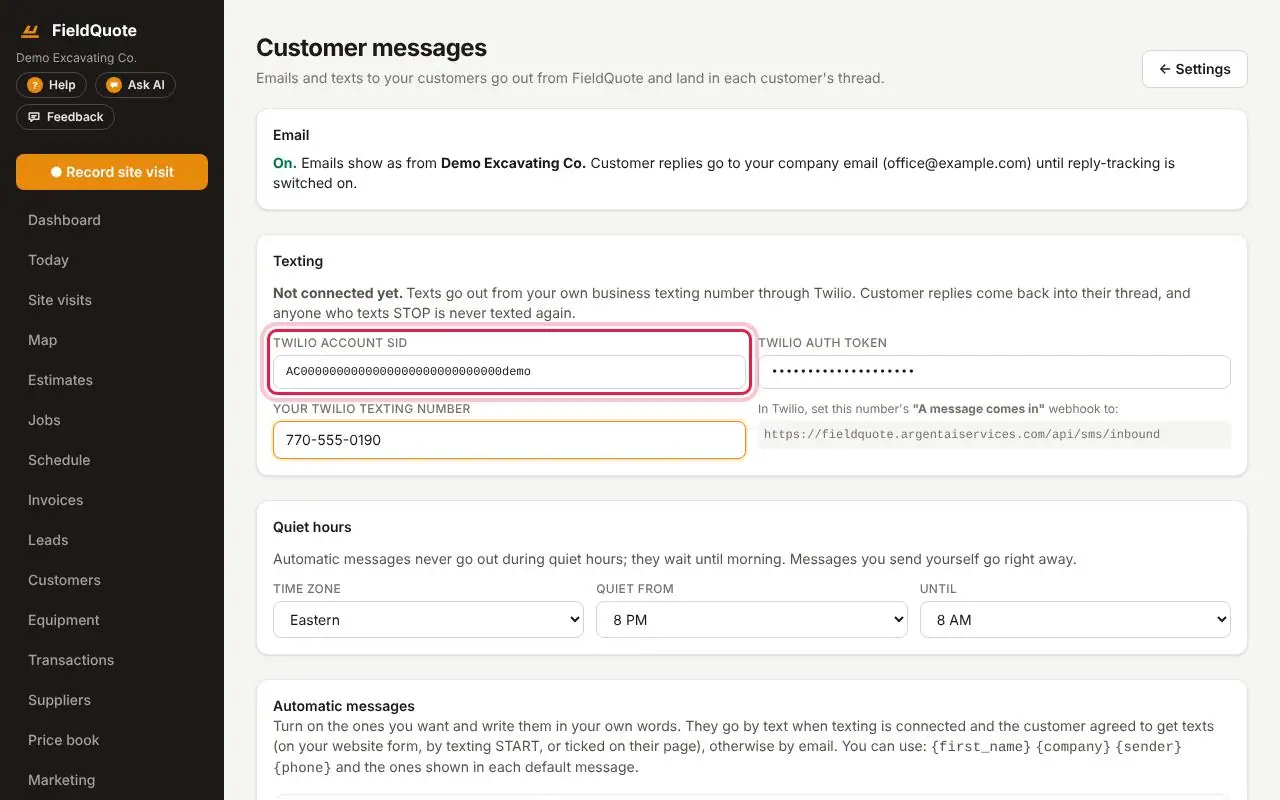
From your Twilio account, copy in your Twilio Account SID (it starts with AC), your Twilio Auth Token, and Your Twilio texting number.
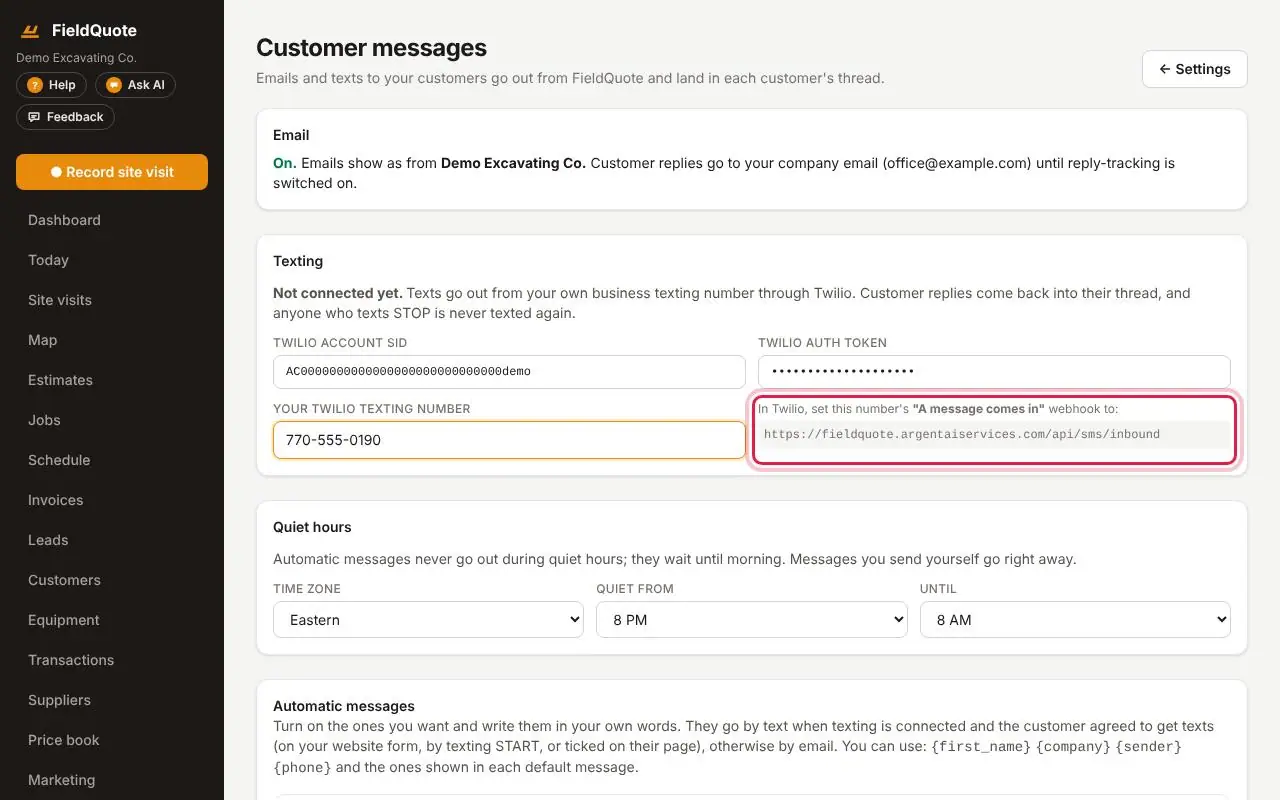
In Twilio, open your number and set its "A message comes in" webhook to the address shown under the boxes. That's how customer replies get back to FieldQuote.
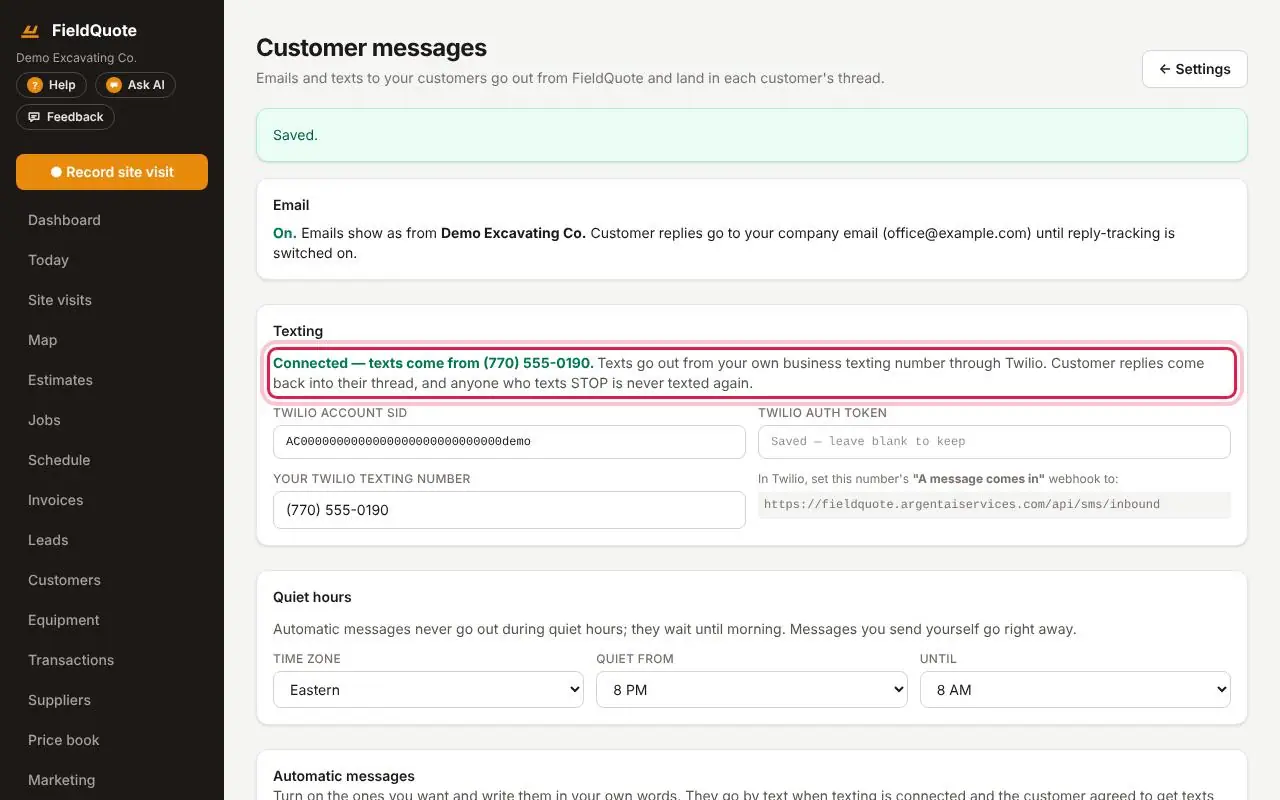
Tap Save at the bottom of the page. The section now says "Connected — texts come from …" with your number.
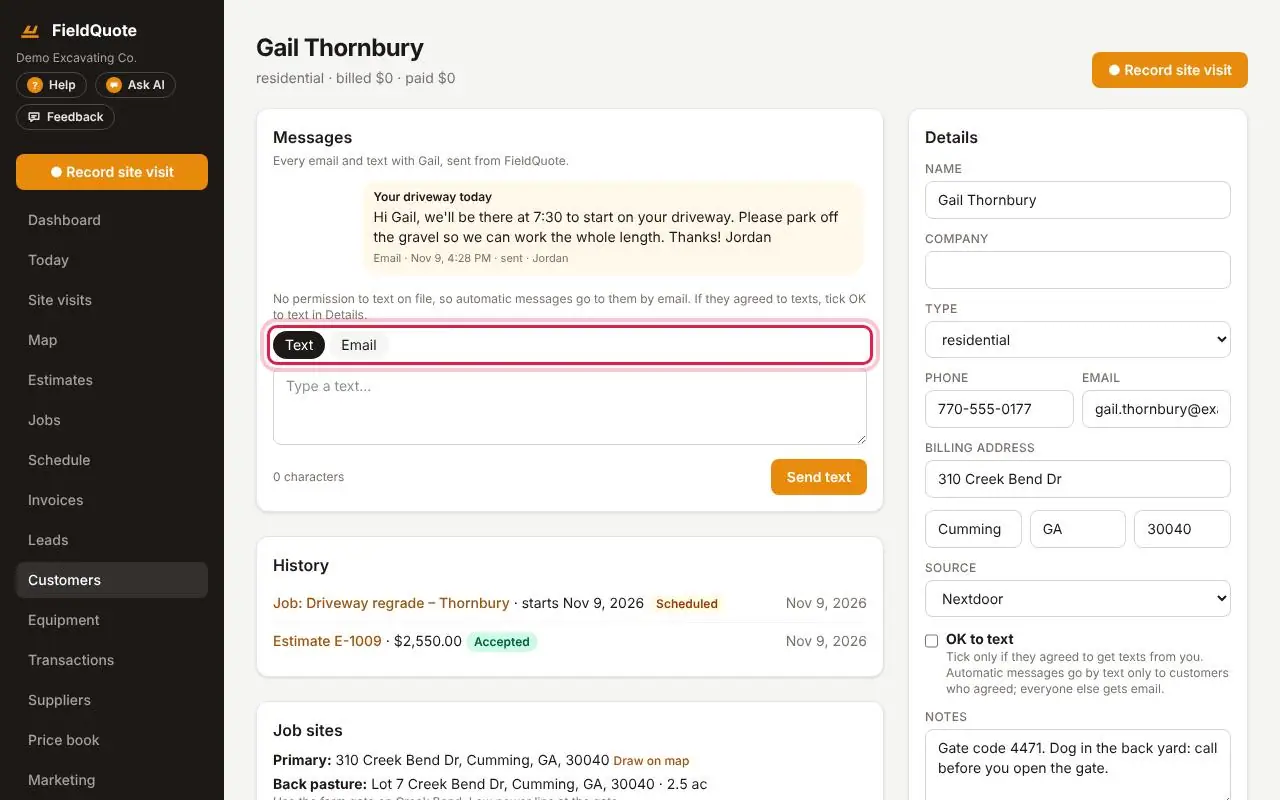
On a customer with a mobile number, Messages now has a Text tab. Text it under Send from FieldQuote on estimates and invoices works too.
What you'll see
The first text FieldQuote sends to each customer ends with "Reply STOP to opt out."
Texts in the thread show "sent", then "delivered" when Twilio confirms it, or "not sent" with the reason.
The "Turn on texting" step of the setup guide ticks off.
Common mistakes
A wrong SID or token. FieldQuote doesn't check them with Twilio when you save, so "Connected" only means the details are filled in. If they're wrong, the first text shows as "not sent" with Twilio's reason. The pictures here use made-up details.
Skipping the webhook in step 3. Texts still go out, but replies never reach FieldQuote.
Leaving the token box blank when you change something else. That's fine: "Saved — leave blank to keep" keeps the token you saved before.
Limits
Only the owner or an admin can change the texting account; team members see the message settings grayed out, with "View only. Only the owner or an admin can change this."
One texting number belongs to one FieldQuote company. If another company already uses it you'll see "That texting number is already used by another FieldQuote company."
To disconnect, clear the Twilio Account SID and save.
Automatic messages text only customers who agreed to get texts (see Ask permission to text on your website form); everyone else gets them by email.
US numbers only.
Checked against the app on Nov 9, 2026. Pictures are from Demo Excavating Co., a made-up company.