Customers, texting & email, automatic follow-ups
Guide 9 of 20
What it's for
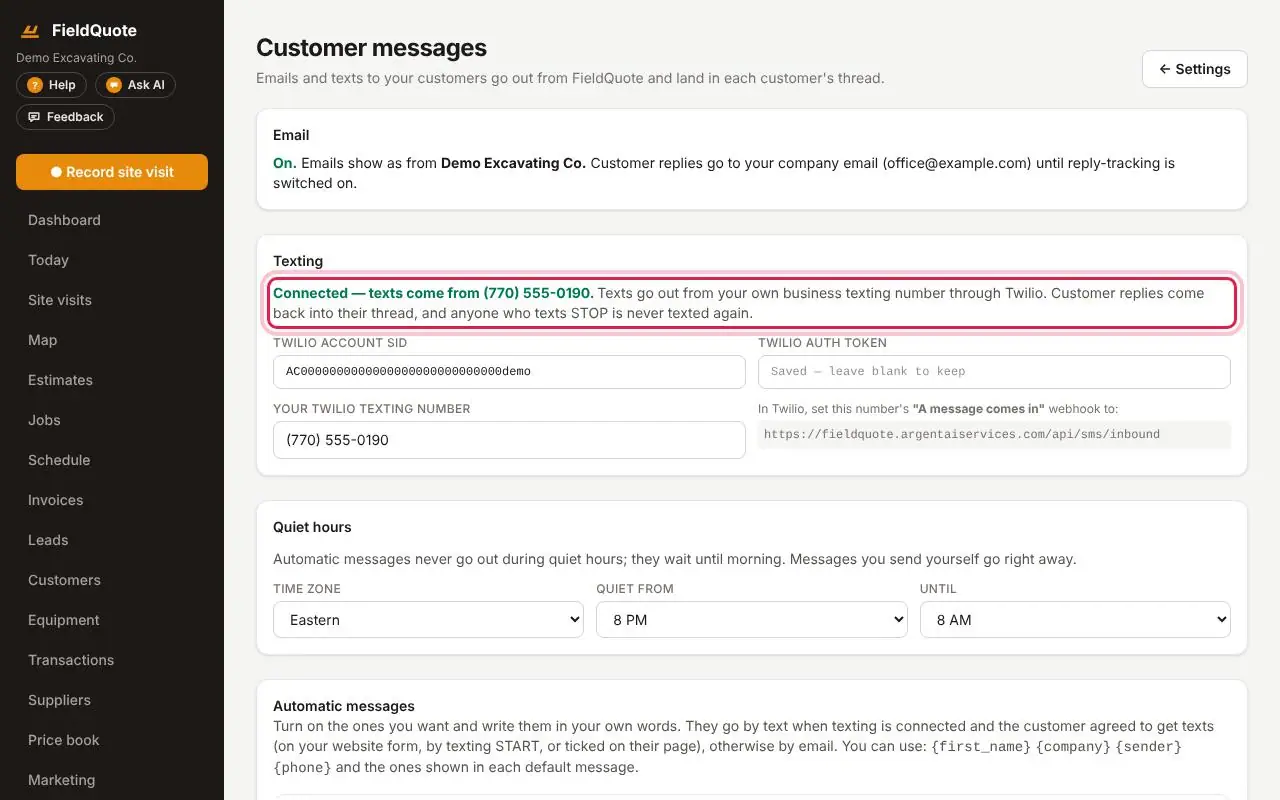
Phone carriers require business texts to honor opt-outs. FieldQuote does it for you, for your messages and the automatic ones, so a customer who said stop never hears from your number again by mistake.
Where
Nothing to set up once texting is connected (Settings › Open message settings › Texting). You see the result in the customer's Messages.
Watch it
Steps
Nothing to switch on. The first text FieldQuote sends each customer ends with "Reply STOP to opt out." (unless your message already mentions STOP).
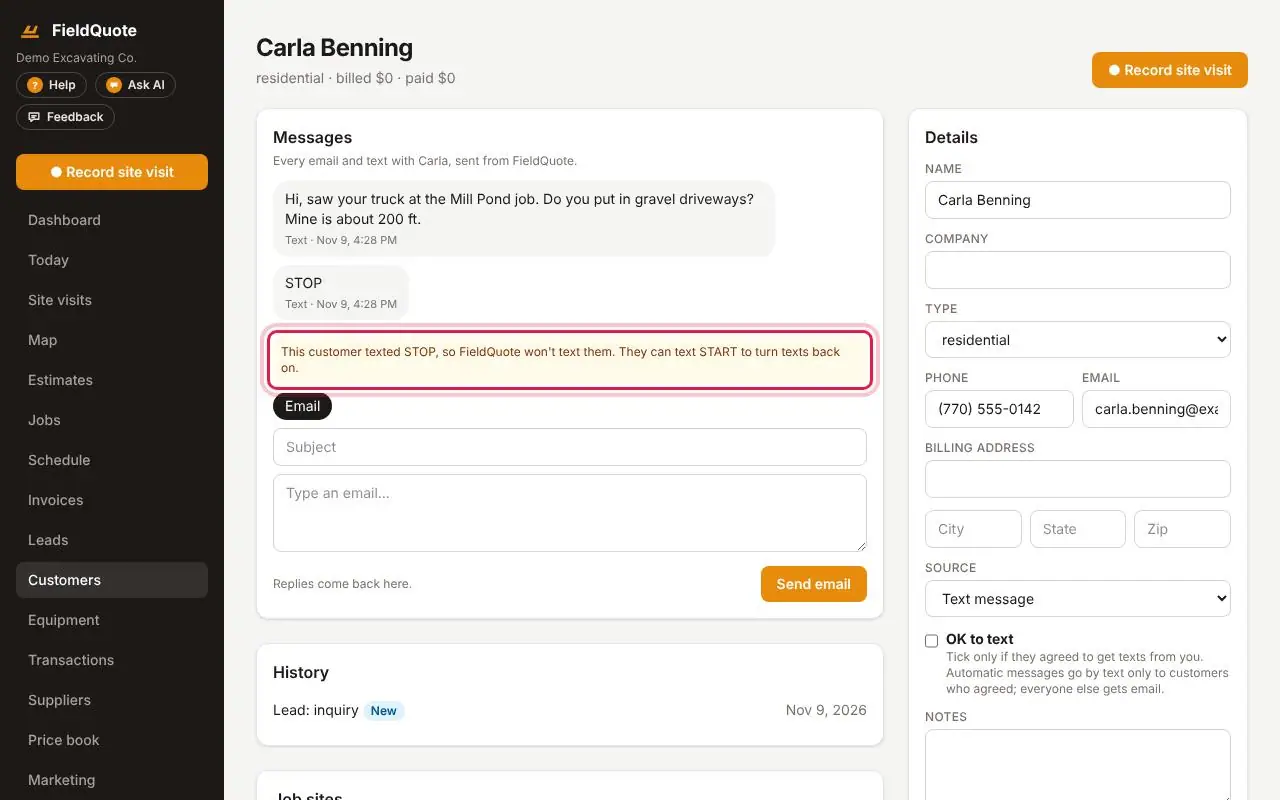
When a customer texts STOP (or STOPALL, UNSUBSCRIBE, CANCEL, END or QUIT), their Messages shows the text and a yellow note: "This customer texted STOP, so FieldQuote won't text them. They can text START to turn texts back on."
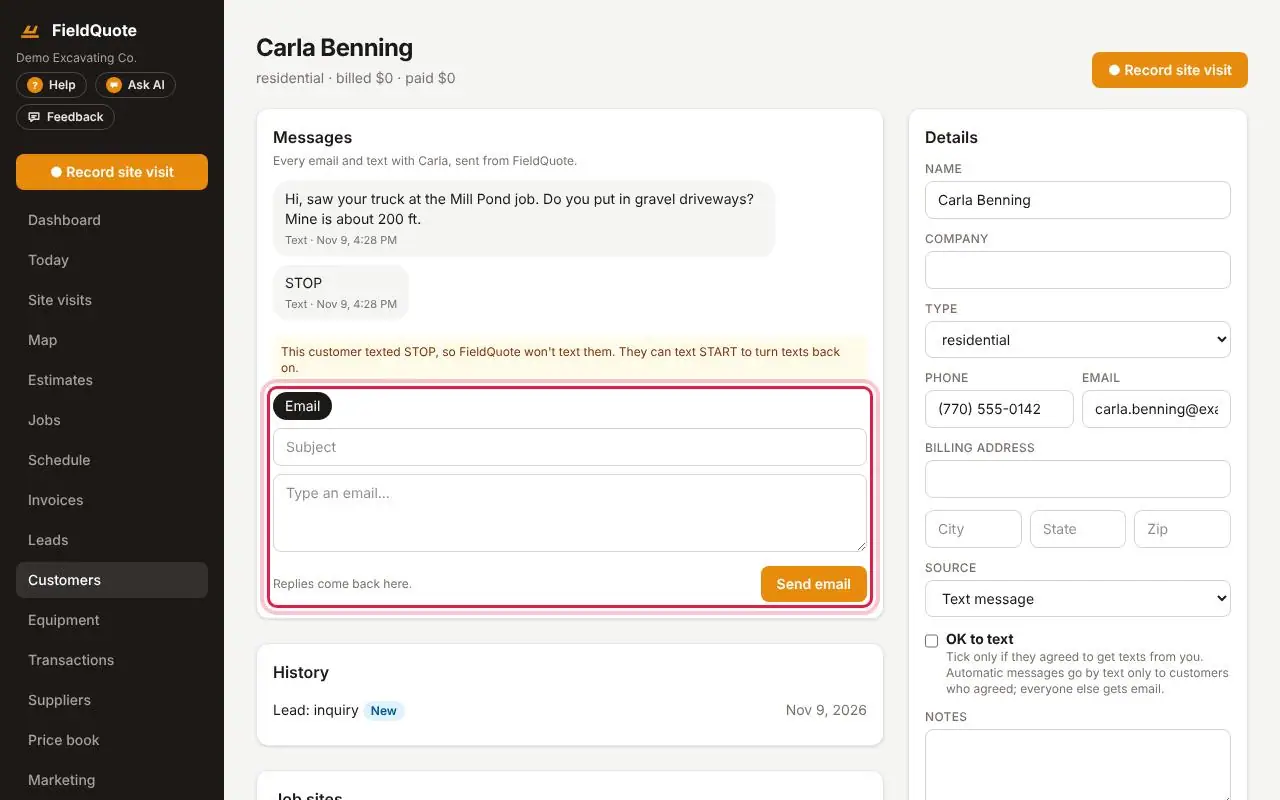
From then on there's no Text tab for them, automatic messages go by email (if you have one), and Text it under Send from FieldQuote is greyed out.
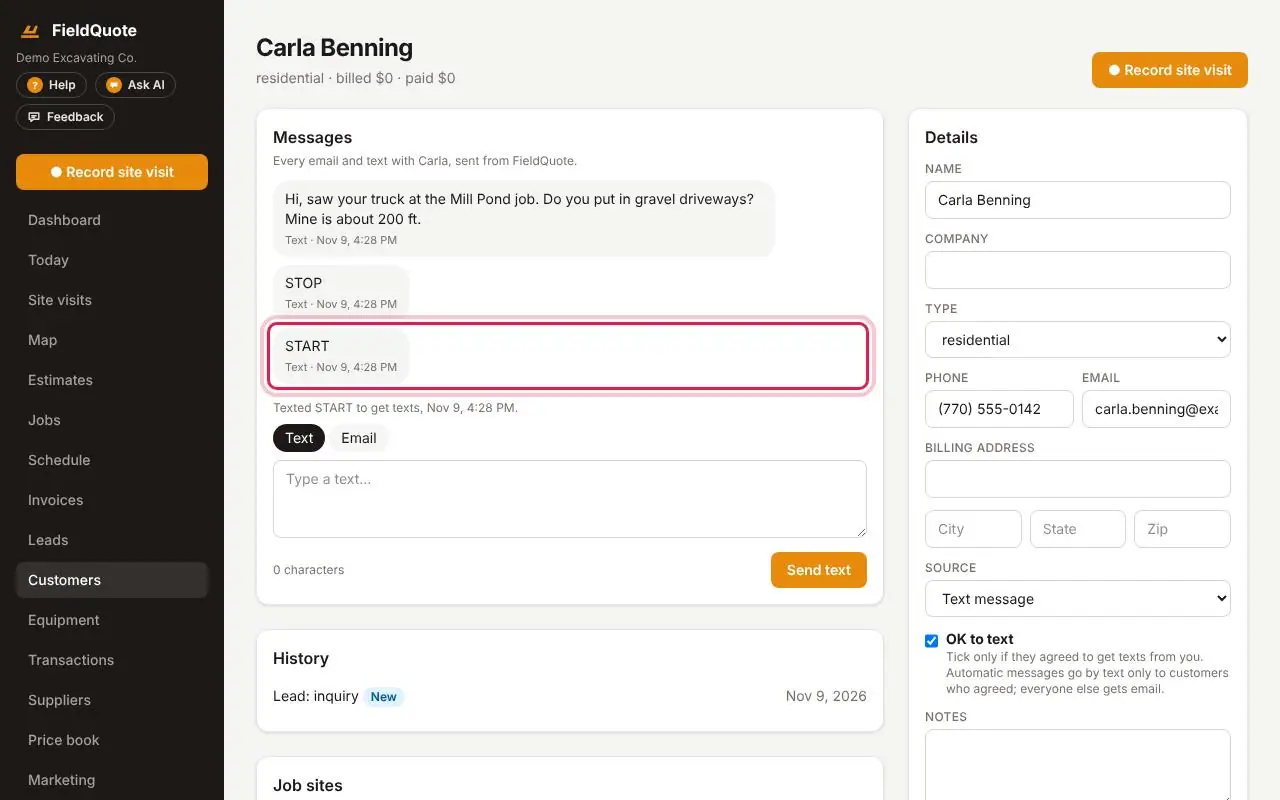
If they text START (or UNSTOP, or YES after opting out), texts are turned back on, the note goes away, and FieldQuote answers that they're subscribed again. Their page shows "Texted START to get texts, …": that counts as permission for automatic texts.
What you'll see
HELP (or INFO) gets an automatic answer: your company name, that the texts are about quotes, scheduling and invoices, your phone number to call for help, and how to opt out.
The carrier confirms a STOP to the customer itself; FieldQuote doesn't send a second message.
Common mistakes
Asking a customer who opted out to just reply YES to a question. A plain YES only counts as START for someone who had opted out; for everyone else it's a normal answer.
Ticking the texting box on your website form for a customer. A website form can give permission but can never undo a STOP; only START from their phone can.
Limits
An opted-out customer with no email can't be reached from FieldQuote at all. Call them.
Messages you send yourself from Text it under Send from your own phone go from your own phone, outside FieldQuote; respect their STOP there too.
The pictures show a made-up demo company, and the STOP and START texts in them are examples.
Checked against the app on Nov 9, 2026. Pictures are from Demo Excavating Co., a made-up company.