Customers, texting & email, automatic follow-ups
Guide 10 of 20
What it's for
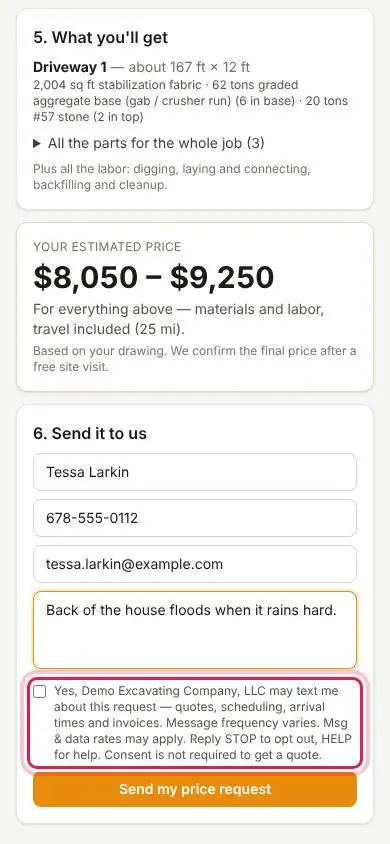
Texting someone who filled in a form needs their permission. The box records who agreed and when, and keeps texts away from people who didn't.
Where
The last step of your price map ("Send it to us"). The record: the customer's Messages. Your own form: Settings › Quote form on your website.
Watch it
Steps
On your price map, the homeowner's last step has a box, unticked: "Yes, … may text me about this request — quotes, scheduling, arrival times and invoices…", with "Reply STOP to opt out" and "Consent is not required to get a quote."
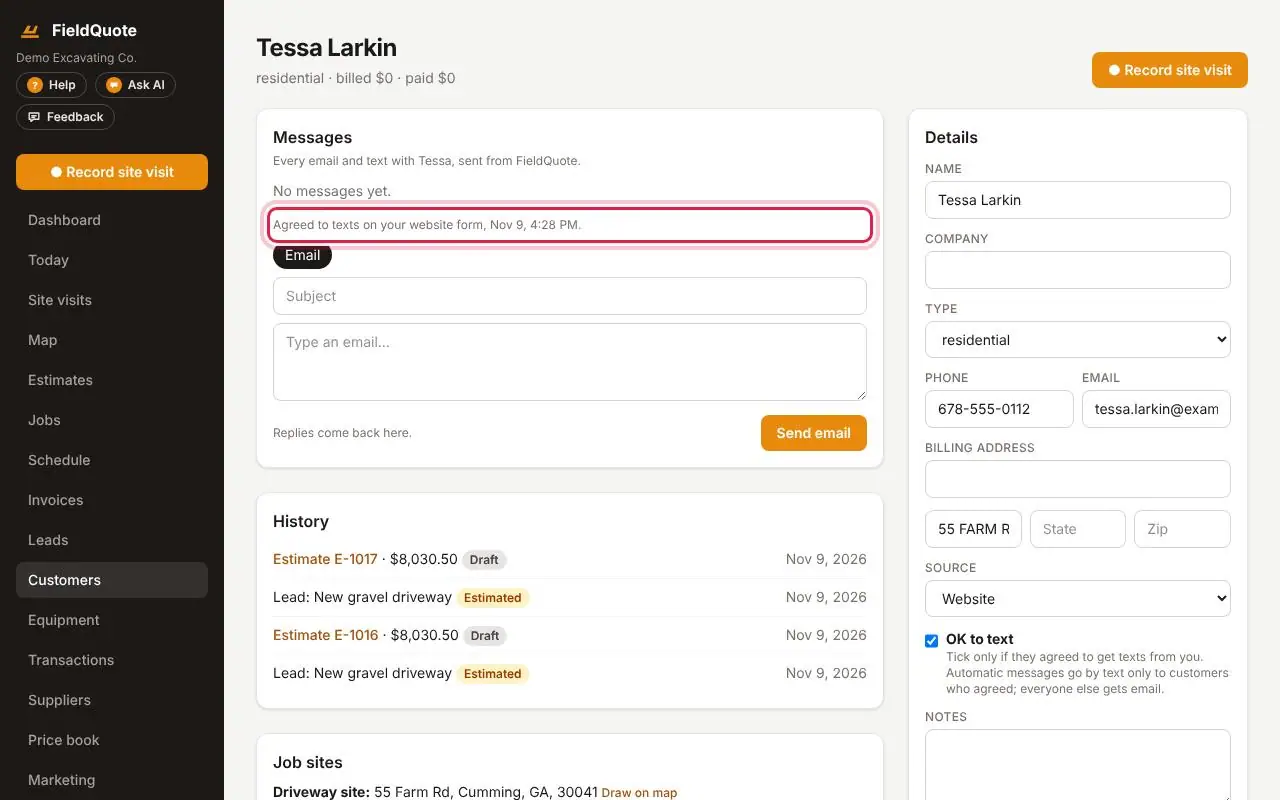
If they tick it, their page shows "Agreed to texts on your website form, …" with the date and time, above the message box.
For a quote form on your own website, see Quote form on your website. Ask whoever built your form to add a hidden field named
_sms_optinand an unticked checkbox namedsms_consent, with wording like the box above.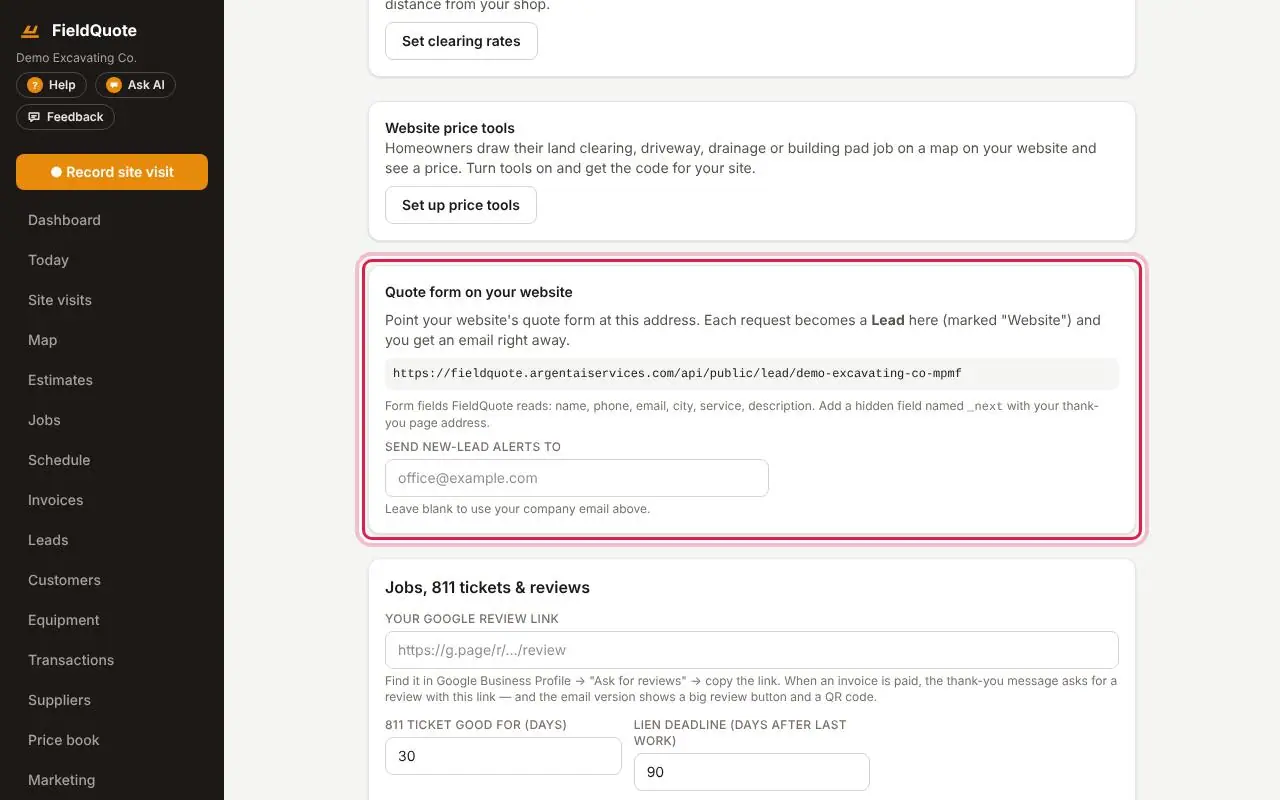
What you'll see
Ticked: automatic messages (the instant reply, reminders, follow-ups, "on my way") can go to them by text.
Left unticked: FieldQuote doesn't text them on its own. The instant reply and every later automatic message go by email; with no email they aren't sent. Their page says "No permission to text on file, so automatic messages go to them by email."
Customers can also give permission by texting START, or you can tick OK to text in their Details when they agree in person or on the phone.
The new-lead alert email says whether it's OK to text them, when the form asks.
Common mistakes
Pre-ticking the box on your own form. It has to start unticked.
Thinking the box can undo a STOP. It can't; only the customer texting START can.
Limits
Only the owner or an admin can change Settings (including Quote form on your website).
Messages you type yourself in Messages don't check permission. Only text people who want texts from you.
Permission from an earlier request still counts if they leave the box unticked on a later one; the reply to that later request goes by email.
A request flagged as possible spam doesn't record permission.
The Quote form on your website section lists the fields FieldQuote reads; the two texting fields aren't listed there yet.
Checked against the app on Nov 9, 2026. Pictures are from Demo Excavating Co., a made-up company.