Customers, texting & email, automatic follow-ups
Guide 13 of 20
What it's for
The first contractor to answer usually gets the job. This answers every website request in seconds, even when you're in a ditch.
Where
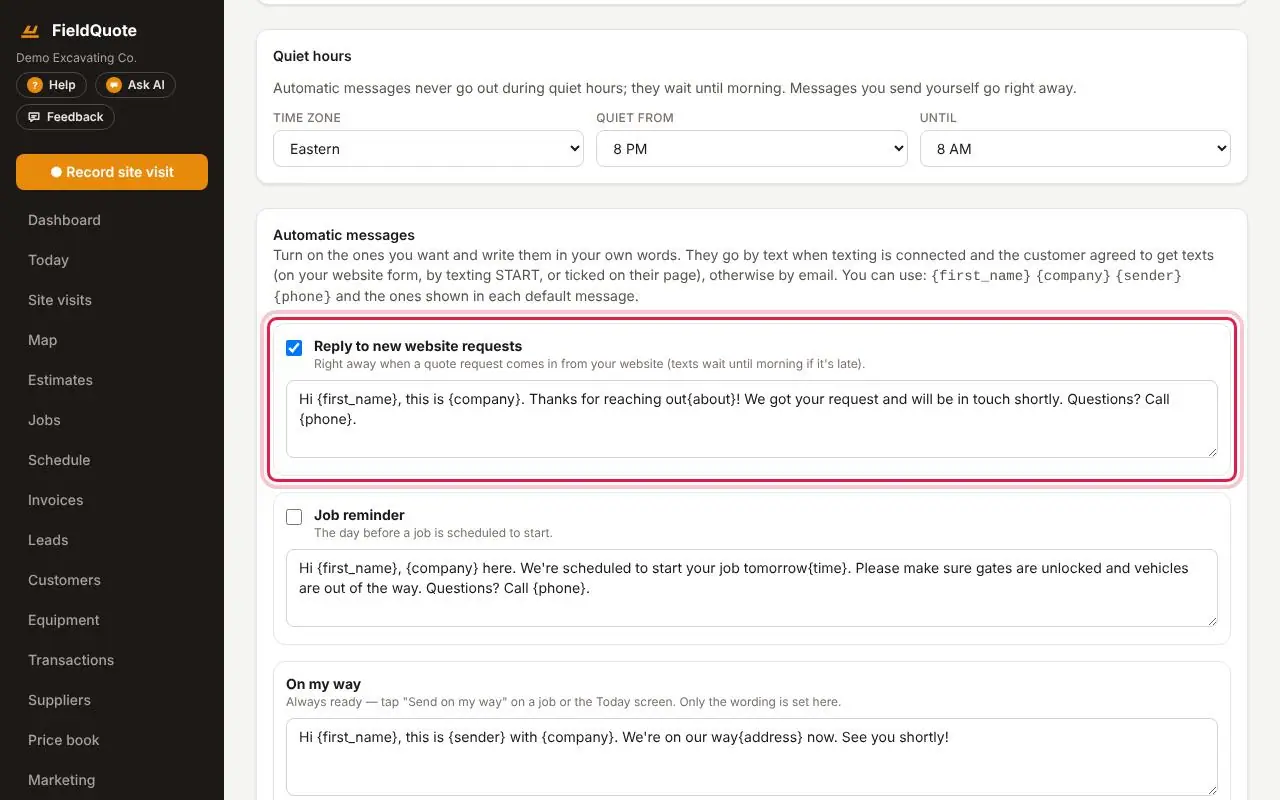
Settings › Open message settings › Reply to new website requests.
Watch it
Steps
Tick Reply to new website requests, change the wording if you like, and tap Save.
A homeowner sends a request from your price map (or the quote form on your website) and sees "Thanks, … — we got it."

The reply goes out right away. It's in their Messages on their customer page, marked "automatic".
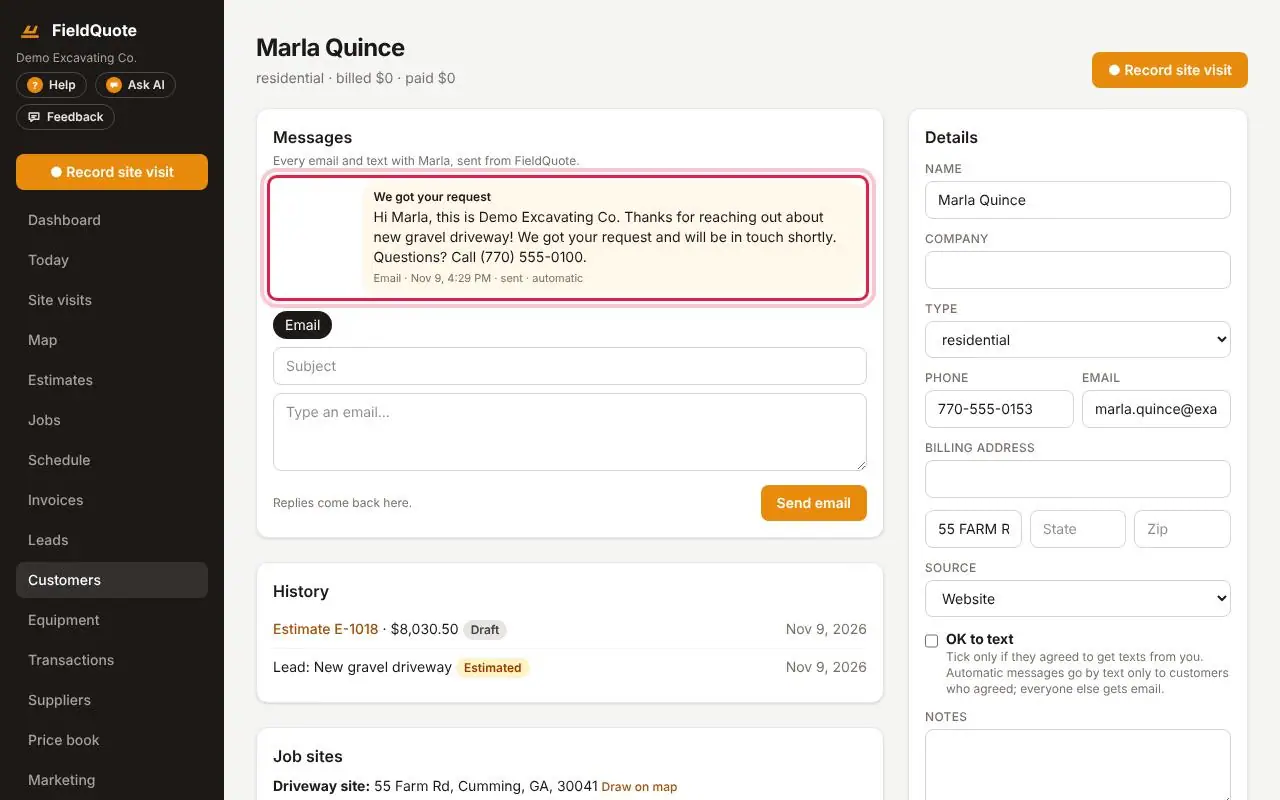
What you'll see
The default reply thanks them by first name, mentions what they asked about, says you'll be in touch shortly and gives your phone number.
You still get the new-lead alert email.
Common mistakes
Expecting it for leads you type in yourself, or for texts to your number. It's only for website requests (price map, website quote form, and ad leads sent to FieldQuote).
Expecting the visitor's own words in the reply. FieldQuote only copies their first name and the service they picked, and only when they're plain words (never links, email addresses or long numbers), so a made-up request can't use your number to send a stranger a link.
Limits
Only the owner or an admin can change this. Team members see the message settings grayed out, with "View only. Only the owner or an admin can change this."
By text if they ticked the texting box (and texting is connected); otherwise by email. With no email and no texting permission, no reply is sent.
Late at night an email reply still goes right away; a text waits until quiet hours end.
Requests flagged as possible spam get no reply, and no more than 30 automatic replies go out per hour.
If the visitor's name isn't plain words, the message greets them without it.
Checked against the app on Nov 9, 2026. Pictures are from Demo Excavating Co., a made-up company.