Maps
Guide 14 of 14
What it's for
Everything the homeowner drew and was shown is already in FieldQuote, so you can call them, set the visit, and walk the job with their drawing in hand.
Where
You get an email, and the request shows in Leads.
Watch it
Steps
You get an email headed "New instant-price request from your website", with the homeowner's details, what they drew, the price they were shown, and an Open the draft estimate button. In Leads, the new lead shows their phone, email, address and what they priced.
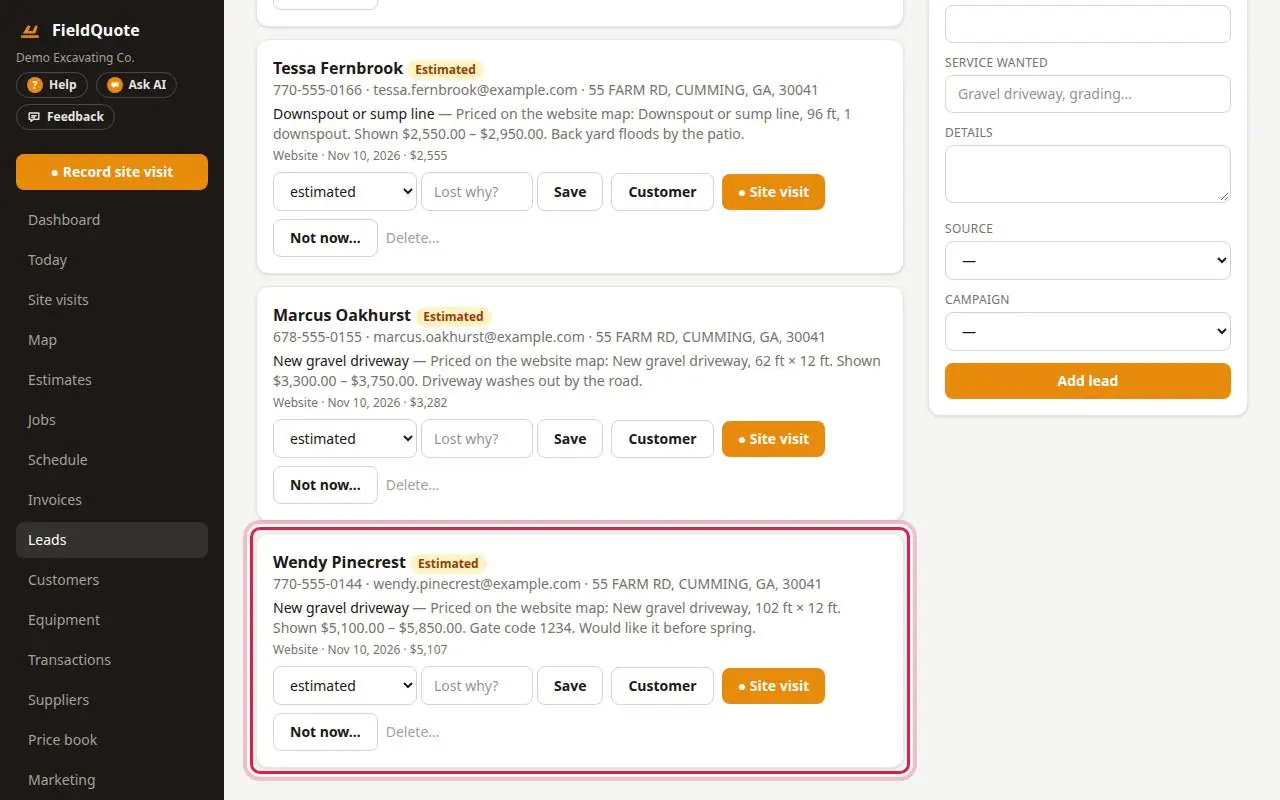
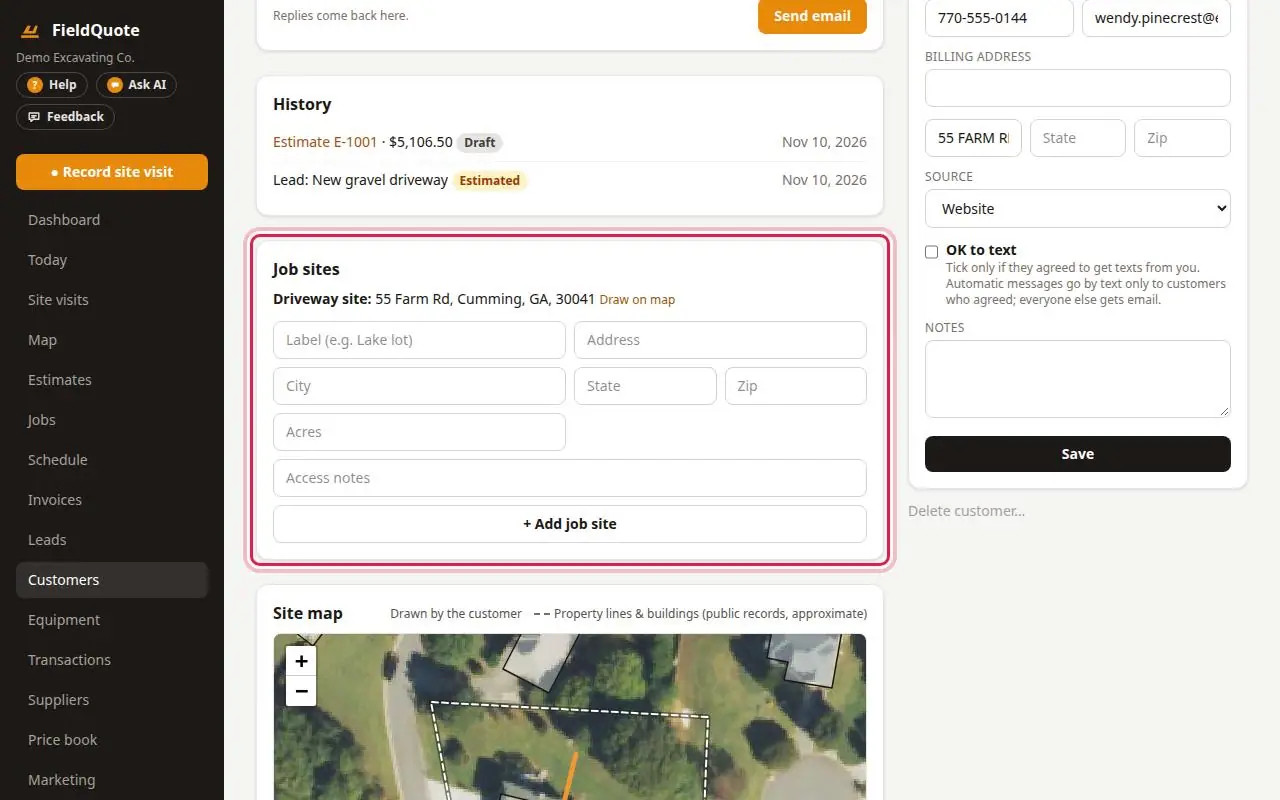
Tap Customer on the lead. The customer's page has the job site, and its Site map shows the homeowner's drawing in orange with the lot lines.
Map shows a sample property. Open the estimate from History. It's a draft priced from your numbers. Internal notes (only you see this) says what the homeowner drew and the price they were shown, and to check sizes, ground and access on site before you send it.
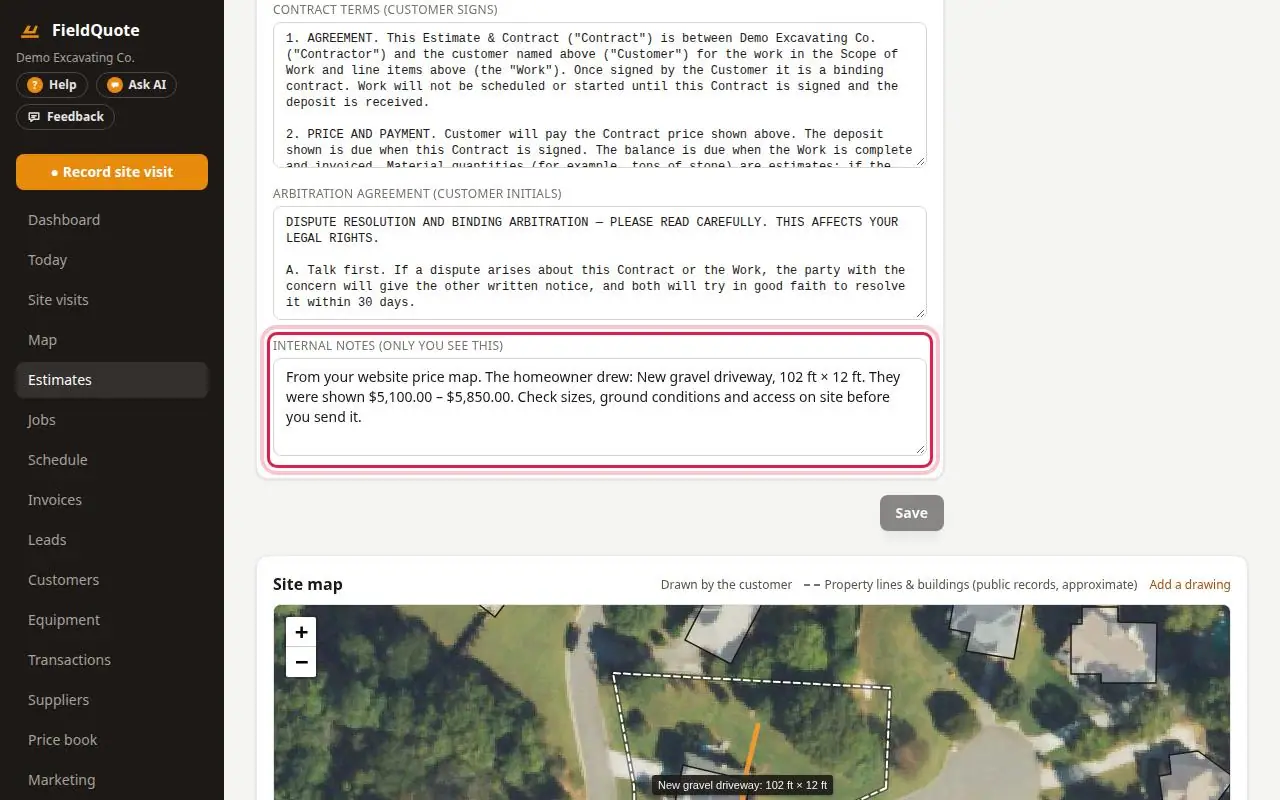
Map shows a sample property.
What you'll see
The lead's status is Estimated, with the price.
The lead's details start with "Priced on the website map", then what they drew and the price shown.
If the homeowner checked the texting box, their OK to text is saved with the customer.
If you already have a customer with the same phone or email, the request is added to that customer.
Common mistakes
Sending the draft as-is. It's priced from the homeowner's drawing. Walk the job first.
Starting a visit from the Record button instead of the lead. Start it from the lead (Site visit) or the customer so the visit updates this same estimate.
Limits
The emailed alert goes to the lead alert email in Settings, or your company email, or the owner's sign-in email.
The price is figured again on FieldQuote's side with your numbers; what the homeowner's screen showed can't be changed by them.
Requests that look like spam are still saved, marked as possible spam.
Checked against the app on Nov 8, 2026. Pictures are from Demo Excavating Co., a made-up company.