Change orders & job photos
Guide 3 of 8
What it's for
Know what your customer is looking at when they ask about the change, and where to look for their approval.
Where
The customer's link (see Send a change order for approval). On your side, the change order page and the estimate.
Watch it
Steps
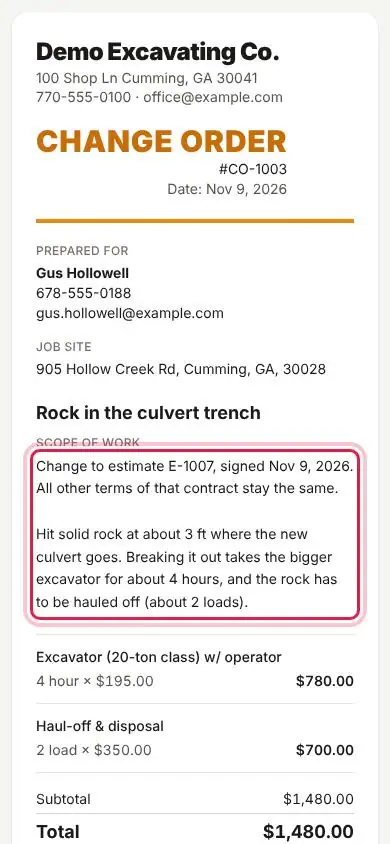
The link opens the Change Order with its number. The first lines say which signed estimate it changes and that all other terms of that contract stay the same, then your reason.
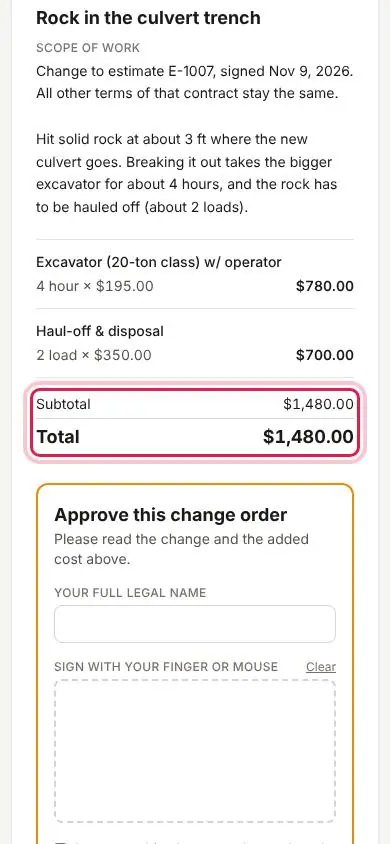
Below: the lines for the extra work and the total of the change.
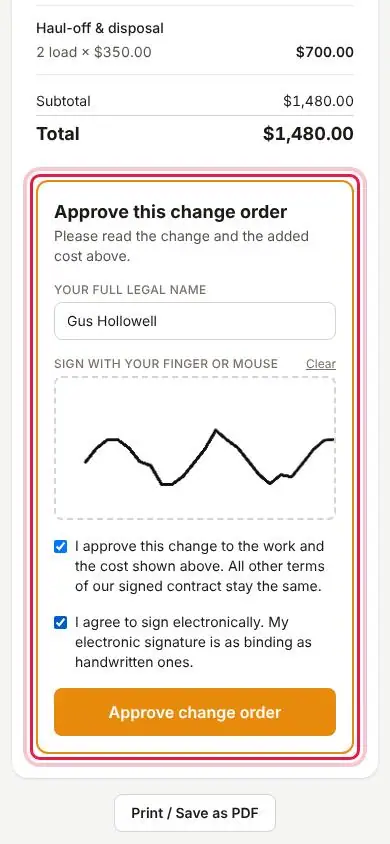
In Approve this change order, the customer types Your full legal name, signs under Sign with your finger or mouse, checks both boxes and taps Approve change order.
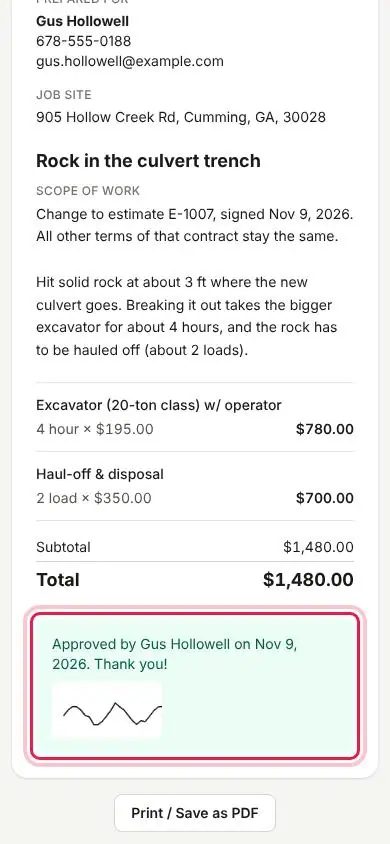
The page now says "Approved by … on …. Thank you!" with their signature.
On your side, the change order shows "Approved by … · …" with the date and time and their signature, and can't be edited any more. On the estimate, it's listed as approved.
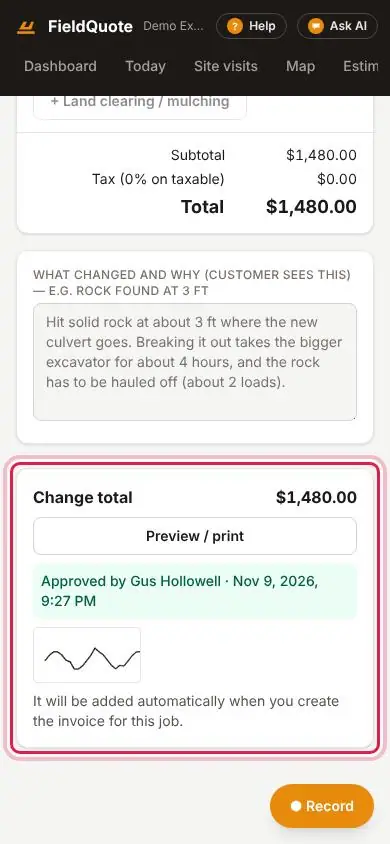
What you'll see
The two boxes say they approve the change and the cost, that all other terms of the signed contract stay the same, and that they agree to sign electronically.
The change order's status is Accepted.
Common mistakes
These are the messages the customer may see:
"Please type your full name." The name needs at least 3 letters.
"Please draw your signature." The signature box is empty.
"This change order can no longer be approved. Please contact us." It was already approved, or you marked it declined.
Limits
No initials and no cancel notice on a change order: the arbitration agreement and cancel notice belong to the signed contract.
The customer's IP address is saved with the approval.
If you've already made the invoice and haven't sent it, the approved change goes on it by itself. If it was already sent, it isn't changed: tap Add to invoice … on the change order (see Put an approved change order on the invoice).
Checked against the app on Nov 9, 2026. Pictures are from Demo Excavating Co., a made-up company.