Change orders & job photos
Guide 6 of 8
What it's for
Bill the extra work you did, at the price the customer approved, without retyping it — and without the change slipping off the bill.
Where
The estimate's Send & close box › Convert to invoice.
On an approved change order: what it says about the invoice, and Add to invoice … when the invoice was already sent.
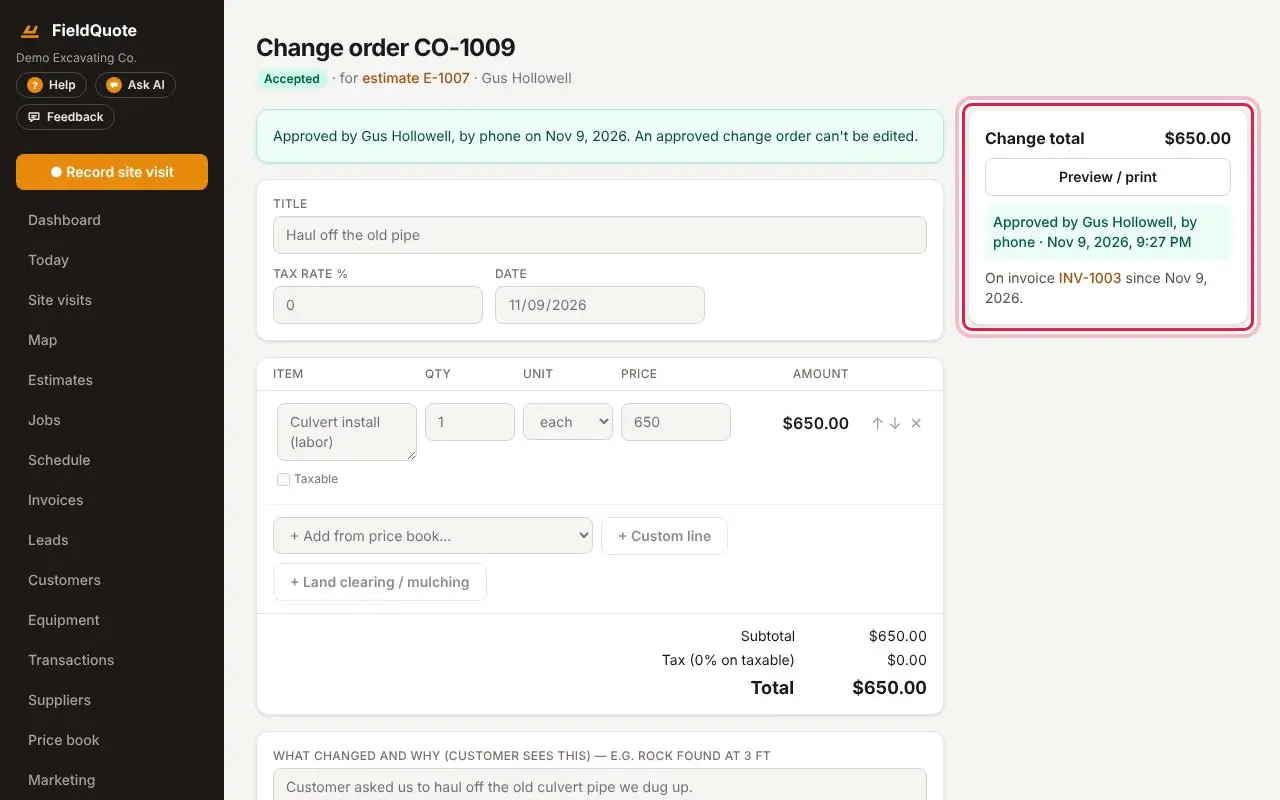
On the invoice: Change orders on this invoice.
Watch it
Steps
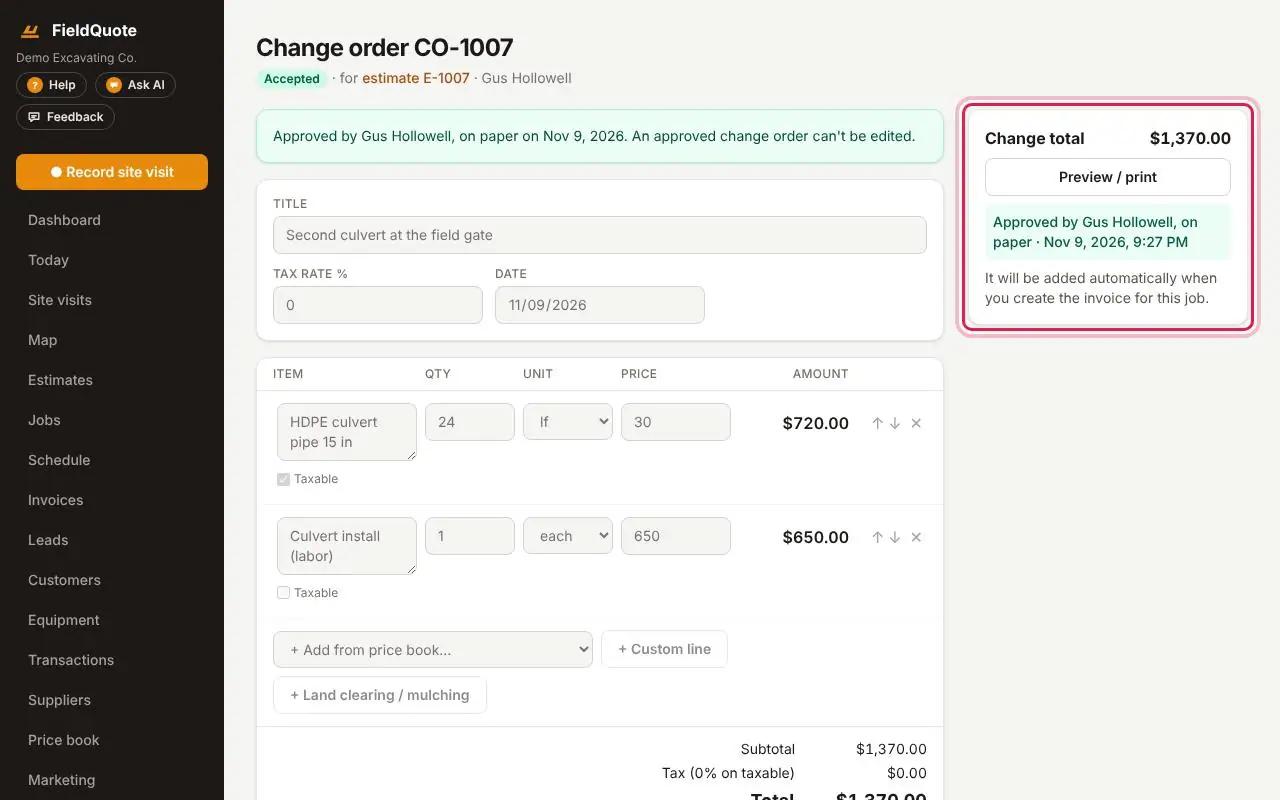
Before the invoice is made, an approved change order says "It will be added automatically when you create the invoice for this job."
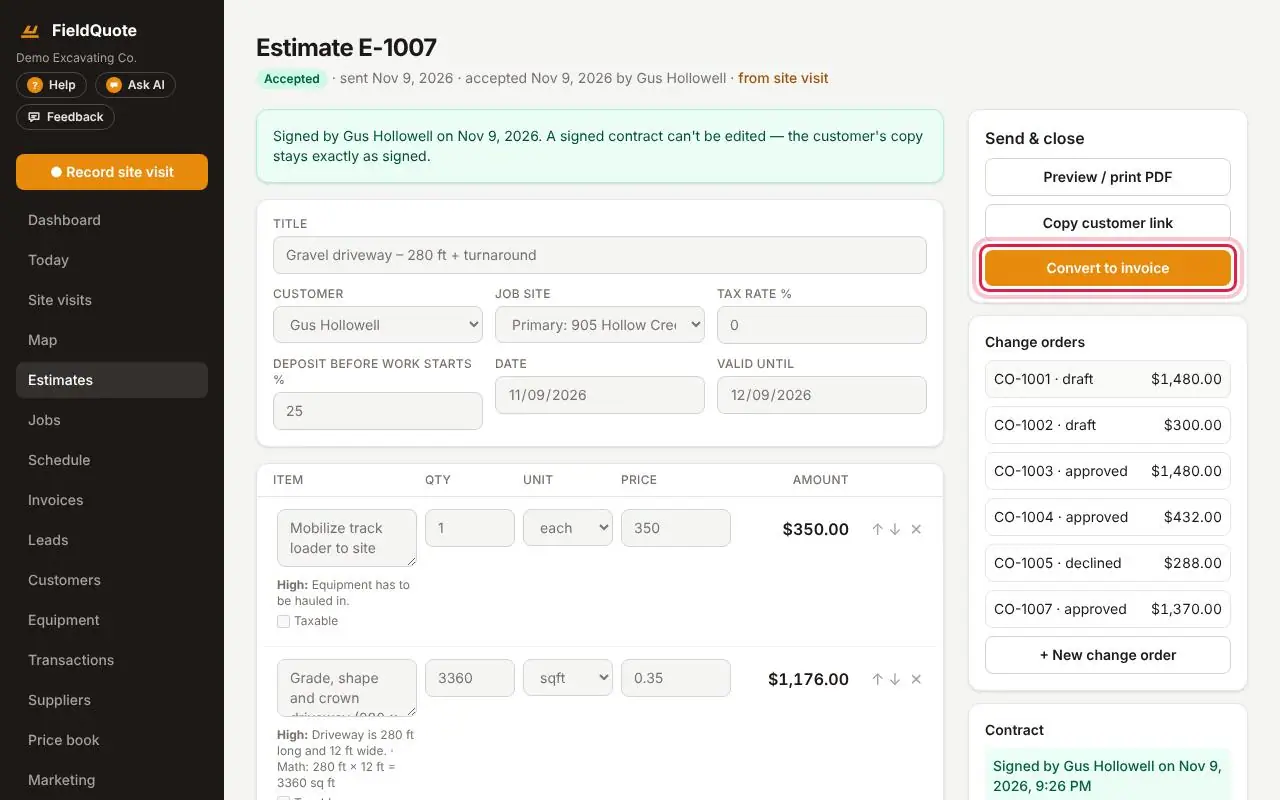
When the job's done, open the estimate and tap Convert to invoice.
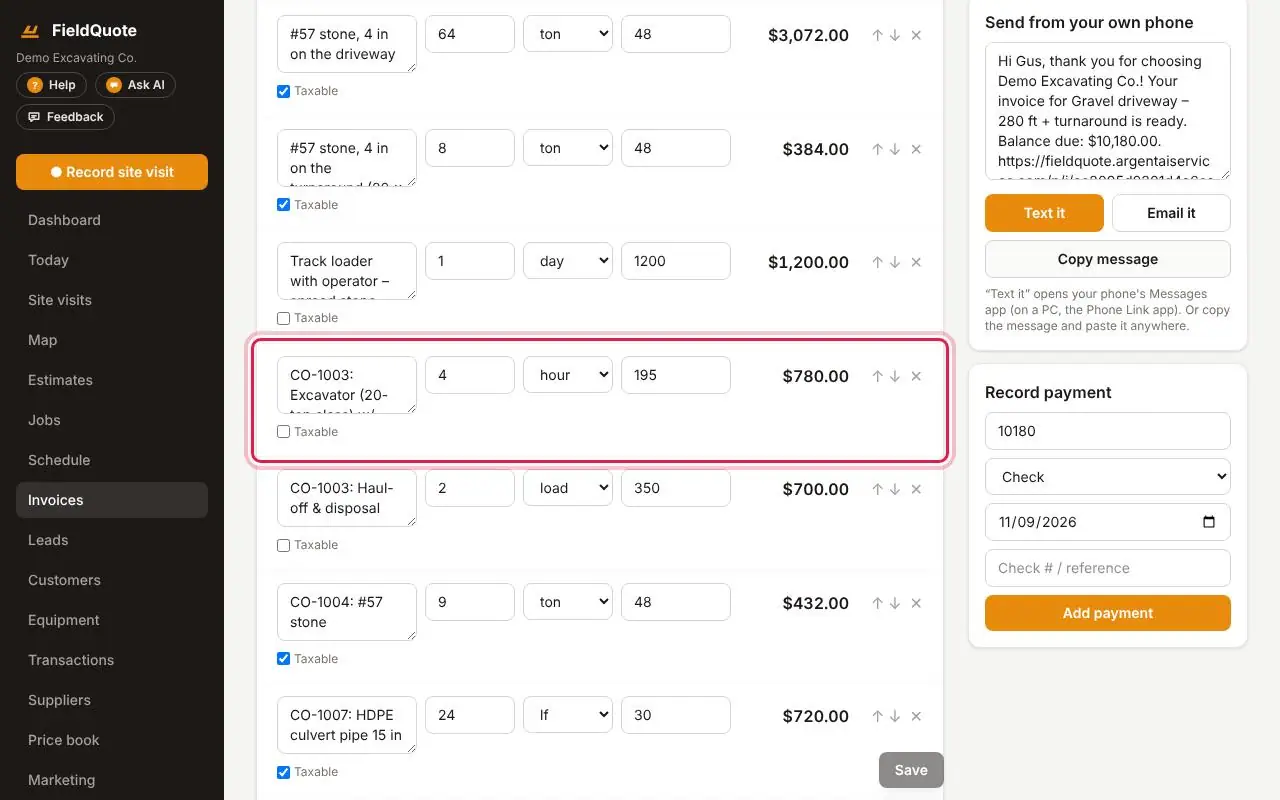
The invoice has the estimate's lines, then each approved change order's lines, starting with the change order number.
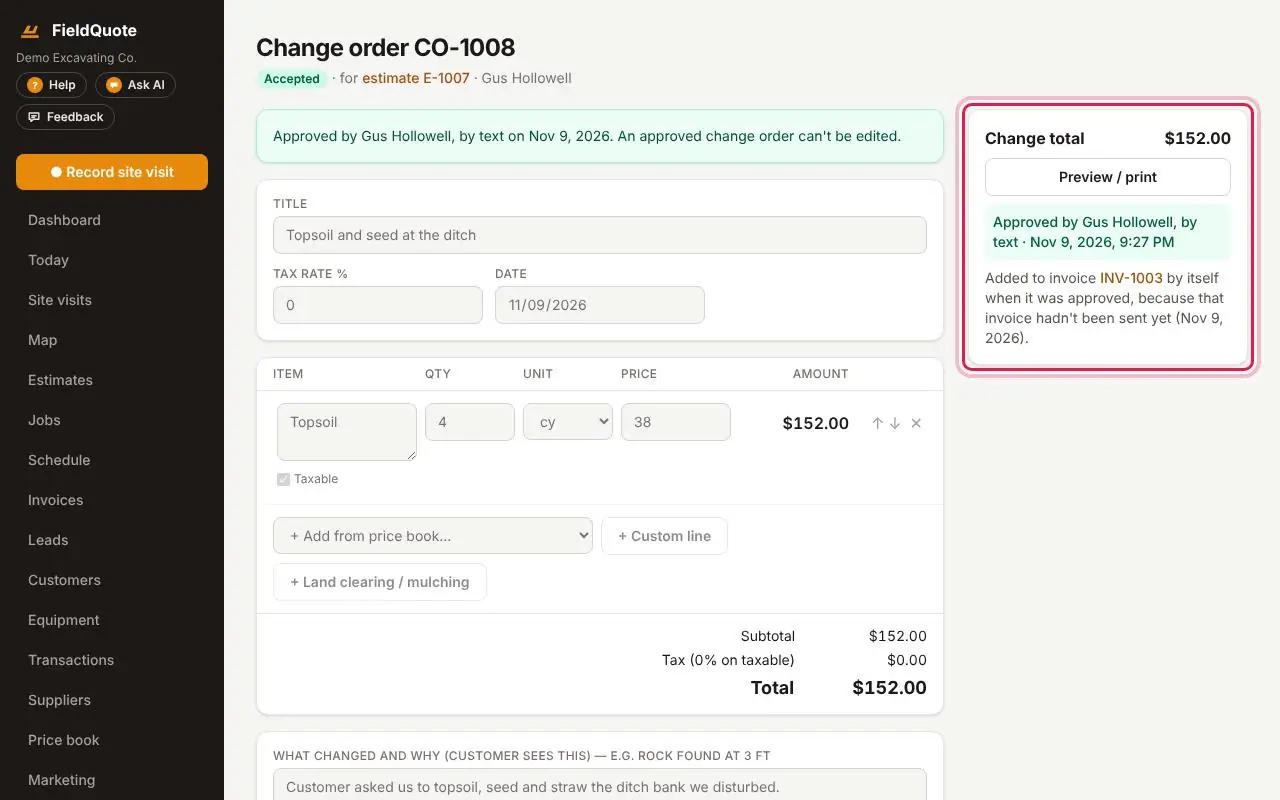
If another change is approved while the invoice hasn't been sent, it goes on the invoice by itself. The change order says "Added to invoice … by itself when it was approved, because that invoice hadn't been sent yet …."
On the invoice, Change orders on this invoice lists each one with its total, and says which were "Added by itself when … approved it …, before this invoice was sent."
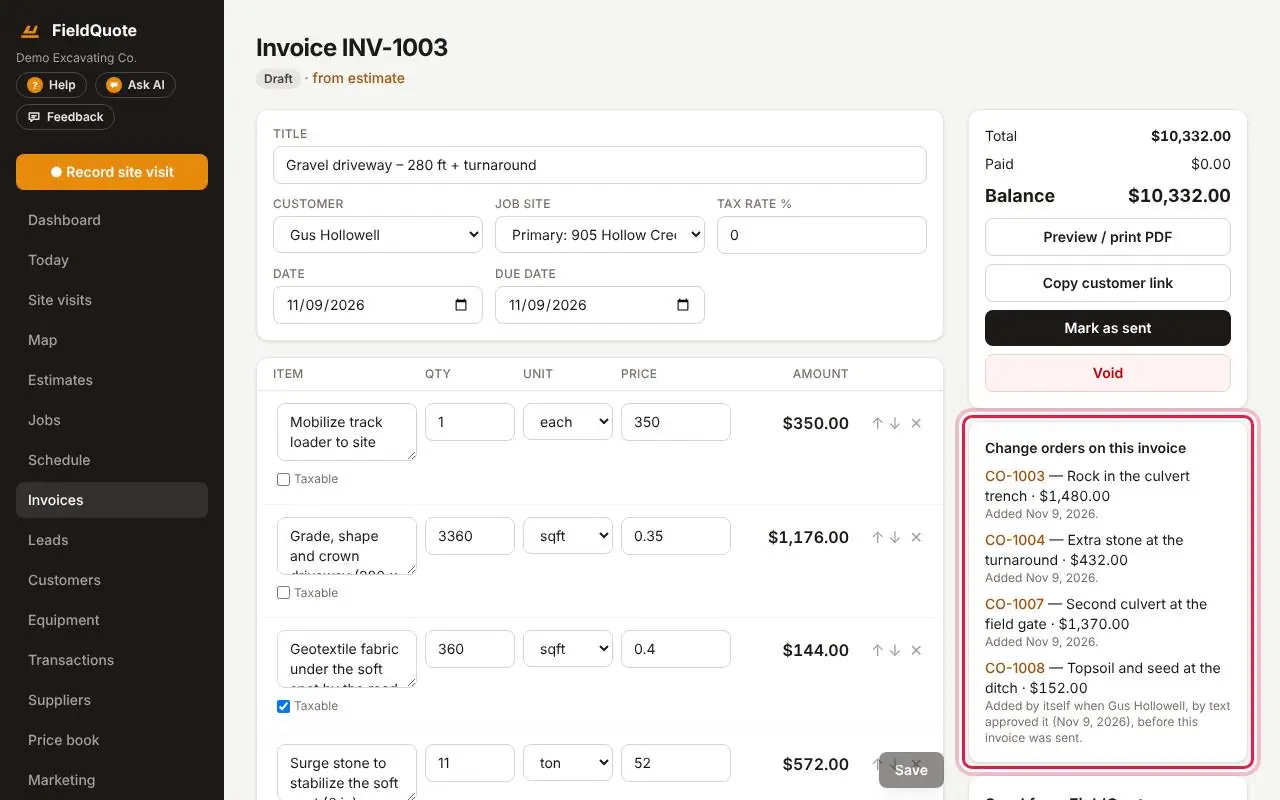
Once the invoice has been sent, a newly approved change leaves it alone. The change order says "Invoice … was already sent, so approving this didn't change it. Add it there, or bill it separately." To put it on that invoice, tap Add to invoice ….
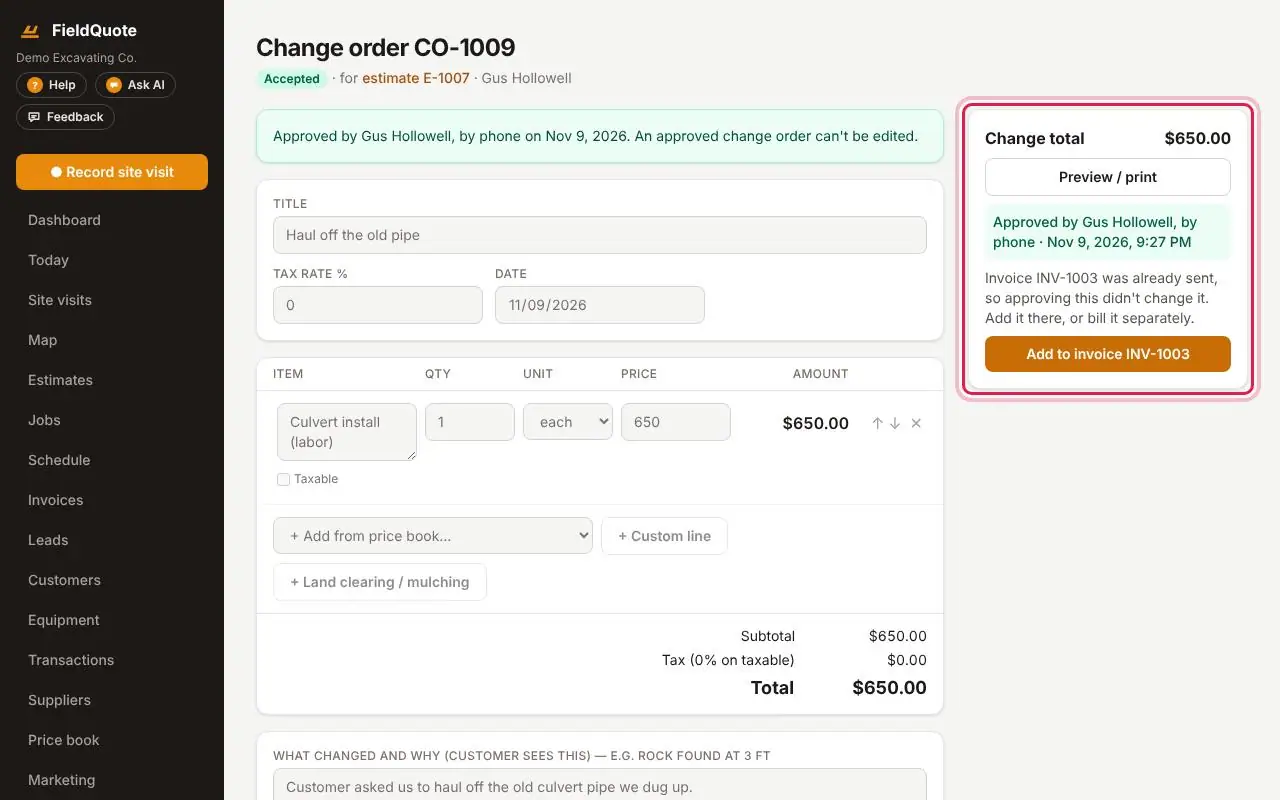
It then says "On invoice … since …." with a link to the invoice, whose total now includes the change.
What you'll see
The invoice's total is worked out again with the change order's lines and the invoice's tax rate.
Deposits paid on the estimate are already on the invoice as payments (see Record a deposit).
With your books connected, the invoice goes over again with the change on it.
Common mistakes
Adding the extra work to the invoice by hand as well. That bills it twice.
Sending the invoice before the customer approves the change, then expecting the change to show up on it. A sent invoice is never changed by itself; tap Add to invoice … (and send the customer the updated invoice), or bill the change separately.
Limits
Only approved change orders go on the invoice. Drafts, sent and declined ones don't.
Each change order goes on an invoice once, whichever way it got there.
"Not sent yet" means a draft, or one only a deposit has made part-paid. Sent and paid invoices are never changed by an approval.
Add to invoice … shows only on approved change orders that aren't on an invoice yet, when their estimate already has one.
Checked against the app on Nov 9, 2026. Pictures are from Demo Excavating Co., a made-up company.