Contracts, online signing & deposits
Guide 11 of 11
What it's for
Catch the jobs you've won but haven't been paid a deposit for, before a truck rolls.
Where
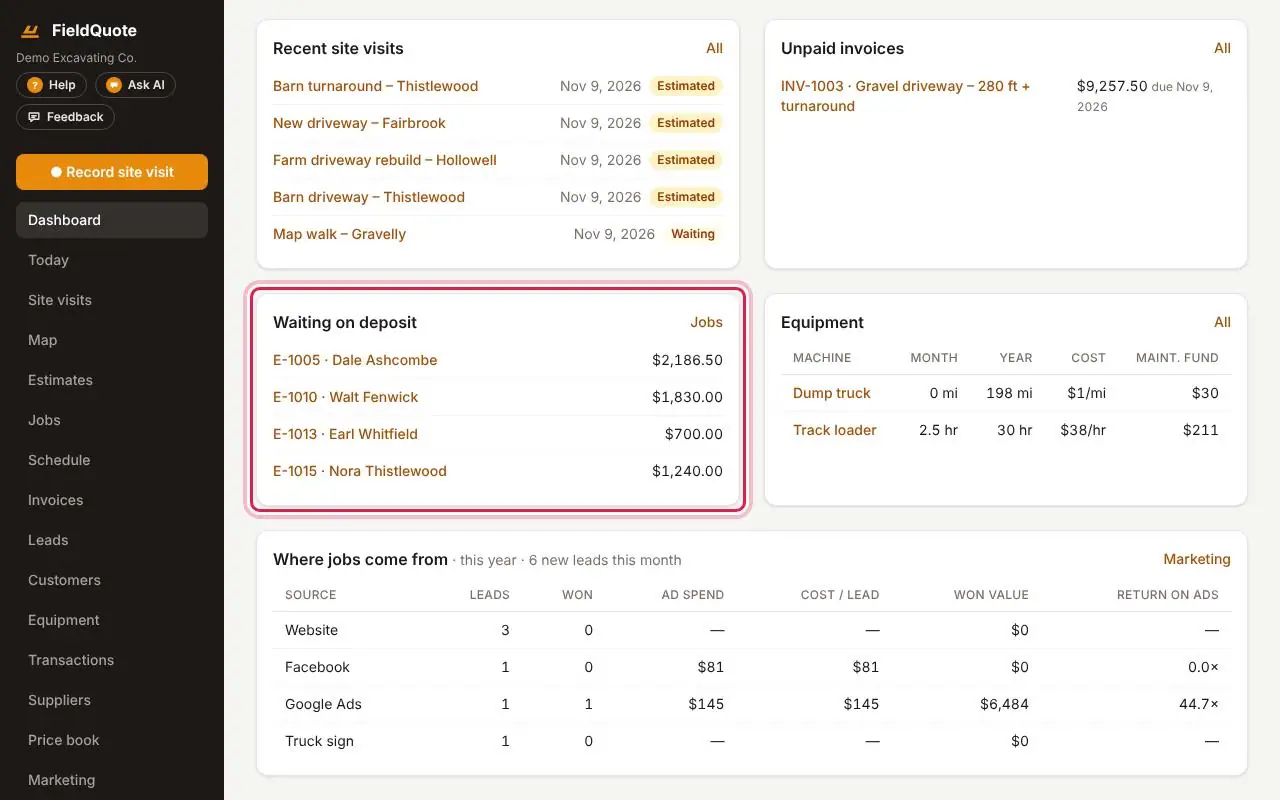
Dashboard › Waiting on deposit.
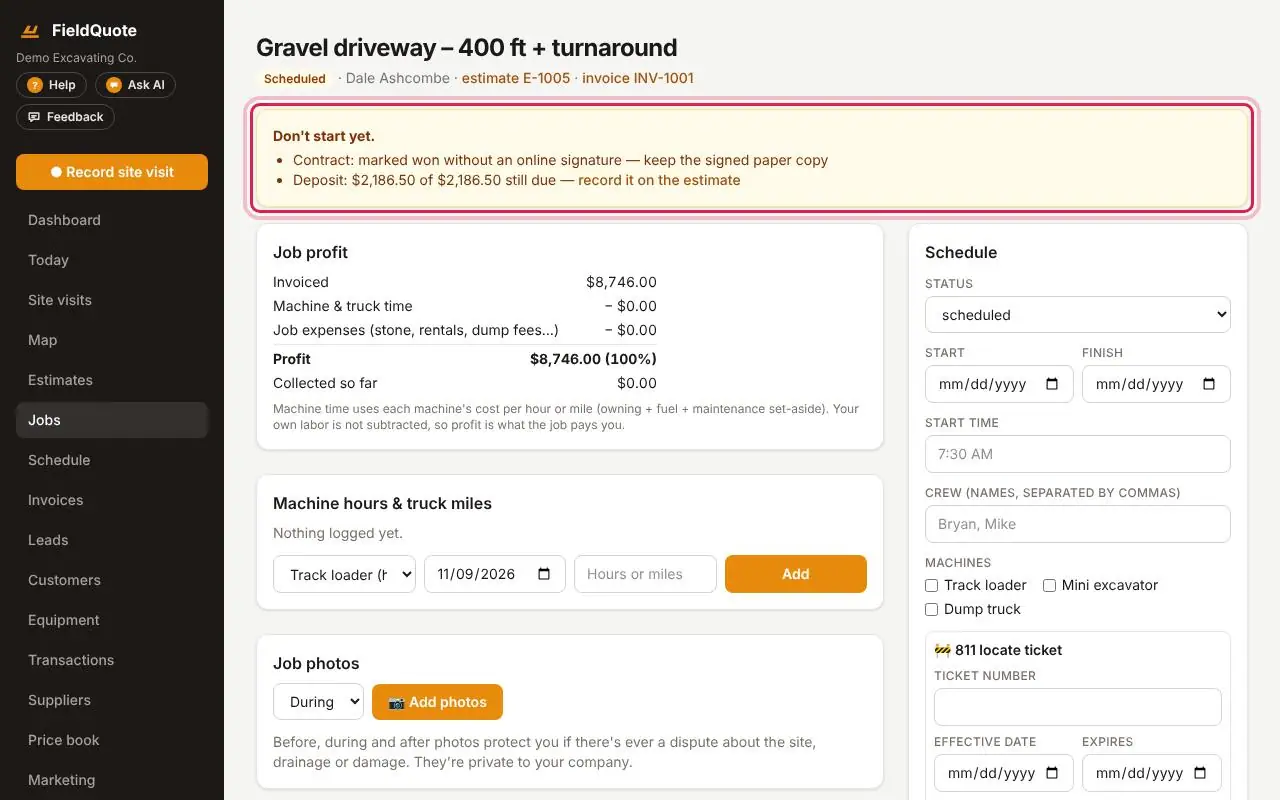
The box at the top of each job.
Watch it
Steps
On the Dashboard, Waiting on deposit lists each accepted estimate with a deposit still owed: its number, the customer and the amount still due. Tap one to open the estimate and record the deposit.
On the job, the box at the top says "Don't start yet." and shows the deposit still due, with a record it on the estimate link.
What you'll see
"No accepted jobs are waiting on a deposit." when everything is paid.
On the job, "Ready to start." once the deposit is in (and any cancel window has passed).
Common mistakes
Expecting a declined or unsent estimate on the list. Only accepted estimates (signed online, won on paper, or invoiced) with a deposit over 0% are listed.
Limits
The list is by estimate. A customer with two accepted estimates shows twice.
Estimates with a 0% deposit never show here.
Checked against the app on Nov 9, 2026. Pictures are from Demo Excavating Co., a made-up company.