Contracts, online signing & deposits
Guide 4 of 11
What it's for
Under the federal Cooling-Off Rule, a home-improvement sale of $25 or more made at the customer's home can be cancelled within three business days, and the customer must be told so in writing. FieldQuote puts the notice in the contract and keeps you from starting before the window closes.
Where
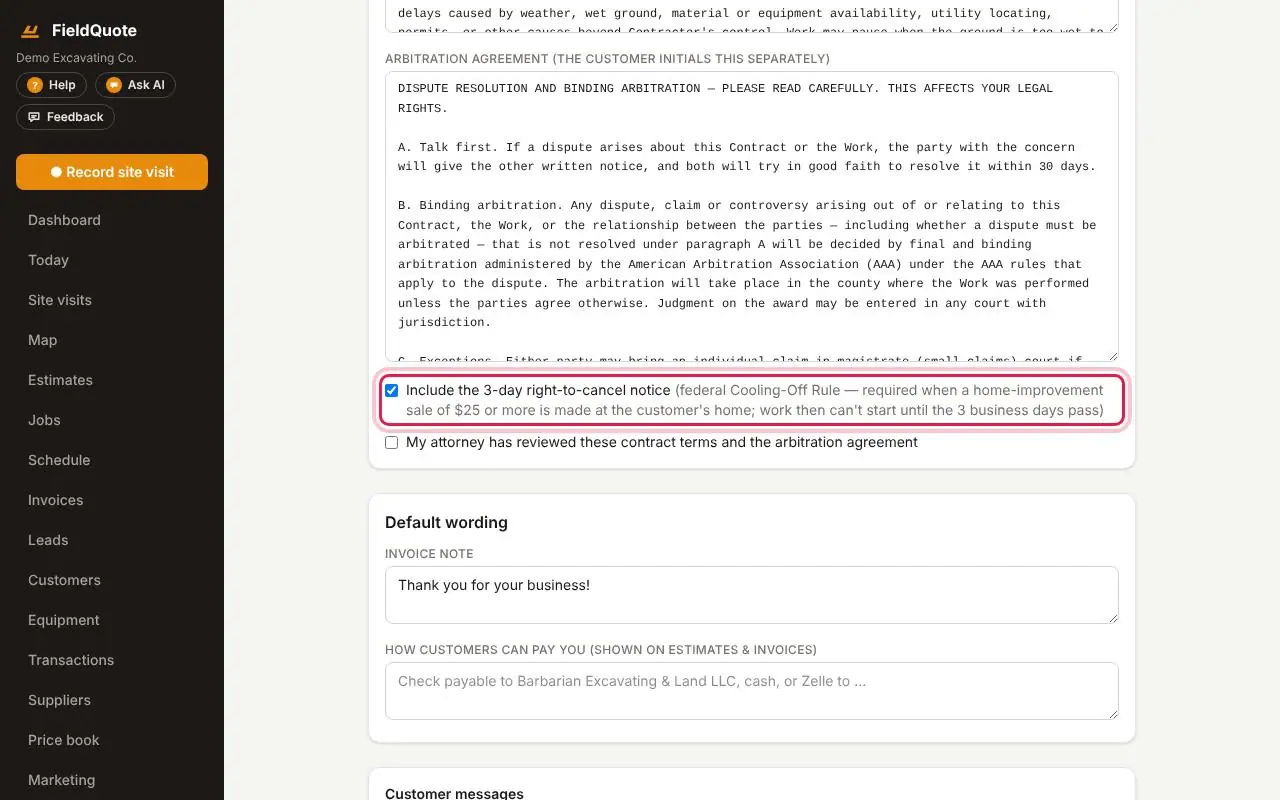
Turn it on or off: Settings › Contract › Include the 3-day right-to-cancel notice.
See the deadline: the customer's signed contract, and the job's page.
Watch it
Steps
In Settings › Contract, leave Include the 3-day right-to-cancel notice checked (it starts checked). Tap Save settings if you changed it.
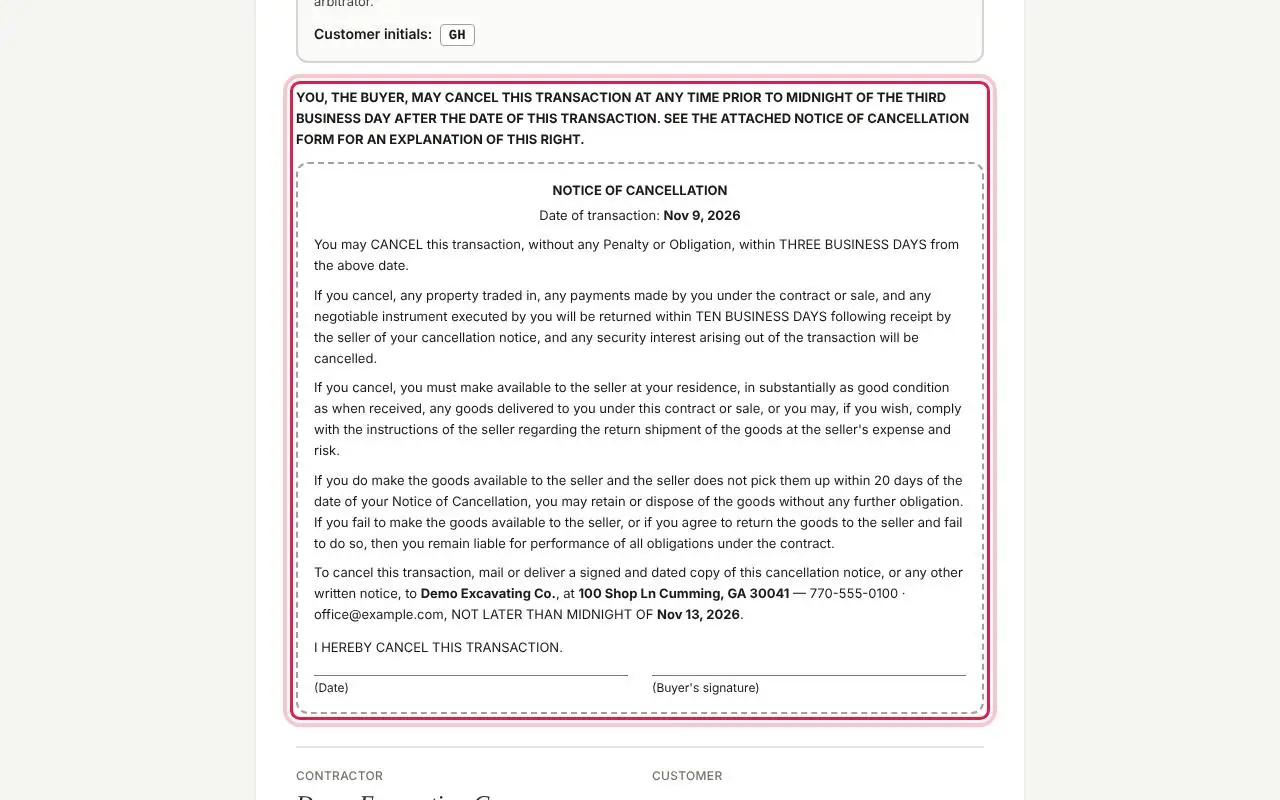
The customer's contract ends with the notice in capitals and a NOTICE OF CANCELLATION form. Once they sign, it shows the date of the sale and the last day they can cancel ("NOT LATER THAN MIDNIGHT OF …").
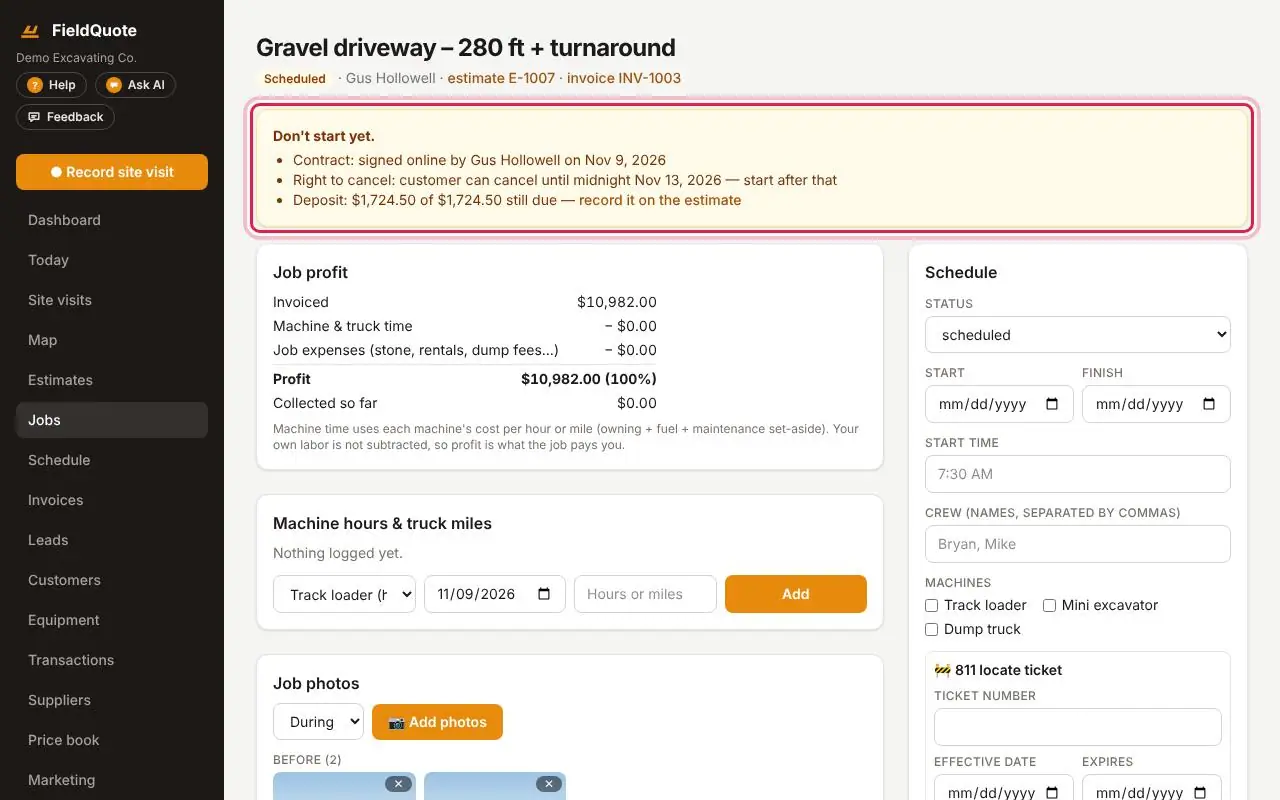
On the job, the box at the top says "Right to cancel: customer can cancel until midnight … — start after that". When the date has passed it says "cancel window has passed".
What you'll see
Before signing, the form says "the date you sign below" and "the third business day after you sign".
When signing, the customer's e-signature box adds "I understand I may cancel within three business days as described in the Notice of Cancellation."
The job shows "Don't start yet." until the window has passed (and the deposit is in).
Common mistakes
Turning it off for jobs sold at the customer's home. The rule applies to those sales whether or not the notice is in the contract.
Starting on the last day of the window. The customer has until midnight of that day. Start the day after.
Limits
Only the owner or an admin can change this. Team members see Settings grayed out, with "View only. Only the owner or an admin can change this."
Business days are every day except Sundays and federal holidays. Saturdays count.
Dates are your company's calendar dates, in the Time zone set under Settings › Open message settings. A contract signed at 10 PM is dated that day.
The deadline is worked out only for contracts signed online. A paper win (Won (paper)) has no cancel date on the job; follow your paper copy.
The setting at the moment of signing is what counts. Turning it off later doesn't change a signed contract.
This isn't legal advice. Ask your attorney which of your sales the rule covers.
Checked against the app on Nov 9, 2026. Pictures are from Demo Excavating Co., a made-up company.