Contracts, online signing & deposits
Guide 3 of 11
What it's for
If your edits went wrong, or you changed your legal name or day rate and want them written into the terms, start again from the standard template.
Where
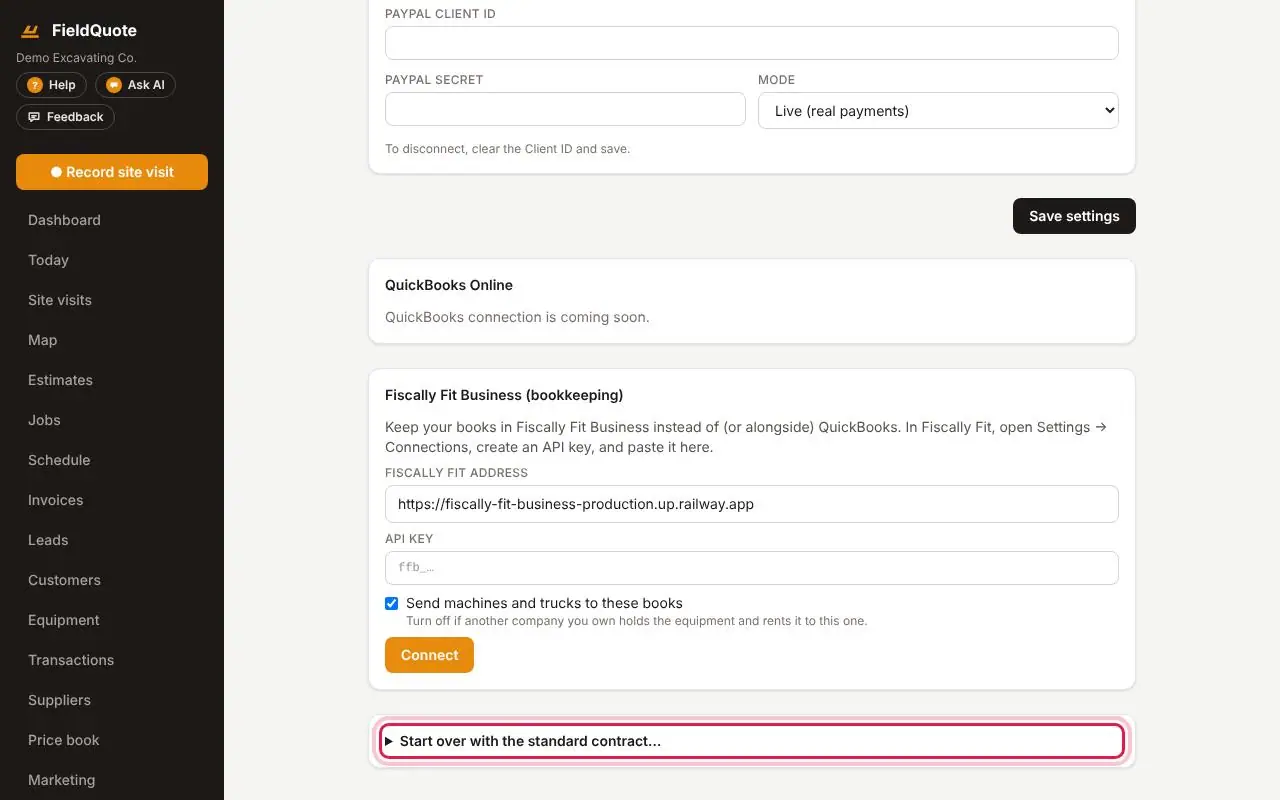
The bottom of Settings: Start over with the standard contract….
Watch it
Steps
Scroll to the bottom of Settings and tap Start over with the standard contract….
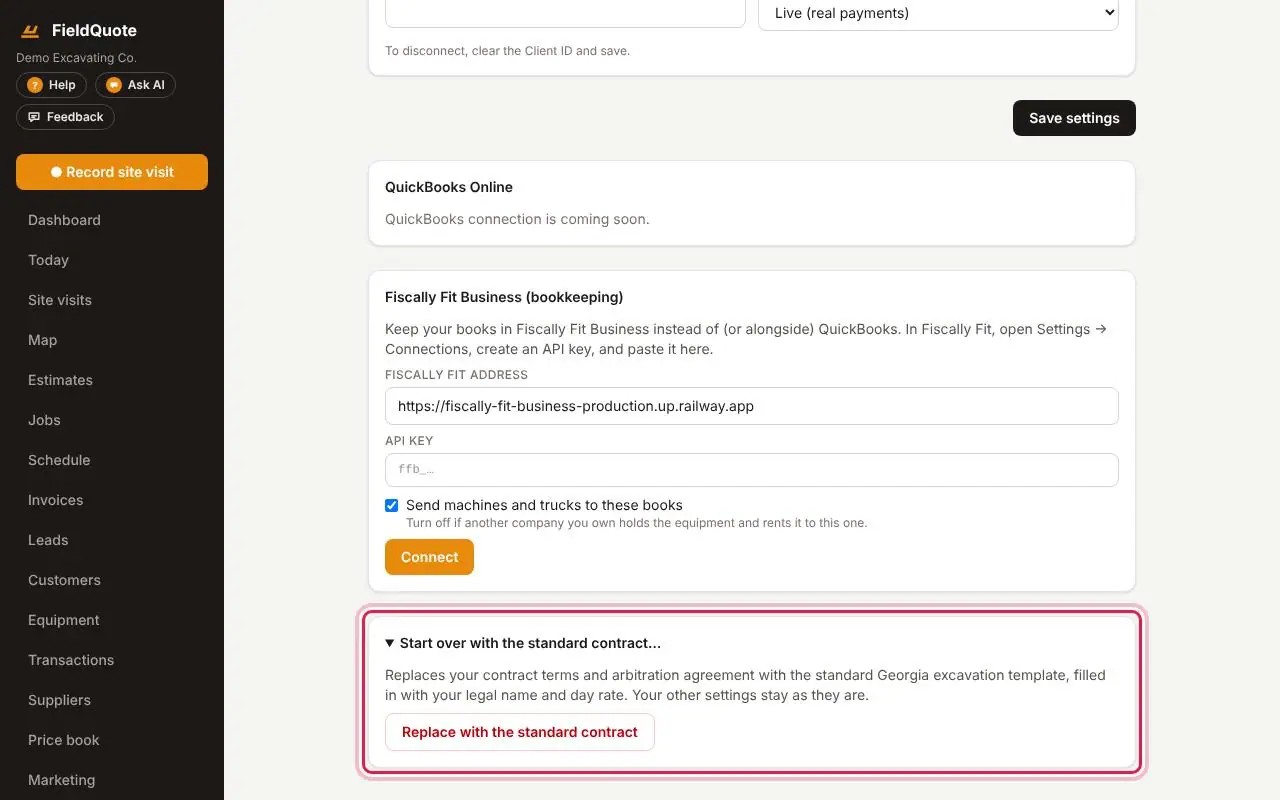
Read what it does, then tap Replace with the standard contract.
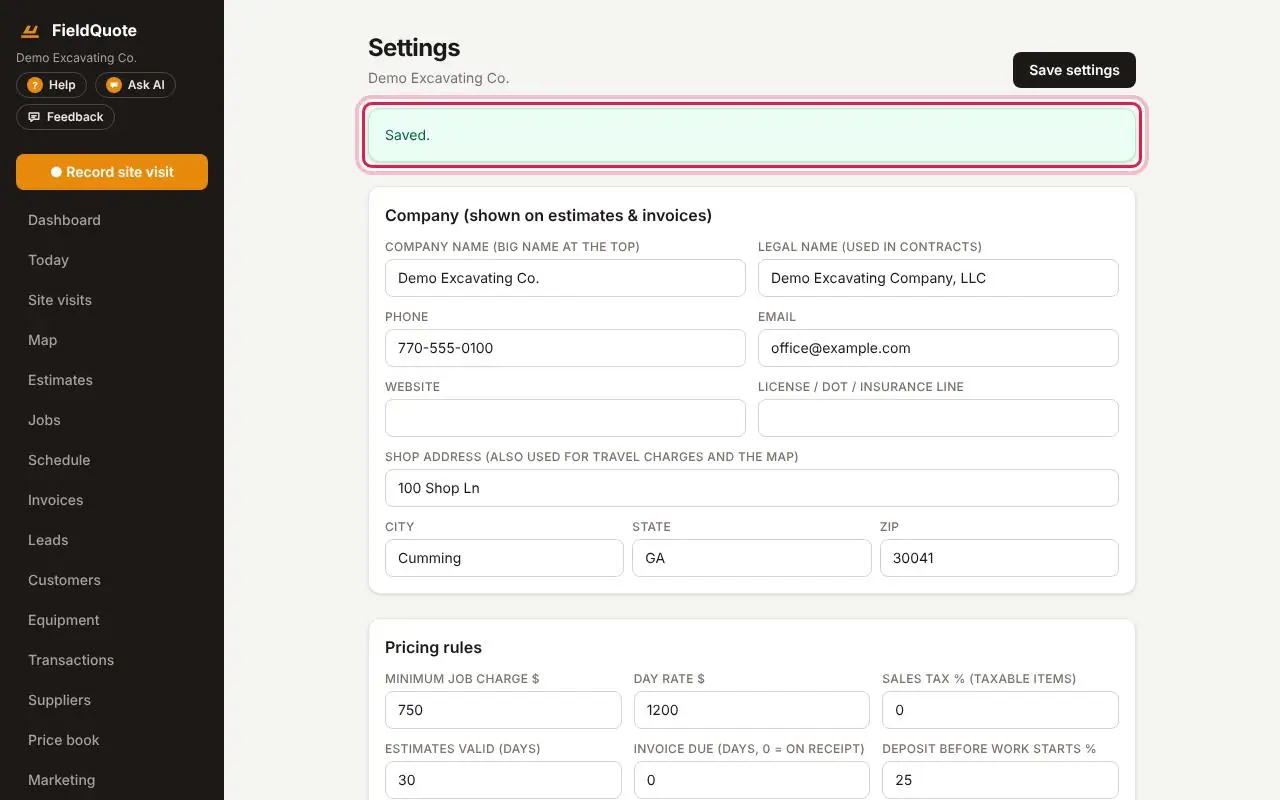
Settings opens again with "Saved." at the top, and the standard terms in Contract terms (the customer signs these).
What you'll see
The contract's first paragraph names your Legal name (used in contracts) as the Contractor.
The hidden-conditions paragraph charges extra work at your Day rate $ per day for equipment with operator. With no day rate set, it says the Contractor's current day rate instead.
Your other settings stay as they are.
Common mistakes
Doing this after an attorney rewrote your terms. It replaces both boxes, with no undo. Copy your terms somewhere first if you might want them back.
Expecting existing estimates to change. Use Use current contract terms on each unsigned estimate.
Limits
Only the owner or an admin can do this. Team members see Replace with the standard contract grayed out, with "Only the owner or an admin can change this."
The template is written for excavation work in Georgia. It's a starting point, not legal advice.
Replacing the terms doesn't uncheck My attorney has reviewed these contract terms and the arbitration agreement. If you replaced terms your attorney approved, uncheck it until they've looked again.
Checked against the app on Nov 9, 2026. Pictures are from Demo Excavating Co., a made-up company.