Contracts, online signing & deposits
Guide 5 of 11
What it's for
A deposit covers stone and mobilization before you roll, and it tells you the customer is serious. Set your usual percentage once and change it only for the jobs that need something different.
Where
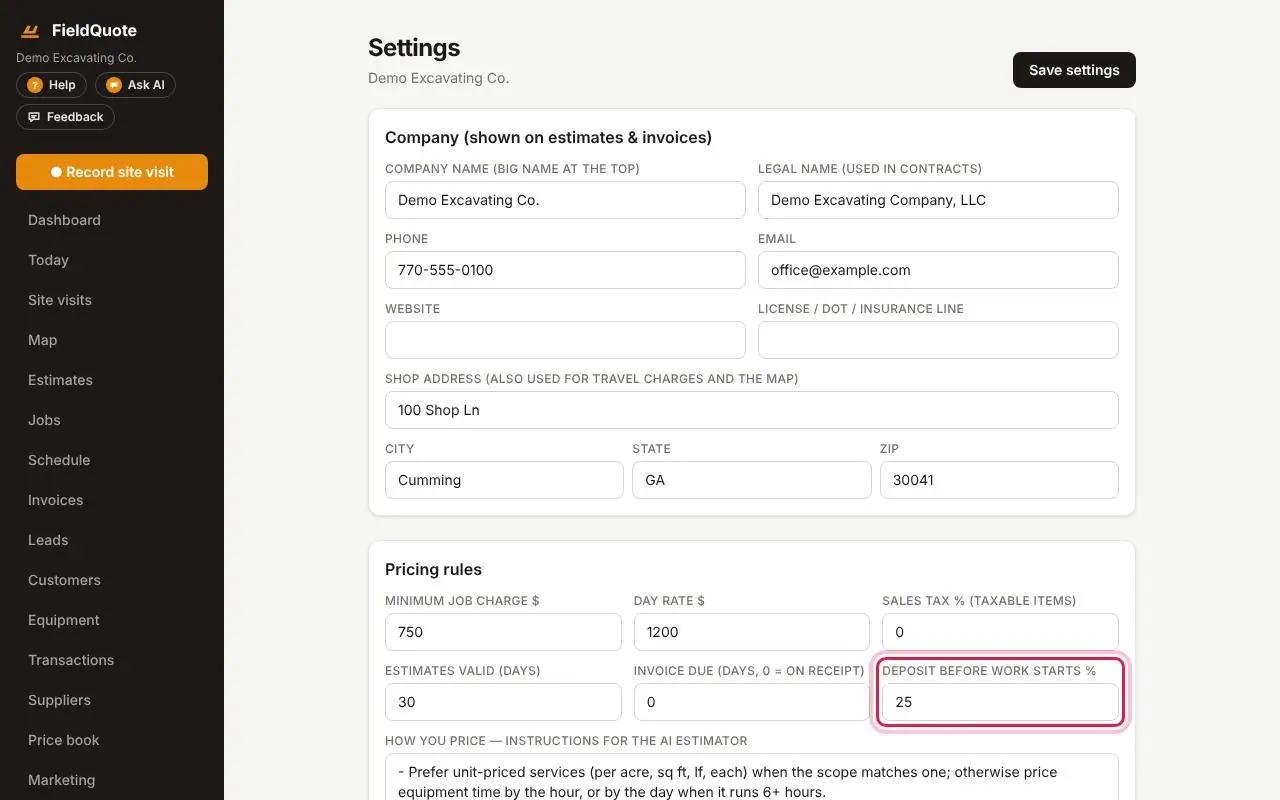
For the company: Settings › Pricing rules › Deposit before work starts %.
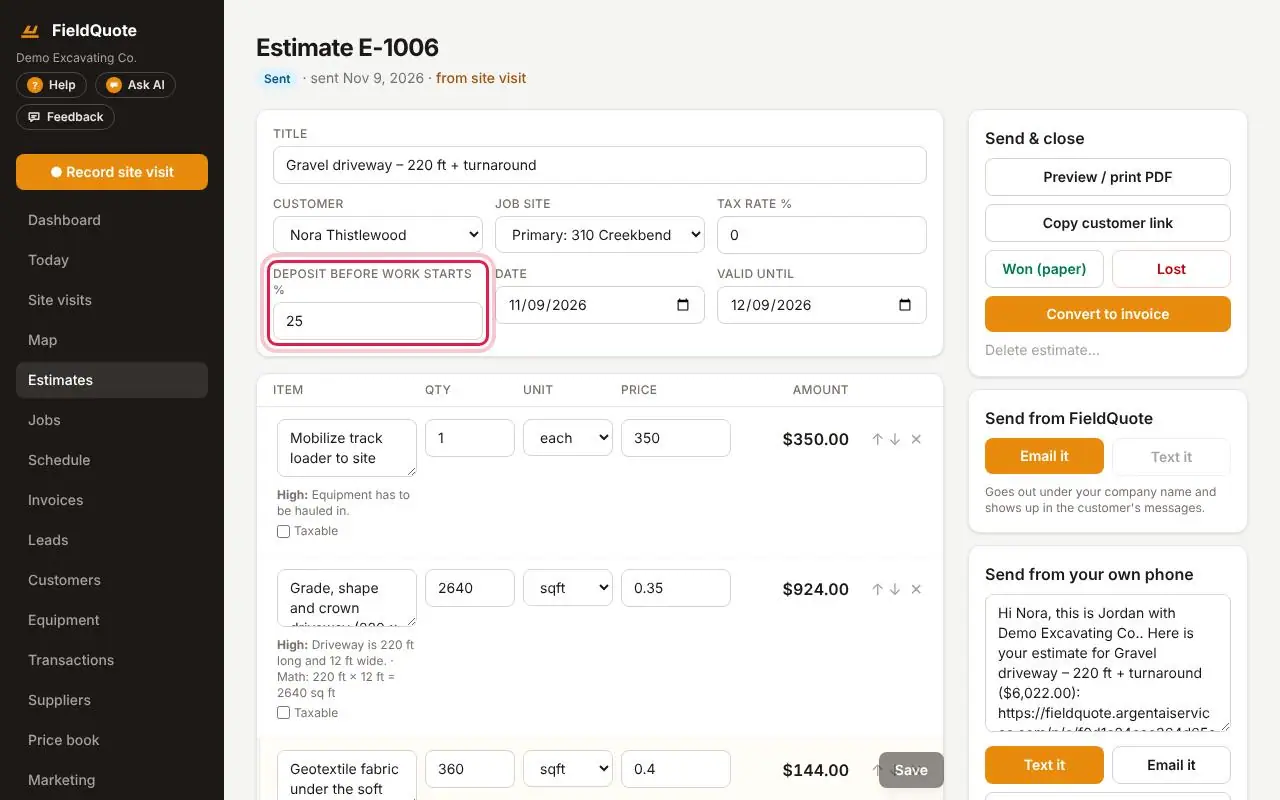
For one estimate: Deposit before work starts % in the box at the top of the estimate.
Watch it
Steps
In Settings › Pricing rules, set Deposit before work starts % and tap Save settings. New companies start at 25.
On an estimate, change Deposit before work starts % if this job needs a different deposit, and tap Save. Type 0 for no deposit.
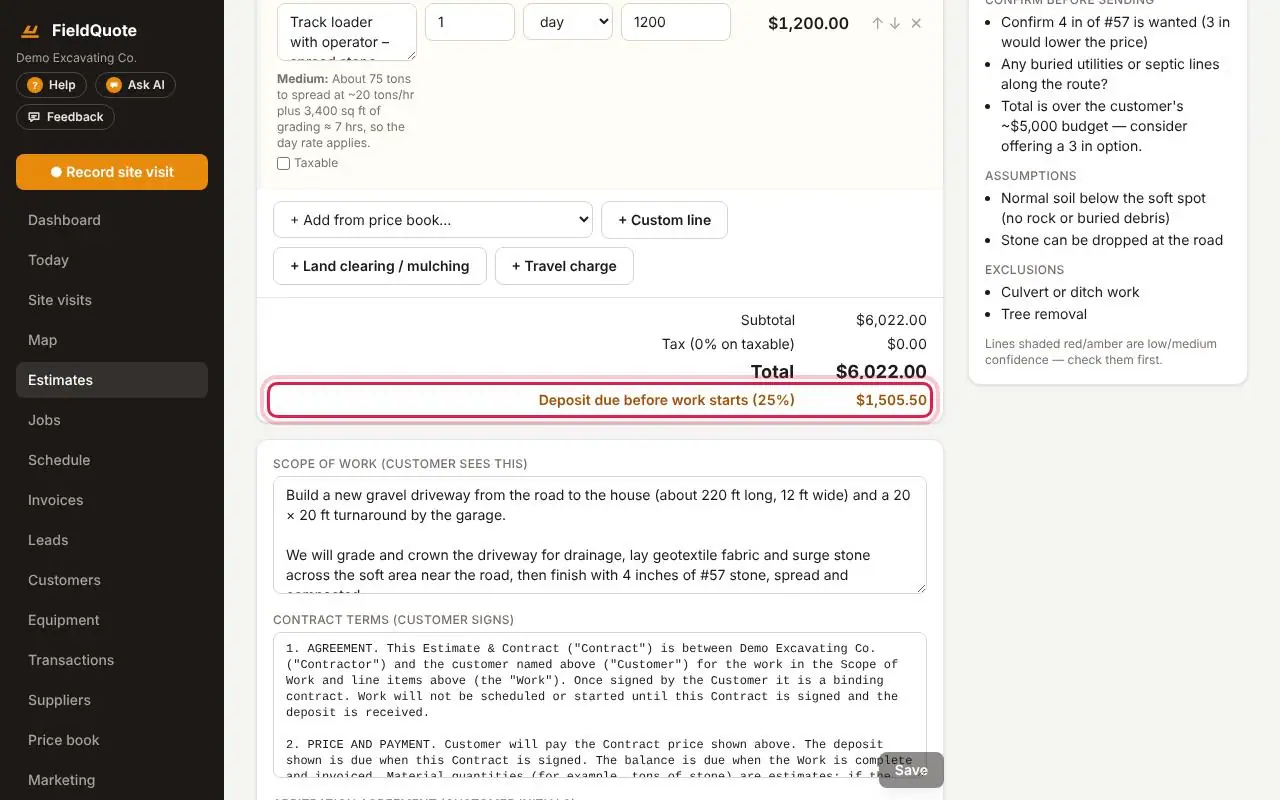
Under the totals, "Deposit due before work starts (…%)" shows the amount.
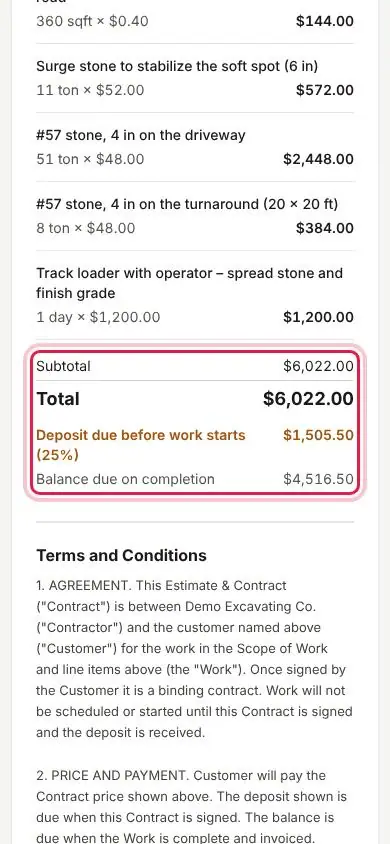
On the customer's copy, under the total: Deposit due before work starts (…%) and Balance due on completion. In the signing box it says the deposit is due when they sign, before work is scheduled.
What you'll see
A Deposit (…%) box on the right of the estimate with what's due and what's been received (see Record a deposit).
After they sign, if you've connected PayPal, the customer's page shows Pay your deposit with the amount still due.
Common mistakes
Changing the company percentage and expecting sent estimates to change. Each estimate keeps its own. Change it on the estimate.
Tapping Use current contract terms on an estimate with a special deposit. That also resets the deposit to the company percentage.
Limits
Only the owner or an admin can change the company's deposit in Settings. Anyone can change the deposit on one estimate.
The deposit is a percentage of the estimate's total, including tax.
Once the customer signs, the deposit percentage can't be changed.
Checked against the app on Nov 9, 2026. Pictures are from Demo Excavating Co., a made-up company.