Equipment, machine costs & transactions
Guide 7 of 10
What it's for
Cleaning up a machine that shouldn't be there — added twice, or added to try things out. A machine you sold is not a mistake: record the sale instead.
Where
Equipment › tap the machine › Delete this machine at the bottom of the right-hand side.
Watch it
Steps
On Equipment, tap the extra machine (here the second Track loader).
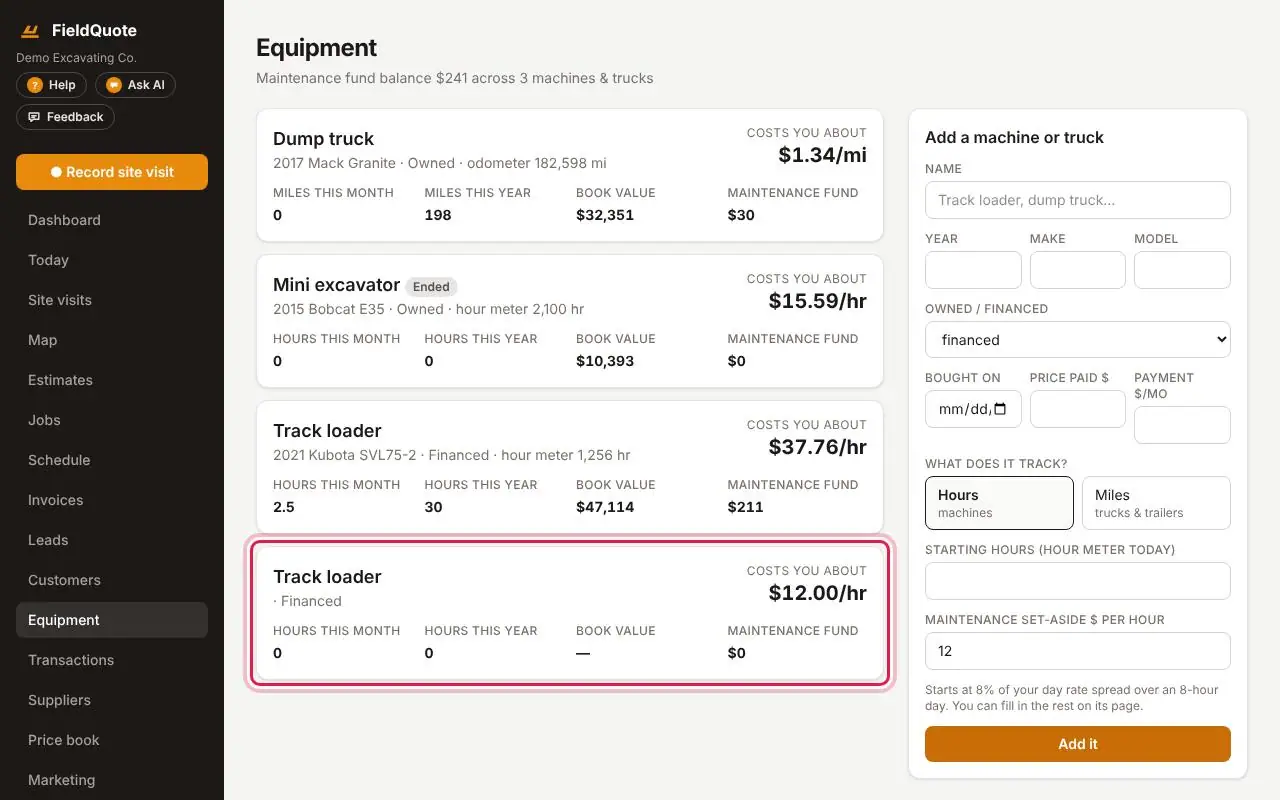
At the bottom, tap Delete this machine. Read the warning: "Use this only for a machine added by mistake, like a duplicate."
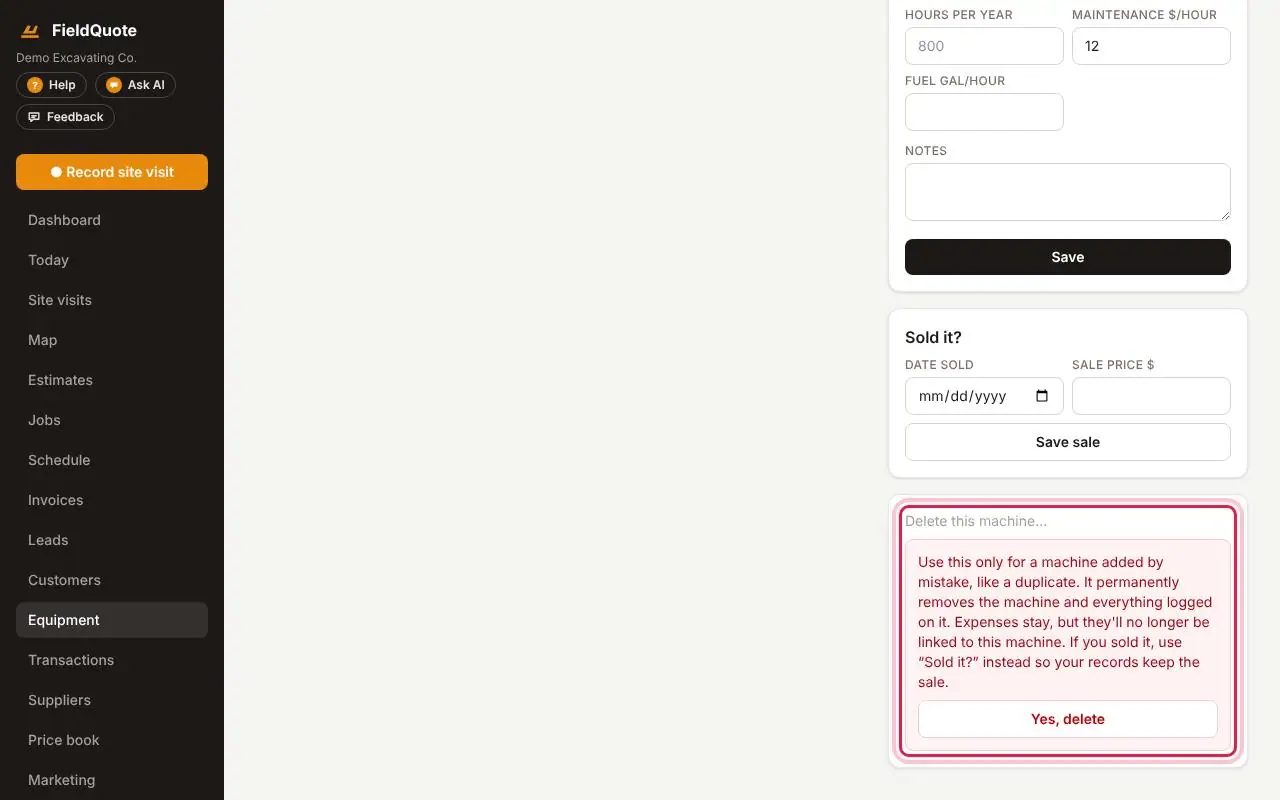
Tap Yes, delete. You're back on Equipment and the machine is gone.
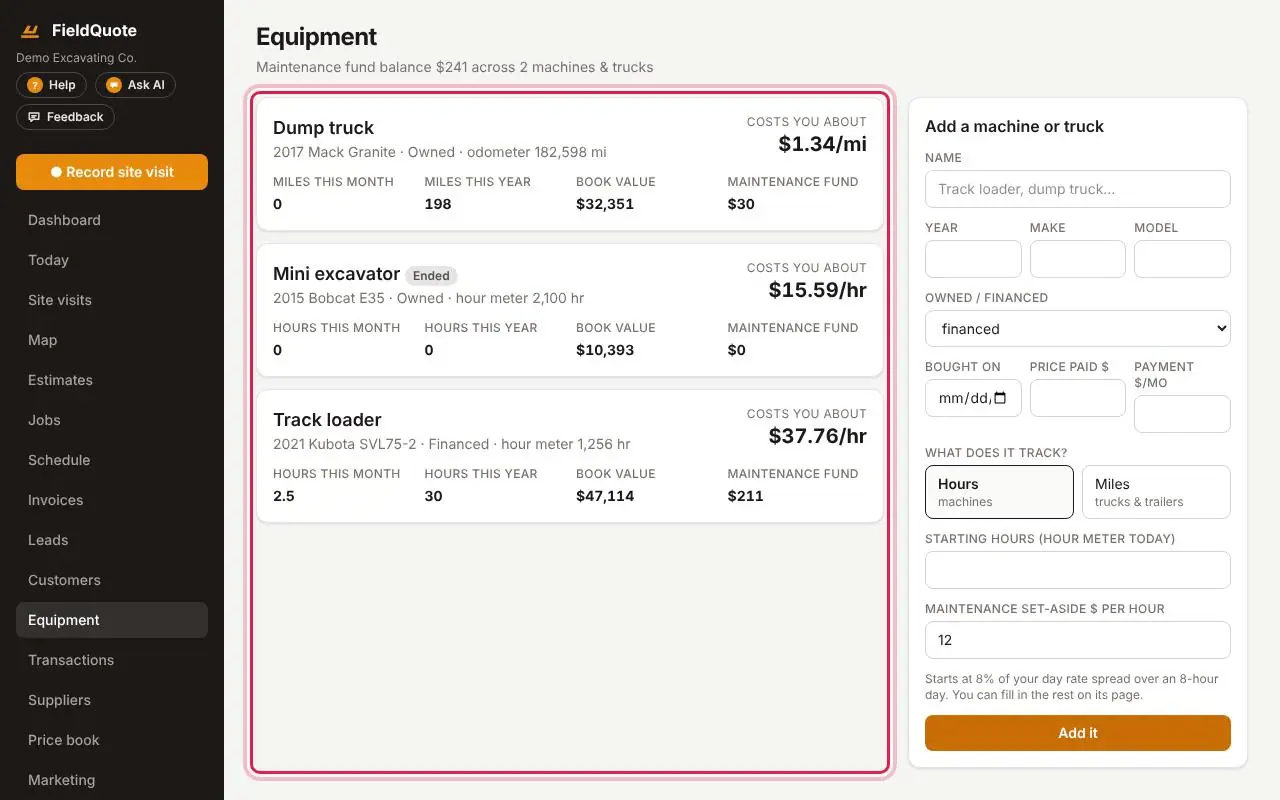
What you'll see
The machine and all its logged hours are gone, including from job pages.
Expenses you logged against it stay on Transactions; they just aren't linked to a machine any more.
With Fiscally Fit Business connected, the machine is taken out of your books there too.
Common mistakes
Deleting the wrong one of two machines with the same name. Open each one first and check the hours and costs — keep the one with your history.
Deleting a machine you sold. Use Sold it? so your records keep the sale.
Limits
Only the owner or an admin can delete a machine. Team members don't see Delete this machine.
There's no undo. To get it back, add it again; its old hours are gone.
Checked against the app on Nov 9, 2026. Pictures are from Demo Excavating Co., a made-up company.