Estimating & price book
Guide 2 of 18
What it's for
The starter list covers the usual dirt work. If you rent a hydraulic hammer, haul to a particular dump, or charge a fee the list doesn't have, add it once and it's there for every estimate.
Where
Price book › Add item at the top of the page.
Watch it
Steps
Under Add item, pick the category (for example equipment), type the Item name and pick the unit.
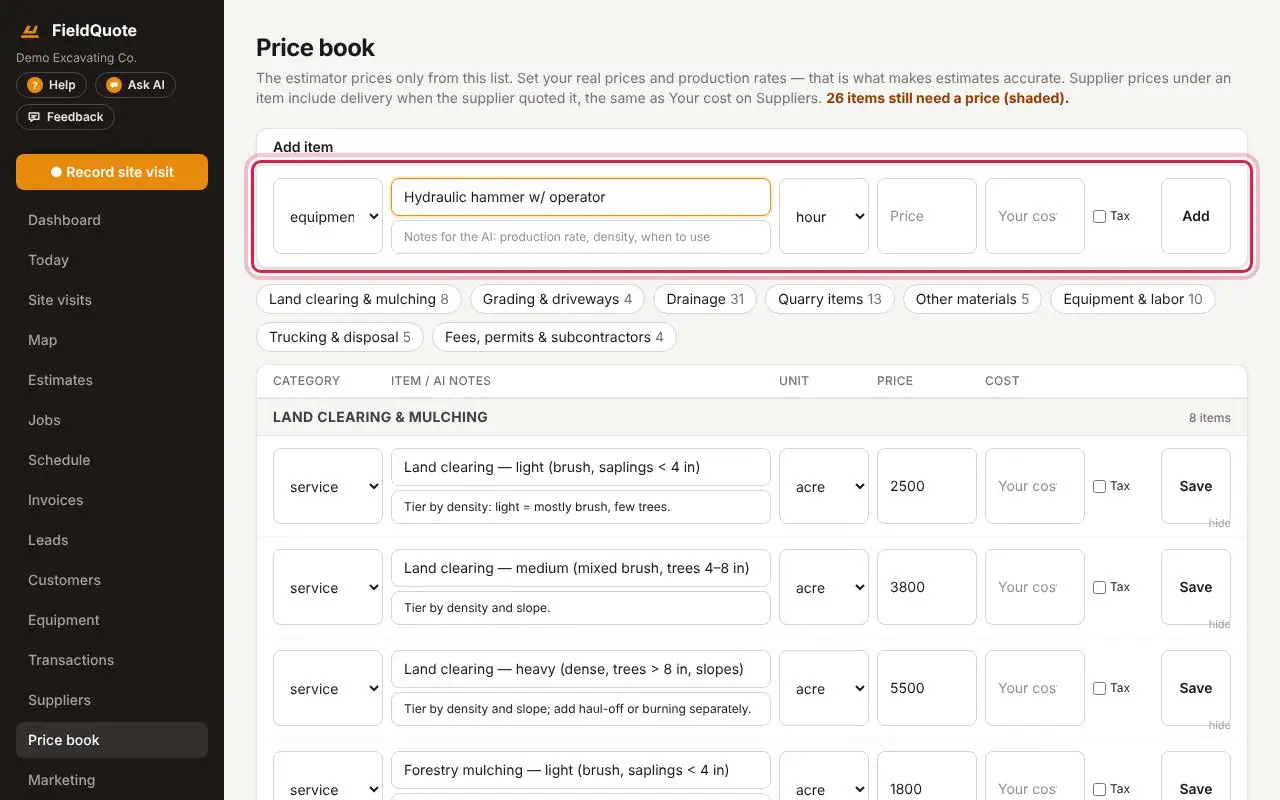
Type the Price and, if you know it, Your cost. Check Tax if it's taxable. In the box under the name, add notes for the AI: how fast it works and when to use it.
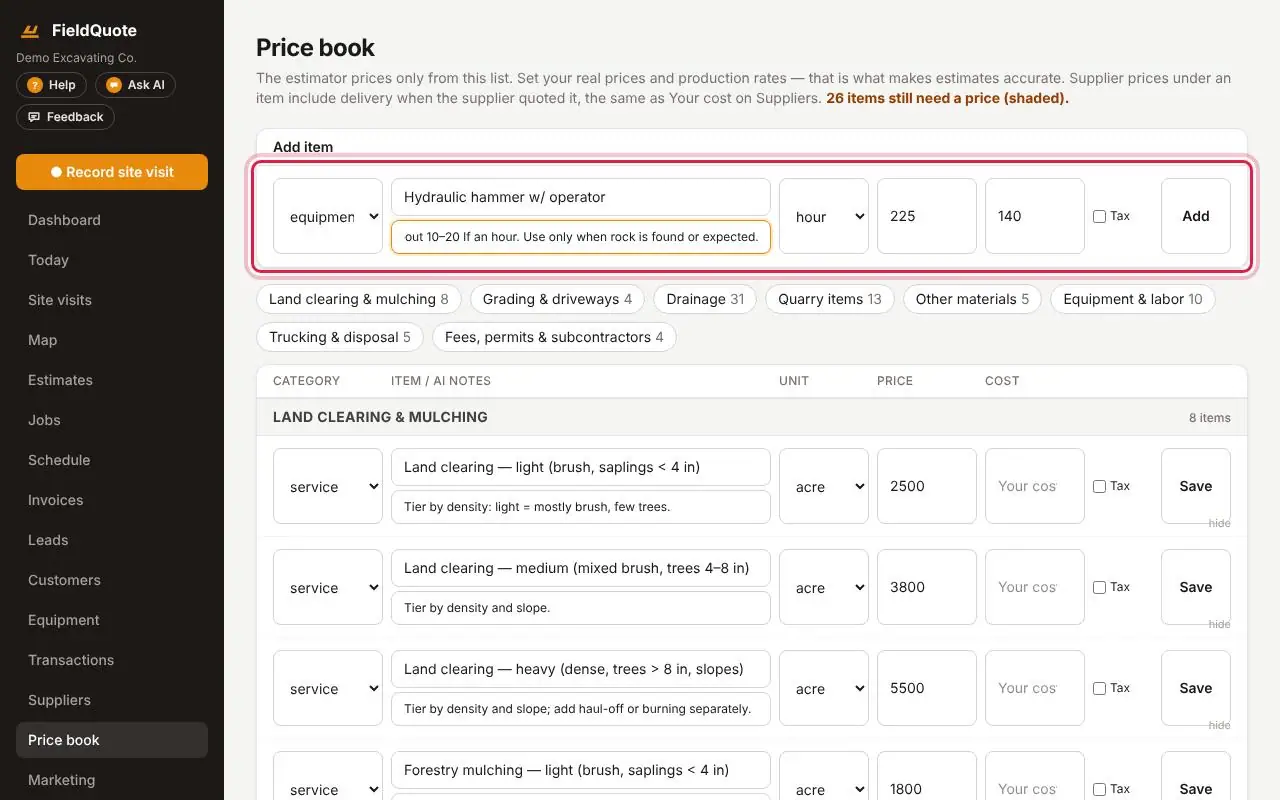
Tap Add. The item shows in its section further down the page.
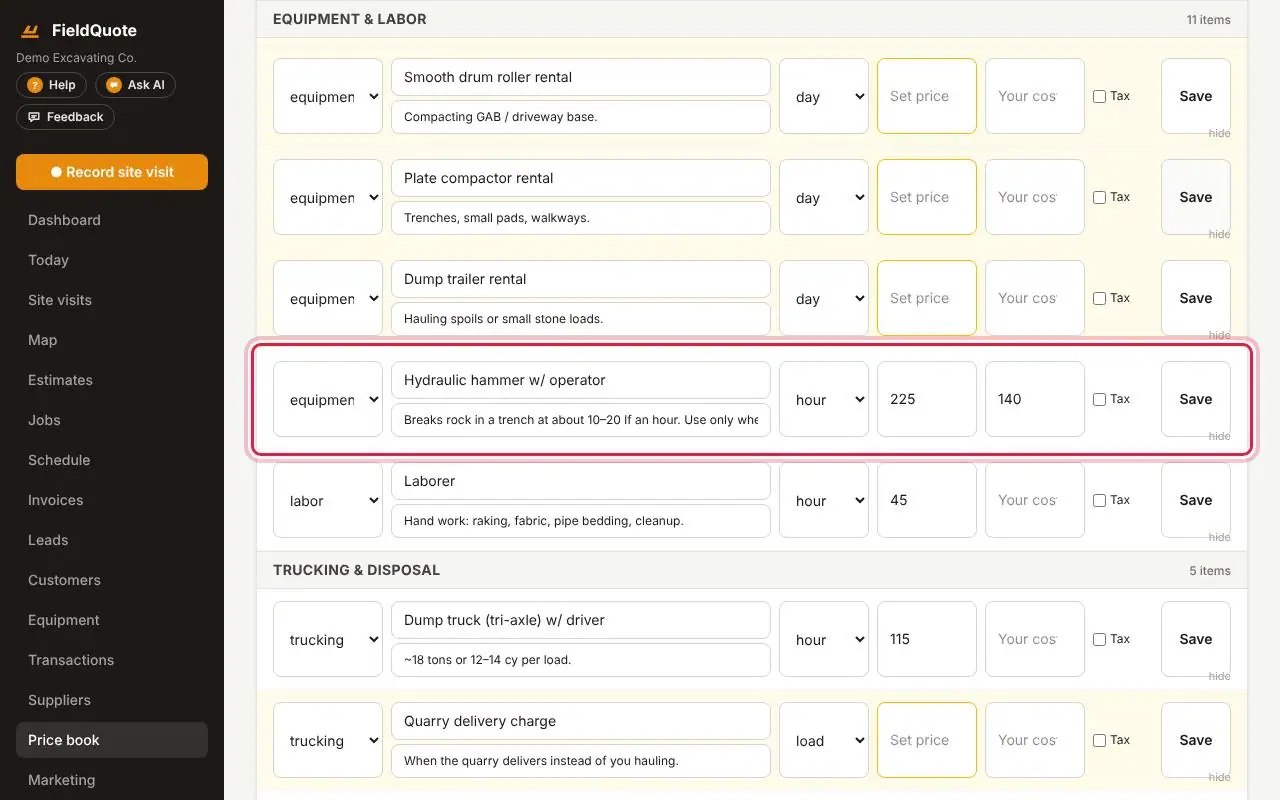
What you'll see
The new item in its section, after the other items of the same category. The section is worked out from the category and the name: equipment and labor go under Equipment & labor, fees, permits and subs under Fees, permits & subcontractors, and so on.
The item in + Add from price book… on every estimate, invoice and change order.
Common mistakes
Picking the wrong unit. The AI figures quantities in the item's unit, so a material sold by the ton should be ton, not load.
Adding an item twice. Look for it first. If you don't use an item, hide it instead of adding a near copy.
Limits
Only the owner or an admin can change the price book. Team members see the prices grayed out, without Add item or hide, and "View only. Only the owner or an admin can change this."
The category decides the section and what the supplier pages offer: only material, disposal, trucking and equipment items can be picked when you type in a supplier's price by hand.
There's no delete. Use hide to take an item off your estimates.
Checked against the app on Nov 9, 2026. Pictures are from Demo Excavating Co., a made-up company.