Estimating & price book
Guide 8 of 18
What it's for
The draft is a starting point, not the final word. A few minutes checking the lines the AI was least sure of, and the questions it lists, catches the mistakes before the customer sees them.
Where
Open an estimate the AI drafted: Open estimate … at the top of a site visit, or Estimates › the number. Drafts say AI draft under the total in the list.
Watch it
Steps
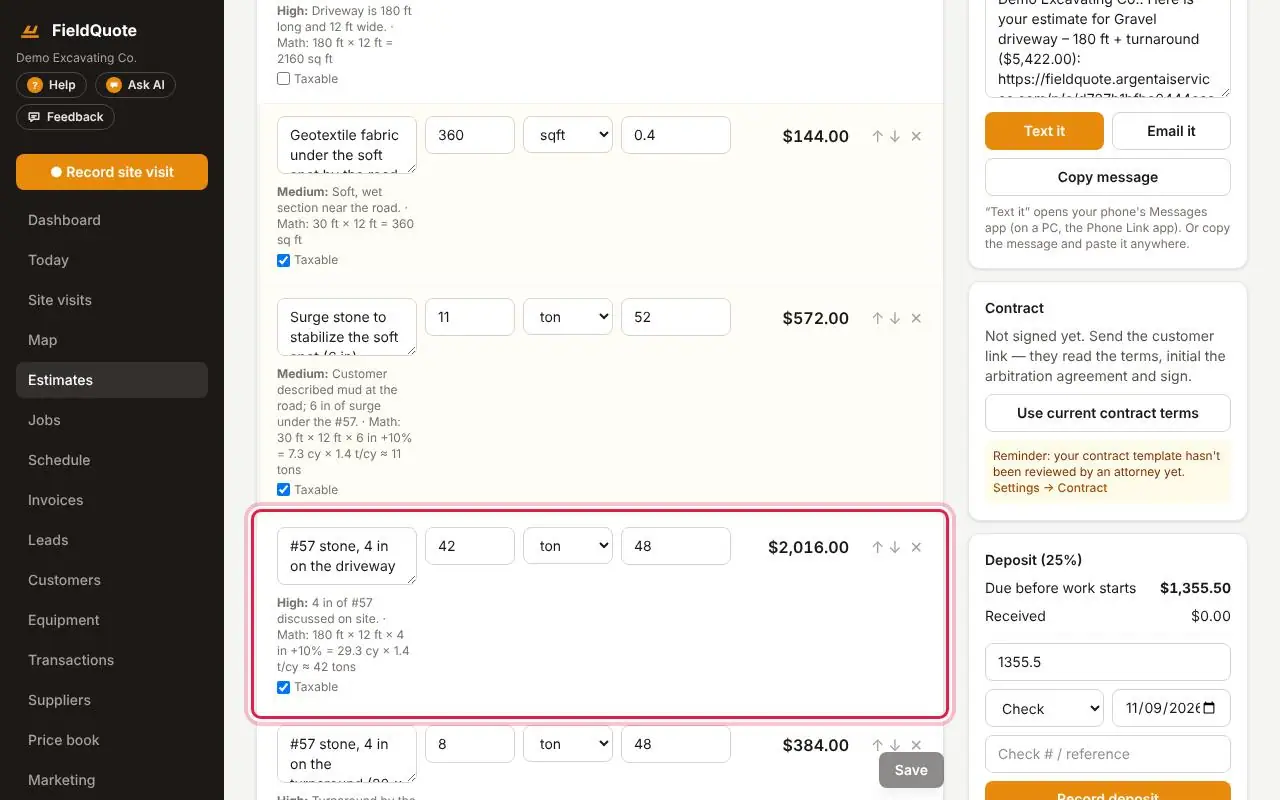
Look at the shaded lines first. Under each line the AI says how sure it is (High, Medium or Low) and why. Lines it's less sure of are shaded: amber for medium, red for low.
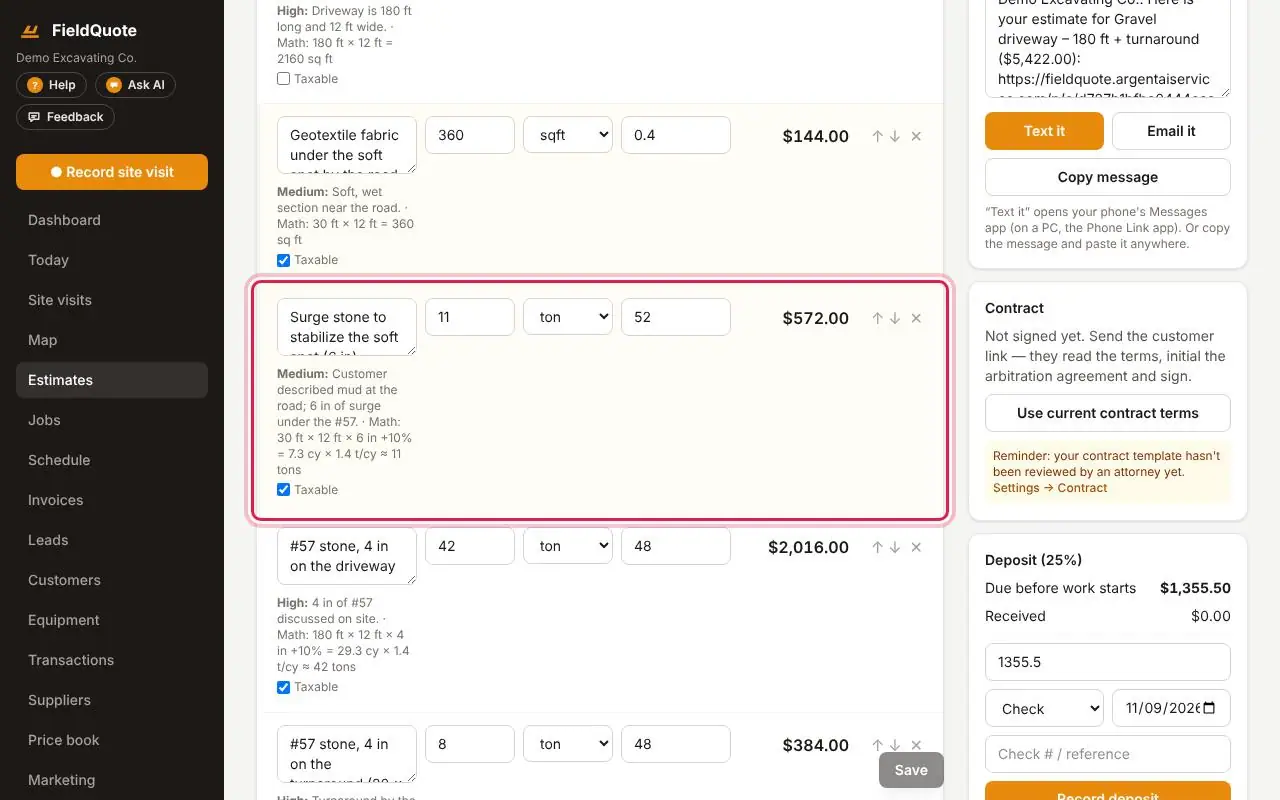
Check the math. For stone, yards, square feet and linear feet, the reason ends with the math, after the word Math: the length, width and depth, the extra for waste, and the tons or yards it comes to.
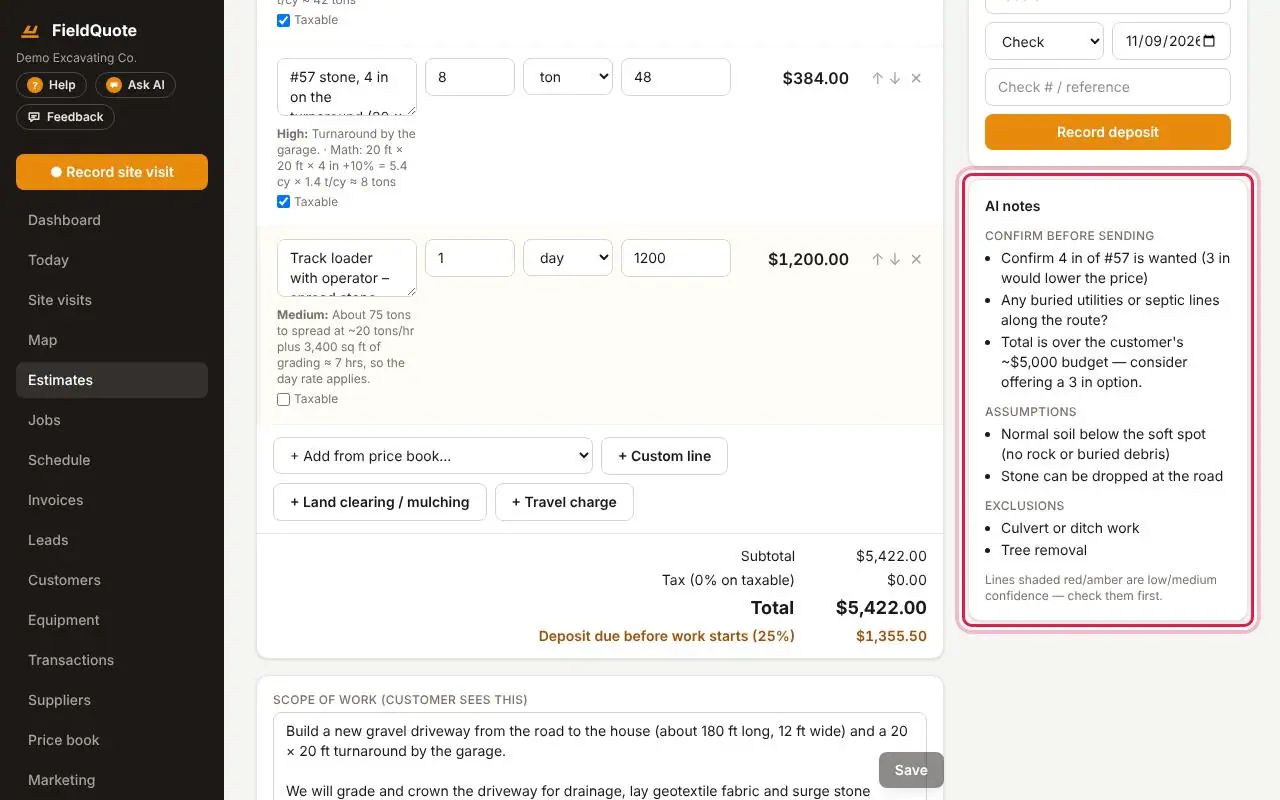
Read AI notes on the right: Confirm before sending (questions to settle with the customer), Assumptions and Exclusions.
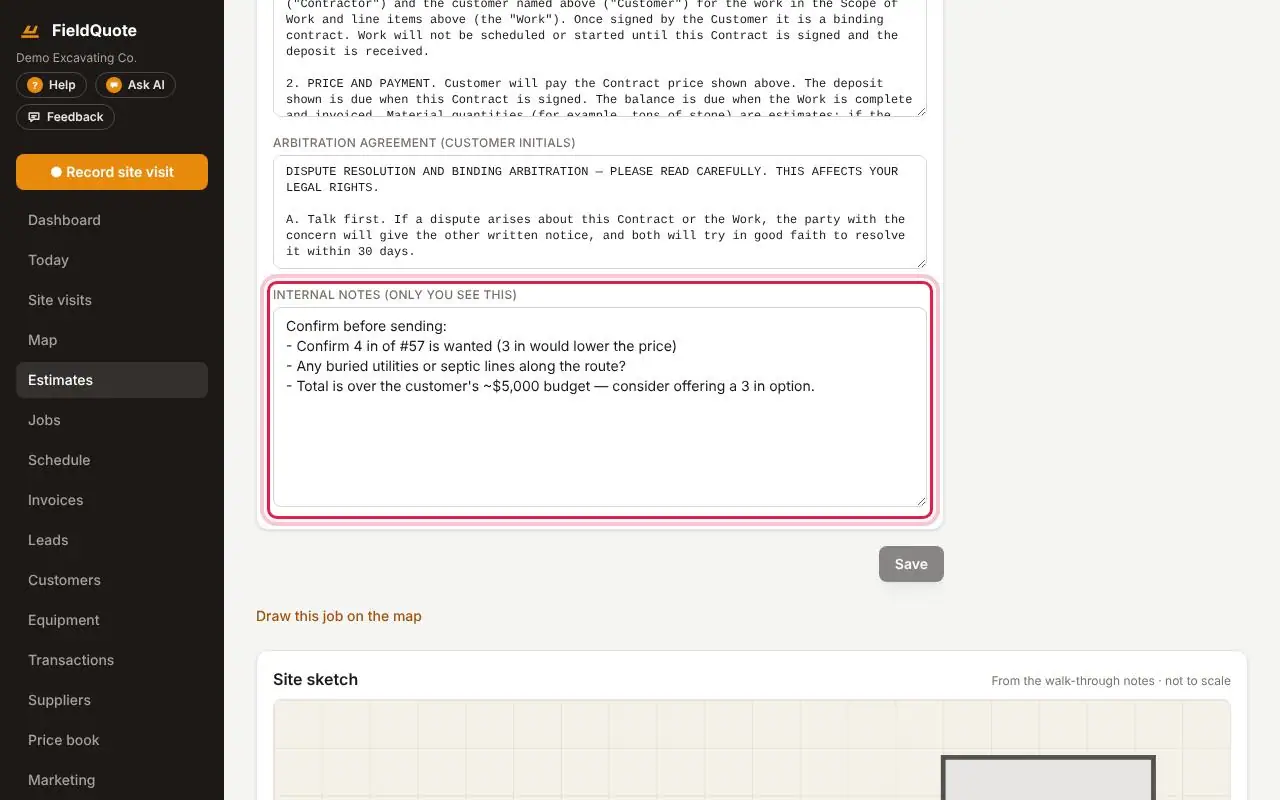
The questions are also copied into Internal notes (only you see this) at the bottom, so you can jot the answers there.
Fix anything that's wrong (see Change, add and reorder lines) and tap Save.
What you'll see
"Lines shaded red/amber are low/medium confidence — check them first." under the AI notes.
A red line when the AI used something that isn't in your price book, or an item that has no price yet. A missing price comes in at $0, and the note under the line says the price isn't set.
A "Minimum job charge adjustment" line at the end when the job came in under your minimum.
Common mistakes
Sending without checking the red lines. A $0 line means a price is missing.
Fixing the price on the estimate but not in the price book. The next estimate will have the same problem. Set the price in Price book too.
Changing the size in the line's text and expecting the quantity to follow. The math is done once, when the draft is made. Change the quantity yourself.
Limits
The AI only picks items from your price book and never sets their prices. Quantities from sizes are figured by FieldQuote's own code, not by the AI.
The notes and shading are for you. The customer's copy shows only the line descriptions, quantities and prices.
Assumptions and exclusions aren't printed on the customer's copy. If the customer should see one, add it to Scope of work (customer sees this).
Checked against the app on Nov 9, 2026. Pictures are from Demo Excavating Co., a made-up company.