Site visits, recording & AI write-ups
Guide 8 of 14
What it's for
The write-up is your notes from the visit, done for you. Read it before you send the estimate: it shows what FieldQuote heard, what it thinks the job is, and what still needs an answer.
Where
Site visits › open a visit.
Watch it
Steps
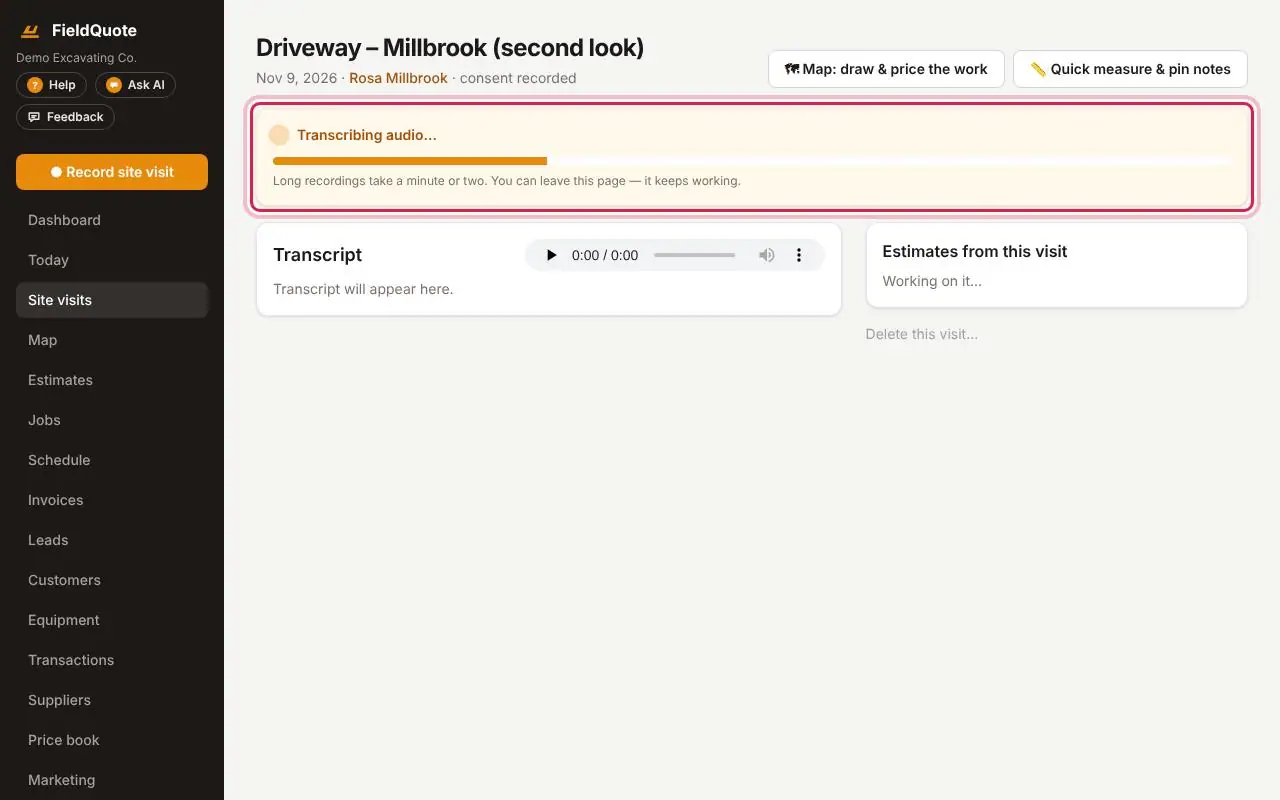
Right after you send a visit, a bar at the top shows the step it's on: "Uploaded", "Transcribing audio…", "Summarizing the conversation…", "Building the line-item estimate…". You can leave the page. It keeps working.
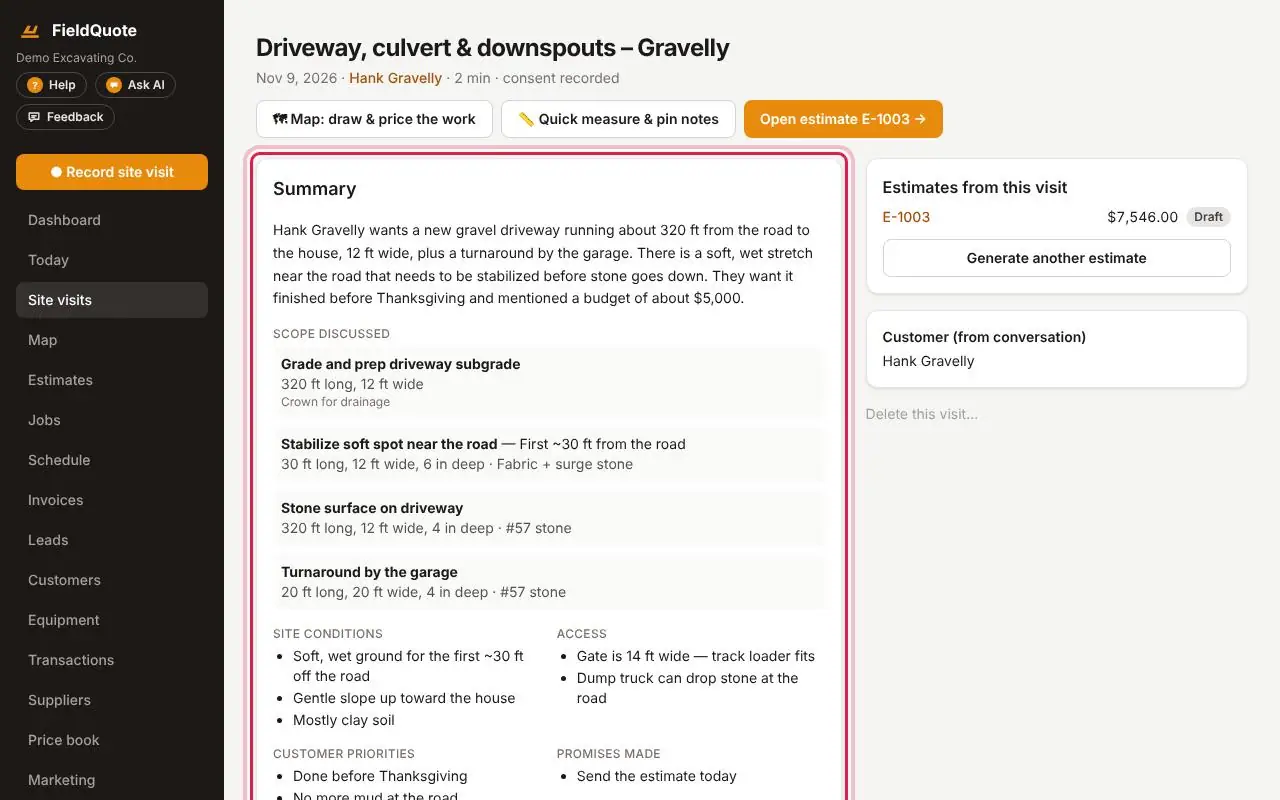
Read the Summary: a short description of the job, then Scope discussed with each piece of work, its measurements and materials.
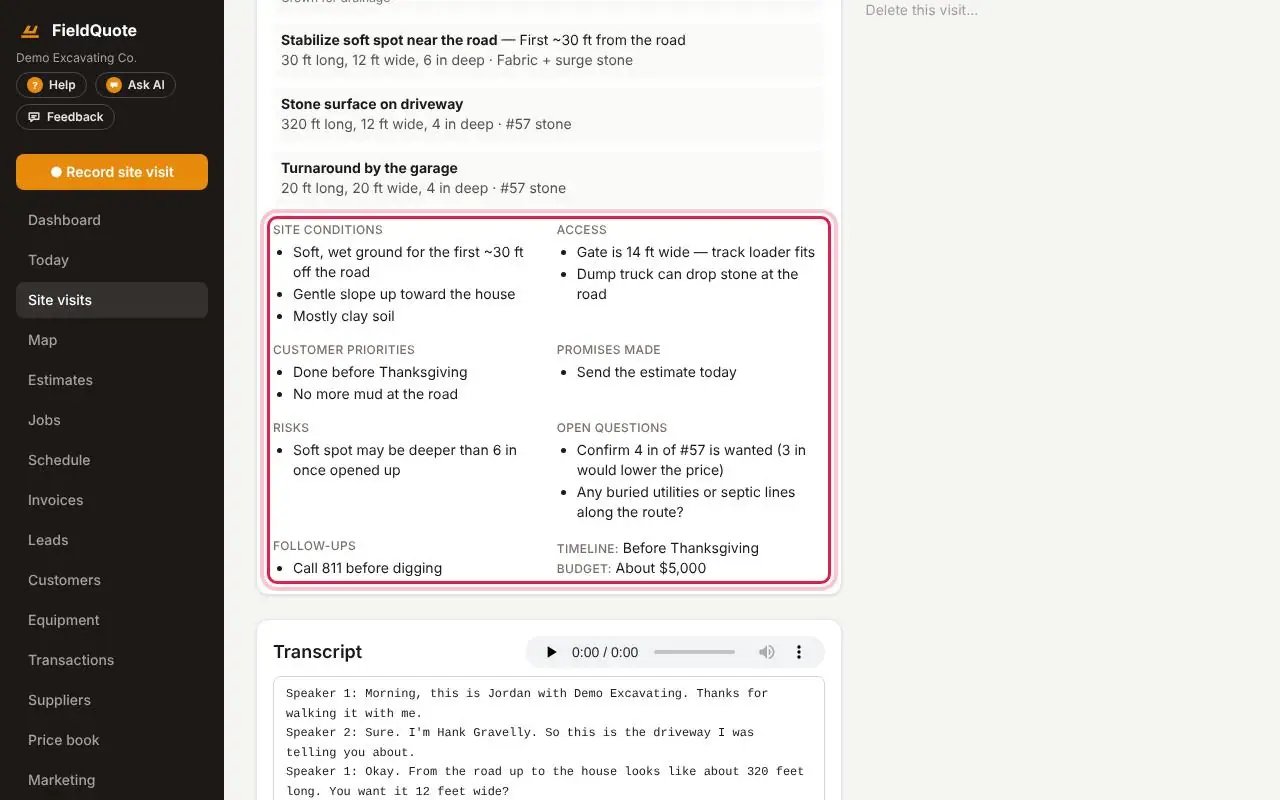
Under it: Site conditions, Access, Customer priorities, Promises made, Risks, Open questions and Follow-ups, plus the timeline and budget if they came up.
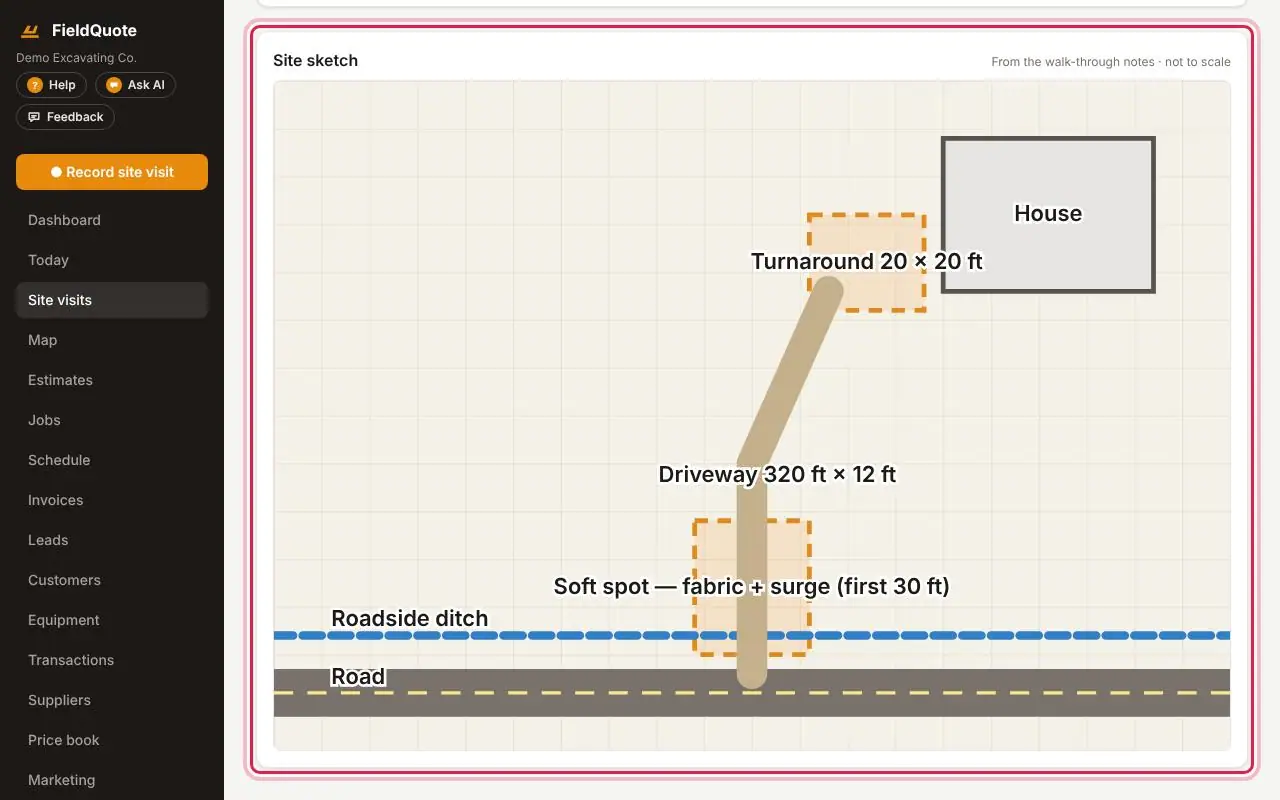
Scroll down for the Site sketch: a simple top-down drawing of what was discussed. It's not to scale.
On the right, Customer (from conversation) shows the name, phone, email and address heard on the recording.
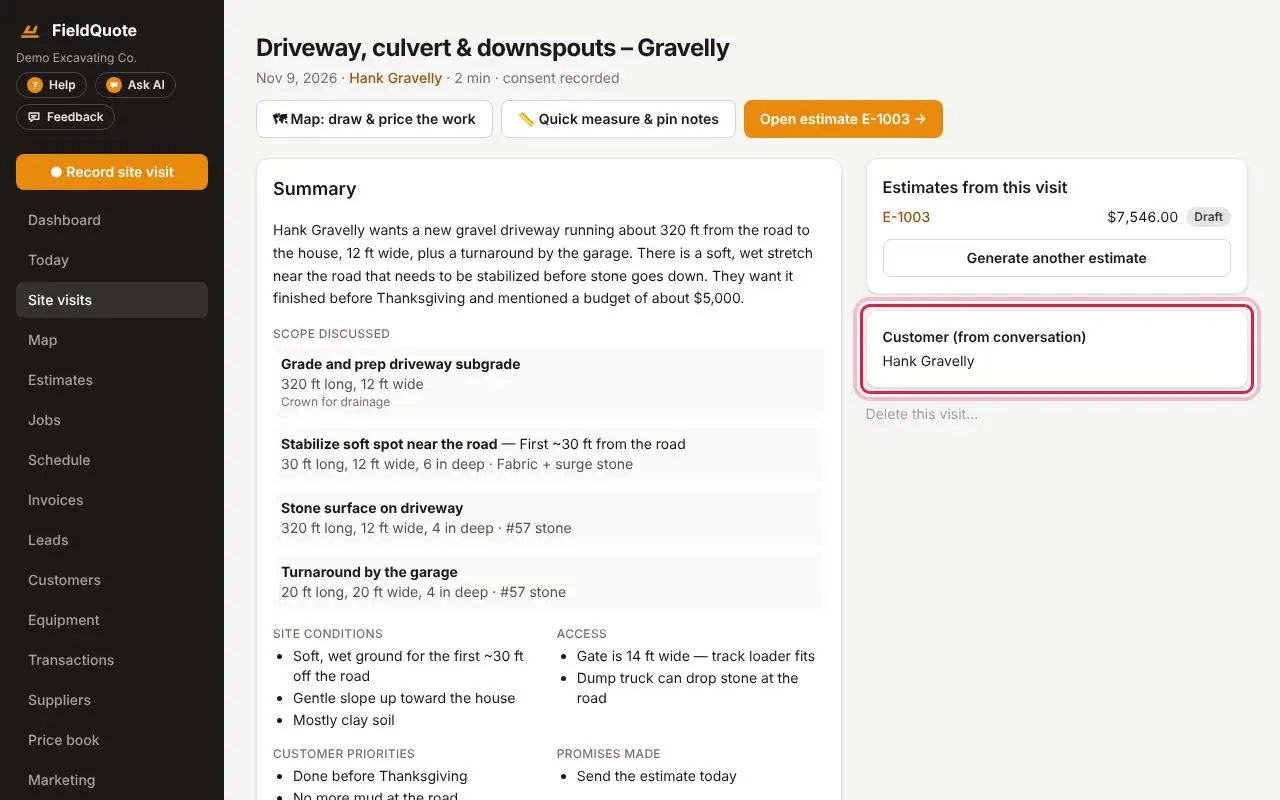
What you'll see
Long recordings take a minute or two.
If you didn't pick a customer before recording, FieldQuote adds the customer from the name heard in the conversation.
The site sketch shows only here, on the visit. Estimates, invoices, the customer's copy and the customer page show the site map instead, measured on the aerial photo.
Open questions are things to settle before you send the price. The estimate also lists what to check in its internal notes, under "Confirm before sending".
Common mistakes
Trusting a number you didn't say. The write-up only records what was said or clearly shown. Check the measurements in Scope discussed against what you saw.
Waiting on the page. It finishes on its own. Come back later.
Limits
The sketch is a rough picture from the conversation, not a measured drawing. Use the map for measurements.
Speaker names are guessed. The transcript labels people as Speaker 1, Speaker 2, and they can be mixed up.
If it has been working for more than 5 minutes, it says "This has been working for over 5 minutes and looks stuck." See the article on when processing stops.
Checked against the app on Nov 8, 2026. Pictures are from Demo Excavating Co., a made-up company.