Site visits, recording & AI write-ups
Guide 9 of 14
What it's for
Recordings get words wrong: a stone size, a street name, a length. Fix the words and FieldQuote builds the write-up and estimate again from what you meant.
Where
Site visits › open a visit › Transcript (or Notes, for typed notes).
Watch it
Steps
Fix the words in the Transcript box, or add a line with anything that was missed.
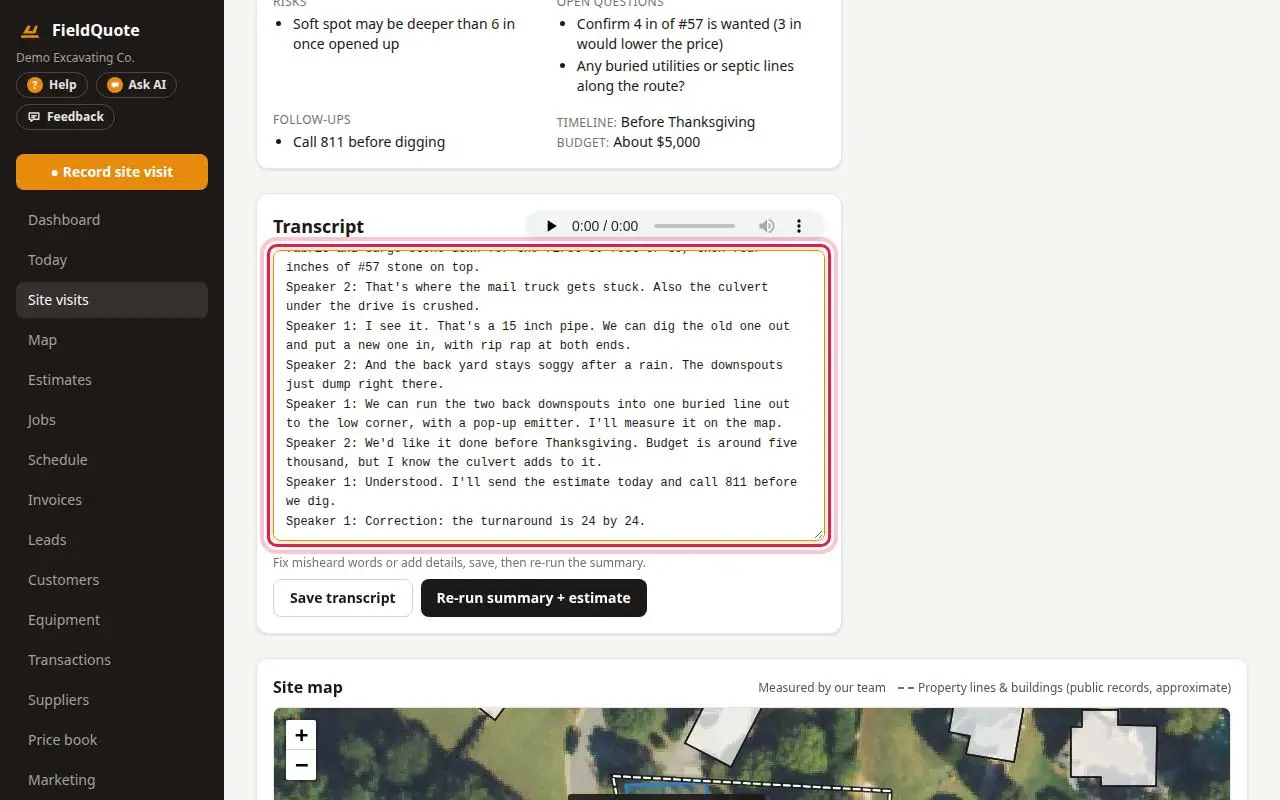
Map shows a sample property. Tap Re-run summary + estimate. Your changes are saved first, then the summary and estimate are built again from them. (To keep your changes without re-running, tap Save transcript instead.)
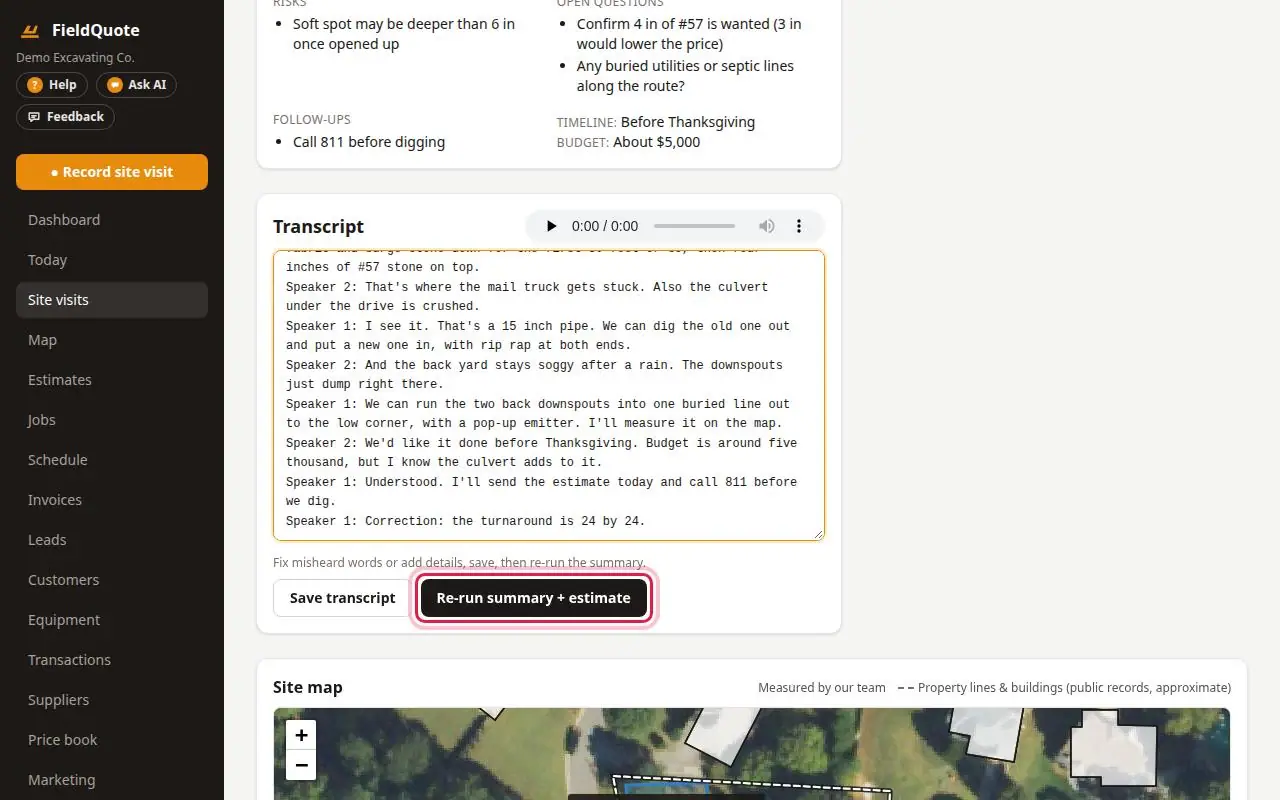
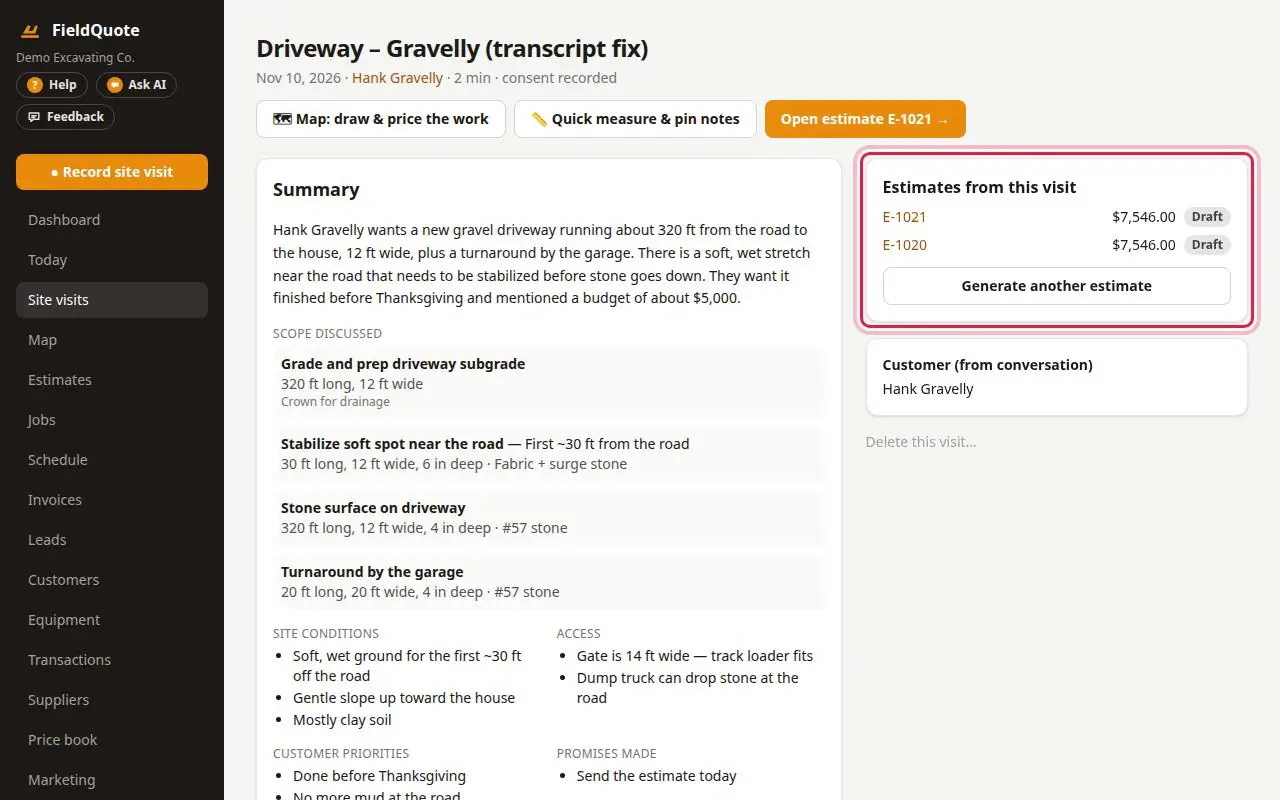
Map shows a sample property. When it's done, a new estimate is added under Estimates from this visit. The earlier one stays.
What you'll see
The progress bar while the summary and estimate are rebuilt.
A new Summary that uses your corrections.
Two estimates listed for the visit: the old one and the new one.
Common mistakes
Emptying the box and re-running. An empty box isn't saved, so the old transcript is used again.
Leaving the old estimate around. Delete the one you won't use so it doesn't get sent by mistake.
Limits
Re-running doesn't type up the audio again. It starts from the words in the box.
If the visit is waiting for the map, re-running goes back to waiting until you build it from the map.
Checked against the app on Nov 9, 2026. Pictures are from Demo Excavating Co., a made-up company.