Estimating & price book
Guide 7 of 18
What it's for
Hauling a machine out for a two-hour job doesn't pay. Your minimum makes sure it does, without you having to remember to check every small estimate.
Where
Set it: Settings › Pricing rules › Minimum job charge $.
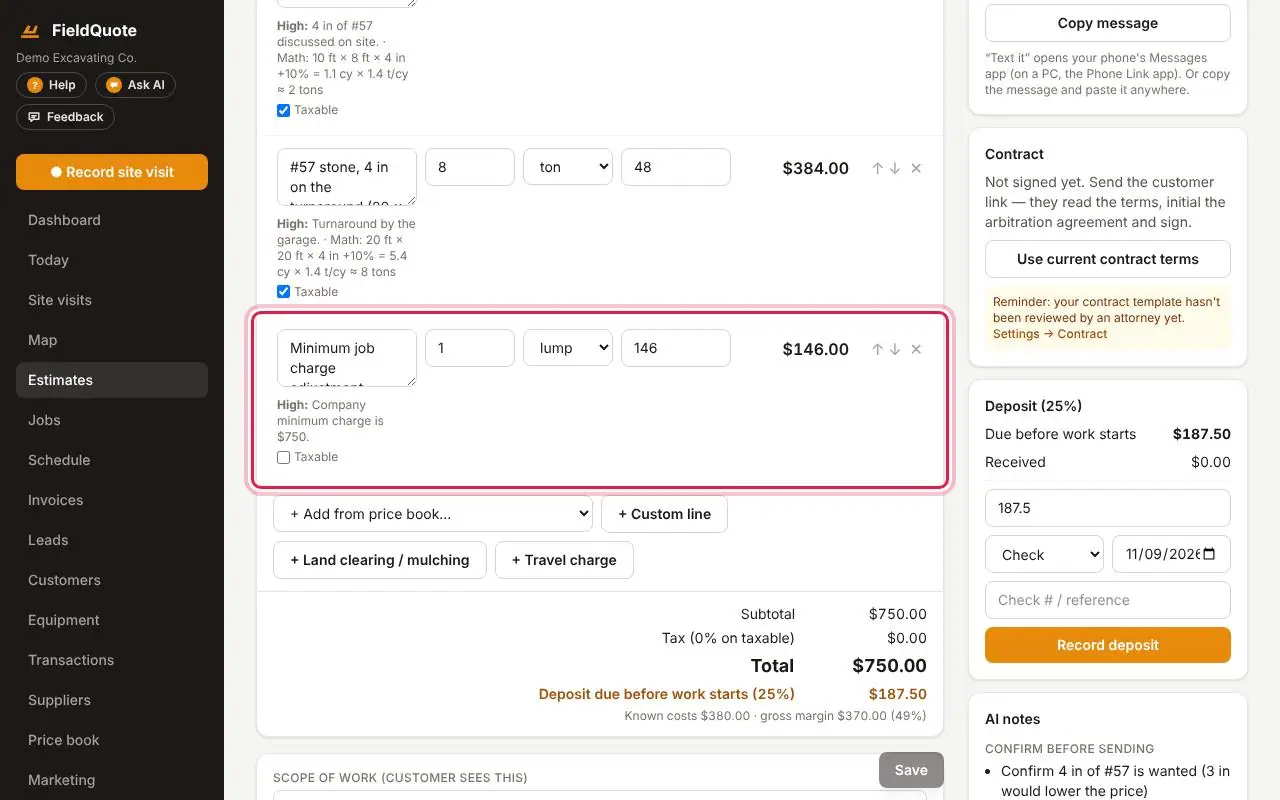
See it: the last line of an estimate the AI drafted from a site visit.
Watch it
Steps
In Settings, type your minimum in Minimum job charge $.
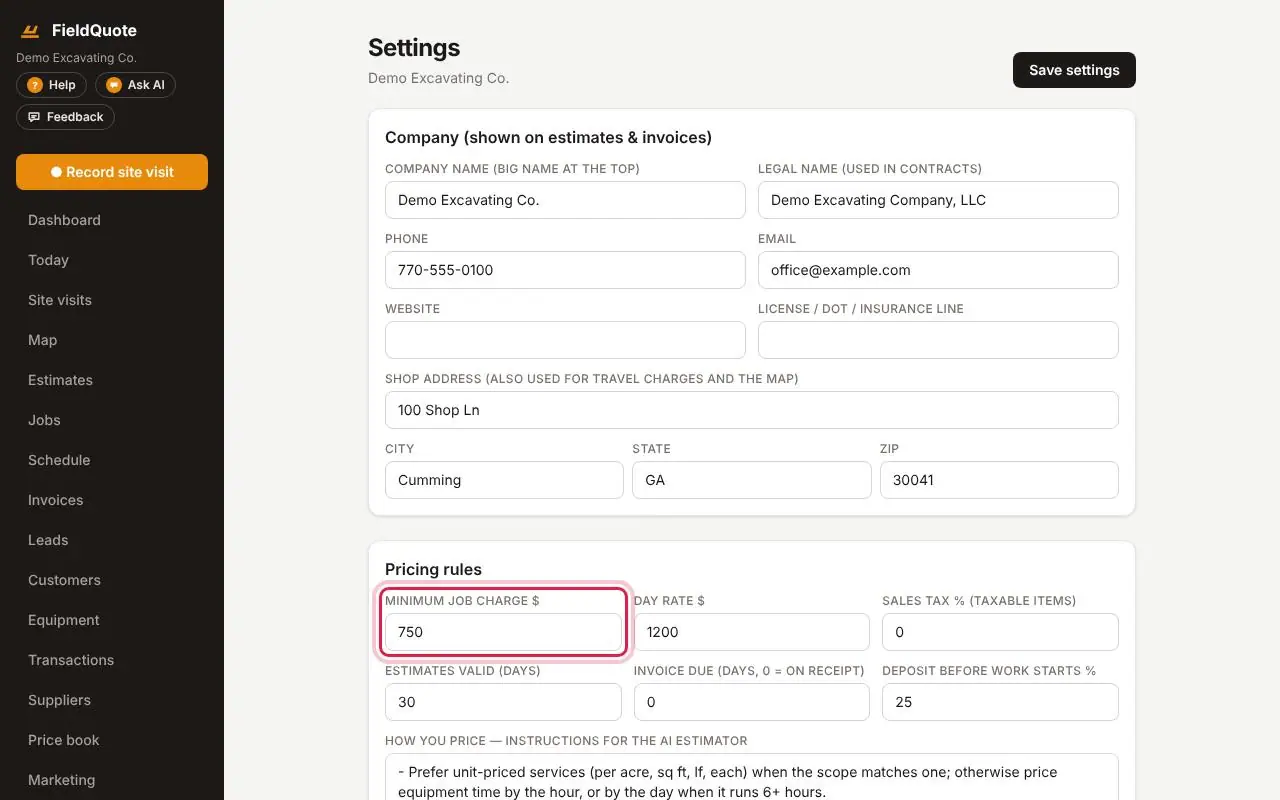
Tap Save settings.
Record or type a site visit as usual. If the AI's lines add up to less than your minimum (before tax), the estimate ends with a line "Minimum job charge adjustment" for the difference. Its note says what your minimum is.
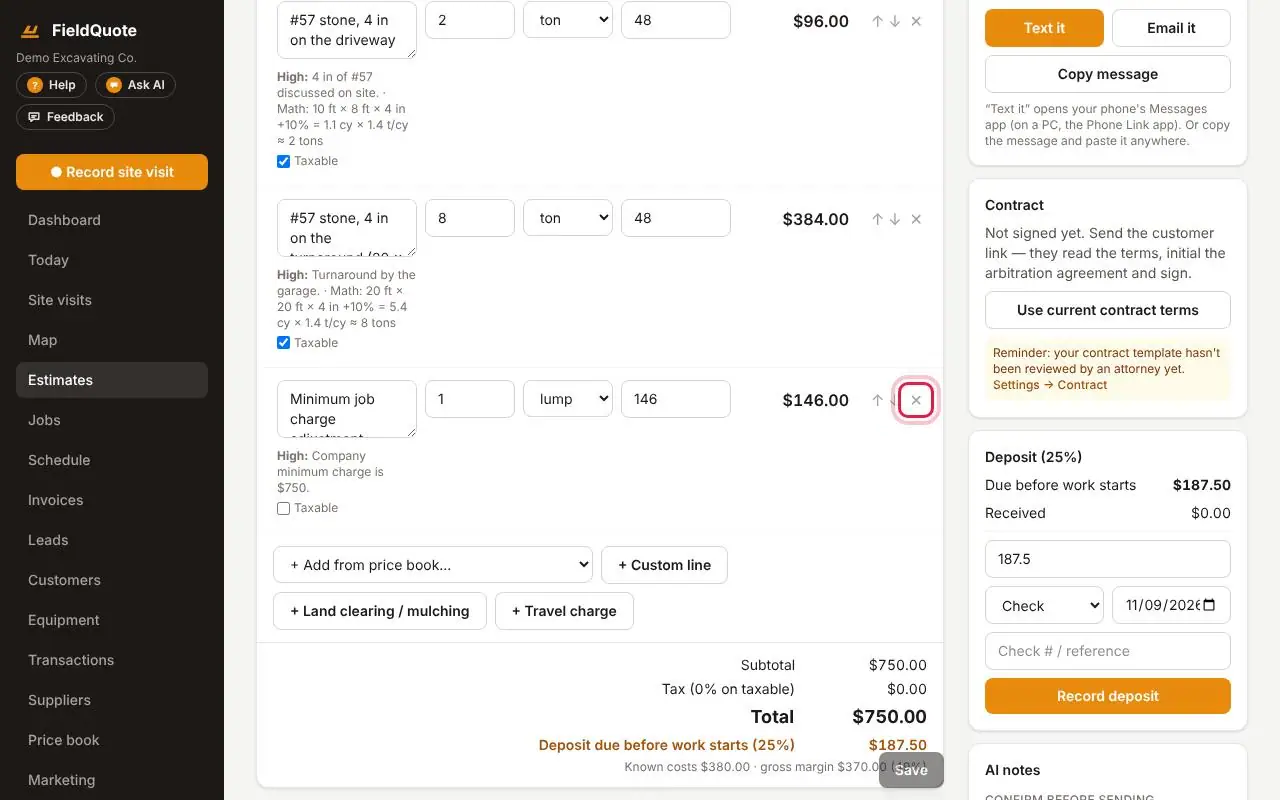
To waive it on one job, tap ✕ (Remove) on that line, then tap Save.
What you'll see
The adjustment is a lump-sum fee line, not taxed, so the subtotal comes to exactly your minimum.
A job that already comes to your minimum or more gets no extra line.
Common mistakes
Adding your own minimum line by hand on an AI estimate. FieldQuote already adds it when it's needed. Two would charge twice.
Expecting the line to update when you change other lines. It's figured once, when the AI drafts the estimate. If you change the job a lot, fix the adjustment line yourself or use Generate another estimate on the visit.
Limits
Only the owner or an admin can change this. Team members see Settings grayed out, with "View only. Only the owner or an admin can change this."
Only estimates the AI drafts from a site visit get the line. Blank estimates and invoices don't.
Your website price tools and land clearing have their own minimums (see How minimum charges apply).
A minimum of 0 turns it off.
Checked against the app on Nov 9, 2026. Pictures are from Demo Excavating Co., a made-up company.