Estimating & price book
Guide 6 of 18
What it's for
Every contractor has habits: always add mobilization, price clearing by the acre, use the day rate past six hours, always put rip rap at culvert ends. Write them down once and the AI drafts estimates the way you would.
Where
Settings › Pricing rules › How you price — instructions for the AI estimator.
Watch it
Steps
Open Settings. Under Pricing rules, find How you price — instructions for the AI estimator. New companies start with five example rules.
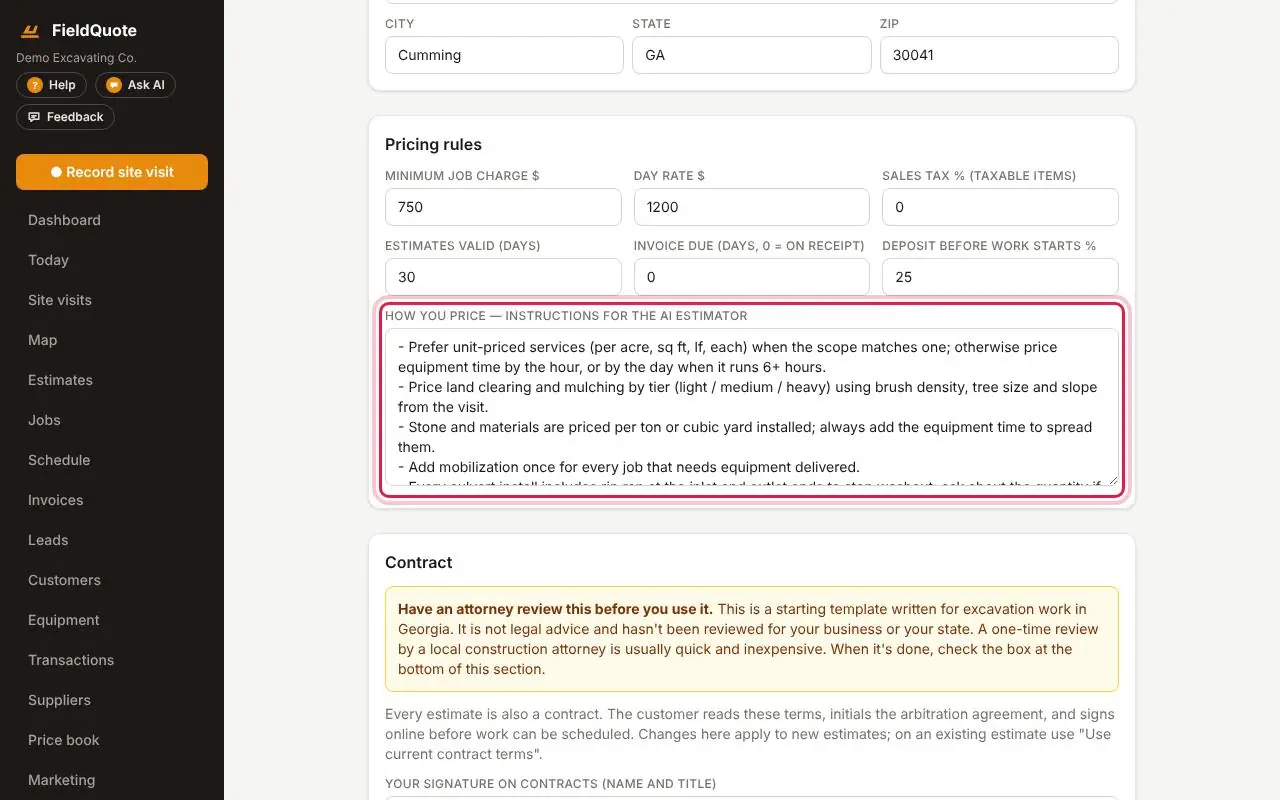
Change them or add your own, one per line, in plain words. For example, a line saying to round loader time up to the half day on jobs over 4 hours. Then tap Save settings.
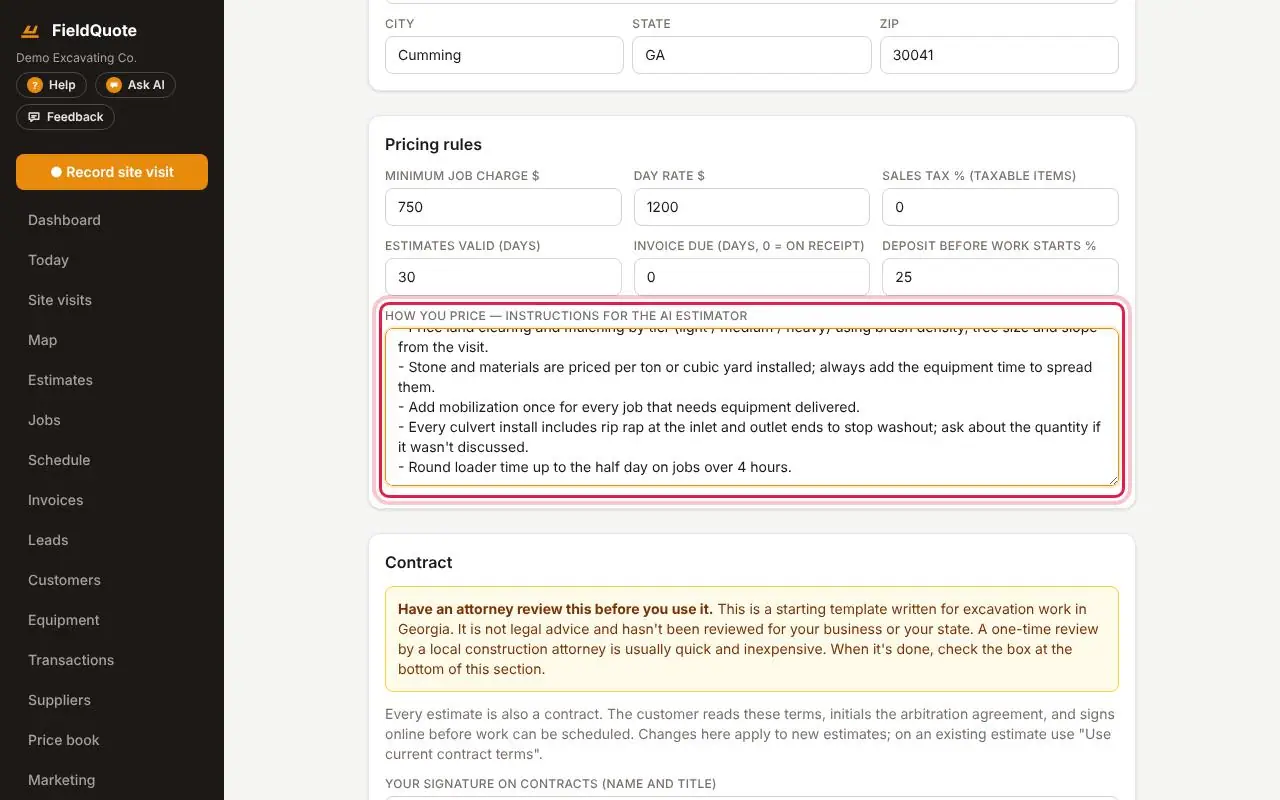
What you'll see
The next estimate the AI drafts follows your instructions, along with your price book and its notes.
The starting rules cover: unit prices before hourly time, the day rate at 6+ hours, clearing priced by density and slope, stone priced with the machine time to spread it, mobilization once per job, and rip rap at both ends of every culvert.
Common mistakes
Putting prices here. Prices come only from the price book. Write the rule (charge the day rate past 6 hours) and keep the number in Day rate $ or the price book.
Asking for a minimum charge here. FieldQuote adds the minimum itself, from Minimum job charge $.
Expecting estimates you already have to change. Tap Generate another estimate on the visit to use new instructions.
Limits
Only the owner or an admin can change this. Team members see Settings grayed out, with "View only. Only the owner or an admin can change this."
The AI can only use items in your price book, and FieldQuote's own code does the math for tons, yards and feet. Instructions can't change that.
The instructions are for the AI estimator only. The website price tools and the clearing calculator use their own settings.
Checked against the app on Nov 9, 2026. Pictures are from Demo Excavating Co., a made-up company.