Estimating & price book
Guide 13 of 18
What it's for
Clearing jobs are priced by the acre, the thickness of the brush and how hard the ground is to work. The calculator does that the same way every time, at your rates.
Where
On an estimate, invoice or change order: + Land clearing / mulching under the lines.
Watch it
Steps
Pick the Job site at the top of the estimate first, so travel can be measured. Then tap + Land clearing / mulching.
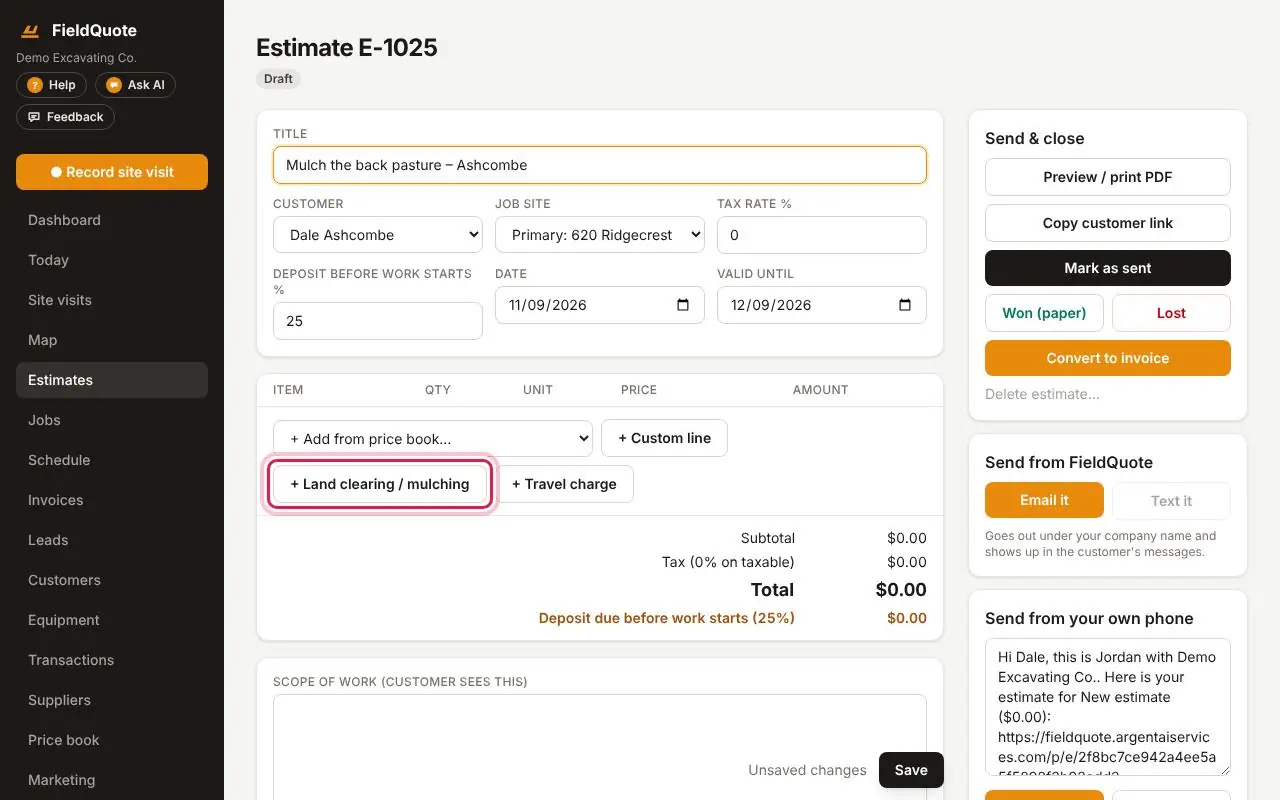
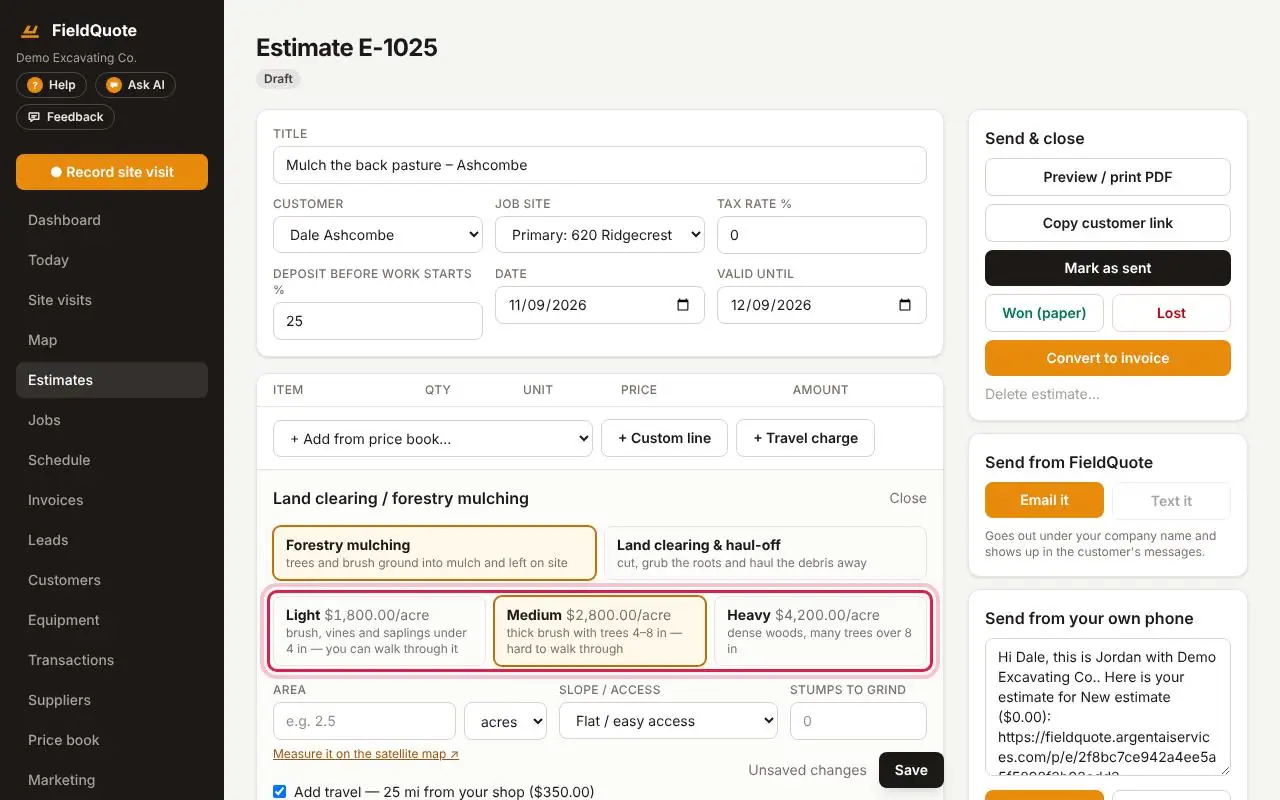
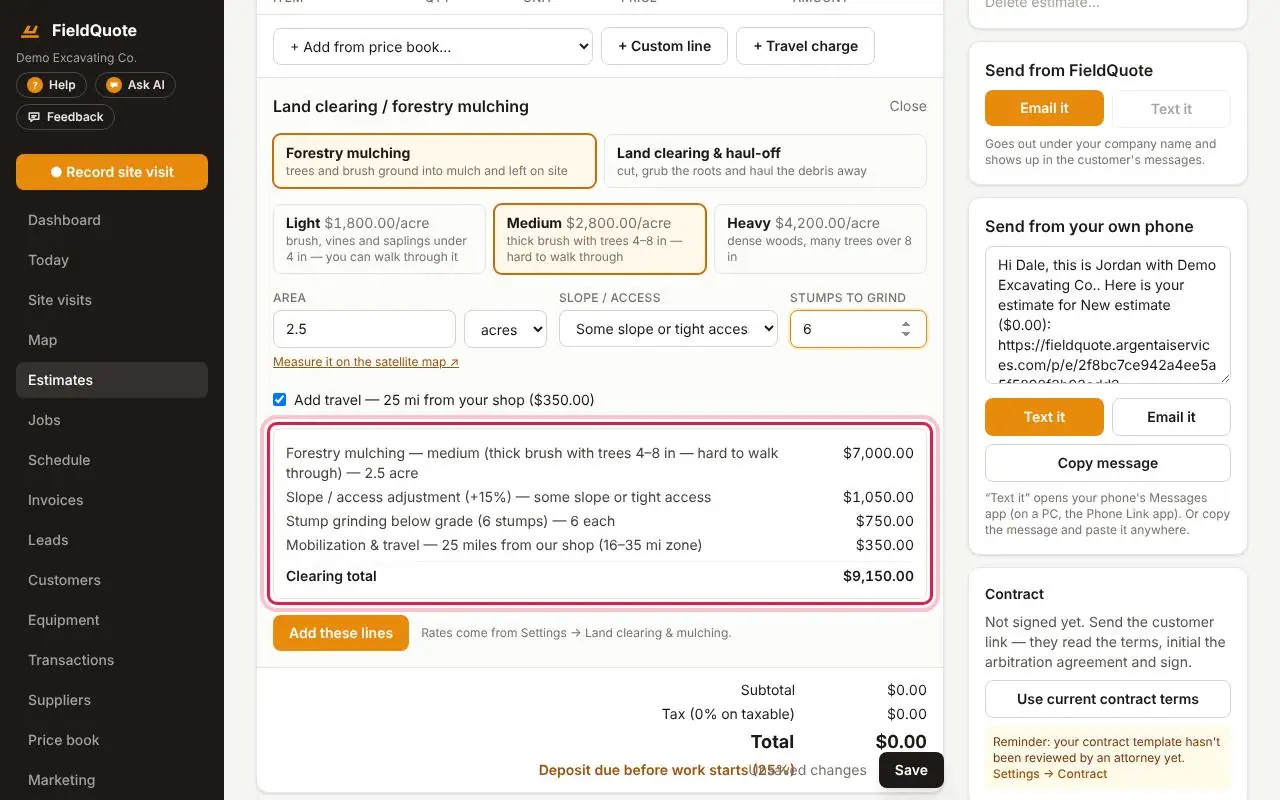
Pick Forestry mulching or Land clearing & haul-off, then the density: Light, Medium or Heavy. Each shows your price per acre and what it means.
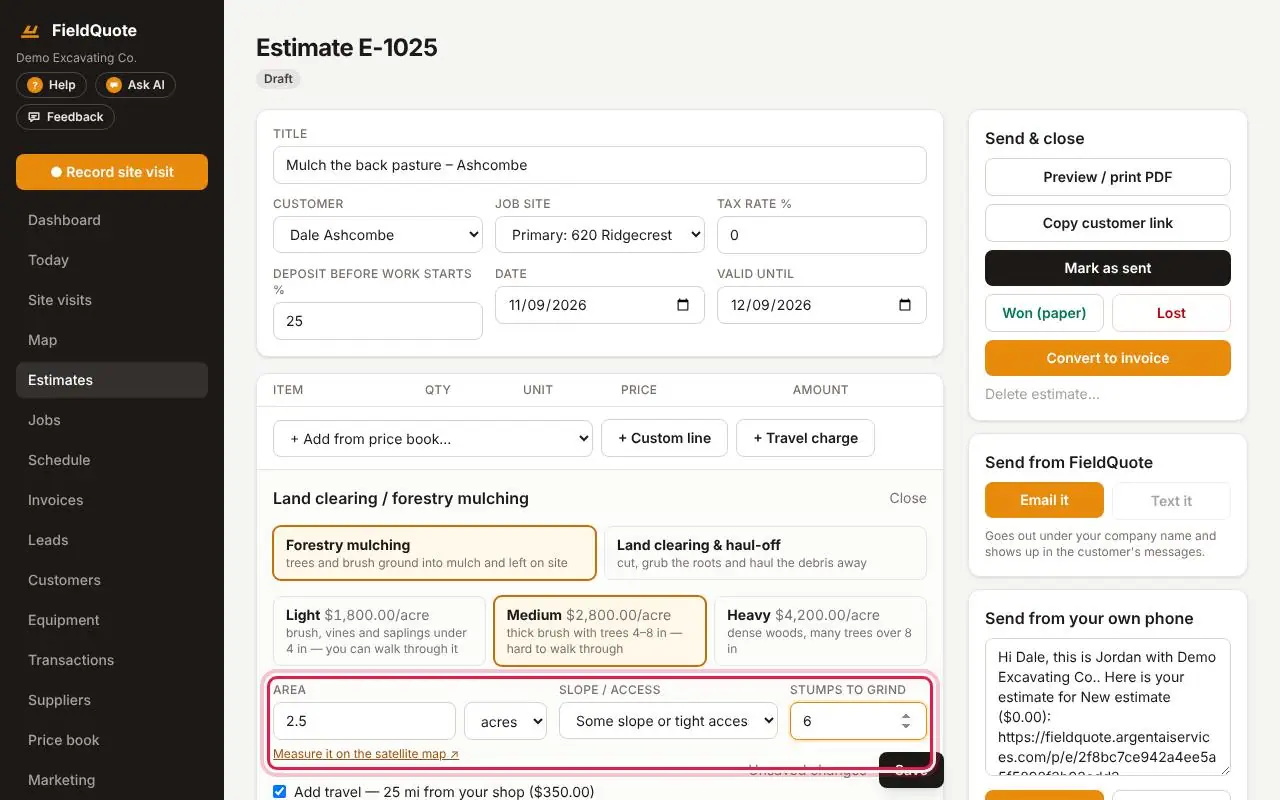
Type the Area and pick acres or sq ft. (Tap Measure it on the satellite map ↗ if you need to measure it.) Pick the Slope / access and type the Stumps to grind.
Leave the travel box checked to charge travel. With a job site picked, it shows the miles from your shop and your zone's charge. Without one, it offers your flat mobilization.
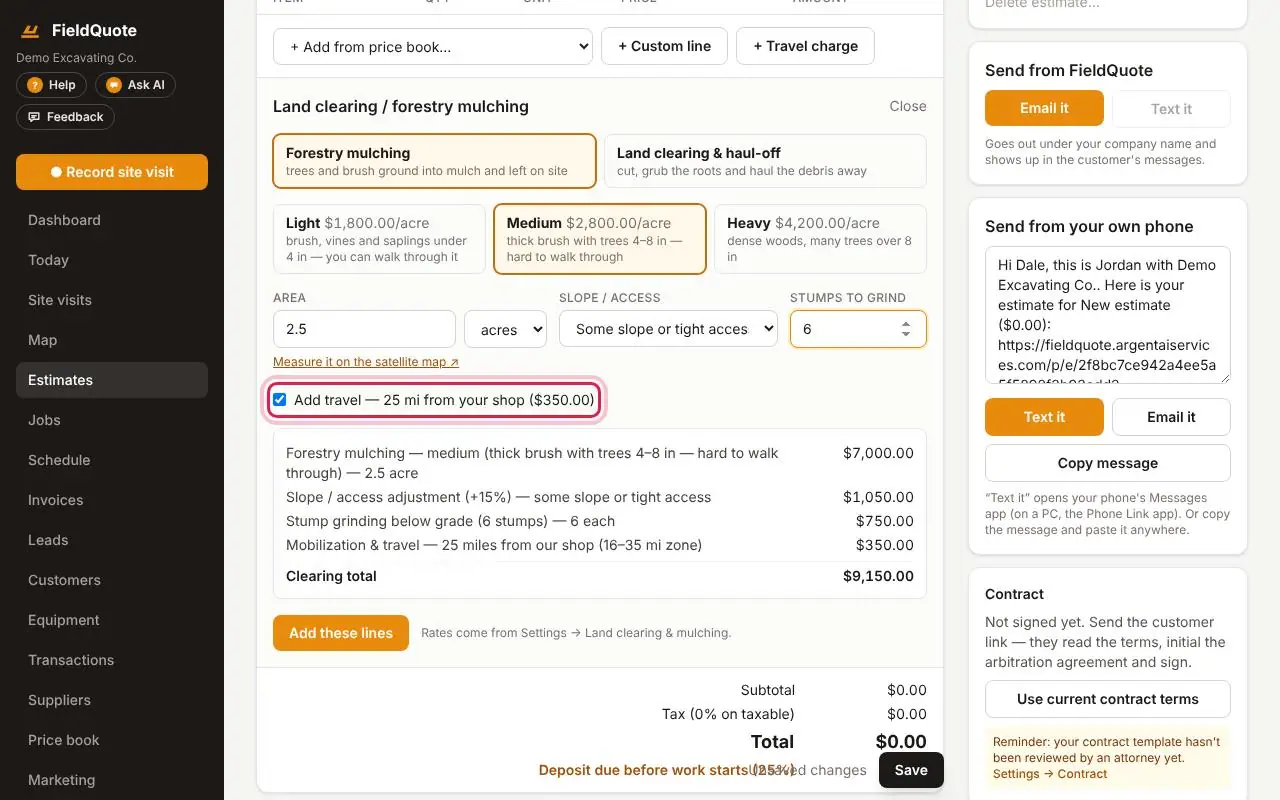
Check the lines and the Clearing total, then tap Add these lines. Tap Save on the estimate.
What you'll see
A line for the clearing itself (method, density, acres), then a slope or access line if you picked one, a stump grinding line, a "Minimum job charge (clearing work under …)" line if the work is under your clearing minimum, and the travel line.
"— this estimate already has one" next to the travel box when the estimate already has a mobilization line. The box starts unchecked then, so you don't charge twice.
Common mistakes
Picking density from the easy part of the lot. Price it from the thickest part.
Opening the calculator with no job site picked. It offers only the flat mobilization until you pick the Job site at the top. Then it measures the distance by itself.
Limits
On a change order there's no job site in the calculator, so it uses the flat mobilization if you leave travel checked.
The clearing minimum covers the clearing work only, before travel.
Rates come from Settings › Set clearing rates.
Checked against the app on Nov 9, 2026. Pictures are from Demo Excavating Co., a made-up company.