Estimating & price book
Guide 12 of 18
What it's for
One set of numbers prices land clearing everywhere: the calculator on estimates, the map, and your website price map. The travel zones here are also what the + Travel charge button uses.
Where
Settings › Land clearing, mulching & travel › Set clearing rates.
Watch it
Steps
In Settings, tap Set clearing rates.
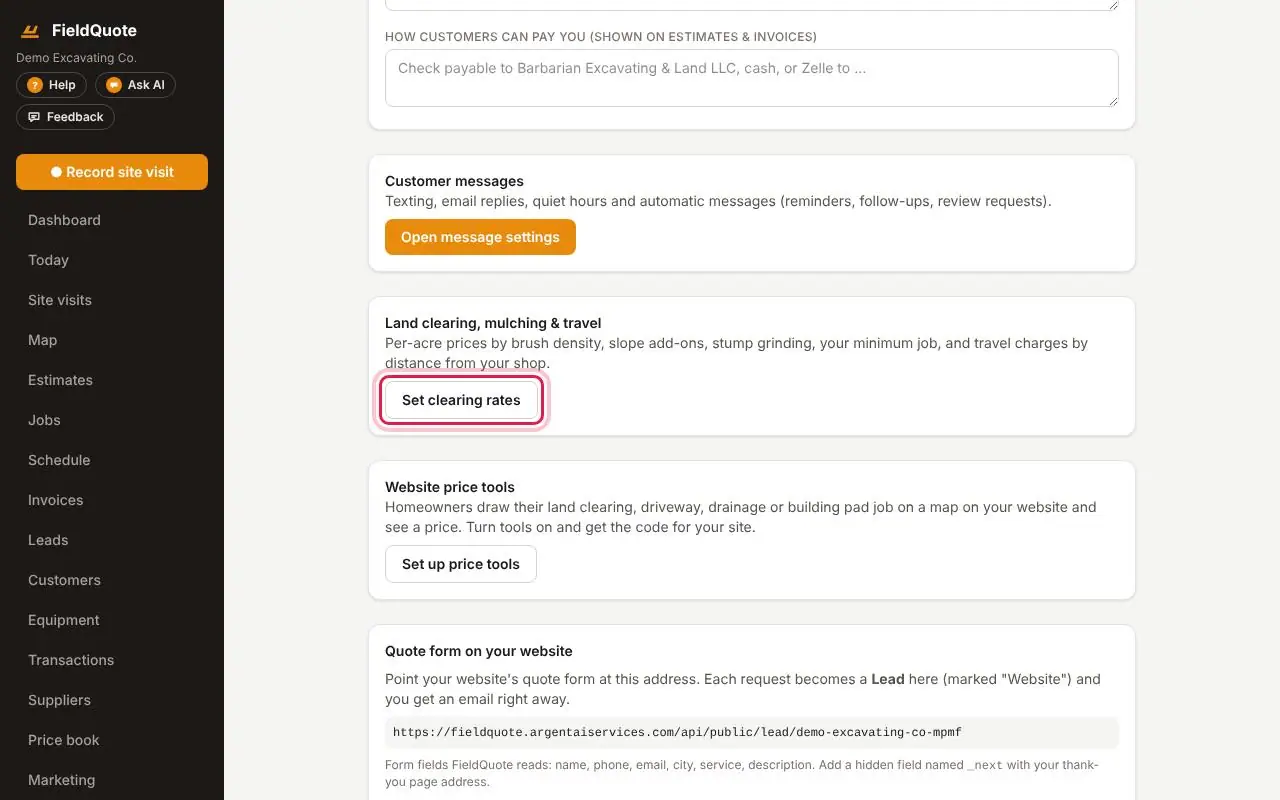
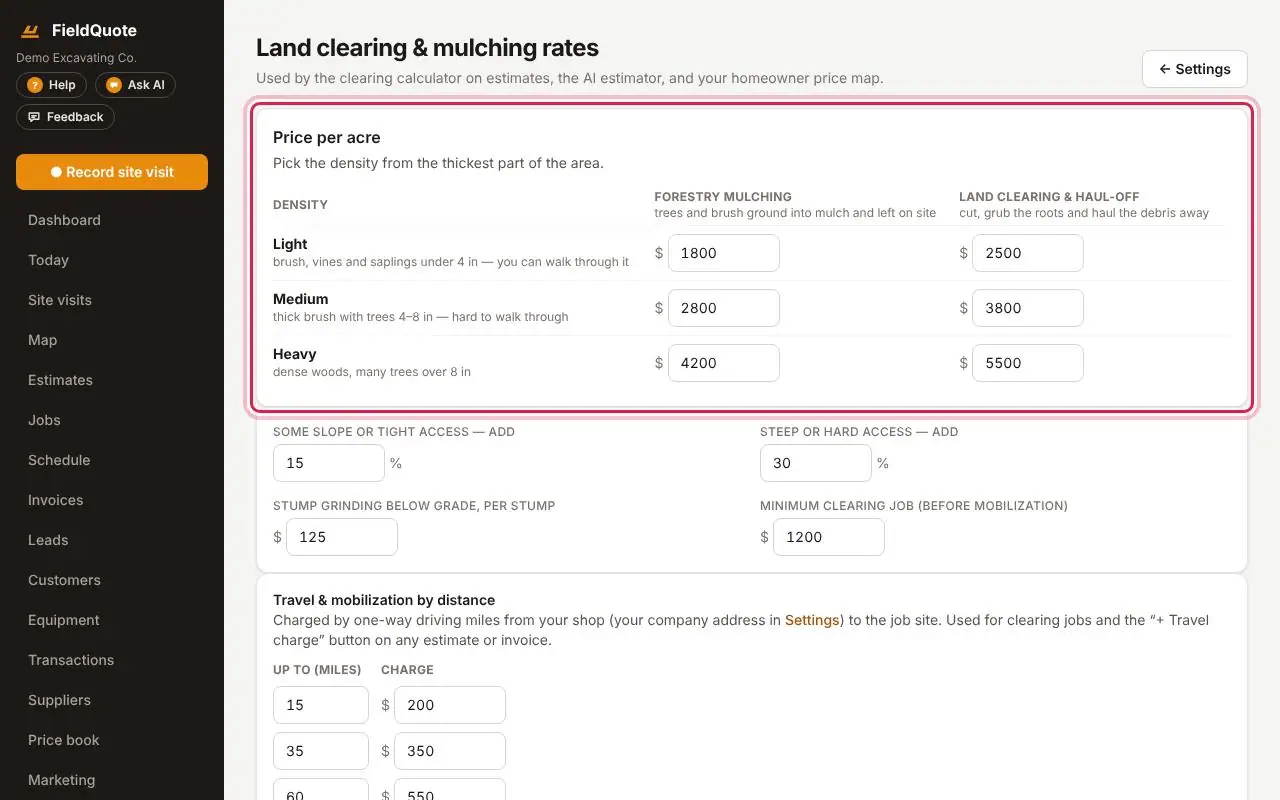
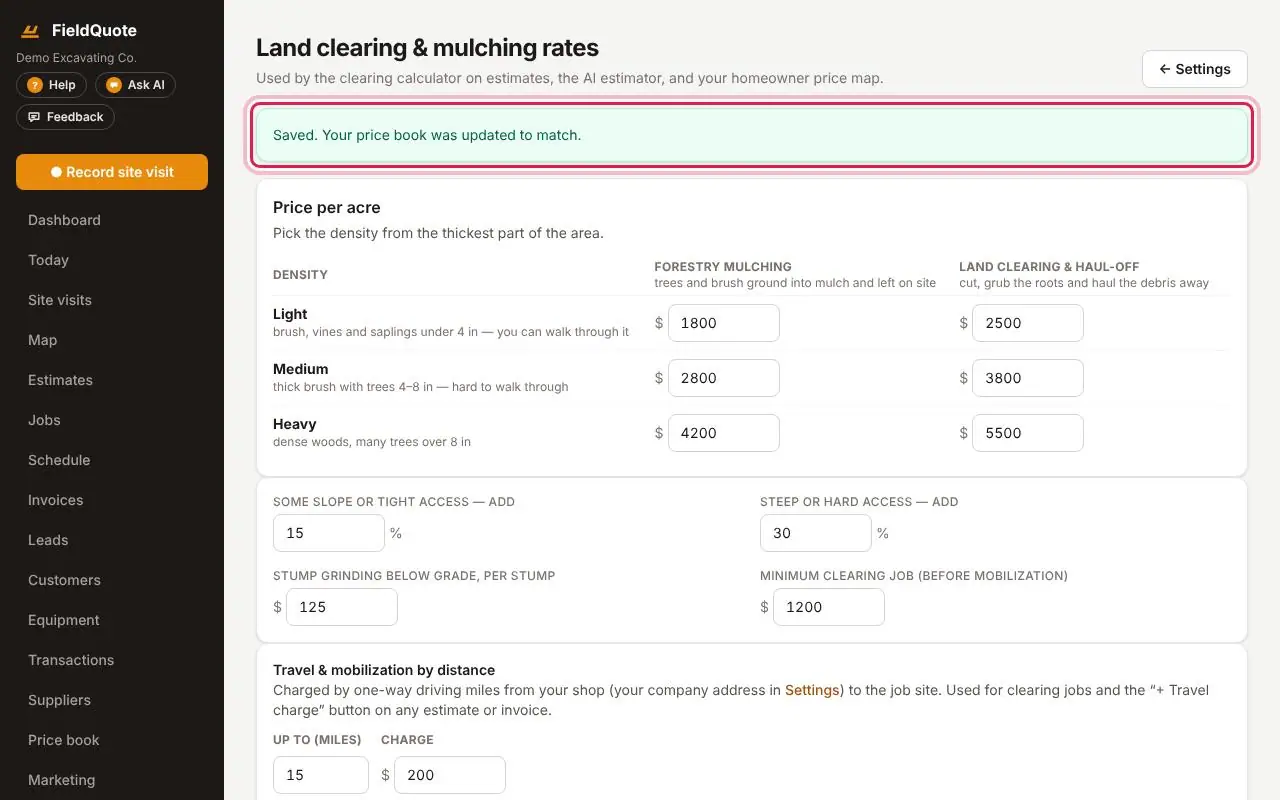
Under Price per acre, type your price for each density (Light, Medium, Heavy), once for Forestry mulching and once for Land clearing & haul-off.
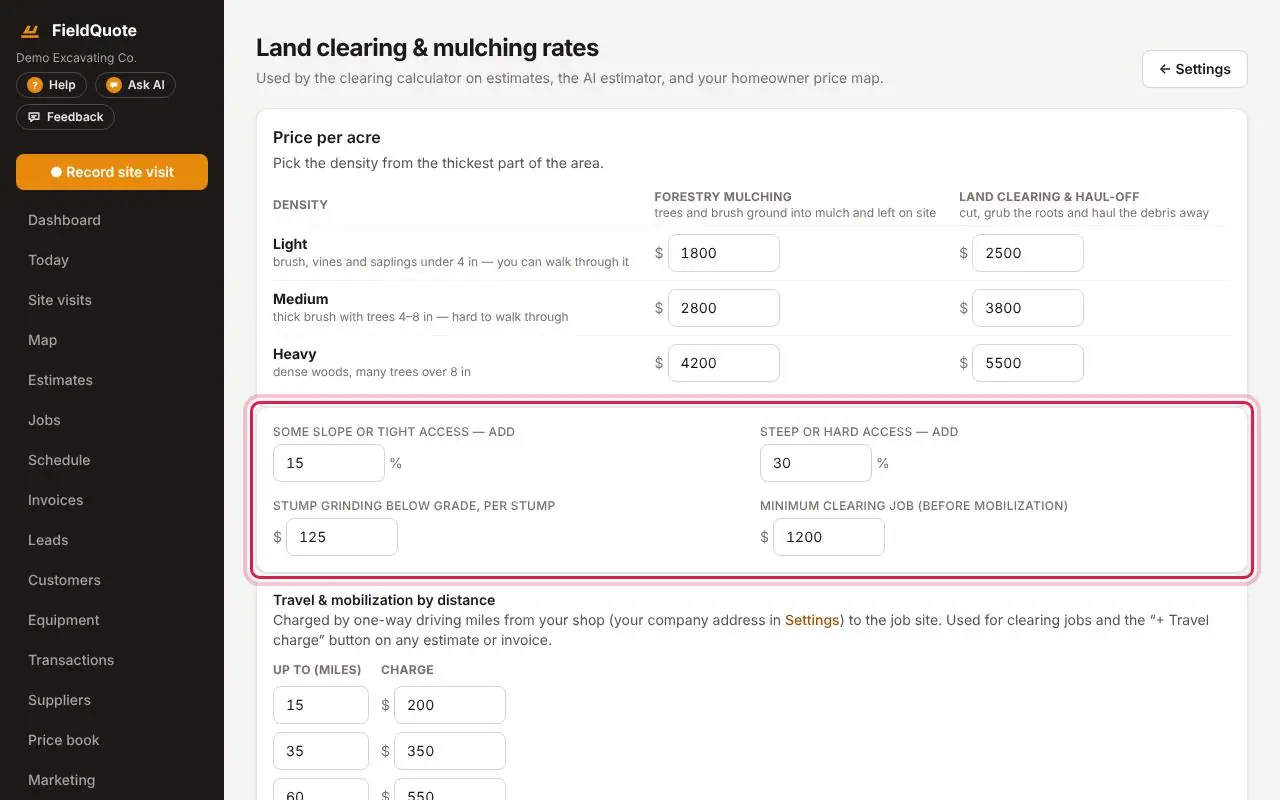
Set the add-ons: Some slope or tight access — add and Steep or hard access — add (a percent of the acre price), Stump grinding below grade, per stump, and Minimum clearing job (before mobilization).
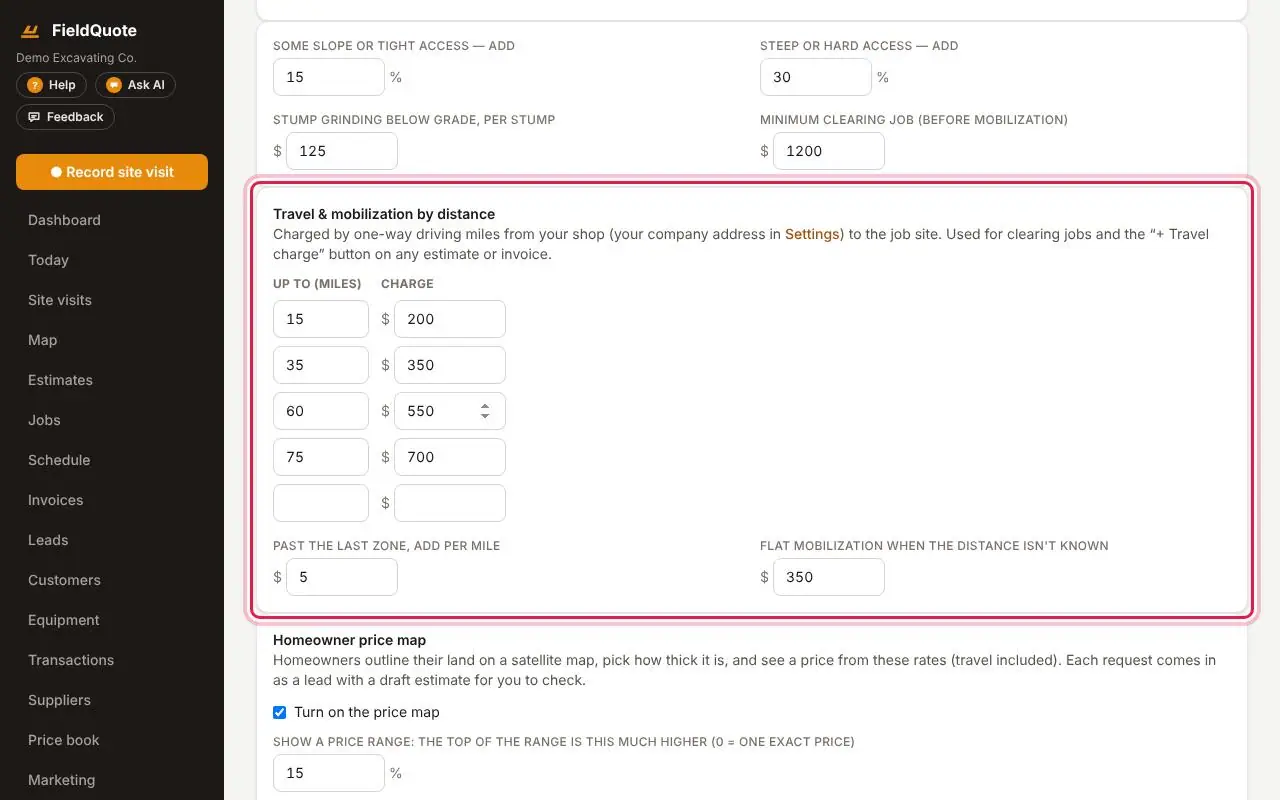
Under Travel & mobilization by distance, fill in up to five zones (Up to (miles) and Charge), Past the last zone, add per mile, and Flat mobilization when the distance isn't known.
Check the Example: line, then tap Save rates. You'll see "Saved. Your price book was updated to match."
What you'll see
Your per-acre prices and stump price copied into the matching price-book items, so the AI estimator prices clearing the same way.
Your mobilization item in the price book set to the flat mobilization amount.
Before you've ever saved: "These are starting numbers (from your price book where it had them). Put in your real prices and save."
Common mistakes
Typing the slope add-on in dollars. It's a percent of the acre price.
Leaving your shop address blank in Settings. Travel is measured from it. Without it, + Travel charge can't measure the distance and the clearing calculator falls back to the flat mobilization.
Limits
Only the owner or an admin can change these. Others see "Only the owner or an admin can change prices."
Zone miles are one-way driving miles from your shop.
Saving turns the clearing, mulching and stump grinding price-book items back on if you'd hidden them.
Checked against the app on Nov 9, 2026. Pictures are from Demo Excavating Co., a made-up company.