Estimating & price book
Guide 14 of 18
What it's for
Far jobs cost more to get to. Set your travel zones once and charge the right amount on every estimate without looking up the miles.
Where
On an estimate or invoice: + Travel charge under the lines.
Watch it
Steps
Pick the Job site at the top of the estimate.
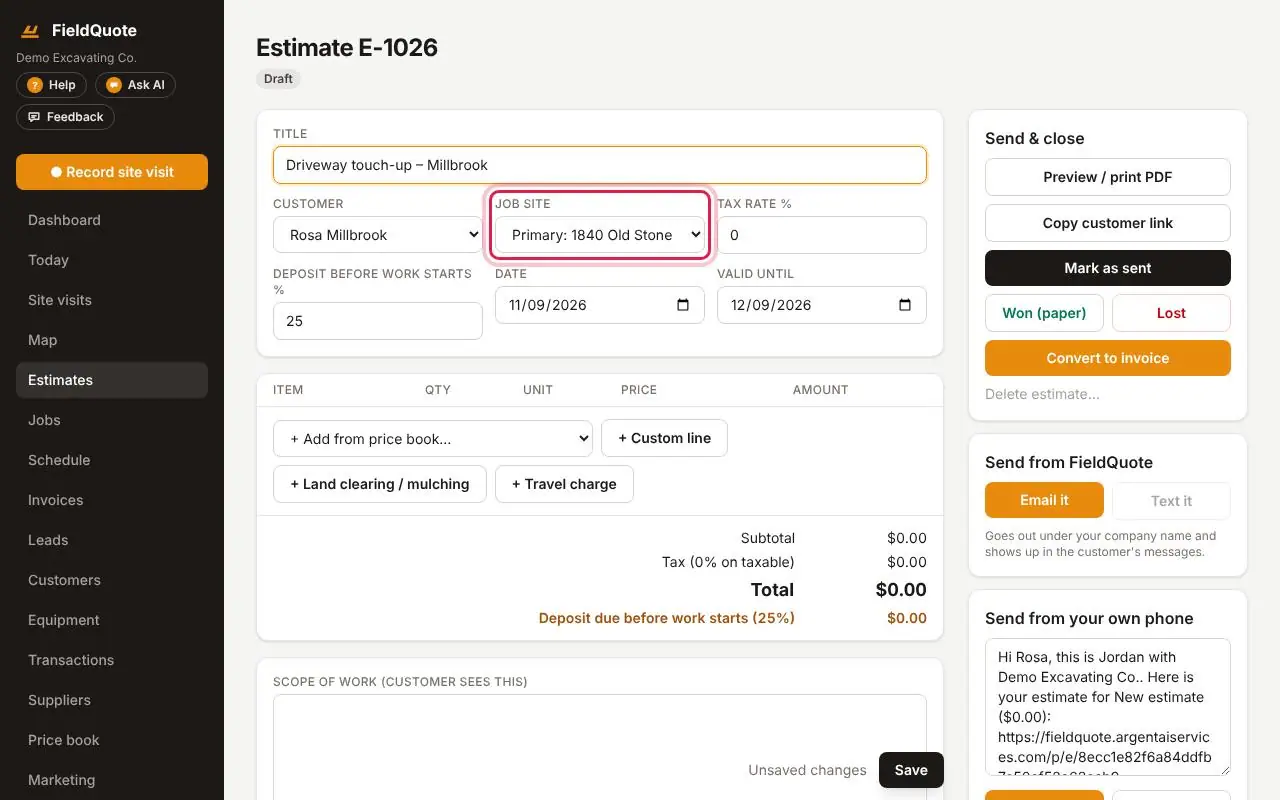
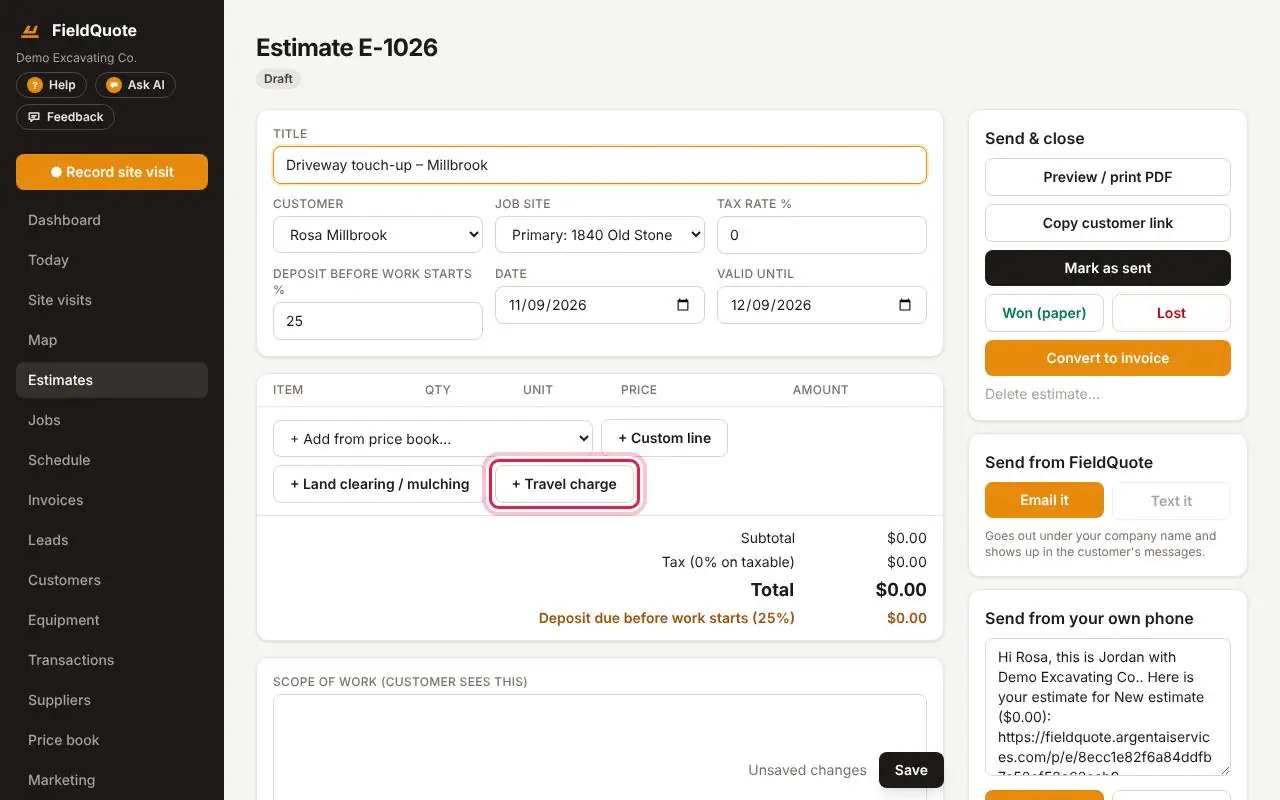
Tap + Travel charge. It says "Measuring distance…" for a moment.
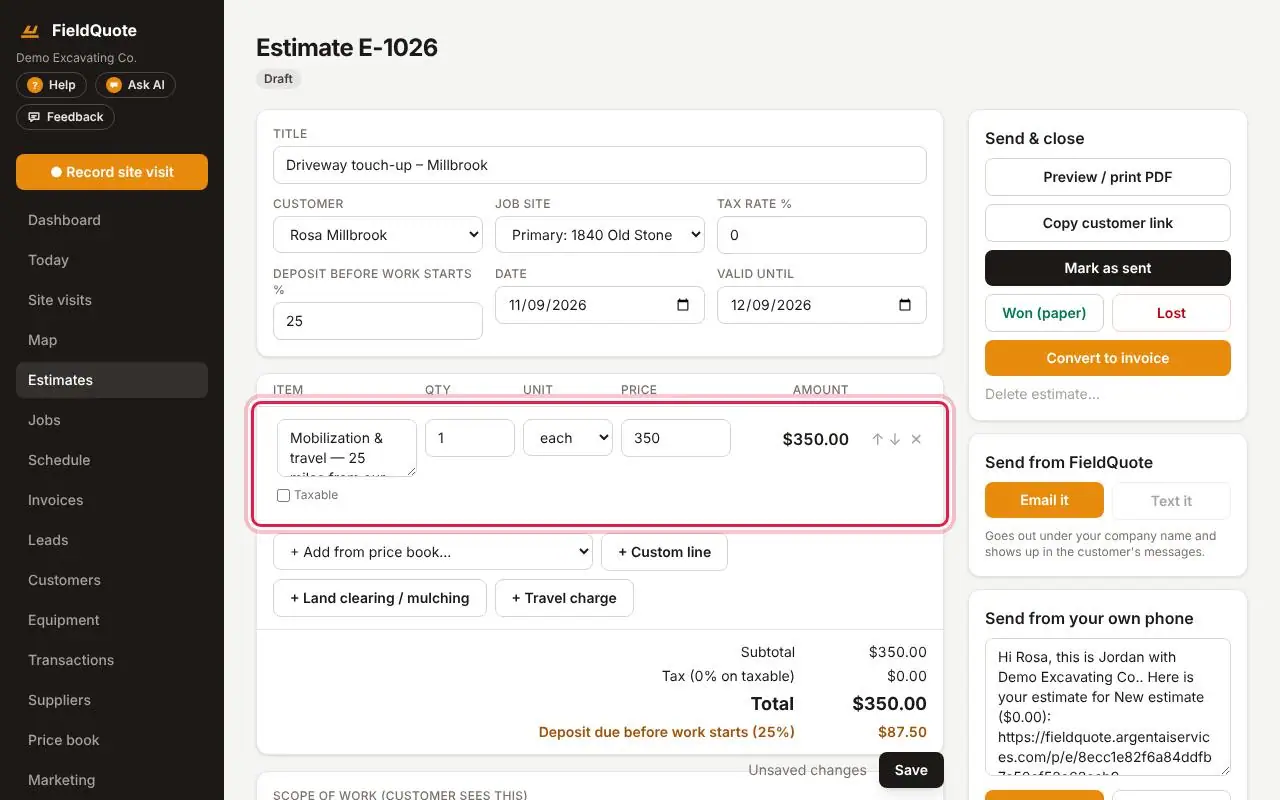
A line is added, such as "Mobilization & travel — 25 miles from our shop (16–35 mi zone)", priced at that zone's charge. Tap Save.
What you'll see
The miles are one-way driving miles from your shop address in Settings to the job site.
If the driving route can't be worked out, it uses the straight-line distance plus a quarter, and the miles on the line start with the word about.
If the job is past your last zone, the charge is the last zone's charge plus your per-mile amount for each mile over.
One travel charge per estimate or invoice. If there's already a travel or mobilization line (from this button, the price book or the AI estimate), tapping it again replaces that line with the new distance and charge, and says "This already had a travel line, so that line was replaced — travel isn't charged twice."
Common mistakes
No job site picked. You'll see "Pick a job site first."
No shop address in Settings. You'll see "Add your shop address in Settings so FieldQuote can measure the distance."
A job site address the map can't find. You'll see "Couldn't find that job site address on the map — check the address, or add the travel line by hand."
Tapping it to "add" a second trip (two mobilizations). It replaces the travel line instead. Add the second trip with + Custom line.
Limits
Zones and the per-mile amount are set in Settings › Set clearing rates.
Change orders don't have the button. Travel belongs on the estimate or the invoice.
Checked against the app on Nov 9, 2026. Pictures are from Demo Excavating Co., a made-up company.