Invoicing & online payments
Guide 2 of 12
What it's for
Jobs rarely go exactly as quoted. Bill for what you actually did: the extra stone, the longer drain, the trip out.
Where
The invoice's page (Invoices › the invoice).
Watch it
Steps
Change any line: the description, the quantity, the unit or the price. The amount and totals update as you type.
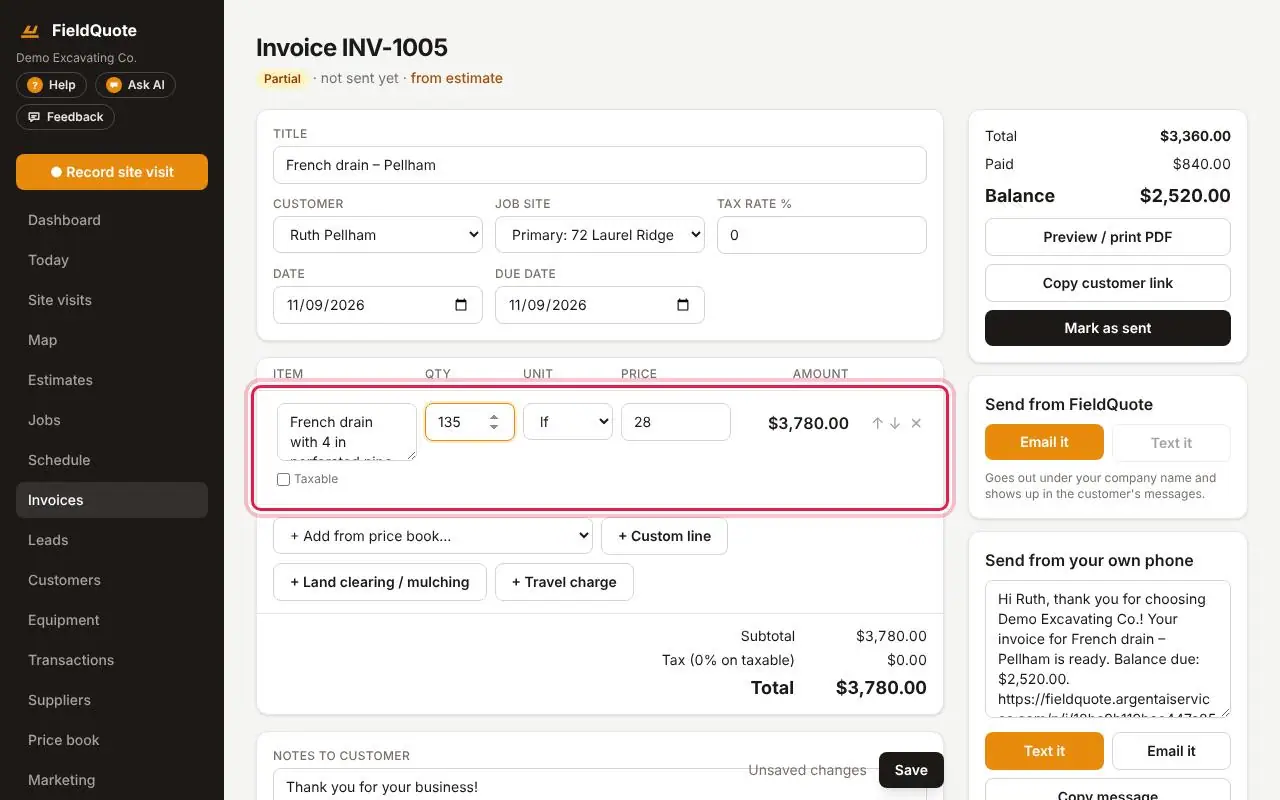
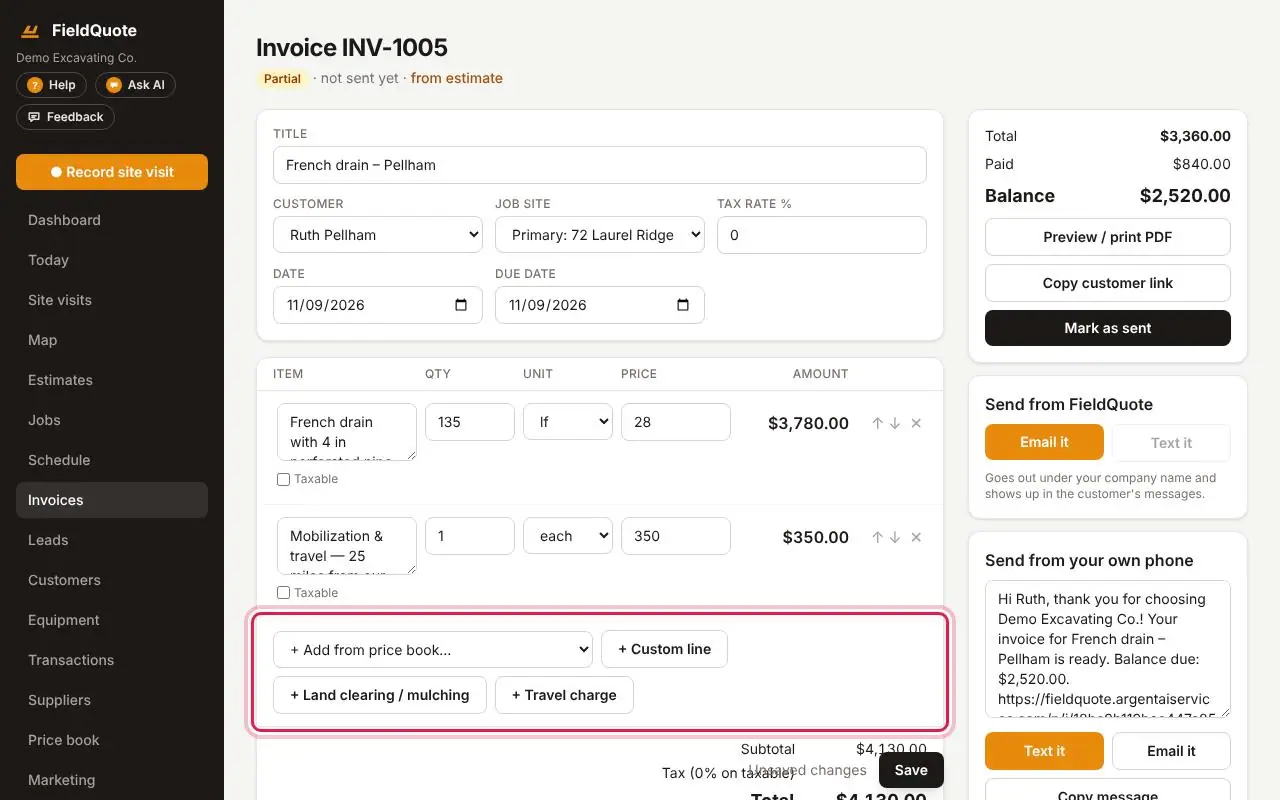
Add lines with + Add from price book…, + Custom line, + Land clearing / mulching (the clearing calculator), or + Travel charge (works out the distance from your shop to the job site and adds the charge). Remove a line with ✕; move it with the arrows.
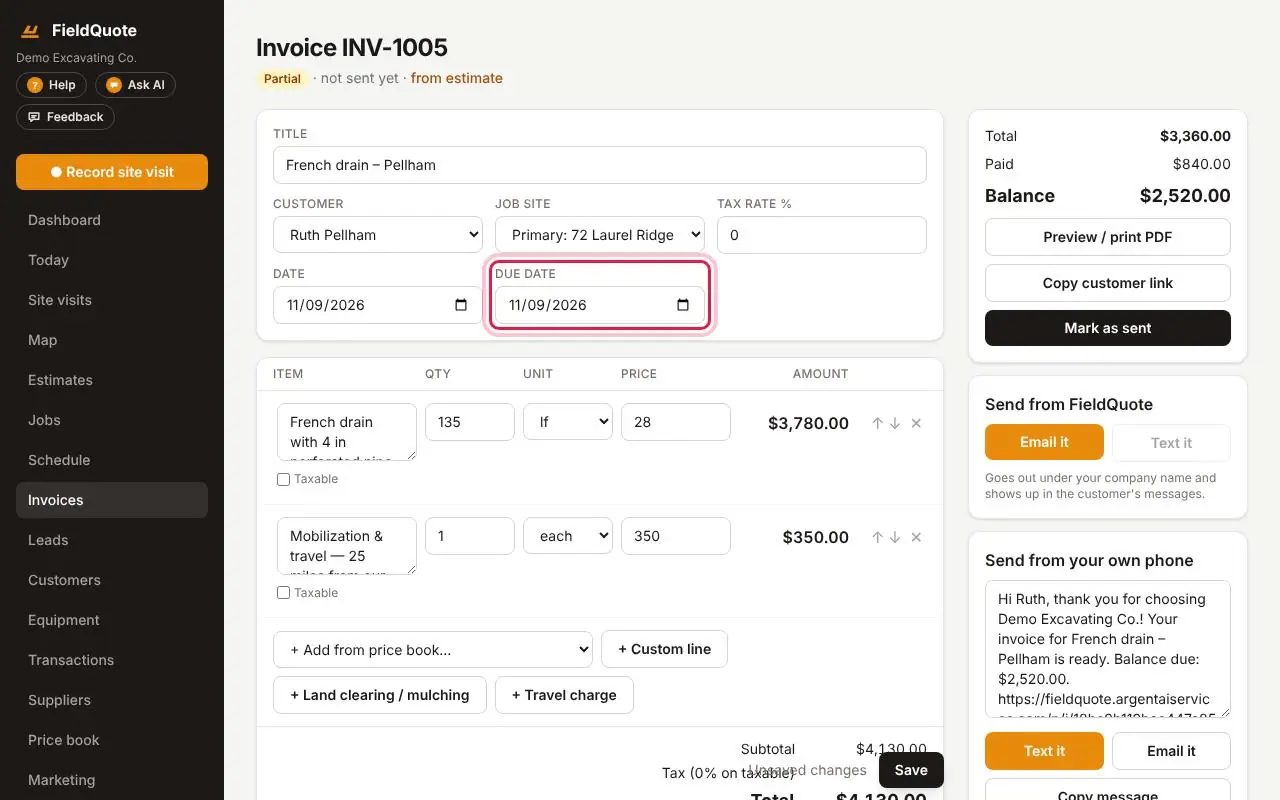
Check the Due date (and the Date). Put anything the customer should read in Notes to customer.
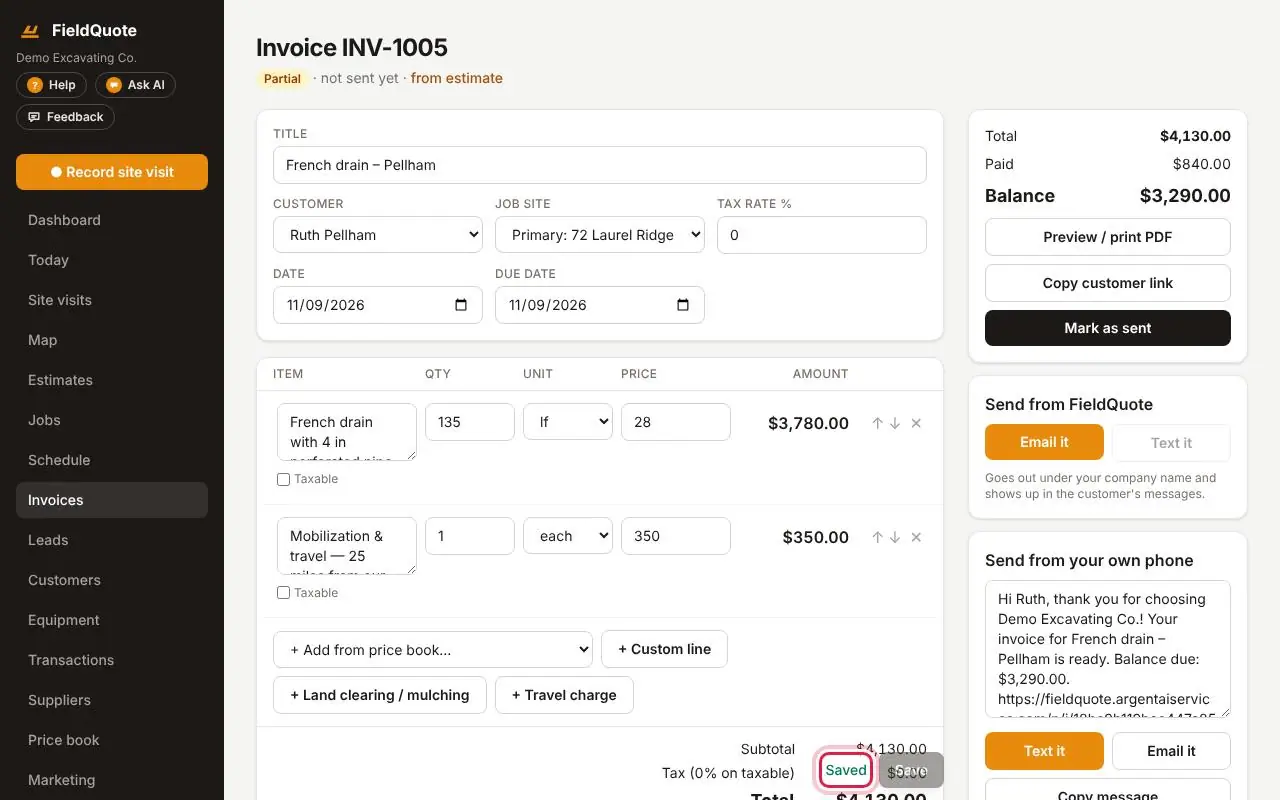
Tap Save at the bottom. You'll see "Saved".
What you'll see
"Unsaved changes" next to Save until you save.
After saving, Paid and Balance on the right and the invoice's status are worked out again (for example, it becomes Paid if the new total is what's already been paid).
The customer's link shows the new version straight away.
Common mistakes
Leaving the page without saving. Changes are only kept when you tap Save.
+ Travel charge without a job site: pick the Job site first.
Ticking Taxable on lines that aren't. Tax is only added on ticked lines, at the invoice's Tax rate %.
Limits
The travel charge needs your shop address in Settings and a job site FieldQuote can find.
Changes to a paid invoice change what the customer sees; make a new invoice for new work instead.
Checked against the app on Nov 9, 2026. Pictures are from Demo Excavating Co., a made-up company.