Invoicing & online payments
Guide 1 of 12
What it's for
Bill the job the day you finish it, without typing the estimate in again.
Where
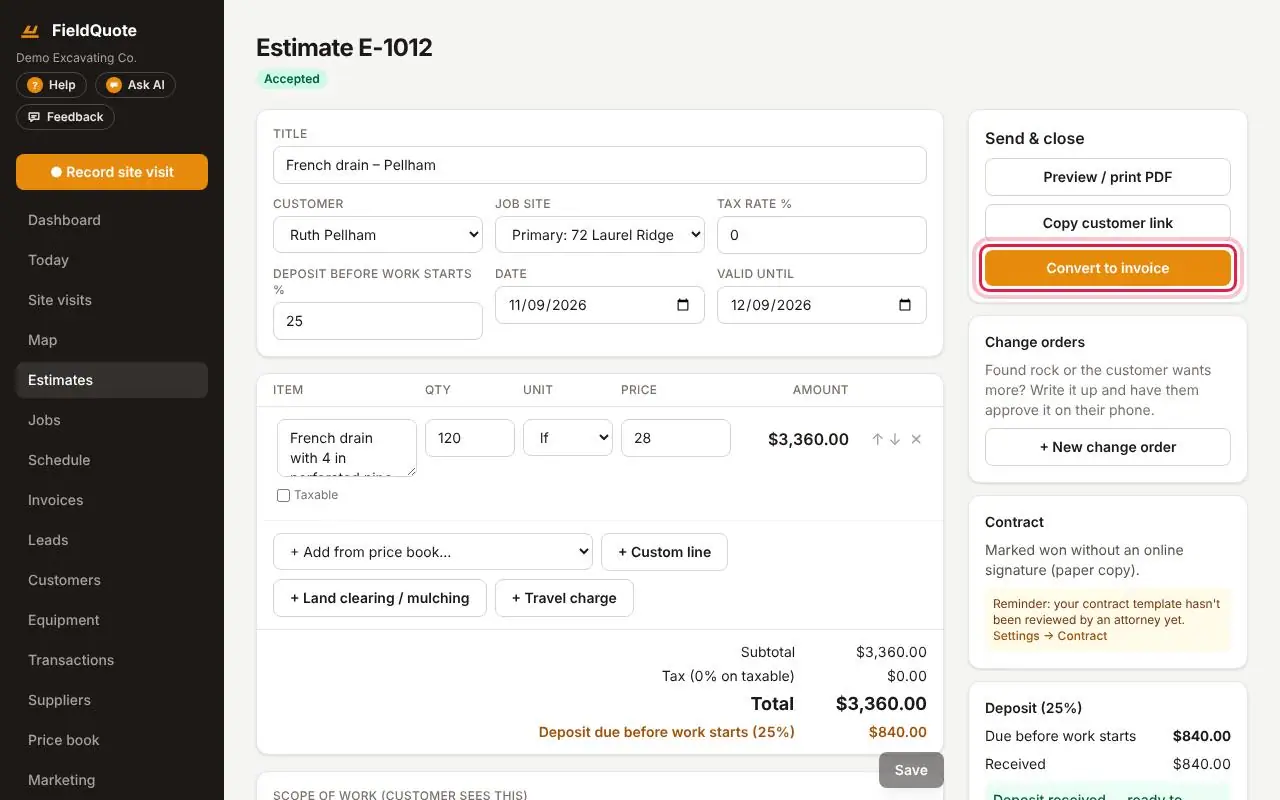
The estimate › Send & close › Convert to invoice.
Watch it
Steps
Open the estimate and tap Convert to invoice.
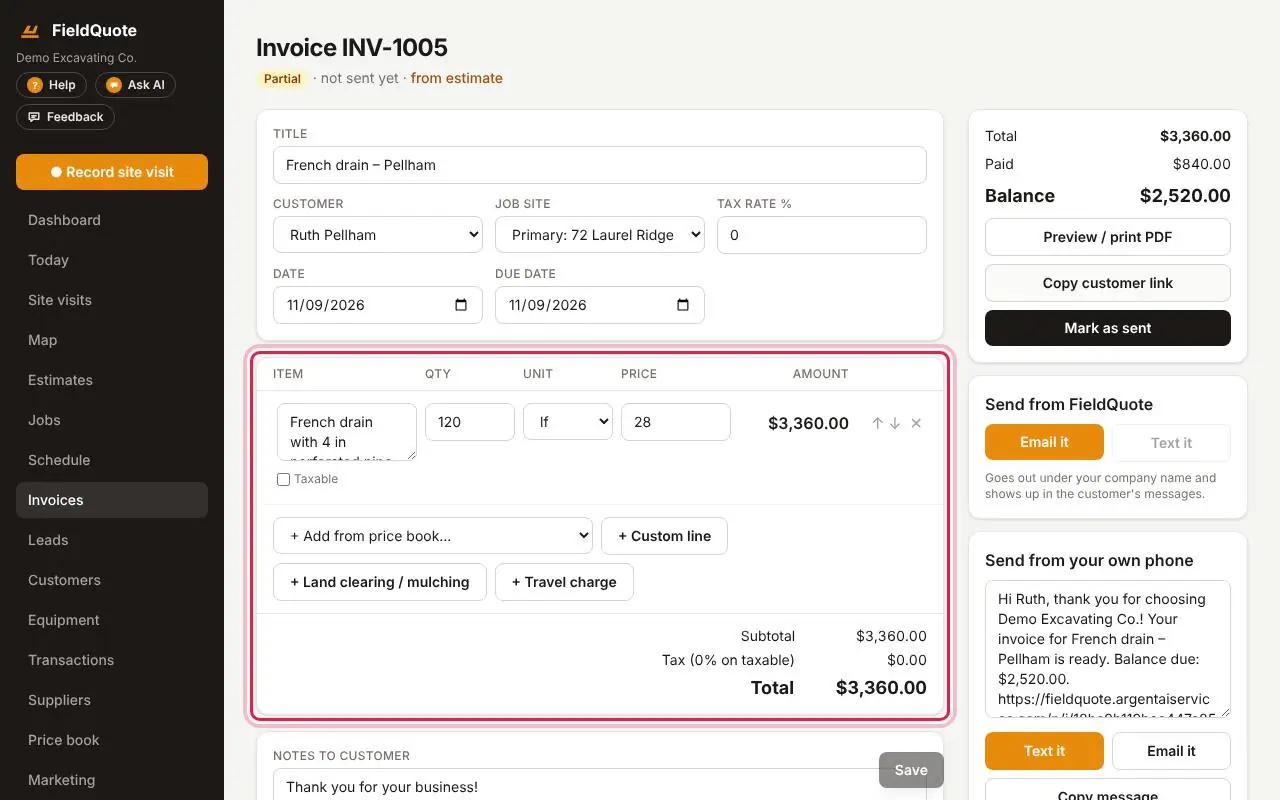
The invoice opens with the estimate's title, customer, job site, tax rate and every line.
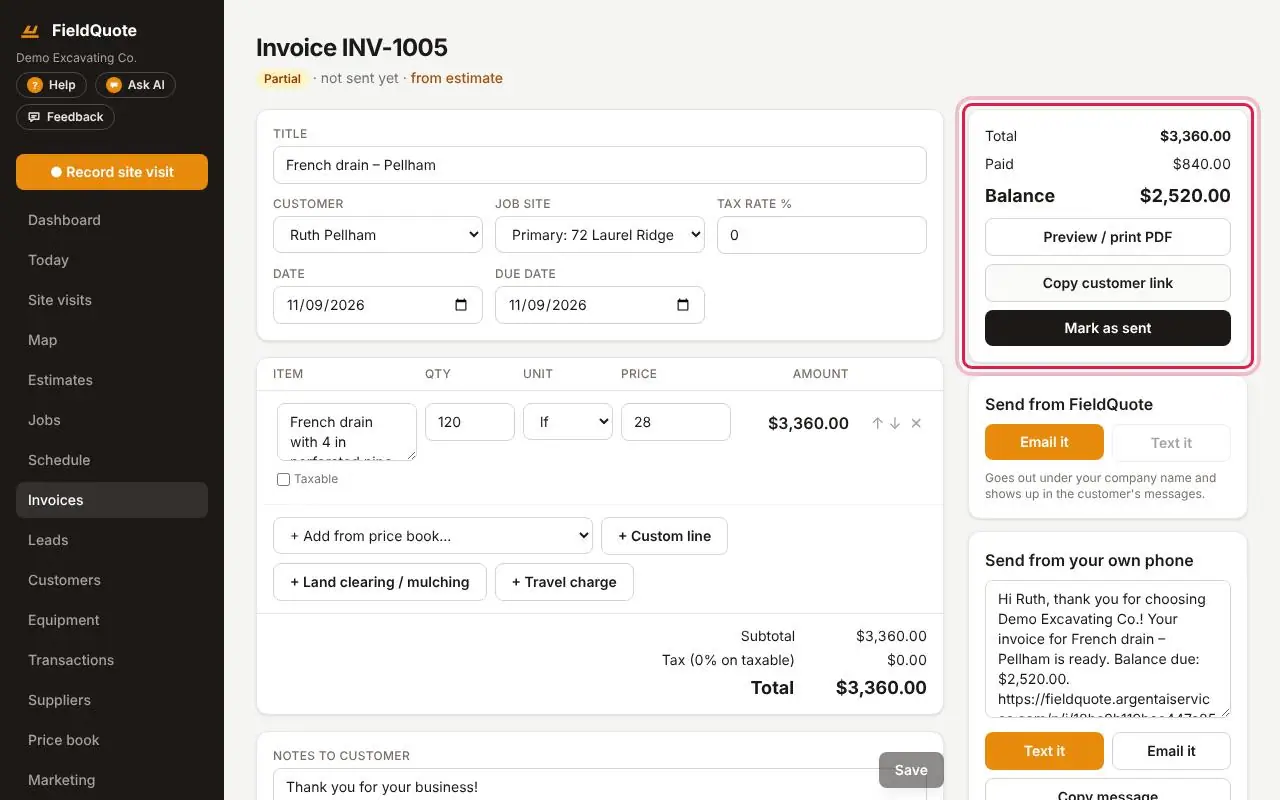
On the right, Paid already includes the deposit, and Balance is what's left. Mark as sent stays there until you send the invoice.
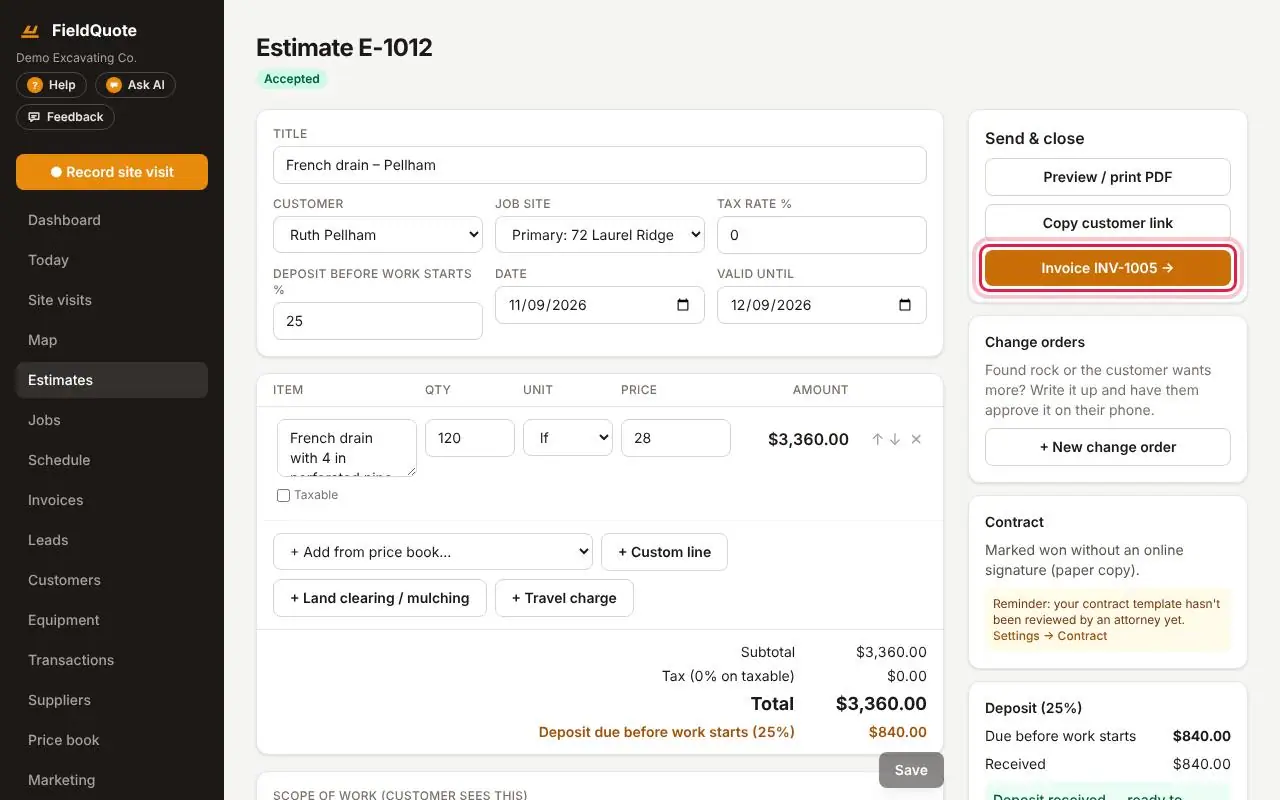
The estimate now has a button to the invoice instead of Convert to invoice.
What you'll see
Change orders the customer approved (and that aren't billed yet) are added to the invoice.
The due date is today plus Invoice due (days, 0 = on receipt) from Settings, and your standard Invoice note is filled in.
The invoice is linked to the job, so paying it in full marks the job complete.
With a deposit paid, the invoice shows Partial straight away, and "not sent yet" at the top until you send it (or tap Mark as sent). Until then it isn't counted in Owed to you or Invoices due, and no invoice reminder goes out.
Common mistakes
Converting twice. The second tap just opens the invoice you already made.
Converting before the work is done and forgetting to update it. Change the lines to match what you did (see Change an invoice to match the job).
Limits
One invoice per estimate. For extra work after that, start a blank invoice or use a change order.
Converting an estimate that wasn't accepted yet marks it accepted and makes its job.
Checked against the app on Nov 9, 2026. Pictures are from Demo Excavating Co., a made-up company.