Jobs, scheduling, weather, 811 tickets & lien deadlines
Guide 13 of 14
What it's for
Close the job out so it leaves your schedule and your Today screen, and so FieldQuote can watch the lien deadline if the customer doesn't pay.
Where
The job's page › Schedule box › Status.
Watch it
Steps
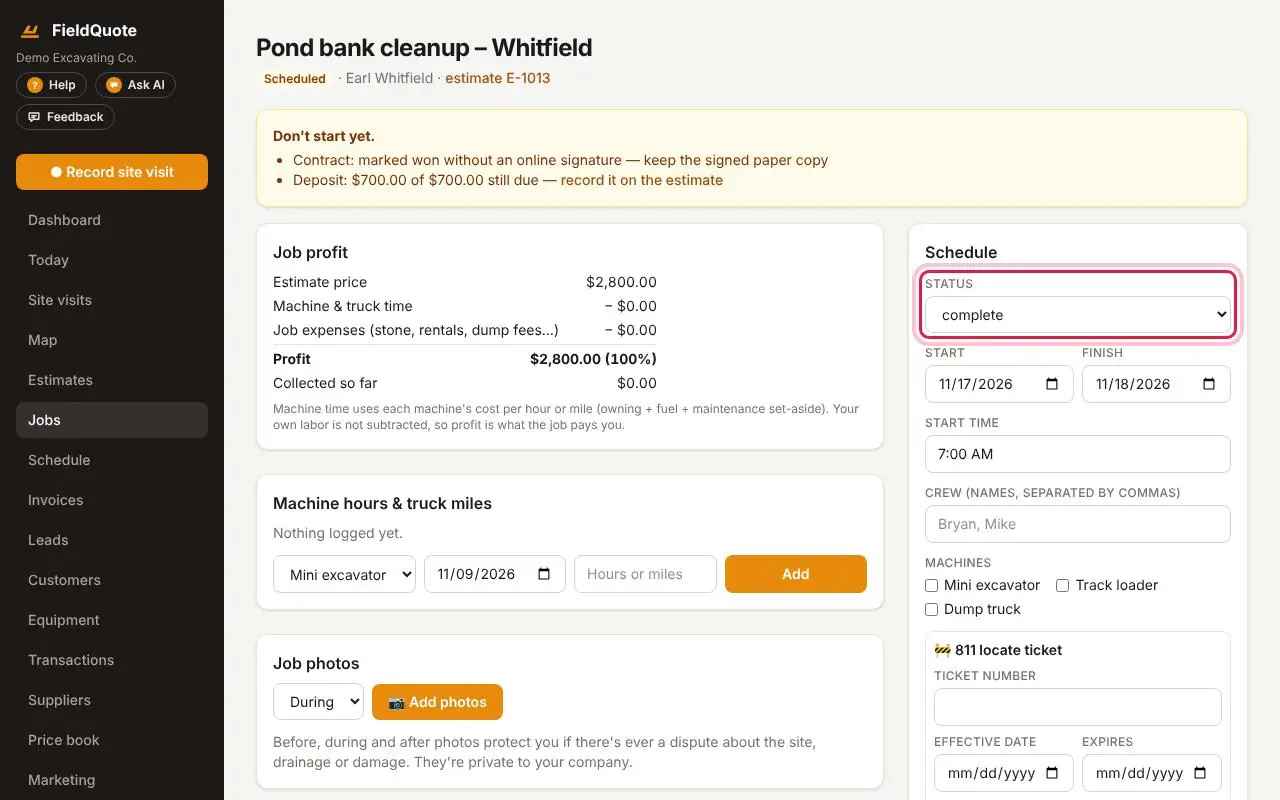
In Status, pick complete.
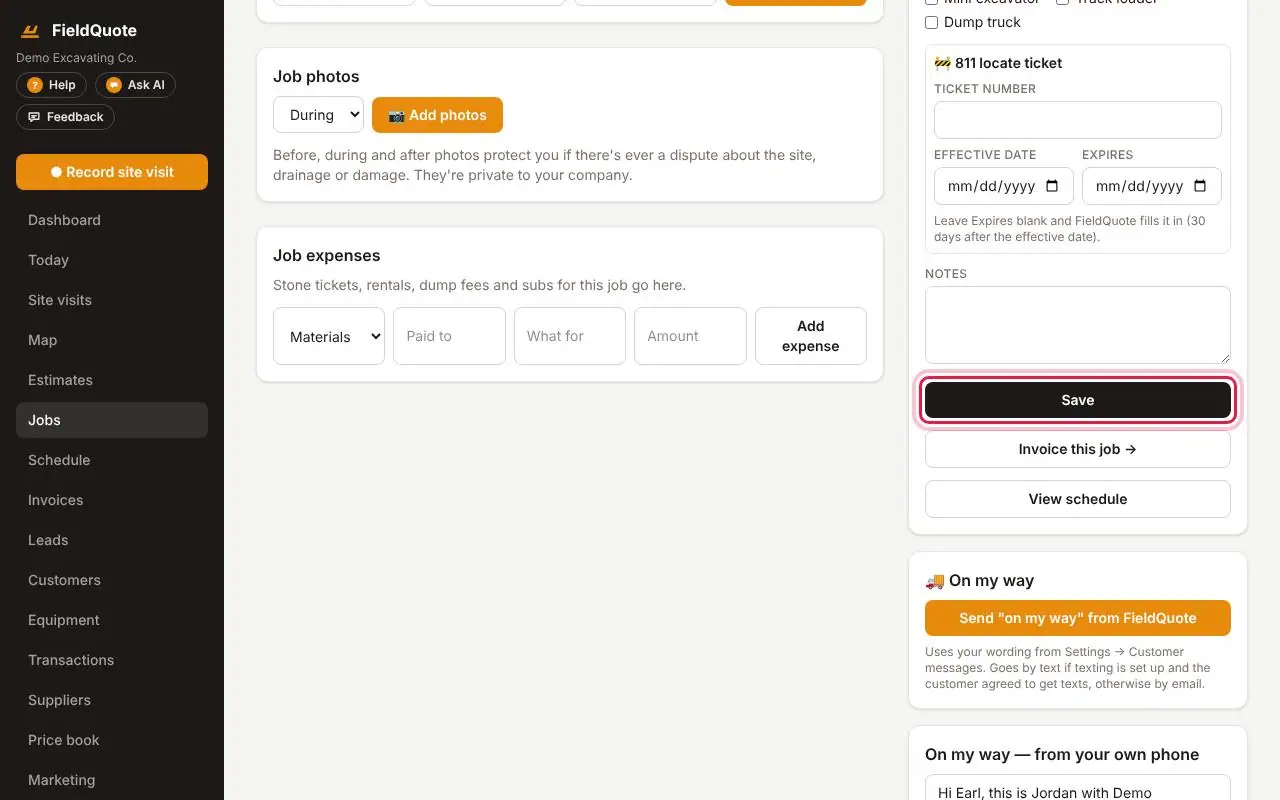
Tap Save.
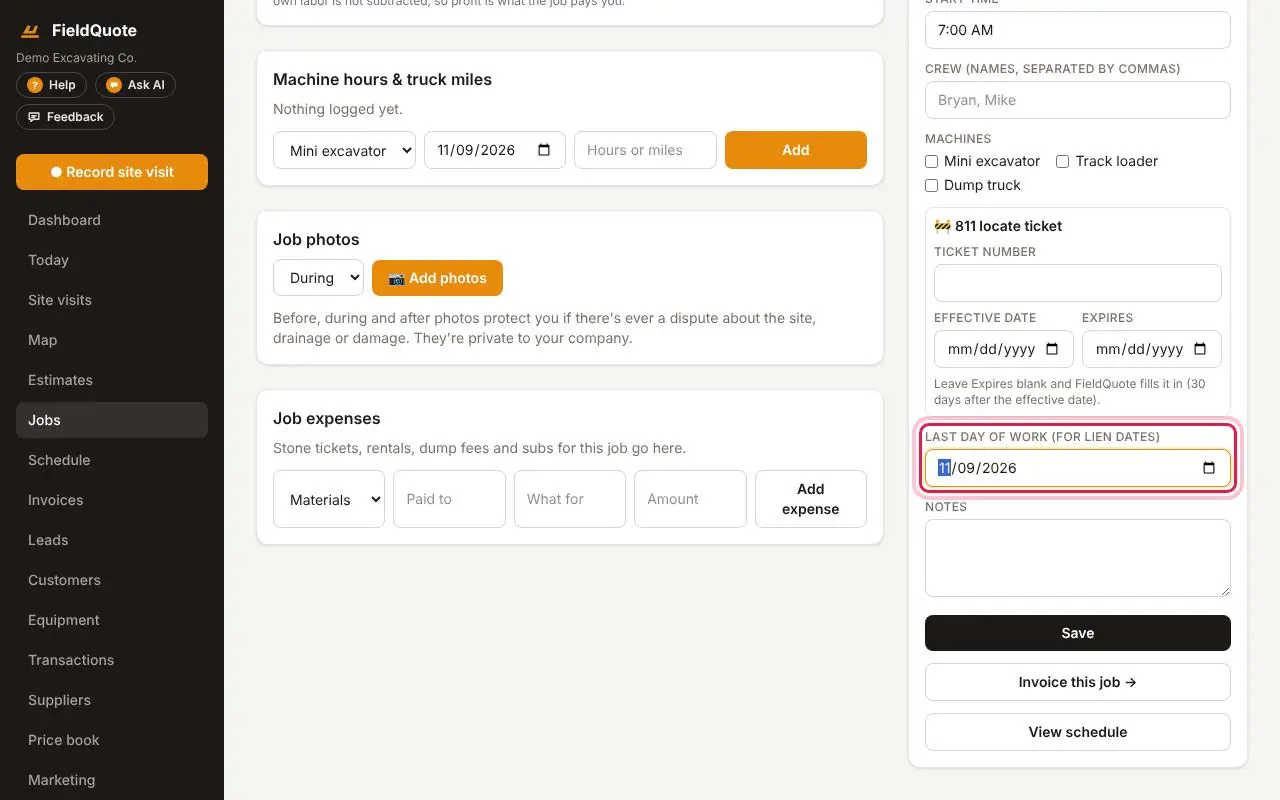
Status still says complete, and a new box shows: Last day of work (for lien dates). It's set to the day you marked it complete; change it to the last day you worked or delivered materials, and tap Save again.
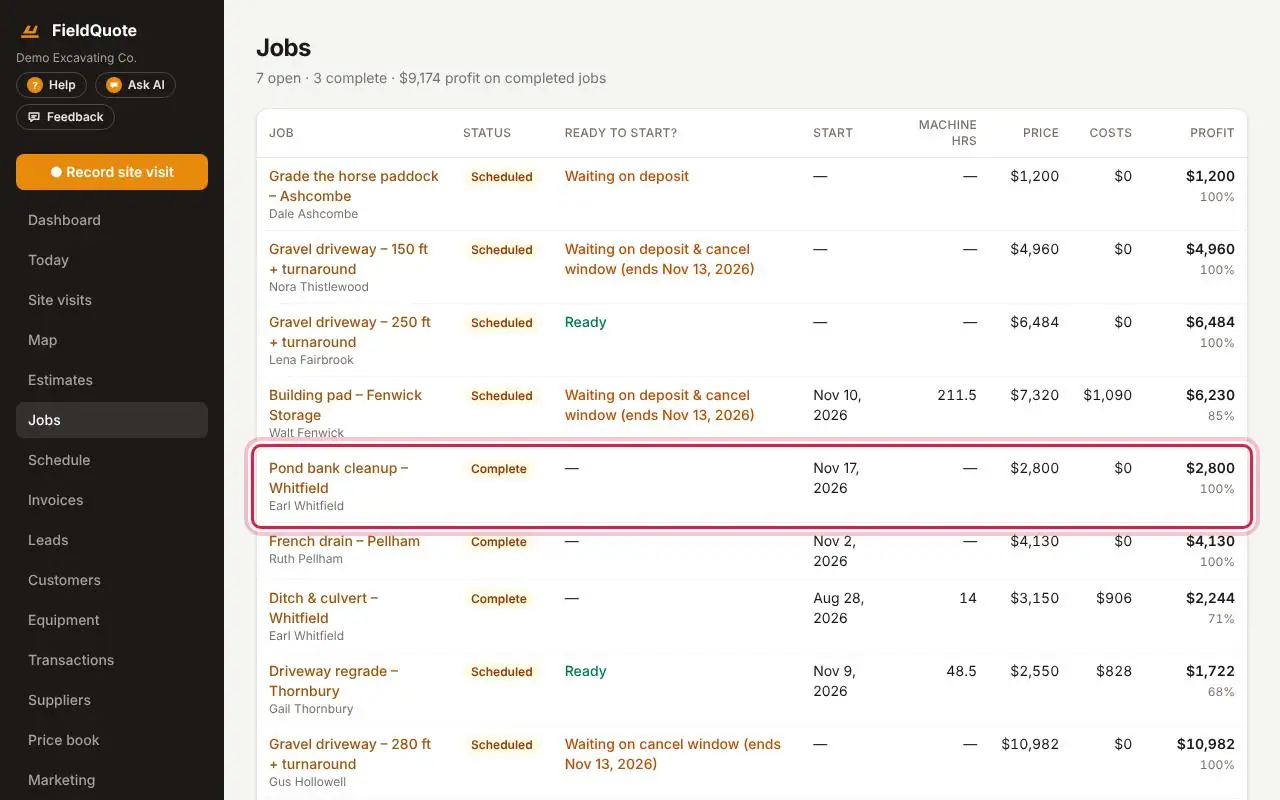
On Jobs it shows as complete, and its profit counts toward profit on completed jobs.
What you'll see
The job turns grey on the Schedule and leaves the Today screen, the on-my-way buttons and the double-booking checks.
If the invoice still has a balance, the lien deadline shows on the job (see Keep an eye on lien deadlines).
Common mistakes
Leaving the last day of work as the day you got round to clicking. The lien deadline counts from it, so set the real day.
Marking it complete before sending the invoice. That's fine, but invoice it: the lien warning needs an invoice with a balance.
Limits
Paying the invoice in full marks the job complete by itself.
Setting the status back to scheduled clears the completed date.
Checked against the app on Nov 9, 2026. Pictures are from Demo Excavating Co., a made-up company.