Marketing, leads & ad spend
Guide 7 of 11
What it's for
Fixing a campaign name you typed wrong, a channel you picked by mistake or a budget that changed, and getting rid of a campaign that should never have been there — a test, or one an import made from the wrong report.
Where
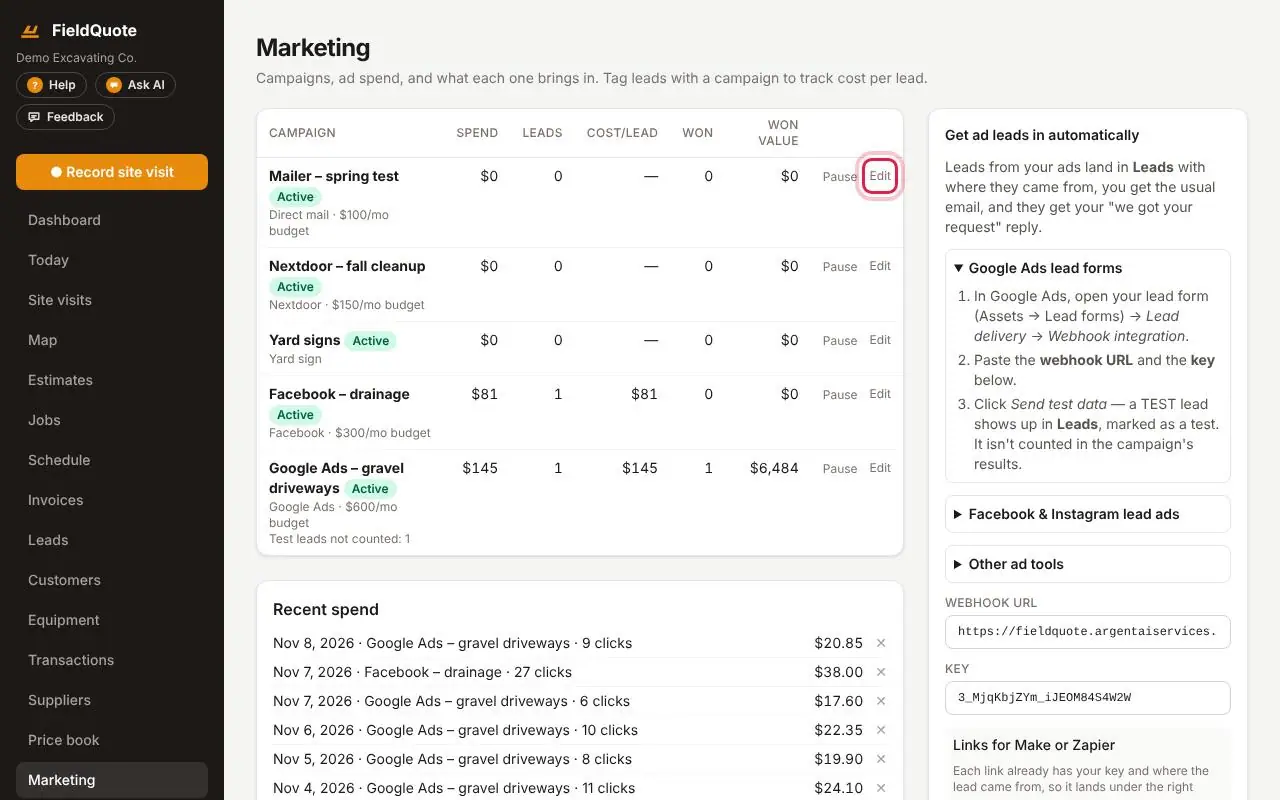
Marketing › the campaign's line in the table › Edit. Only the owner and admins see Edit.
Watch it
Steps
On Marketing, tap Edit at the end of the campaign's line.
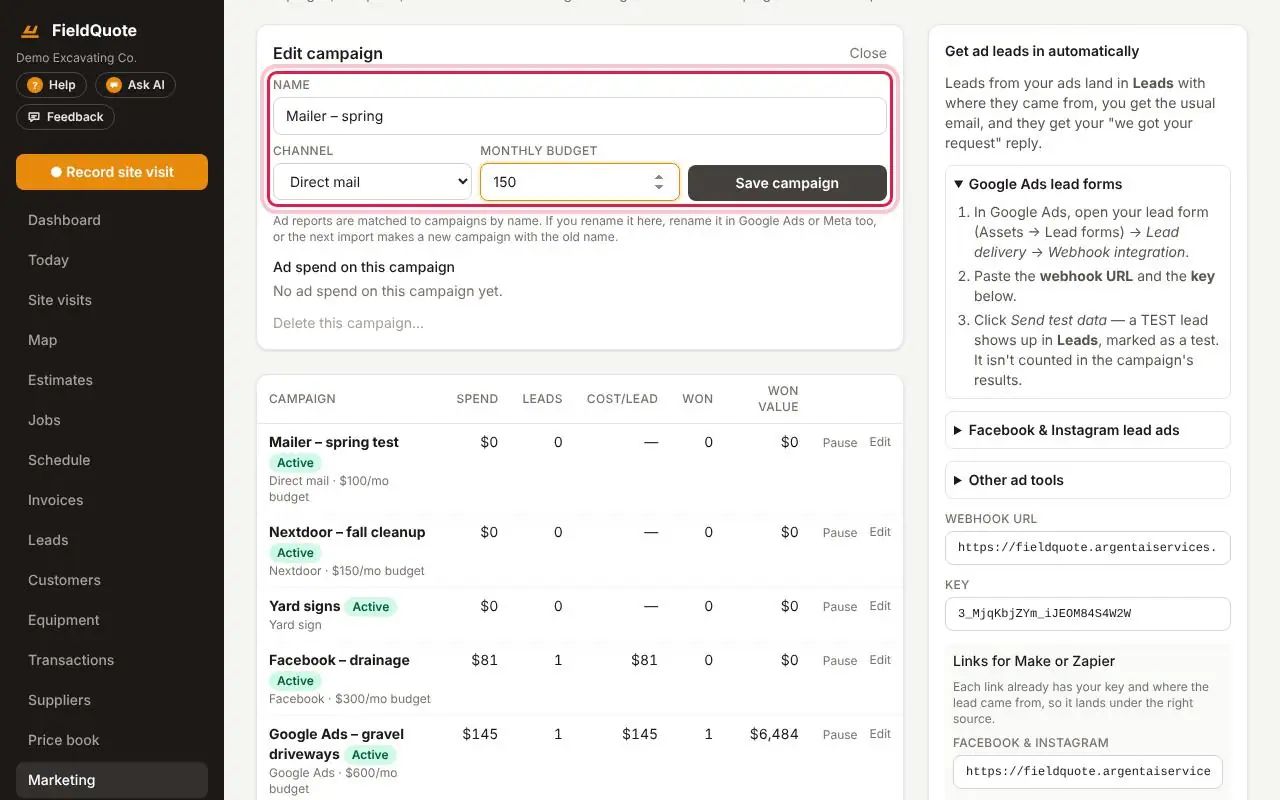
Edit campaign opens above the table. Change the Name, Channel or Monthly budget.
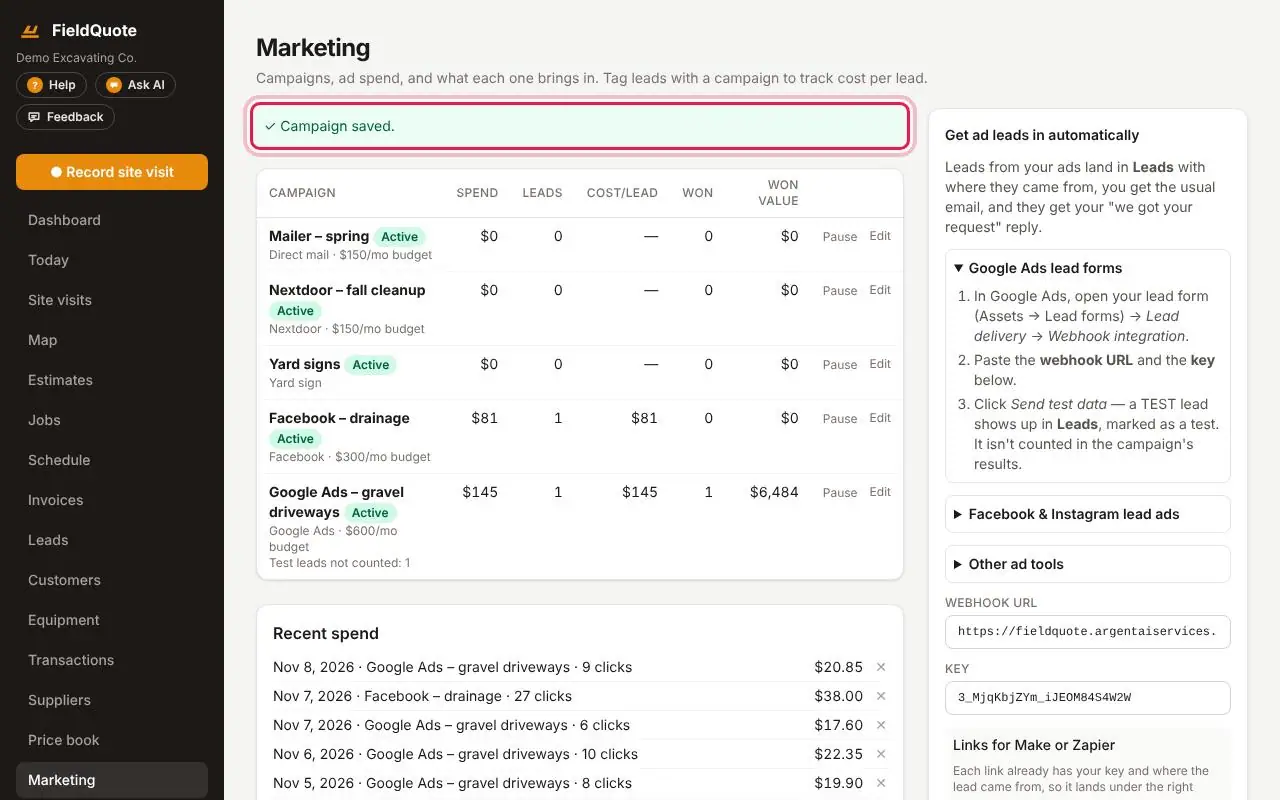
Tap Save campaign. "✓ Campaign saved." shows, and the table has the new name.
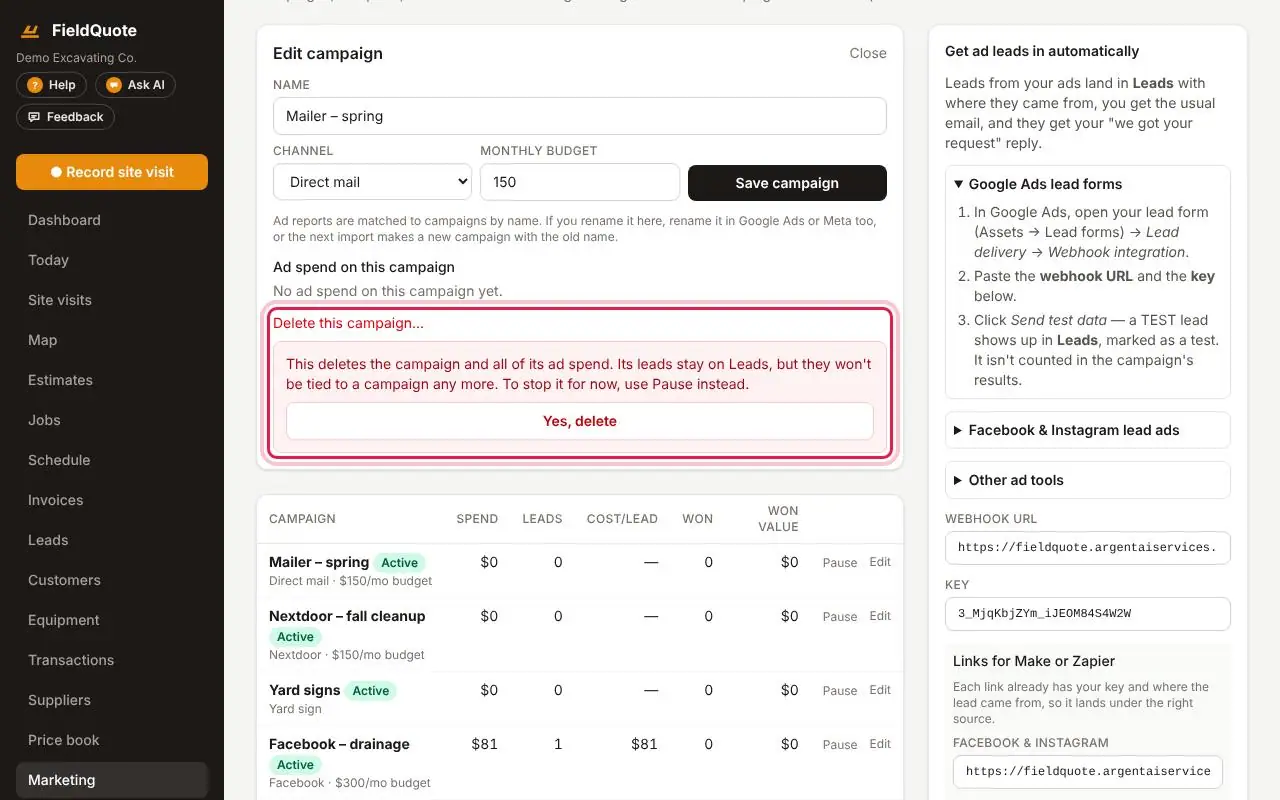
To delete a campaign, tap Edit on its line, then Delete this campaign… at the bottom of the box. Read the warning and tap Yes, delete.
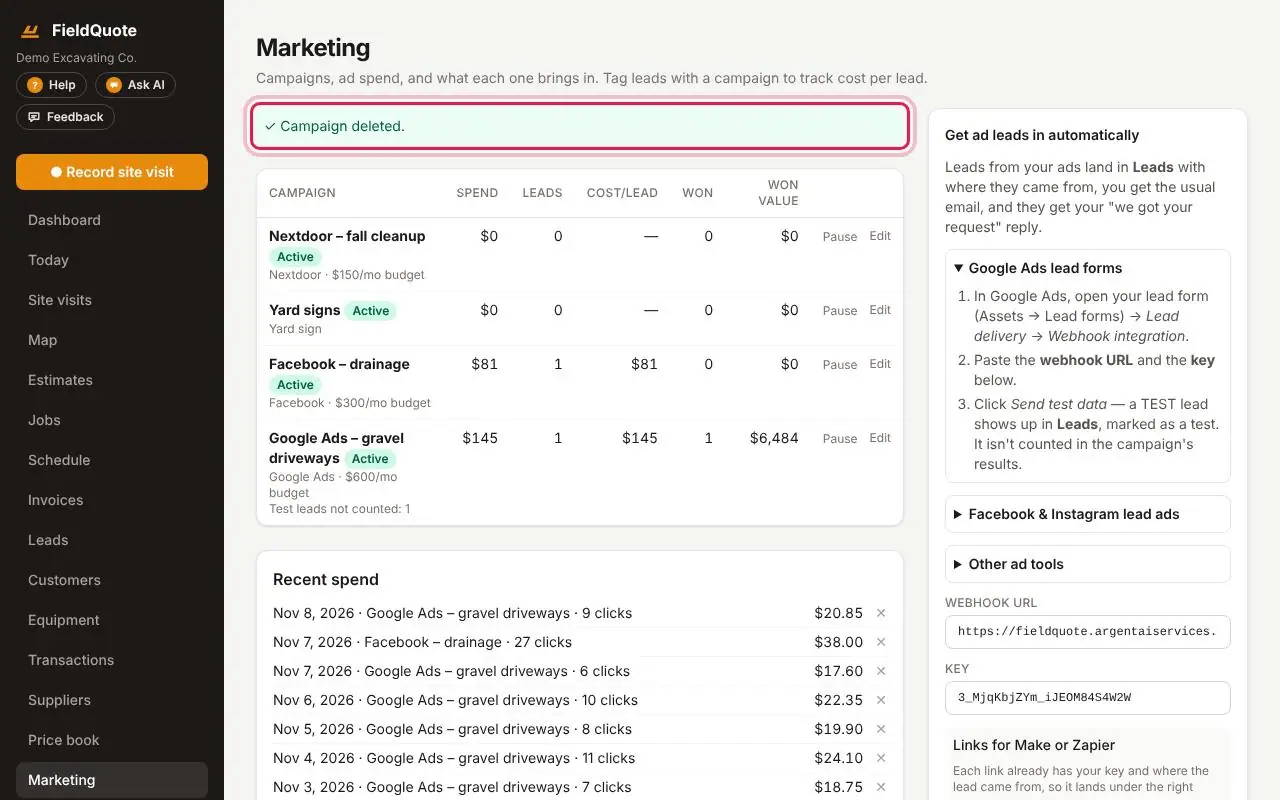
"✓ Campaign deleted." It's gone from the table, and its ad spend with it.
What you'll see
The new name in the table, in Recent spend, and in the Campaign lists on Add lead and Log ad spend.
Ad spend on this campaign in the box lists every day of its spend, imported or typed in. Each has a ✕ to delete that day (see the next article).
After a delete, the campaign's spend is gone from Marketing and from the Dashboard's Where jobs come from. Its leads stay on Leads with their source, but without a campaign.
Close shuts the box without saving.
Common mistakes
Renaming it only in FieldQuote. Ad reports and ad leads find the campaign by its name, so rename it in Google Ads or Meta too. Otherwise the next import of a report with the old name makes a new campaign.
Picking a name another campaign already has. FieldQuote says "Another campaign already has that name. Ad leads and imported reports find campaigns by name, so pick a different one."
Deleting a campaign you've only stopped running. Its spend and leads drop out of your numbers. Tap Pause on its line instead.
Limits
There's no undo. Imported spend can be brought back by importing the report again; typed-in spend has to be typed again.
Changing the Channel moves all of the campaign's spend to the new channel on the Dashboard. Its leads keep their own source.
Team members don't see Edit or the ✕ buttons.
Checked against the app on Nov 9, 2026. Pictures are from Demo Excavating Co., a made-up company.